Let me paint you a picture. It’s 2:00 AM, and your NAS drive just died — taking with it three years of family photos, a half-finished novel, and your entire Plex library. Sound familiar? I’ve been there, and that one painful night pushed me down a rabbit hole that eventually led me to building my very own mini PC home server. What I discovered completely changed how I think about personal data ownership, home automation, and yes, electricity bills.
In 2026, the mini PC home server scene has matured beautifully. We’re no longer talking about noisy towers humming in the corner or overpriced NAS boxes with locked-down software. Today’s low-power mini PCs are genuinely capable of running full Linux or Windows Server environments, handling 4K media transcoding, hosting self-deployed apps, and even acting as smart home hubs — all while sipping less electricity than a desk lamp.
So let’s think through this together: Should you build one? Which hardware makes sense in 2026? And what are the realistic alternatives if you’re not quite ready to dive in?
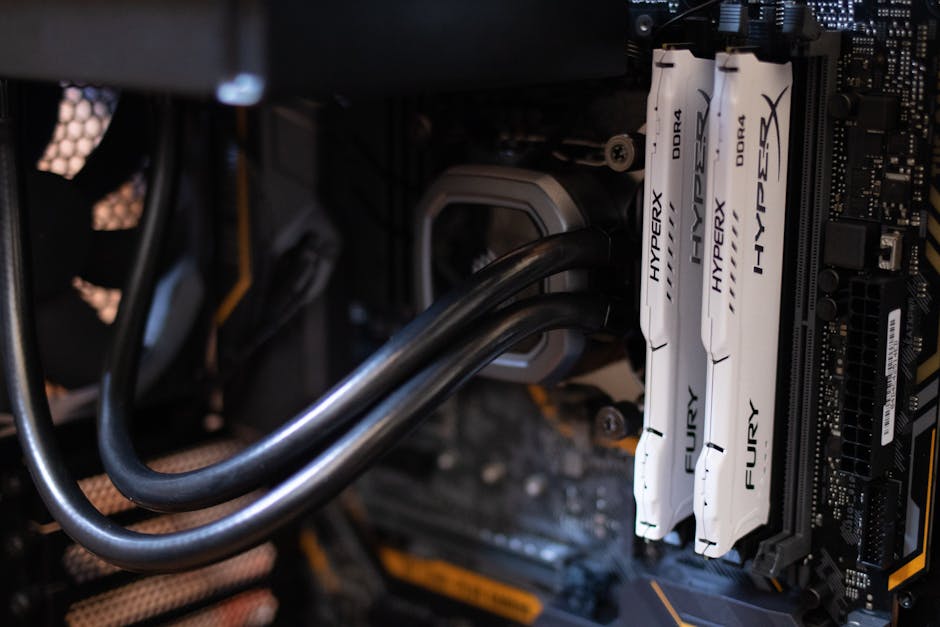
Why Mini PCs Have Become the Go-To Home Server Platform in 2026
The shift happened gradually, then all at once. By early 2026, Intel’s N-series processors (particularly the N100 and N150) and AMD’s Ryzen Embedded line have reached a sweet spot that previous generations never could: under 15W TDP at idle, yet enough CPU muscle to handle containerized apps, lightweight VMs, and media server duties simultaneously.
Let’s look at some real numbers to ground this conversation:
- Intel N100-based mini PCs (e.g., Beelink EQ12 Pro, GMKtec NucBox M2 Plus): Idle power draw of 5–8W, peak ~18W. These units cost roughly $150–$220 USD in early 2026 and handle Jellyfin, Home Assistant, Pi-hole, and basic Nextcloud deployments with ease.
- AMD Ryzen 7 8700U mini PCs (e.g., Minisforum UM890 Pro): More powerful at 28–35W under load, but capable of light video transcoding and multi-VM setups. Price range: $350–$480 USD.
- Intel Core Ultra 5 125H mini PCs (e.g., ASUS NUC 14 Pro, Beelink GTi 14): Premium tier. These pull 45–65W under load but can replace a full desktop AND act as a home server. Best for power users. ~$600–$900 USD.
For pure home server use, the N100/N150 tier wins on the value-per-watt equation almost every time. Running 24/7 at ~8W means roughly $8–$12/year in electricity costs at average US rates — genuinely remarkable.
Top Mini PC Home Server Picks for 2026: Real-World Use Cases
Rather than just listing specs, let me match hardware to actual lifestyle scenarios — because the “best” server depends entirely on what you’re running.
- The Frugal Starter (Budget: Under $200) — Beelink EQ12 Pro (N100): Perfect for Pi-hole (network ad blocking), WireGuard VPN server, and Nextcloud personal cloud. Pair it with a USB 3.2 external SSD and you’ve got a capable private cloud for under $300 total. Runs Debian or Ubuntu Server flawlessly.
- The Media Enthusiast (Budget: $250–$400) — GMKtec NucBox K9 (Ryzen 9 6900HX) or Minisforum Venus Series UN100L: The extra GPU grunt matters here. Jellyfin with hardware-accelerated transcoding means your family can stream 4K content to three devices simultaneously without breaking a sweat. The integrated Radeon graphics handle HEVC decode surprisingly well.
- The Smart Home Architect (Budget: $200–$350) — Trigkey Speed S5 (N100 or Ryzen 5 5500U): Running Home Assistant OS natively, plus Zigbee2MQTT, Node-RED, and a local AI assistant model (think Ollama with a small 7B LLM). The low power draw makes always-on smart home logic genuinely affordable.
- The Self-Hosting Enthusiast (Budget: $450+) — ASUS NUC 14 Pro (Core Ultra 5 125H): Running Proxmox VE with multiple VMs — one for Nextcloud, one for Immich (self-hosted Google Photos alternative), one for a personal VPN, and a Docker host container. This is where mini PCs genuinely replace cloud subscriptions worth $30–$60/month.
International and Domestic Examples: How People Are Actually Using These
It’s not just tech hobbyists anymore. In South Korea, the “홈서버” (home server) community has exploded in online communities like Clien and SLR Club, where users share detailed builds using N100 mini PCs running TrueNAS Scale with Korean-language Nextcloud setups. The common theme? Ditching Naver Cloud and Google Drive subscriptions for complete data sovereignty.
In Germany, where privacy regulations make local data storage particularly appealing, the Nextcloud community reported a 40% year-over-year increase in self-hosted instances in 2025, with mini PC hardware consistently cited as the enabling factor. The affordability of units like the Beelink Mini S12 Pro made self-hosting accessible beyond just developers.
In the United States, the r/homelab and r/selfhosted communities have shifted their “starter recommendation” from Raspberry Pi (still suffering from occasional supply constraints) to N100 mini PCs — citing better performance, PCIe NVMe storage support, and the ability to run a full x86 Linux environment without compatibility headaches.
The Honest Trade-offs: What Nobody Tells You
Look, I want to be real with you here — because a home server isn’t magic, and rushing in without understanding the trade-offs leads to frustration.
- Storage is the real cost: The mini PC itself might be $180, but adding 2x 4TB SSDs for redundancy pushes your total to $500+. HDDs are cheaper but louder and slower.
- Maintenance is a skill you’ll develop: Unlike Synology’s polished DSM interface, running Proxmox or TrueNAS has a learning curve. Expect to spend 5–10 hours in your first month troubleshooting configs.
- Backup strategy is non-negotiable: A home server without an offsite backup strategy is just a single point of failure with extra steps. Budget for a second location backup (even a cloud cold storage like Backblaze B2 at ~$6/month).
- Power redundancy: A UPS (uninterruptible power supply) protecting your mini PC costs $50–$100 and is absolutely worth it. Sudden power cuts can corrupt filesystems.
Realistic Alternatives If You’re Not Ready to Self-Host
Not everyone should run a home server — and that’s completely okay. Here’s how I’d think through the alternatives:
- Synology or QNAP NAS: If you want simplicity over flexibility, a 2-bay Synology DS223 (~$300 + drives) gives you 80% of the functionality with a polished GUI and almost zero Linux knowledge required. The trade-off is a more locked ecosystem and higher cost per feature.
- Upgraded cloud storage plan: If your primary need is photo/file backup, iCloud+ at $2.99/month for 200GB or Google One at $2.99/month for 100GB is genuinely reasonable. Sometimes the pragmatic answer is just “pay the $3.”
- Hybrid approach: Run a simple N100 mini PC as a local cache and Plex server, but keep critical backups in the cloud. Best of both worlds for most families.
The beauty of 2026’s mini PC landscape is that the entry point has never been lower. If you’re curious, a $160 N100 mini PC running Ubuntu Server is a low-stakes experiment that might fundamentally change how you think about your digital life — or confirm that managed cloud services suit you just fine. Either outcome is valid.
The real question isn’t “which mini PC should I buy?” It’s: How much do you value control over your data versus the convenience of letting someone else manage it? Answer that honestly, and the hardware choice almost makes itself.
Editor’s Comment : I’ve been running a Beelink EQ12 Pro as my primary home server since early 2025, and the single best decision I made was pairing it with Proxmox VE rather than running services directly on bare metal. The ability to snapshot a VM before experimenting with a new config — and roll back in 30 seconds when things go sideways — has saved me hours of frustration. If you’re on the fence about the self-hosting journey in 2026, my honest advice is: start small, start cheap, and let curiosity be your guide. The community support around these platforms has never been better.
태그: [‘mini PC home server 2026’, ‘low power home server’, ‘self-hosted server build’, ‘N100 mini PC NAS’, ‘Proxmox home lab’, ‘Nextcloud self-hosted’, ‘best mini PC 2026’]
Leave a Reply