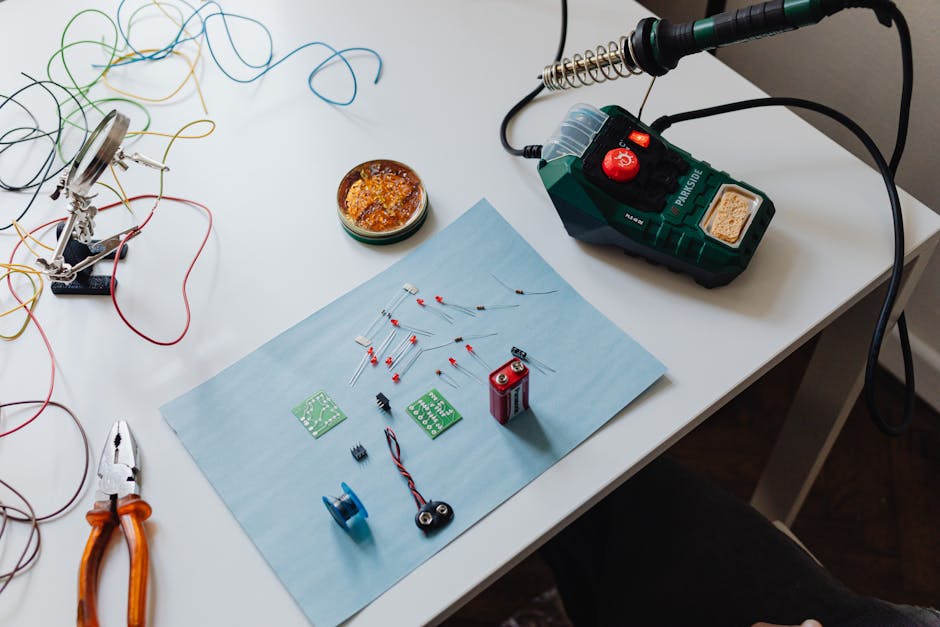
Last winter, a friend of mine — a middle school science teacher — walked into her classroom carrying what looked like a tiny plastic sandwich. Turns out, it was a custom-built smart attendance system she’d assembled over a weekend using a Raspberry Pi 5. Her students were baffled. Her principal was impressed. And she spent less than $80 total. That story stuck with me, because it perfectly illustrates what the Raspberry Pi 5 has become in 2026: not just a hobbyist toy, but a genuinely powerful, accessible platform for solving real-world problems.
So whether you’re a curious beginner who just unboxed your first Pi, or a seasoned maker looking for fresh inspiration, let’s think through this together — what are the most worthwhile DIY projects you can actually build with a Raspberry Pi 5 right now?
Why the Raspberry Pi 5 Is a Different Beast Altogether
Before we dive into project ideas, it’s worth understanding what makes the Pi 5 stand apart from its predecessors. Released in late 2023 and now fully mature in its software ecosystem by 2026, the Raspberry Pi 5 features a 2.4GHz quad-core ARM Cortex-A76 processor, up to 8GB LPDDR4X RAM, and — critically — a dedicated PCIe 2.0 interface. That last feature is a game-changer. You can now attach NVMe SSDs directly, which pushes storage read speeds past 400 MB/s. Compare that to the Pi 4’s microSD bottleneck, and you’ll understand why makers everywhere have been rethinking what’s possible.
In benchmarks shared by the Raspberry Pi Foundation and community sites like Jeff Geerling’s blog, the Pi 5 consistently outperforms the Pi 4 by 2x to 3x in CPU-bound tasks. For DIY projects that previously felt sluggish — like running a local AI model or a home media server — this performance jump finally makes them practical.
Top 10 Raspberry Pi 5 DIY Projects Worth Your Time in 2026
- Home NAS (Network Attached Storage): Pair the Pi 5 with an NVMe SSD via a HAT+ expansion board, install OpenMediaVault, and you have a personal cloud server that rivals commercial options. Great for families tired of paying monthly subscription fees for cloud storage.
- Local AI Assistant (Offline LLM Server): Thanks to the Pi 5’s improved CPU and RAM ceiling, lightweight language models like Llama 3 or Mistral 7B (quantized versions) can now run locally. Privacy-focused users love this — no data leaves your home.
- Smart Home Hub: Running Home Assistant on Pi 5 is buttery smooth in 2026. Integrate Zigbee, Z-Wave, and Matter devices to automate lighting, security cameras, and climate control without relying on third-party cloud services.
- Retro Gaming Console: RetroPie and Batocera both support Pi 5 now, enabling emulation up to PlayStation 2 and Nintendo GameCube with acceptable performance. A nostalgic weekend project that the whole family can enjoy.
- Network-Wide Ad Blocker (Pi-hole): One of the most beginner-friendly and immediately satisfying projects. Pi-hole blocks ads at the DNS level for every device on your network — no browser extension needed.
- Portable Weather Station: Connect BME280 (temperature/humidity/pressure) and MQ-135 (air quality) sensors via GPIO, and log data to a local database or even a small e-ink display. Schools and hobbyists love this one.
- Security Camera System: Using Frigate NVR (an AI-powered network video recorder), you can set up real-time object detection across multiple cameras. The Pi 5’s CPU handles the inference load far better than previous models.
- Timelapse Photography Controller: Photographers use the Pi 5 to automate camera triggers, control intervalometers, and even process RAW files in the field using lightweight Python scripts.
- Kubernetes Edge Node: For developers and IT hobbyists, running K3s (a lightweight Kubernetes distribution) on a cluster of Pi 5 units is a fantastic way to learn container orchestration at home — a skill that’s increasingly valuable in the 2026 job market.
- Digital Signage Display: Small businesses and community spaces use Pi 5 units to power digital menu boards or event displays. It’s far cheaper than proprietary signage hardware, and fully customizable.
Real-World Examples: From Seoul to San Francisco
In South Korea, a maker community called RaspberryKR documented a fascinating project in early 2026: a Pi 5-powered aquarium monitoring system used by a fish hobbyist in Busan. It tracks water temperature, pH levels, and turbidity in real time, sending alerts via KakaoTalk when values go out of range. The total cost? Under ₩120,000 (roughly $90 USD).
Meanwhile, in the United States, a nonprofit in Oakland called TechEquity Collective distributed Raspberry Pi 5 kits to underfunded schools as part of a digital literacy initiative. Students built their own weather stations and Pi-hole setups, learning Python and Linux fundamentals in the process. The program director noted that the Pi 5’s reliability over previous models significantly reduced their support overhead.
In Germany, a Raspberry Pi cluster project at TU Munich gained attention when students built a 12-node Pi 5 cluster for distributed machine learning experiments — a project that would have required a $10,000+ server rack just five years ago.
What You’ll Actually Need: Starter Kit Breakdown
Let’s be realistic about costs and components, because I’ve seen too many beginners get overwhelmed or overspend. Here’s a practical breakdown for most projects:
- Raspberry Pi 5 (4GB or 8GB): $60–$80 depending on RAM tier. The 8GB version is worth it if you plan AI or server workloads.
- Official Pi 5 Active Cooler: ~$5. Mandatory for sustained performance — the Pi 5 throttles without adequate cooling under load.
- NVMe SSD + PCIe HAT+: ~$30–$60. For storage-intensive projects (NAS, NVR), this replaces slow microSD cards.
- Official 27W USB-C Power Supply: ~$12. The Pi 5 draws more power than previous models; underpowering causes instability.
- Sensors/peripherals: Varies widely. BME280 sensor kits start at $5; camera modules at $25.
Realistic Alternatives: Not Everyone Needs a Pi 5
Here’s a thought worth sitting with — the Pi 5 isn’t always the right tool. If your project is simple (like running Pi-hole or a basic web server), a Raspberry Pi Zero 2 W at $15 does the job and uses far less electricity. For AI-heavy workloads where you need a GPU, an NVIDIA Jetson Orin Nano (~$150) will outperform the Pi 5 significantly. And if you’re purely interested in learning to code without hardware tinkering, a virtual machine on your laptop running Linux is honestly the most frictionless starting point.
The Pi 5 shines in that sweet spot: projects needing real CPU muscle, local storage, and GPIO flexibility — all at a price that doesn’t require a business case to justify.
What I’d suggest is this: pick one project from the list above that solves an actual problem in your life right now. The smart home hub if you’re drowning in app subscriptions. The NAS if you’re worried about privacy. The Pi-hole if ads have become unbearable. Starting with a real itch to scratch keeps you motivated through the inevitable troubleshooting rabbit holes.
The Raspberry Pi 5 isn’t magic — it’s a $70 computer with a vibrant community and a decade of documentation behind it. But in the right hands, that’s more than enough to build something genuinely useful, educational, and even a little bit wonderful.
Editor’s Comment : The most underrated aspect of the Raspberry Pi ecosystem isn’t the hardware — it’s the community. Forums like the official Raspberry Pi subreddit and Jeff Geerling’s YouTube channel have kept thousands of projects alive through documentation and shared troubleshooting. In 2026, that collective knowledge base is arguably the Pi’s biggest competitive advantage over any other single-board computer on the market.
태그: [‘Raspberry Pi 5’, ‘DIY Projects 2026’, ‘Raspberry Pi DIY’, ‘Single Board Computer’, ‘Home Automation’, ‘Maker Projects’, ‘Pi-hole Smart Home’]
Leave a Reply