A few months back, a buddy of mine called me in a mild panic. He’d been paying $12/month for a cloud storage subscription, realized he’d racked up nearly $300 over two years, and had basically nothing to show for it except somebody else’s server storing his vacation photos. Sound familiar? He’d heard me rambling about home NAS builds at a meetup and finally asked, “Okay, seriously — how hard is it to actually do this?”
That conversation spiraled into a weekend project, a few heated moments with a screwdriver, and ultimately a fully functional mini PC NAS sitting on his desk humming quietly and serving 4TB of personal storage to every device in his house. This post is the distilled version of everything we figured out together — the engineering reasoning, the rabbit holes, and the moments where things didn’t go according to plan.
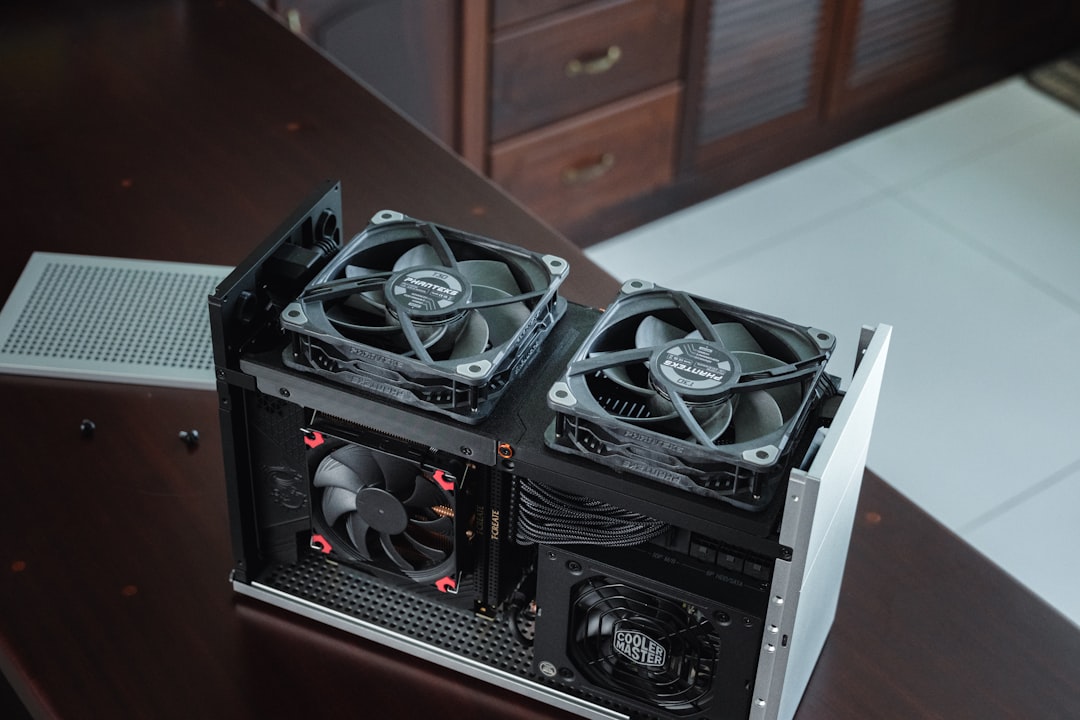
Why Mini PC Over Traditional NAS or Full Tower?
Let’s start with the core engineering logic before we go shopping. Traditional dedicated NAS devices — think Synology DS923+ or QNAP TS-464 — are excellent appliances, but you’re paying a significant premium for enclosed ecosystems. A Synology 4-bay unit runs $400–$600 before you add drives. A full ATX tower build gives you maximum expandability but burns 60–120W idle, which at average U.S. electricity rates ($0.17/kWh in 2026) costs $89–$178/year just sitting there doing nothing.
Mini PCs thread the needle beautifully. A typical N100 or N305-based mini PC (think Beelink EQ12, Minisforum UN100, or GMKtec NucBox) idles at 8–18W. Run the math: at 18W continuous and $0.17/kWh, your annual power bill is roughly $26.77. That’s a real-world engineering win that compounds over time.
- Intel N100 / N305 platform: 4 efficiency cores, TDP 6–15W, PCIe 3.0, up to 16GB DDR5 — plenty for a multi-user NAS with Plex transcoding at 1080p
- Intel Core i3-N305: 8 efficiency cores, better Plex hardware transcoding (QuickSync AV1 decode), still under 20W idle
- AMD Ryzen 7 5825U mini PCs (e.g., Minisforum UM773 Lite): Higher performance ceiling, ~25W idle — worthwhile only if you need VM hosting alongside NAS
- Storage interface realities: Most mini PCs have 1–2 M.2 NVMe slots + 1 SATA port; plan your storage topology before buying
- RAM floor: 8GB minimum for TrueNAS SCALE; 16GB recommended if running Docker containers simultaneously
- Networking: 2.5GbE is now standard on 2026-era mini PCs — huge win over legacy 1GbE NAS appliances
The Storage Expansion Problem (And How to Actually Solve It)
Here’s where a lot of first-timers hit the wall. A mini PC chassis typically gives you maybe one 2.5″ SATA bay and two M.2 slots. That’s fine for an OS drive plus one data SSD, but if you want a multi-terabyte redundant array, you need an expansion strategy.
The approach that worked brilliantly for my friend’s build: a USB 3.2 Gen 2 multi-bay enclosure. Specifically, the UASP-compliant ORICO 1235C3 (4-bay, ~$85 in 2026) connected over USB-C. Yes, USB — I know the purists are wincing — but hear me out. USB 3.2 Gen 2 delivers a theoretical 10Gbps, and with spinning HDDs you’re realistically reading at 150–200MB/s per drive anyway. The USB bus is not your bottleneck.
For a more elegant solution, if your mini PC has a spare PCIe slot accessible via Thunderbolt 4 or a PCIe riser (some Minisforum models have this), you can run a proper HBA card like the LSI 9207-8i flashed to IT mode — the gold standard for passing drives directly to TrueNAS without fake RAID interference. This is the enterprise-grade approach adapted for the DIY home lab.
Software Stack Decisions: TrueNAS, OMV, or Unraid?
I’ve run all three in production at various points, and here’s my honest take going into 2026:
TrueNAS SCALE (based on Debian Linux, now at version 24.10 “Dragonfish” branch) is the current best-in-class for data integrity. Its ZFS implementation is battle-tested; the self-healing checksums and copy-on-write architecture have saved my data twice from bit rot that I would never have caught otherwise. If data integrity is your #1 concern — and it should be — start here.
OpenMediaVault (OMV 7) running on Raspberry Pi or x86 is leaner and more approachable for Linux beginners. The plugin ecosystem (openmediavault-snapraid, omv-extras) gets you 80% of TrueNAS functionality with a gentler learning curve. Good choice if you’re already comfortable with Debian/Ubuntu.
Unraid remains popular in the homelab community specifically because of its flexible parity scheme — you can mix drive sizes without rebuilding the array, which is genuinely useful for organic storage growth. The $69/lifetime license fee is reasonable given the convenience. Their community app store (Community Applications) has made Docker container deployment nearly trivially easy.
Real-World Build Examples & Community Benchmarks
The r/homelab and r/DataHoarder communities have collectively documented thousands of mini PC NAS builds. In 2026, the Beelink EQ12 Pro (N305, 16GB DDR5, dual 2.5GbE, ~$189) has emerged as arguably the most recommended starter platform. ServeTheHome’s forums have a dedicated megathread where users report consistent sequential read speeds of 280–310MB/s over 2.5GbE with ZFS RAID-Z1 arrays on HDDs — essentially saturating the Ethernet link.
Notebookcheck and AnandTech’s power measurement data confirms the N305 mini PCs draw 12–15W under typical NAS workloads (light I/O, no active transcoding). Under full Plex 1080p transcoding load with QuickSync engaged, it peaks around 22–28W — still dramatically lower than a standard desktop build.
For drives, Backblaze’s 2025 annual reliability report (released Q1 2026) continues to show Seagate IronWolf and Western Digital Red Plus CMR drives as the workhorses for NAS duty, with annualized failure rates under 1.5% for 4TB–8TB models. Avoid SMR drives in ZFS — the write amplification behavior causes serious performance degradation during resilver operations.
The Build Process: Practical Engineering Notes
From actual hands-on experience, here are the friction points nobody warns you about upfront:
- BIOS wake-on-LAN: Enable this immediately. Being able to wake your NAS remotely saves enormous frustration. Most N100/N305 mini PCs support it but it’s off by default.
- UPS protection: ZFS is resilient but an unclean shutdown mid-write can corrupt the pool. A basic APC BE425M ($35–$45) provides 10–15 minutes of runtime — enough for a clean shutdown script to run.
- Thermal management for external drives: USB enclosures often have poor airflow. Add a $8 80mm USB-powered fan blowing across the enclosure if you’re running drives 24/7.
- ECC RAM debate: N100/N305 platforms don’t support ECC — this is the legitimate trade-off vs. a Xeon-based build. ZFS checksums catch corruption even without ECC; it’s an acceptable compromise at this price point.
- Remote access: Don’t open ports directly. Set up Tailscale (WireGuard-based mesh VPN) — it’s free, takes 15 minutes to configure, and your NAS becomes securely accessible anywhere without exposing your home IP.
- SMART monitoring: Configure automated SMART test emails through TrueNAS or OMV from day one. You want 6–12 months warning before a drive fails, not zero.
Cost Breakdown: What a Realistic 2026 Build Looks Like
Let’s put real numbers on the table. Here’s a mid-tier build targeting ~8TB usable storage with RAID-Z1 redundancy:
- Beelink EQ12 Pro (N305, 16GB/500GB): ~$189
- ORICO 4-bay USB 3.2 enclosure: ~$85
- 3× Seagate IronWolf 6TB CMR: ~$195 (3 × $65)
- APC BE425M UPS: ~$42
- USB-C cable (10Gbps rated, 1m): ~$12
- Total: ~$523 for ~12TB raw / ~8TB usable RAID-Z1
Compare that to a Synology DS923+ with the same drives: the unit alone is $599, drives add $195, totaling $794 — and you’re locked into Synology’s DSM ecosystem with limited VM/container flexibility. The DIY route saves roughly $270 upfront and gives you significantly more computational headroom.
Realistic Alternatives If Full DIY Feels Overwhelming
Not everyone wants to spend a weekend troubleshooting ZFS datasets — and that’s completely valid. If the DIY approach feels like too much lift right now, here are honest middle-ground options:
- Synology DS223j or DS423+: If you want appliance simplicity, Synology’s DSM is genuinely excellent software. Pay the premium and don’t look back.
- Terramaster F4-424 Pro: Intel N95-based NAS appliance that bridges the gap — more open than Synology, easier than full DIY.
- Refurbished business mini PC route: A used HP EliteDesk 800 G6 Mini (i5-10500T) with a USB enclosure costs ~$120 refurbished and gives you ECC-adjacent stability with a mature platform.
The ecosystem is genuinely mature in 2026. Whether you go full scratch-build or semi-appliance, you have good options at every budget tier.
Editor’s Comment : I’ve built home NAS systems ranging from a Raspberry Pi 4 with a two-drive shucked WD enclosure to a full 12-bay Unraid server in a Fractal Define 7 XL, and the mini PC sweet spot has genuinely surprised me. The N305 platform in particular represents a convergence point where power efficiency, processing capability, and 2.5GbE networking all arrived simultaneously. If you’re on the fence: the floor is low, the ceiling is high, and the community knowledge base has never been deeper. Start with a Beelink EQ12 Pro, throw TrueNAS SCALE on it, and give yourself a weekend. You’ll either fall down the homelab rabbit hole permanently — or have a completely functional personal cloud server with minimal ongoing cost. Either outcome is a win.
📚 관련된 다른 글도 읽어 보세요
- Proxmox 홈서버 가상화 설치 튜토리얼 2026 – 초보자도 따라하는 완벽 가이드
- Proxmox Home Lab Setup Tutorial 2026: Build Your Own Virtualization Beast on a Budget
- 2026년 Proxmox 가상화 홈랩 구축 튜토리얼 – 집에서 서버실을 만드는 가장 현실적인 방법
태그: mini PC NAS DIY, home NAS build 2026, TrueNAS SCALE setup, DIY NAS vs Synology, low power home server, Beelink EQ12 NAS, homelab storage build
Leave a Reply