A friend of mine — a backend developer who works remotely — recently pinged me on Discord with a screenshot of an eBay listing. It was a Dell PowerEdge R730 going for around $320. His message? “Bro, should I just pull the trigger on this?” We ended up in a two-hour voice chat breaking down the real total cost of spinning up a homelab in 2026. That conversation is exactly what inspired this post.
If you’ve been lurking on r/homelab or watching YouTube builds where someone casually racks up 40U of enterprise gear in their basement, you already know the itch. But there’s a massive gap between the purchase price of a used server and the actual cost of getting a functional homelab running. Let’s close that gap — with real numbers.
Why 2026 Is Actually a Great Time to Buy Used Enterprise Gear
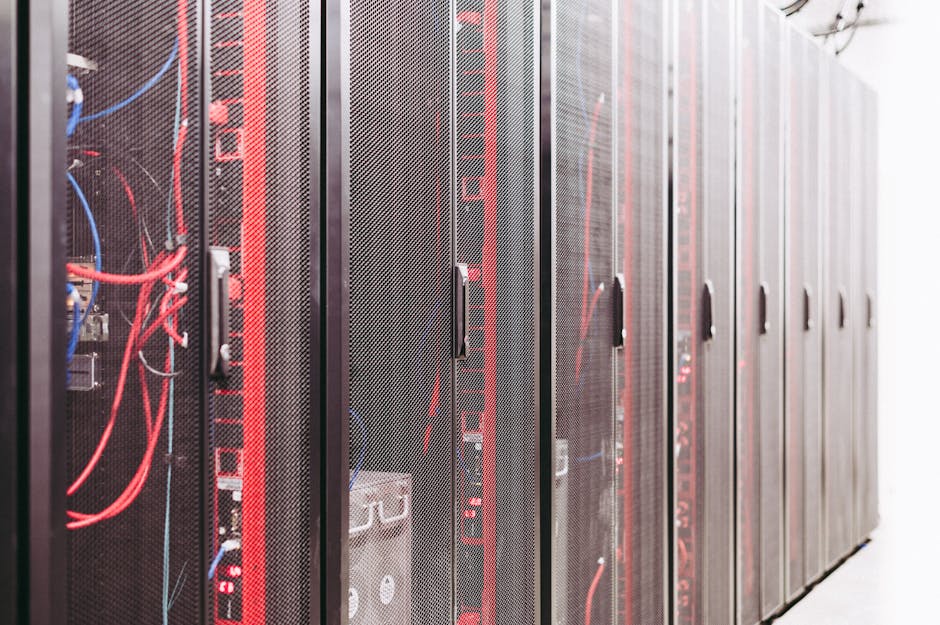
Here’s the thing — the enterprise refresh cycle is working in our favor right now. Major data centers and enterprises that deployed their fleets around 2018–2020 are hitting end-of-life and end-of-support windows. This means a flood of 10th and 12th generation hardware hitting the secondhand market in 2026. We’re talking Dell PowerEdge R640/R740/R750 series, HPE ProLiant DL360/DL380 Gen10, and Supermicro 2U workhorses — all becoming readily available at dramatically reduced prices.
From my own monitoring of platforms like eBay, ServerMonkey, and Korean domestic marketplaces like 중고나라 (JunggoNara) and 당근마켓 (Daangn), pricing has dropped roughly 25–35% compared to just 18 months ago for equivalent specs. The market timing genuinely favors builders right now.
Base Hardware Costs: What You’re Actually Paying in 2026
Let me break this down into three tiers — Entry Lab, Mid-Tier Lab, and Power Lab — because not everyone needs 512GB of RAM running Kubernetes clusters (though, honestly, it’s tempting).
- Entry Lab (~$300–$600 total): A used Dell PowerEdge R720 or HPE DL380 Gen9 with dual Xeon E5-2680v3 CPUs, 64GB DDR4 RAM, and a couple of 2TB SATA drives. Perfect for basic virtualization with Proxmox VE or ESXi. Typical server cost: $150–$250 on eBay in April 2026.
- Mid-Tier Lab (~$800–$1,800 total): Dell PowerEdge R740 or Supermicro 2029U-TR4, dual Xeon Gold 6154 or similar, 128–256GB DDR4 ECC RAM, NVMe SSDs for VM storage. Great for Ceph clusters, serious Docker/K8s work, or self-hosted media servers. Server purchase alone: $400–$900.
- Power Lab (~$2,500–$5,000+ total): HPE ProLiant DL380 Gen10 Plus or Dell R750xa with GPU passthrough capability. Useful for ML inference at home, AI model training, or full-blown private cloud. This tier often includes the jump to 25GbE networking.
The Hidden Costs Nobody Talks About (Until They Cry)
Here’s where my friend’s $320 server actually became a $900 project. These are the “oh wait” expenses that catch beginners off guard:
- RAM Upgrades: Used servers often ship with minimal RAM. ECC DDR4 LRDIMMs can run $8–$20 per 32GB stick — budget $80–$200 to actually max things out.
- Storage: Enterprise SAS drives from eBay are cheap but loud. A decent mix of NVMe for VM boot and SATA for bulk storage adds $150–$400 depending on capacity.
- Network Cards (NICs): Want 10GbE or 25GbE? Add $40–$120 for a used Mellanox ConnectX-4 or Intel X550-T2. Don’t forget the DAC cables or SFP+ transceivers — another $20–$60.
- Rails & Rack: If you’re going rack-mounted (and let’s be honest, you will), an open-frame 12U wall rack runs $80–$150 new, or you can grab used server rails for specific models on eBay for $15–$40 per pair.
- Electricity: This is the recurring killer. A dual-socket server pulling 150–250W 24/7 costs roughly $15–$30/month depending on your local kWh rate. Over a year, that’s $180–$360 in power alone.
- UPS (Uninterruptible Power Supply): APC Smart-UPS 1500VA units go for $80–$200 used. Skip this and risk corrupted ZFS pools — trust me, don’t skip it.
- iDRAC/iLO License (Remote Management): Dell iDRAC Enterprise or HPE iLO Advanced licenses are often missing. Budget $20–$60 for a used license key from reputable resellers.
Real Case Studies: What Builders Actually Spent in 2026
I’ve been tracking builds shared across several communities — the r/homelab subreddit, the Korean SLRclub server community, and Discord servers like Homelab Korea and Self-Hosted. Here’s what real builders reported spending in early 2026:
Case 1 — Seoul-based DevOps engineer: Bought a Dell R740 from a used server dealer in Yongsan Electronics Market for ₩480,000 (≈$340). After adding 128GB RAM (₩85,000), two 960GB SSDs (₩110,000), and a 10GbE NIC (₩55,000), total came to approximately ₩730,000 (≈$520). Monthly electricity runs about ₩18,000 (≈$13) extra. He uses it as a Proxmox host running 8 VMs — GitLab, Grafana stack, Nextcloud, and a personal VPN.
Case 2 — US-based ML hobbyist (from r/homelab post, March 2026): Scored an HPE DL380 Gen10 with dual Gold 6230 CPUs and 192GB RAM for $680 on ServerMonkey. Added a Nvidia RTX 3090 (GPU passthrough for Stable Diffusion) at $420, and a 4TB NVMe ZFS pool for $280. Total build cost: ~$1,650. Power draw averages 320W under load, running on a dedicated 20A circuit.
Case 3 — Budget builder from the Self-Hosted Discord: Went full eBay scrounger. R720 for $95, 64GB RAM upgrade for $38, four 4TB SATA drives for $160 total, a basic 10GbE NIC for $35. Total: $328 out of pocket. Not flashy, but running TrueNAS SCALE as a NAS/media server reliably for six months and counting.
Total Cost Summary Table
Here’s a rough ballpark rolled up into one place — what you should actually budget, not just the listing price:
- Entry Lab (r/homelab beginner tier): $350–$700 one-time + ~$15/month electricity
- Mid-Tier Lab (serious self-hoster): $900–$2,000 one-time + ~$25/month electricity
- Power Lab (homelab enthusiast/ML): $2,500–$5,500 one-time + ~$50–$80/month electricity
- Korean market equivalent (원화 기준): Entry ₩500,000–₩1,000,000 / Mid ₩1,300,000–₩2,800,000 / Power ₩3,500,000–₩7,500,000
Realistic Alternatives If the Numbers Feel Steep
Look, not everyone needs to drop $1,500 on a rack server. If your use case is lighter — a personal VPN, Pi-hole, a small Nextcloud instance, or just learning Linux — there are smarter starting points:
- Raspberry Pi 5 cluster: 3-node cluster for about $250 total. Learns Kubernetes concepts without the electric bill or noise.
- Mini PC (like a used Intel NUC12 or Beelink SER6): $150–$250 used, runs at 15–35W, completely silent. Perfect for Docker Compose workflows.
- Repurposed old workstation: A used HP Z440 or Dell Precision T5810 with a Xeon E5 can be had for $80–$150 and handles light virtualization well.
- VPS hybrid approach: Keep learning workloads on a $6/month Hetzner or OVH VPS, build physical gear only when you’ve validated what you actually need.
The used server path makes the most sense when you need high RAM capacity (256GB+), multiple storage bays for large NAS builds, or GPU passthrough for ML workloads. For everything else? A mini PC or old workstation is genuinely more practical and WAY quieter (important if your homelab lives in an apartment).
Where to Actually Buy in 2026
- eBay.com — Still the king for variety; watch for “tested, pulls” listings from verified resellers.
- ServerMonkey.com — US-based, often includes warranty and RAM upgrades at decent prices.
- Bargain Hardware (UK/EU) — Good for European buyers avoiding import fees.
- 중고나라 / 당근마켓 (Korea) — Great local finds, especially in Seoul’s Yongsan area. Can negotiate in person.
- Facebook Marketplace (local) — Surprisingly good for scoring local data center decommissions — zero shipping, and you can inspect before buying.
- Reddit r/homelabsales — Community-verified sellers, often honest pricing.
One hard-won tip from personal experience: always verify that the iDRAC/iLO firmware isn’t locked, ask for a POST screenshot or video before buying, and check whether the server was previously used for cryptocurrency mining (power supplies and fans take a brutal beating in those environments).
Editor’s Comment : Building a homelab with used server hardware in 2026 is genuinely one of the most educational and cost-effective ways to build real infrastructure skills — but only if you go in with eyes open about the total cost of ownership. The hardware purchase is just the entry fee. Factor in RAM, storage, networking, power, and your time, and make sure the build serves a specific learning or hosting goal rather than just being a cool eBay impulse. Start with the entry tier, validate your use case, then scale up. Your electricity bill — and your neighbors — will thank you.
📚 관련된 다른 글도 읽어 보세요
- 3D Printed Auto Parts in 2026: Inside the Manufacturing Revolution Reshaping the Car Industry
- Metal 3D Printing in 2026: Real-World Industrial Applications That Are Actually Changing Manufacturing
- 공식 문서에 속지 마라 — 2026년 DIY 홈랩 UPS 배터리 백업 시스템 완전 정복 (실측 수치 포함)
태그: homelab setup cost 2026, used server buying guide, Dell PowerEdge homelab, Proxmox server build, 중고 서버 홈랩, homelab total cost of ownership, self-hosted server 2026
Leave a Reply