A few months ago, my neighbor called me in a mild panic. Someone had tampered with his car overnight, and when he rushed to pull footage from his cloud-connected security camera, the app was down for “scheduled maintenance.” The footage he needed was locked behind a paywall subscription he’d let lapse. Sound familiar? This exact scenario — and the growing unease around who actually owns your camera footage — is exactly why the DIY home lab security camera movement has exploded in 2026.
Let’s think through this together: if your camera streams directly to a third-party server in a data center you’ve never seen, maintained by a company whose privacy policy runs 47 pages long… are you really in control of your home security? Probably not. So let’s fix that.
Why Self-Hosted Security Cameras Make Sense in 2026
The market data backs up the frustration. According to a 2026 IoT Security Landscape report by Claroty, over 63% of consumer-grade IP cameras still transmit data to external servers by default, and roughly 28% of those have had at least one documented vulnerability in the past two years. Meanwhile, subscription costs for cloud camera services have risen an average of 34% since 2023, with major players like Ring and Nest now charging premium tiers just to access 30-day footage history.
A self-hosted system, by contrast, keeps every frame of footage on hardware you physically own. No monthly fees. No data harvesting. No outages during exactly the moment you need the footage most.
The Core Components You’ll Actually Need
Building a home lab security camera setup doesn’t require a server room or an IT degree. Here’s the practical breakdown:
- IP Cameras (PoE preferred): Power over Ethernet cameras like the Reolink RLC-810A or Hikvision DS-2CD2T47G2 are workhorses. They’re powered and transmit data through a single cable — elegant and reliable. Budget: $40–$120 per camera.
- Network Video Recorder (NVR) software: This is the brain of your system. Options like Frigate (open-source, AI-powered object detection), Shinobi, or Blue Iris (Windows-based, very feature-rich) are the community favorites in 2026. Frigate in particular has become the gold standard for homelab setups because it integrates beautifully with Home Assistant.
- Server hardware: A repurposed mini PC (like an Intel NUC or Beelink SER series) running Linux handles this job perfectly for 4–8 cameras. If you want AI object detection without melting your CPU, consider adding a Google Coral USB Accelerator — it offloads machine learning inference at a fraction of the power cost.
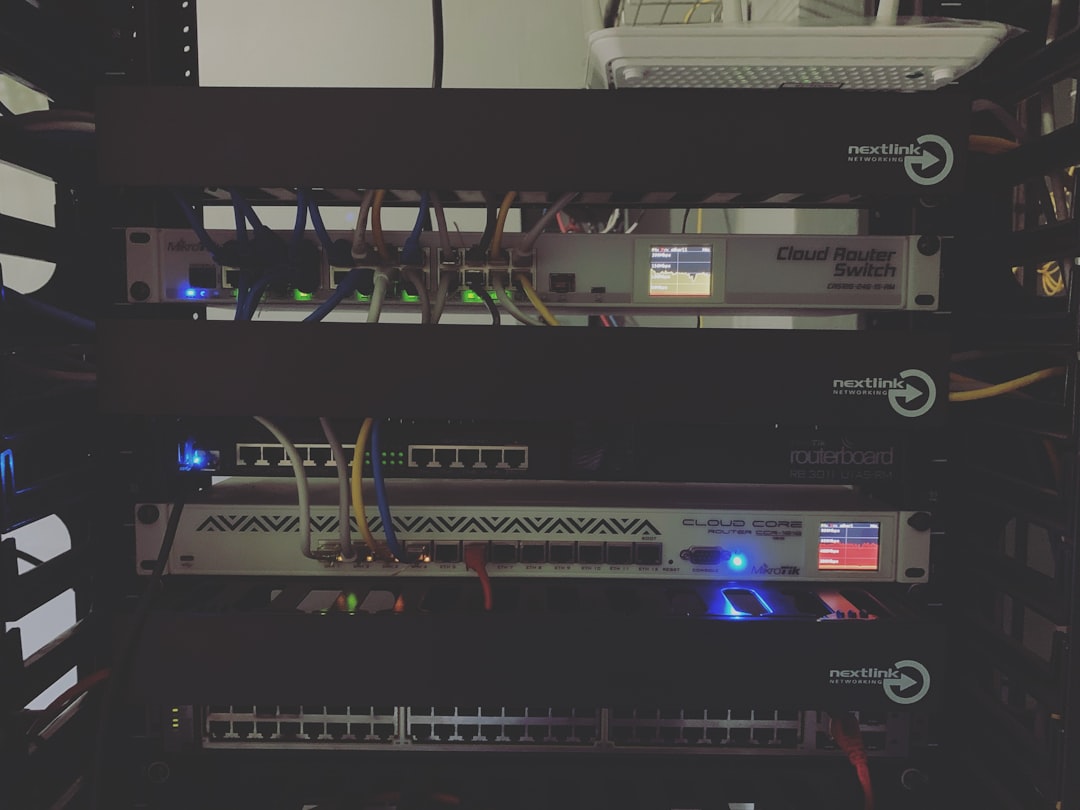
- PoE Network Switch: A managed PoE switch (TP-Link TL-SG1008PE is a popular budget pick) powers your cameras and keeps camera traffic isolated on a dedicated VLAN (Virtual Local Area Network — basically a separate, segmented network lane).
- Storage: For continuous recording, budget roughly 1TB per camera per month at 1080p. A 4TB NAS drive or a dedicated HDD inside your server works well. RAID isn’t strictly necessary for a home setup, but a backup copy of critical footage to a local NAS adds peace of mind.
The VLAN Isolation Strategy — Don’t Skip This
Here’s where many beginners make a critical mistake: they plug their IP cameras straight into their main home network. This means a compromised camera has potential access to your laptops, phones, and smart devices. The smarter move is to place all cameras on a dedicated, internet-blocked VLAN. Your NVR server sits between the camera network and your main LAN, pulling footage in but never letting cameras reach outward. This is standard practice in enterprise environments, and in 2026, routers like the Ubiquiti UniFi lineup or even consumer options like the Firewalla Gold make this genuinely accessible for home users.
Real-World Examples: How People Are Doing It
In Germany, a Berlin-based homelab community called Heimnetz Kollektiv documented their 12-camera Frigate deployment across a shared apartment building in a 2025 case study. They achieved full local AI person-detection (no cloud, no subscriptions) using a single Beelink mini PC and two Coral accelerators. Total hardware cost: under €800 for the whole building.
Stateside, the r/homelab and r/selfhosted communities on Reddit consistently showcase builds where hobbyists in the US have replaced Nest or Arlo systems entirely. One frequently cited 2026 build uses Home Assistant OS as the base, Frigate as the NVR, and Tailscale (a zero-config VPN tool) to securely access live footage remotely without exposing any ports to the public internet. That last part — no open ports — is genuinely the gold standard for home security camera remote access in 2026.
Step-by-Step: Getting Your First Camera Online Locally
Let’s walk through the logical sequence so you’re not overwhelmed:
- Step 1 — Plan your camera placement: Identify 2–4 key zones (front door, driveway, back entrance). Start small. You can always expand.
- Step 2 — Set up your server: Install Proxmox or straight Debian Linux on your mini PC. Deploy Frigate as a Docker container — the official Frigate documentation in 2026 is excellent and beginner-friendly.
- Step 3 — Configure your PoE switch and VLAN: Assign your cameras to a dedicated VLAN (e.g., 192.168.20.x) with no internet access. Allow only traffic to your NVR server’s IP.
- Step 4 — Connect and configure cameras: Access each camera’s web interface to set a static IP, disable cloud features, and point the RTSP stream (Real Time Streaming Protocol — the standard way cameras broadcast video) to your Frigate server.
- Step 5 — Set up remote access via Tailscale: Install Tailscale on your NVR and your phone. You’ll get encrypted remote access without poking holes in your firewall. This is the single best practice upgrade you can make.
- Step 6 — Configure alerts: Frigate’s object detection can push notifications to your phone via Home Assistant or ntfy.sh when a person, car, or animal is detected. No cloud AI required.
Realistic Alternatives If Full DIY Feels Like Too Much
Not everyone has the time or inclination to go full homelab mode — and that’s completely valid. Here are tiered alternatives worth considering:
- Middle ground — Reolink or Amcrest with local NAS: Some modern Reolink cameras support direct RTSP streaming to a local NAS with no cloud account required. It’s not as powerful as Frigate, but it’s a significant privacy improvement over full cloud dependency with minimal setup.
- Privacy-first commercial option: In 2026, Eufy’s HomeBase 3 system stores footage locally by default and has improved its end-to-end encryption significantly after their 2022 controversy. It’s not self-hosted, but it’s a step above fully cloud-dependent systems.
- Start with one camera and Frigate: You don’t have to rebuild your whole network on day one. A single PoE camera pointed at your front door, feeding into a Raspberry Pi 5 running Frigate, is a completely functional proof-of-concept that costs under $150 total.
The logical path forward really depends on your threat model (who or what are you protecting against?), your technical comfort level, and how much time you want to invest. But even small steps toward local data ownership are meaningful ones.
Editor’s Comment : The best home security system is one that actually works when you need it — and in 2026, that increasingly means one you control yourself. Building a home lab security camera setup used to feel intimidating, but the tooling (Frigate, Tailscale, Docker, affordable PoE hardware) has matured to the point where a determined weekend project can genuinely replace a cloud subscription service with something more private, more reliable, and ultimately more yours. Start with one camera. See how it feels. The rabbit hole is deep, but the view from the bottom is pretty great.
📚 관련된 다른 글도 읽어 보세요
- Used Server Homelab Setup in 2026: Smart Buying Tips That Actually Save You Money
- Self-Hosting a Home Server in 2026: Is Running Your Own Cloud Actually Worth It?
- Small Home Server Hardware Guide 2026: Cut Your Electricity Bill Without Sacrificing Performance
태그: [‘home lab security camera’, ‘self-hosted NVR 2026’, ‘Frigate NVR setup’, ‘DIY home security system’, ‘local camera storage no cloud’, ‘home network security VLAN’, ‘Raspberry Pi security camera’]
Leave a Reply