A friend of mine spent three weekends setting up what he called his ‘dream smart home.’ Motion sensors, automated lights, a voice-controlled thermostat, the whole deal. By Sunday night of the third weekend, half his devices wouldn’t respond, his router was dropping packets, and his spouse had taped a sticky note over the smart light switch that said ‘just use this.’ Sound familiar? Yeah, I’ve been there too.
Home automation in 2025 is genuinely exciting — but it’s also a minefield of protocol conflicts, hub incompatibilities, and marketing buzzwords that make everything sound plug-and-play when it really, really isn’t. Let’s dig into what actually works, what causes the most common failures, and how to build a setup you won’t want to tear out of the wall six months from now.
The Protocol War Is Real — And It’s Still Not Over
The single biggest mistake first-time home automation builders make is mixing protocols without a plan. In 2025, the three main contenders are Matter 1.3, Zigbee 3.0, and Z-Wave 700/800 series. Wi-Fi-based devices also exist, but they’re typically bandwidth hogs and cloud-dependent, which means if your ISP hiccups, your lights go dumb.
- Matter 1.3 (2025): The ‘universal’ standard backed by Apple, Google, Amazon, and Samsung. Great on paper, but real-world implementation still varies — some devices only support a subset of Matter features, leading to error codes like
CHIP_ERROR_UNSUPPORTED_CLUSTERwhen you try to trigger automations cross-platform. - Zigbee 3.0: Mesh network, low power, extremely mature ecosystem. IKEA TRÅDFRI, Philips Hue, Aqara, and Sonoff all play here. The catch: you need a dedicated Zigbee coordinator (e.g., a ConBee III USB stick or a Sonoff Zigbee 3.0 USB Dongle Plus) plugged into your hub server, and device pairing can fail if you’re more than ~10 meters from the nearest mesh node without a router device in between.
- Z-Wave 800 Series: Best for security sensors and locks. Lower frequency (868 MHz in EU, 908 MHz in US) means better wall penetration than 2.4 GHz Zigbee. A Z-Wave network maxes out at 232 nodes, which is plenty for residential. But devices are pricier — expect $35–$80 per node versus $8–$25 for Zigbee.
- Thread/Matter via Wi-Fi: Apple HomePod mini and Echo 4th Gen act as Thread border routers. Useful for Matter-native devices like Eve Energy or Nanoleaf panels, but latency can spike to 300–800ms on congested 2.4 GHz bands versus 10–50ms on Zigbee mesh.
Hub Choice: The Decision That Haunts You Later
Your hub is the brain, and choosing wrong is an expensive lesson. Here’s the honest breakdown for 2025:
Home Assistant (HAOS) on a Raspberry Pi 5 or an Intel N100 mini PC is the gold standard for flexibility. As of early 2025, Home Assistant 2025.x supports over 3,400 integrations natively. The tradeoff: there’s a real learning curve. Expect to spend 4–8 hours on initial configuration if you’re new. YAML automations can throw cryptic errors — the most common being Invalid config for [automation]: required key not provided @ data['trigger'], which usually means a missing trigger type field.
SmartThings Hub v3 remains a solid entry point for Samsung ecosystem users. It now supports Matter natively, but its cloud-reliant architecture means automations have 200–600ms latency versus Home Assistant’s local processing at under 50ms. If Samsung deprecates another hub generation (they did it with v1 and v2 users), you lose everything.
Apple Home with a HomePod mini as hub works beautifully if you’re all-in on Apple — but the moment you introduce a non-HomeKit or non-Matter device, you’re adding workarounds. Homebridge fills that gap, but then you’re basically building a mini Home Assistant anyway.
My honest recommendation: If your situation is ‘I want maximum control and don’t mind a weekend of setup,’ go Home Assistant on an N100 mini PC (~$90–$130) with a Zigbee USB coordinator. If your situation is ‘I want things to just work and I’m in the Apple ecosystem,’ get two HomePod minis as Thread border routers and stick to Matter/Thread certified devices only.
The Network Infrastructure Nobody Talks About
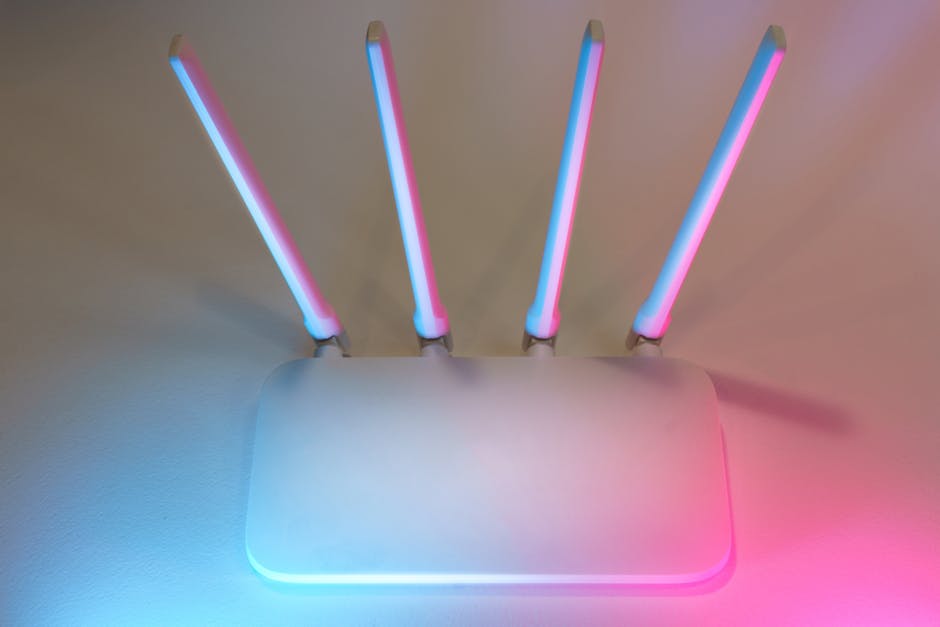
Here’s what took down my friend’s setup: he was running 47 IoT devices on a single consumer-grade router with one 2.4 GHz band. Modern smart home networks need segmentation. Specifically:
- VLAN separation: Put all IoT devices on a dedicated VLAN (e.g., 192.168.20.0/24). This prevents a compromised smart plug from accessing your NAS or laptop. UniFi Dream Machine SE or TP-Link ER7206 with managed switches handle this well at the prosumer level.
- 2.4 GHz congestion: If you’re adding more than 15 Wi-Fi IoT devices, you will see packet loss. Channels 1, 6, and 11 are the only non-overlapping channels in 2.4 GHz. Use a Wi-Fi analyzer app (NetSpot, WiFi Analyzer on Android) to check channel utilization before placement.
- Zigbee mesh density: Every mains-powered Zigbee device (plug, bulb, switch) acts as a router in the mesh. Battery-powered sensors are end devices only. A healthy Zigbee mesh needs router devices every 10–15 meters. Zigbee2MQTT’s map function visualizes your mesh topology — run it before you assume ‘it’s probably fine.’
- DNS and mDNS: Matter device discovery uses mDNS (multicast DNS). If you’re running VLANs, you need an mDNS repeater or Avahi daemon running on your router/hub. Missing this causes Matter pairing to fail silently — no error message, just a spinning wheel.
Real-World Costs in 2025: Stop Budgeting Like It’s a Single Purchase
The honest cost breakdown for a 3-bedroom home smart home setup in 2025 looks something like this:
- Hub hardware: $90–$200 (mini PC + Zigbee dongle, or SmartThings hub)
- Smart lighting (per room, Zigbee): $15–$40 per bulb or $25–$60 per switch
- Motion/door sensors: $8–$20 each (Aqara, SONOFF) — budget 8–12 sensors for a 3BR home
- Smart thermostat: $120–$250 (ecobee SmartThermostat Premium, Nest Learning Thermostat 4th gen)
- Smart locks: $150–$350 each (Schlage Encode Plus with Matter, Yale Assure Lock 2)
- Networking upgrade (if needed): $200–$600 for a managed switch + AP upgrade
Realistically, a properly done 3-bedroom smart home setup in 2025 runs $800–$2,000 in hardware. Anyone quoting you $200 total is selling you a Wi-Fi-only setup that’ll frustrate you in 18 months.
Automation Logic: Where the Magic — and the Bugs — Live
The most satisfying part is writing automations. The most frustrating part is also writing automations. A few hard-won lessons:
- Always include a ‘condition’ block: An automation that turns off all lights when motion isn’t detected for 10 minutes sounds great until it turns off your living room lights during a movie because you didn’t move. Add a condition:
if media_player.tv state = 'playing', skip the automation. - Use input booleans as ‘modes’: Create a ‘Guest Mode’ or ‘Away Mode’ boolean in Home Assistant. All sensitive automations check this flag first. This prevents your automation from sending you a security alert when your house sitter is home.
- Debounce your triggers: A door sensor that triggers an alert ‘on open’ can fire 3–4 times in one second due to contact bounce. Add a
for: seconds: 1condition to your trigger. This eliminates 90% of ghost notifications. - Test failure modes: What happens when your hub reboots? Does your front door lock revert to locked or unlocked? What if the Zigbee coordinator disconnects? Map these failure states intentionally, not reactively.
Case Studies: What’s Actually Working in 2025
The Wirecutter (nytimes.com/wirecutter) 2025 smart home guide recommends the ecobee SmartThermostat Premium as the top pick, citing its built-in Alexa and Matter compatibility. In practice, users on the r/homeassistant subreddit report that its Matter implementation works reliably for temperature control but doesn’t yet expose all occupancy sensor data to non-Apple platforms — something to factor in if you’re using Home Assistant’s presence detection for heating automations.
IKEA’s DIRIGERA hub, released in late 2023 and updated through 2025, has become a sleeper hit for budget Zigbee setups. It’s Matter-compatible, costs about $65, and pairs seamlessly with IKEA’s own TRÅDFRI and VALLHORN lineup. The limitation: its automation engine is barebones. Use it as a Zigbee coordinator feeding into Home Assistant via the IKEA DIRIGERA integration, and you get the best of both worlds.
On the security side, Aqara’s G4 Video Doorbell and M3 Hub combination supports Matter 1.2 with local processing. Response latency for door unlock automations benchmarks at 180–240ms locally, compared to 800–1,400ms for cloud-routed alternatives. For a door lock, that difference is perceptible.
Common Failure Points — A Quick Reference
- Zigbee device won’t pair: Move it within 1 meter of the coordinator during pairing. After pairing, it will find its mesh route automatically. Pairing at distance = pairing failure.
- Matter device shows ‘Not Responding’: Check mDNS repeater on your VLAN setup. 80% of Matter failures in segmented networks trace back to this.
- Automation fires at wrong time: Verify your Home Assistant timezone is set correctly under Settings → System → General. UTC mismatch causes time-based automations to trigger at odd hours.
- Z-Wave mesh is slow: Run a Z-Wave heal/repair after adding new devices. Without it, devices use suboptimal routes and response times degrade to 1–3 seconds.
- Voice assistant won’t control new device: Matter devices added after initial hub setup may need a manual ‘sync’ in Alexa, Google Home, or Apple Home. This isn’t automatic in all implementations as of 2025.
Building a smart home that actually works is less about buying the right gadgets and more about understanding the invisible infrastructure underneath. Get the network right, pick one primary protocol and supplement carefully, and choose a hub that you control — not one a corporation can EOL out from under you.
Start small: one room, one protocol, one hub. Get it stable. Then expand. The sticky note over the light switch isn’t inevitable — it just means the setup wasn’t designed for the humans living with it.
Editor’s Note: If you’re just starting out in 2025, the Home Assistant + Zigbee combo running locally on a mini PC is genuinely the most future-proof path. It takes a weekend to set up properly, but you’ll own your smart home — rather than renting it from a cloud server somewhere that might go dark next year.
📚 관련된 다른 글도 읽어 보세요
- 2026년 가성비 쩌는 싱글몰트 위스키 Top3 — 이거 모르면 돈 낭비입니다
- Why I Almost Gave Up on Meal Planning — The Real 2025 Guide That Actually Works
- 국민 자동차 쏘나타, 6개월 타고 팔아버린 이유 — 사기 전에 제발 생각해보세요.
태그: home automation 2025, smart home setup guide, Home Assistant, Zigbee Matter protocol, IoT network setup, smart home troubleshooting, home automation beginner guide
Leave a Reply