A friend of mine — let’s call him Derek — came to me last month absolutely baffled by his electricity bill. He’d set up a home server a year ago to handle media streaming, file backups, and a few smart home automations. The server itself? A repurposed gaming PC from 2019. The result? An extra $40–$60 tacked onto his monthly bill. “It’s like feeding a hungry teenager,” he told me. Sound familiar?
Here’s the thing: running a home server doesn’t have to be a power-hungry endeavor. In 2026, the market for low-power home server solutions has matured beautifully, and whether you’re a tinkerer, a remote worker, or just someone who wants local media storage without a cloud subscription, there’s a smart, energy-efficient option waiting for you. Let’s think through this together.
Why Power Consumption Actually Matters More Than You Think
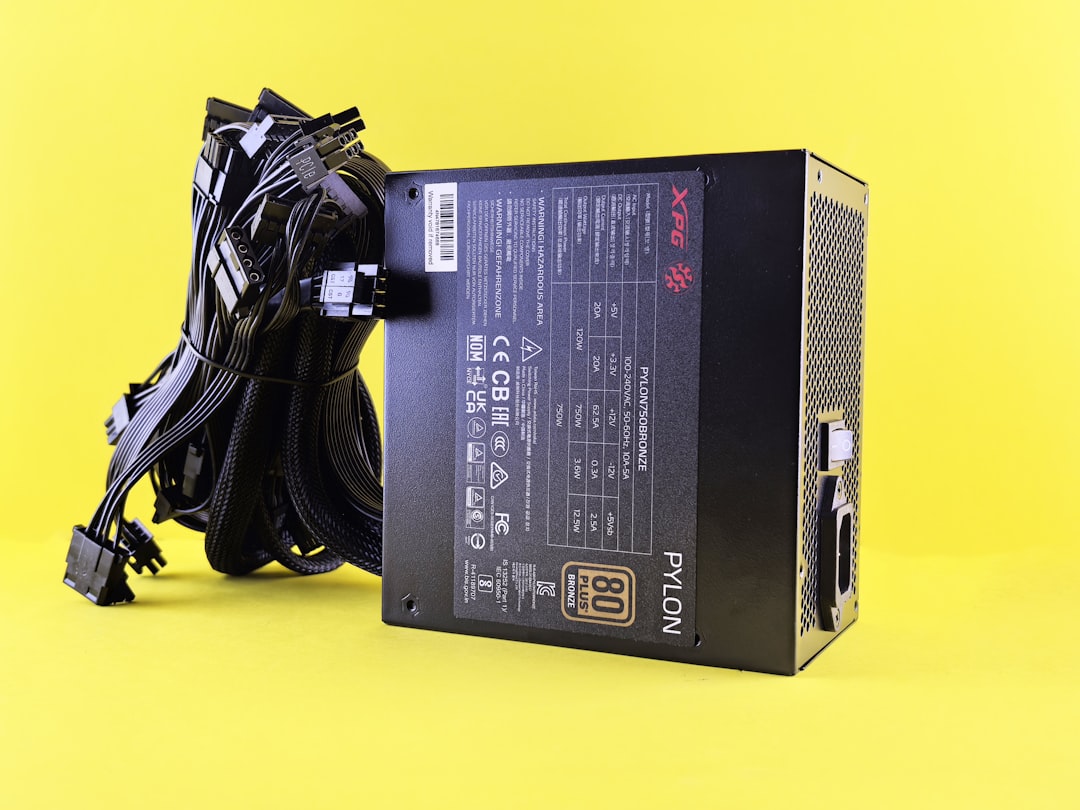
Let’s get real with numbers first. The average home server running 24/7 consumes anywhere from 15W to 150W depending on the hardware. Here’s what that translates to annually at a U.S. average electricity rate of roughly $0.17/kWh in 2026:
- 15W (ultra-low-power mini PC): ~$22/year
- 35W (ARM-based NAS/SBC): ~$52/year
- 65W (Intel N-series mini PC, light load): ~$97/year
- 120W (repurposed desktop, idle): ~$178/year
- 150W+ (old gaming PC or Xeon workstation): $223+/year
That gap between a 15W solution and a 150W solution is literally $200 per year — money that could pay for your streaming subscriptions, a new hard drive, or a weekend trip. The math is hard to ignore once you see it laid out.
Top Low-Power Home Server Picks for 2026
Let’s walk through the most compelling options available right now, organized by use case. I’ve focused on real-world power draw rather than spec-sheet TDP numbers, because those two things are often very different beasts.
1. Beelink EQ14 Pro (Intel N150, ~8–15W typical load)
This little box has become a crowd favorite in the homelab community heading into 2026. The Intel N150 chip is genuinely efficient at light tasks — running TrueNAS SCALE, Home Assistant, or a Plex server without breaking a sweat. Paired with a 2.5GbE port and support for up to 32GB of DDR5 RAM, it punches well above its weight class. Real-world idle sits around 8–10W, rising to about 15W under moderate load. Cost: roughly $180–$220 depending on configuration.
2. Raspberry Pi 5 (8GB) with NVMe HAT (~5–12W)
Don’t underestimate the Pi ecosystem in 2026. With the official NVMe HAT and a fast SSD, the Raspberry Pi 5 becomes a genuinely capable home server for light workloads — Pi-hole DNS filtering, Nextcloud personal cloud, or a lightweight Jellyfin setup. Average draw sits around 5–8W at typical load. The caveat? It’s not great for transcoding heavy video in real time. But for most “always-on” utility tasks, it’s hard to beat on efficiency. Cost: ~$80–$130 fully kitted out.
3. UGREEN DXP4800 Plus NAS (~20–30W under load)
If you want a purpose-built NAS (Network Attached Storage) appliance rather than a DIY setup, the UGREEN DXP4800 Plus has made serious waves in 2026. It runs an Intel N100 inside, supports 4 drive bays, and idles around 18–22W with spinning drives in standby. The software ecosystem has also matured, supporting Docker containers natively. Cost: ~$300–$350 without drives.
4. Synology DS423+ (~25–35W under load)
Synology remains the gold standard for “just works” NAS experience. The DS423+ offers their polished DSM operating system, excellent mobile app support, and consistent power management features like drive hibernation and scheduled power cycles. If you value reliability and ease over customization, this is your pick. Cost: ~$420–$470 without drives.
5. Minisforum MS-01 (Intel Core Ultra 5, ~20–45W)
For power users who need something closer to a full server — virtualization with Proxmox, running multiple VMs, or even a light AI inference workload locally — the MS-01 offers a compelling balance. Yes, it draws more power, but the Core Ultra 5 architecture is dramatically more efficient than equivalent desktop-class Xeon or Ryzen chips from previous generations. Real-world idle around 18–22W, full load peaks near 45W. Cost: ~$450–$600.
Real-World Examples: How Others Are Doing It
The homelab community — particularly active on Reddit’s r/homelab and r/selfhosted forums — has been sharing extensive power consumption logs in 2026. Some notable trends:
- A user in South Korea running a Beelink EQ14 Pro with two USB-attached drives for a Jellyfin + Nextcloud combo reported a monthly electricity cost increase of just ₩2,800–₩3,500 (roughly $2–2.60 USD) — practically invisible on their bill.
- In Germany, where electricity rates hover around €0.28–0.32/kWh in 2026, a homelab user replaced a Xeon-based tower server with a Raspberry Pi 5 cluster and cut their server-related electricity cost by over 80%, saving approximately €180/year.
- In the U.S., multiple home users report using a smart power strip with energy monitoring (like the Tapo P300M) to track actual consumption and set auto-shutdown schedules for non-critical services during off-peak hours, cutting effective consumption by 20–35% on top of already efficient hardware.
Software Choices That Amplify Your Energy Savings
Hardware is only half the equation. Running the right software stack can meaningfully reduce your power footprint:
- TrueNAS SCALE: Excellent drive spin-down support; drives can sleep when not accessed, saving 3–7W per spinning disk.
- Home Assistant OS: Lightweight, runs comfortably on 4GB RAM, very low CPU overhead at idle.
- Proxmox VE with CPU frequency scaling: Properly configured, modern CPUs spend most time in deep C-states, dramatically reducing idle power draw.
- Jellyfin (vs. Plex): Jellyfin has no background phone-home processes and can be configured to use hardware-accelerated transcoding on Intel Quick Sync, keeping CPU load — and thus power draw — minimal.
Realistic Alternatives If You’re Not Ready to Self-Host
Not everyone wants to manage their own server, and that’s completely valid. Here are honest alternatives worth considering:
- Synology C2 or Backblaze Personal Backup: For pure backup needs, cloud storage at $7–$10/month is often cheaper than building and running dedicated hardware, especially once you factor in drive replacement costs.
- Tailscale + a VPS: A $6/month Oracle Cloud or BuyVM VPS with Tailscale networking can replace many always-on home server functions with zero home electricity cost.
- Wake-on-LAN setup: Keep a slightly more powerful machine (like a mini PC) off most of the time and wake it remotely only when needed. Combined with a simple smart plug, this hybrid approach can keep your average draw under 5W.
The key insight? Your home server doesn’t have to be “always cooking” to be useful. Most of the tasks people run home servers for — media access, file sync, smart home automations — either happen in short bursts or can tolerate a 30-second wake delay.
Editor’s Comment : After spending way too much time reading power consumption threads and electricity bill confessions from homelab enthusiasts across three continents, my honest take in 2026 is this: the sweet spot for most people is a sub-$250 Intel N-series mini PC running TrueNAS or Home Assistant, pulling 10–18W on average. It’s not the cheapest upfront, but the combination of reliability, community support, and miserly power draw makes it the most sensible long-term investment. Derek, by the way, switched to a Beelink EQ14 Pro in January. His server electricity cost dropped from ~$55/month to under $4. He now refers to it as “the best boring upgrade” he’s ever made — and honestly, I can’t argue with that.
태그: [‘low power home server 2026’, ‘home server electricity savings’, ‘best mini PC home server’, ‘NAS power consumption’, ‘homelab energy efficiency’, ‘Raspberry Pi home server’, ‘reduce electricity bill home server’]
Leave a Reply