A couple of years ago, a friend of mine — let’s call him Marcus — was paying nearly $15 a month for cloud storage because his photo library had ballooned to over 4TB. Then one weekend, he built his own NAS (Network Attached Storage) system from scratch for about $380. Today, he streams 4K home videos, backs up three laptops automatically, and hasn’t paid a cloud subscription since. That story stuck with me, and honestly, it’s exactly why DIY NAS builds have surged in popularity heading into 2026.
If you’ve been on the fence about building your own NAS, let’s think through this together — from picking the right CPU platform to choosing drives that won’t let you down at 3 AM when your backup job is running.
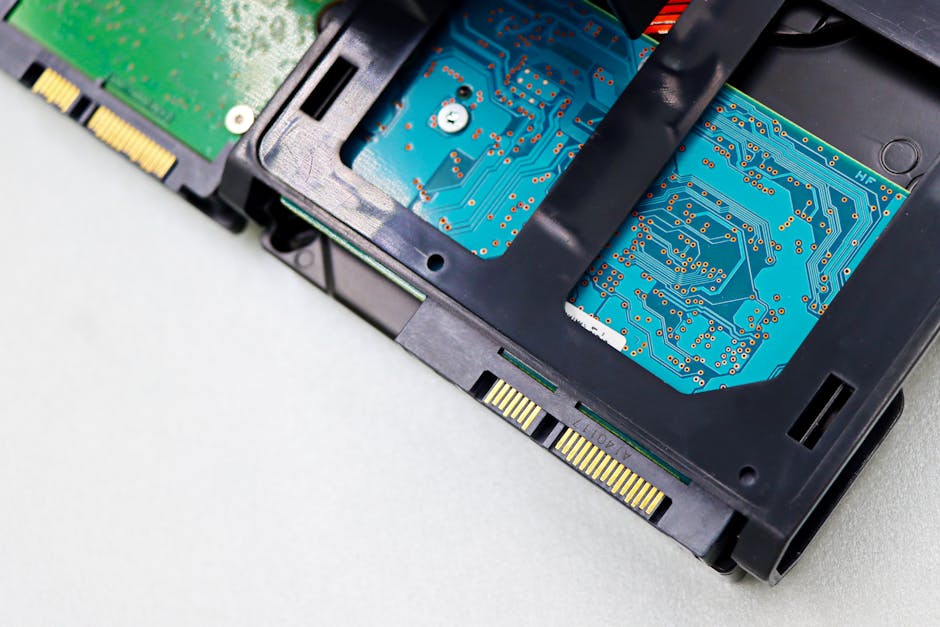
Why 2026 Is Actually a Great Year to Build a DIY NAS
The hardware landscape in 2026 has matured beautifully for home server enthusiasts. DDR5 RAM prices have finally normalized, PCIe Gen 5 NVMe drives are available at reasonable price points for caching, and energy-efficient ARM-based mini-ITX boards have become genuinely viable alternatives to x86 platforms. Meanwhile, HDD manufacturers have pushed capacities to 24TB–28TB per drive on consumer-grade CMR platters, making storage density per dollar better than ever.
Choosing the Right CPU Platform: The Foundation of Your Build
The CPU platform is arguably your most important decision because it shapes your upgrade path, power consumption, and software compatibility. Here’s how the main contenders stack up in 2026:
- Intel N100 / N305 (Alder Lake-N): The undisputed budget king. The N100 draws just 6W TDP and handles Plex transcoding for 2–3 streams comfortably at 1080p. Boards like the CWWK N100 mini-ITX or ASRock N100DC-ITX retail around $120–$150. Perfect for beginners who want low electricity bills.
- AMD Ryzen 7 8700G (Phoenix, APU): If you want hardware transcoding for 4K HDR content and plan to run VMs or Docker containers heavily, the 8700G’s integrated Radeon 780M GPU is a legitimate workhorse. Pair it with a B650 mini-ITX board like the ASRock B650I Lightning WiFi (~$180) for a compact build.
- Intel Core i3-N305 (Boards like CWWK or Topton): The sweet spot between the N100 and full desktop CPUs. Eight E-cores, ~15W TDP, and surprisingly capable for light containerized workloads. Great middle-ground choice.
- Raspberry Pi 5 / ARM SBC builds: For ultra-minimalist single-drive or two-drive setups, the Pi 5 with a HAT+ NVMe expansion board is a legitimate 2026 option. Not for media servers, but excellent for personal cloud (Nextcloud), ad-blocking, and lightweight file sharing.
Case Selection: Where Practicality Meets Drive Bay Count
Your case determines how many drives you can fit — and therefore your total storage ceiling. In 2026, these are the standout options:
- Jonsbo N4 / N3: The Jonsbo N4 fits 8 x 3.5″ drives in a compact Mini-ITX footprint. It’s become almost a default recommendation in the TrueNAS community for builds under $500. Around $100–$120 shipped.
- Fractal Design Node 804: A dual-chamber design with room for up to 10 HDDs. Excellent airflow, quiet operation, and it’s been a community favorite for half a decade for good reason.
- Inter-Tech IPC 4U-4129L (Rack-mount): For the enthusiast going full homelab rack, this 4U chassis supports 12 large-form-factor bays and proper hot-swap backplanes. Overkill for most, but worth mentioning.
- Topton / CWWK N100 all-in-one NAS boards: Some boards come in their own mini cases with 4–6 SATA ports built-in. These are essentially NAS appliances you assemble yourself — a great entry point if you’re intimidated by full builds.
RAM: How Much Do You Actually Need?
This depends heavily on your operating system of choice. If you’re running TrueNAS SCALE (which is the most popular open-source NAS OS in 2026 by a wide margin), the ZFS filesystem is memory-hungry. A practical guideline: allocate 1GB of RAM per 1TB of raw storage you plan to manage, with a minimum of 8GB. For Docker containers and VMs on top of that, 32GB is a comfortable sweet spot. DDR4 SO-DIMMs for N100 platforms are around $30–$50 for a 16GB stick in 2026 — genuinely affordable.
Storage Drives: CMR vs SMR — Still Matters in 2026
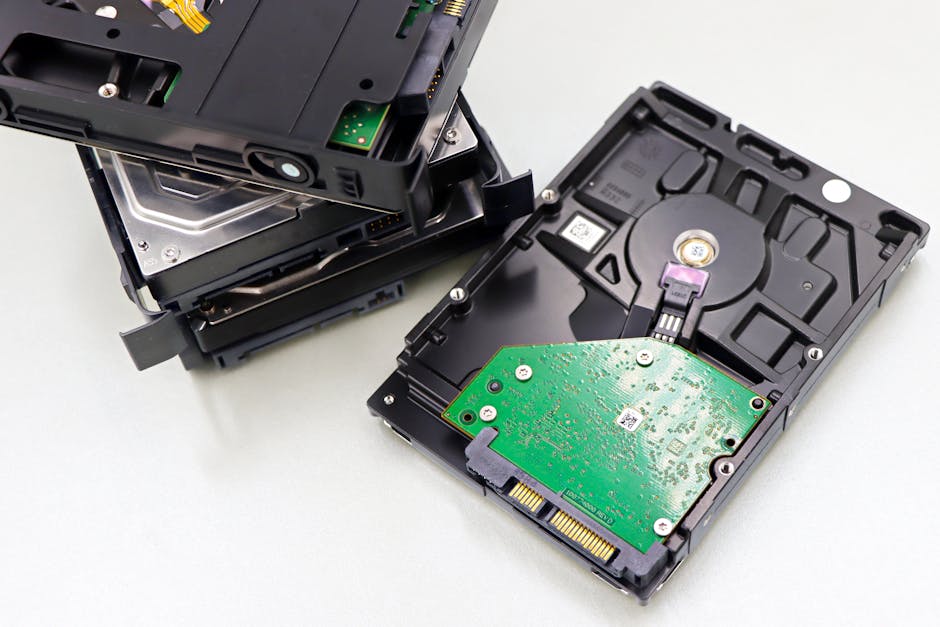
This conversation hasn’t gone away. SMR (Shingled Magnetic Recording) drives remain problematic for NAS RAID arrays because their write performance degrades dramatically during rebuild operations. Always verify CMR (Conventional Magnetic Recording) before purchasing. In 2026, safe CMR bets include:
- Seagate IronWolf Pro 20TB/24TB: Purpose-built for NAS, CMR confirmed, 7200 RPM, rated for 24/7 operation. Around $280–$380 per drive.
- WD Red Pro 22TB: WD’s CMR NAS line, similar pricing to IronWolf Pro. The “Red” (non-Pro) line still mixes CMR and SMR depending on capacity — double-check before buying.
- Toshiba N300 20TB: Often overlooked, but the N300 line is CMR, NAS-rated, and typically $20–$30 cheaper than comparable Seagate/WD options.
Real-World Build Examples: What the Community Is Actually Building
Looking at popular NAS communities like r/HomeServer, ServeTheHome forums, and the TrueNAS community in early 2026, a few build archetypes keep appearing:
The “Frugal Four-Bay” (~$380 total): CWWK N100 board with built-in case, 16GB DDR4, four Toshiba N300 12TB drives in RAIDZ1. Total usable storage: ~36TB. Monthly power draw: ~18–22W at idle. This is Marcus’s build, essentially.
The “Family Media Server” (~$750–$900): ASRock B650I Lightning WiFi + Ryzen 7 8700G, 32GB DDR5, Jonsbo N4 case, six Seagate IronWolf Pro 20TB in RAIDZ2. Runs TrueNAS SCALE with Plex, Nextcloud, and Immich (photo management). Hardware transcodes 4K HDR to three simultaneous streams without breaking a sweat.
The “Homelab Rack Enthusiast” ($1,500+): Repurposed Dell PowerEdge R730 (available used for ~$400–$600 in 2026), populated with eight 20TB drives, running Proxmox VE with TrueNAS in a VM. Overkill? Absolutely. Satisfying? Apparently yes.
Software OS: TrueNAS SCALE vs Unraid vs OpenMediaVault
Hardware without software is just an expensive paperweight, so let’s quickly touch on the OS layer:
- TrueNAS SCALE: Best ZFS implementation, excellent for data integrity, native Docker/Kubernetes support. Steeper learning curve but most robust for serious data protection.
- Unraid: More flexible drive mixing (no matched-size requirement), beginner-friendly UI, great Docker app store (Community Applications). $59–$129 one-time license fee.
- OpenMediaVault (OMV): Debian-based, completely free, lighter resource footprint — ideal for low-power N100 builds where you want maximum RAM available for ZFS.
Realistic Alternatives: When a DIY NAS Might Not Be Right for You
Let’s be honest — a DIY NAS isn’t for everyone, and that’s okay. Here are situations where you might want a different approach:
- If you have less than 2TB of data: A Synology DS223j (~$180) or QNAP TS-233 gets you a working 2-bay NAS out of the box with zero assembly. The total cost of your time might exceed the hardware savings on a small build.
- If downtime is unacceptable: Commercial NAS units from Synology or QNAP offer professional support and pre-validated hardware compatibility. DIY means you’re the IT department.
- If you rent or move frequently: A large NAS build is heavy, bulky, and awkward to transport. Consider a 2-bay commercial unit or a hybrid approach (small local NAS + Backblaze B2 cloud backup at ~$6/TB/month).
- Pure media consumption with no backup needs: Honestly, a used Synology DS923+ on eBay (~$280) might serve you better than a complex DIY build.
The sweet spot for a DIY NAS is someone with 4TB+ of data, a willingness to spend a weekend learning, and a genuine interest in having full control over their storage ecosystem. If that’s you, 2026 hardware makes it more accessible than ever.
Editor’s Comment : Building a NAS in 2026 feels less like a hardcore enthusiast project and more like a reasonable life decision — especially as cloud storage costs quietly compound year after year. The N100 platform in particular has genuinely democratized home servers. My personal take: start with a four-bay build, TrueNAS SCALE, and two drives in a mirror. You can always expand. The worst DIY NAS mistake isn’t choosing the wrong CPU — it’s choosing no backup strategy. Remember: RAID is not a backup. Run the 3-2-1 rule (3 copies, 2 media types, 1 offsite) from day one, and your future self will thank you.
📚 관련된 다른 글도 읽어 보세요
- 홈랩 보안 카메라 자체 구축 방법 2026 완벽 가이드 | Frigate·NVR로 클라우드 없이 운영하기
- Precision 3D Printing Resolution Breakthroughs in 2026: What’s Actually Changed (And What Hasn’t)
- How to Set Up VLANs in Your Home Lab Network (2026 Complete Guide): Segment, Secure, and Scale Like a Pro
태그: [‘DIY NAS 2026’, ‘home server hardware’, ‘TrueNAS SCALE’, ‘NAS build guide’, ‘self-hosted storage’, ‘network attached storage’, ‘homelab 2026’]
Leave a Reply