Let me paint you a picture. It’s a Sunday afternoon, and you’ve just realized your cloud storage subscription has quietly ballooned to $15/month — and you’re sharing photos, work files, and 4K home videos across three devices. Sound familiar? A friend of mine, a freelance videographer in Seoul, hit that exact wall last year. Instead of paying forever, he spent a weekend building his own NAS (Network Attached Storage), and now he stores 24TB of footage at home, accessible anywhere, for a one-time hardware cost. That moment got me obsessed with DIY NAS builds — and in 2026, the hardware options have never been better.
So let’s think through this together: what hardware do you actually need, what’s worth spending on, and where can you save without regret?
🧠 First, What Does a NAS Actually Need to Do?
Before we throw money at components, let’s be logical. A NAS is essentially a low-power, always-on computer that serves files. Your priorities are: low idle power consumption, sufficient RAM for caching, enough PCIe lanes or SATA ports for your drives, and a stable CPU that won’t bottleneck your network speed. Unlike a gaming rig, raw horsepower matters far less than efficiency and compatibility with NAS operating systems like TrueNAS Scale, OpenMediaVault, or Unraid.
⚙️ CPU: The Heart of Your Build
For most home and prosumer NAS builds in 2026, you don’t need a monster processor. Here’s how I’d break it down by use case:
- Light use (backups, media streaming up to 4K x2): Intel N100 or AMD Ryzen 5 5500 — both offer excellent performance-per-watt. The N100 in particular idles at around 6W, which is remarkable.
- Mid-range (Plex transcoding, Docker containers, VMs): AMD Ryzen 5 7600 or Intel Core i5-13500. These give you hardware transcoding without burning a hole in your electricity bill.
- Enthusiast/small business: AMD Ryzen 9 7900X or Intel Xeon W-2400 series — overkill for most, but if you’re running multiple VMs and serving 10+ users, the headroom matters.
In 2026, I’d strongly lean toward the AMD Ryzen 7 8700G for mid-range builds. Its integrated RDNA 3 graphics handle hardware transcoding natively in Plex and Jellyfin, and the TDP is sensible at 65W. Real-world users in the Unraid community forums report smooth simultaneous 4K streams with almost no CPU overhead.
🗂️ Motherboard: More SATA Ports = More Drives
This is where DIY NAS gets tricky — and interesting. Consumer motherboards typically offer 4–6 SATA ports, but if you want 8+ drives, you’ll need to think ahead.
- Budget pick: ASRock B650M-HDV/M.2 — offers 4 native SATA ports, good PCIe expansion, and AM5 socket compatibility.
- Recommended for expansion: ASUS Pro WS X570-ACE — features 8 SATA ports natively and excellent PCIe bifurcation support for HBA cards.
- HBA card route: If your board is SATA-limited, add an LSI 9300-8i HBA card (flashed to IT mode). This is the community gold standard for adding 8 more SATA/SAS ports without a RAID controller getting in the way of ZFS or Unraid’s software management.
💾 RAM: Don’t Skimp Here
ZFS (the filesystem used in TrueNAS) is famously RAM-hungry. The old rule of “1GB RAM per 1TB storage” is somewhat outdated, but the principle holds: more RAM means better ARC cache performance. For 2026 builds:
- Minimum for TrueNAS Scale: 16GB DDR4/DDR5 ECC RAM (ECC = Error Correcting Code, crucial for data integrity)
- Comfortable sweet spot: 32GB ECC DDR5
- Unraid users: Can get away with 16GB non-ECC, since Unraid doesn’t rely on ZFS by default
ECC RAM is worth every cent if you care about your data. A single bit-flip error without ECC can silently corrupt a file — or worse, an entire array. Kingston and Micron both offer affordable DDR5 ECC modules in 2026 that work beautifully with AM5 and LGA1700 platforms.
🔌 Case & Power Supply: The Overlooked Heroes
Here’s where many first-time builders underestimate. A NAS runs 24/7, so thermal management and PSU efficiency directly affect your electricity bill and drive longevity.
- Fractal Design Node 804: A community favorite. Fits 8 x 3.5″ drives in a micro-ATX footprint with excellent airflow. Still widely available in 2026 and competitively priced.
- Jonsbo N3: A newer contender gaining traction in Asian markets, supports up to 8 drives in an even more compact form. My Seoul-based friend uses this one — he loves it.
- Silverstone CS381: For enthusiasts wanting 8-bay hot-swap in a tower form factor. Premium price, premium build quality.
For PSU, target 80 Plus Gold or Platinum rated units in the 450–550W range. Seasonic Focus Gold and be quiet! Pure Power 12 are solid picks. Oversizing the PSU (e.g., 750W for a 150W system) wastes efficiency — keep it proportional.

🌐 Networking: Your NAS is Only as Fast as Your Network
In 2026, 2.5GbE has become the new baseline for DIY NAS builds, and for good reason. A 2.5GbE connection gives you theoretical throughput of ~280MB/s — enough to saturate most modern HDDs and even NVMe cache drives. Check whether your motherboard includes a 2.5GbE NIC onboard (many now do), or budget ~$30 for an Intel I226-V based add-in card.
If you’re going full prosumer, a 10GbE setup (using cards like the ASUS XG-C100C or Mellanox ConnectX-3) dramatically improves multi-user performance. Just make sure your router or switch supports 10GbE — otherwise it’s a bottleneck you’re paying for but not using.
🌍 Real-World Examples: What Others Are Running
The global DIY NAS community in 2026 is thriving. On the r/homelab subreddit and Korea’s clien.net tech forums, some popular community-validated builds include:
- “The N100 Miser”: Intel N100 mini-PC (like the Beelink EQ12), 16GB RAM, 4-bay USB HBA — under $300 total, pulls less than 20W loaded. Perfect for a first NAS.
- “The Plex Beast”: Ryzen 7 8700G + ASRock B650M board, 32GB DDR5 ECC, 6x16TB Seagate Exos drives in Unraid — Korean YouTuber “NAS Lab KR” documented this build in early 2026 and it handles 6 simultaneous 4K streams without breaking a sweat.
- “The Prosumer Tower”: Used Dell PowerEdge R730 (enterprise rack server from eBay, ~$400) running TrueNAS Scale, 128GB ECC RAM, 12 drive bays. Overkill for home, ideal for a small studio or office.
✅ Realistic Alternatives: Not Everyone Should Build from Scratch
Let’s be honest — not everyone wants to source individual parts and troubleshoot Linux kernel modules on a Saturday night. Here’s how I’d advise different types of readers:
- If you’re tech-comfortable but time-poor: Consider a Synology DS923+ or QNAP TS-464 as a starting point. You lose flexibility but gain plug-and-play reliability and excellent mobile apps. In 2026, these units have become significantly more affordable due to increased competition.
- If you want DIY but want guardrails: Buy a pre-built NAS chassis (like the Jonsbo N3) and slot in your own CPU/RAM/drives. You get the best of both worlds — custom internals, purpose-built enclosure.
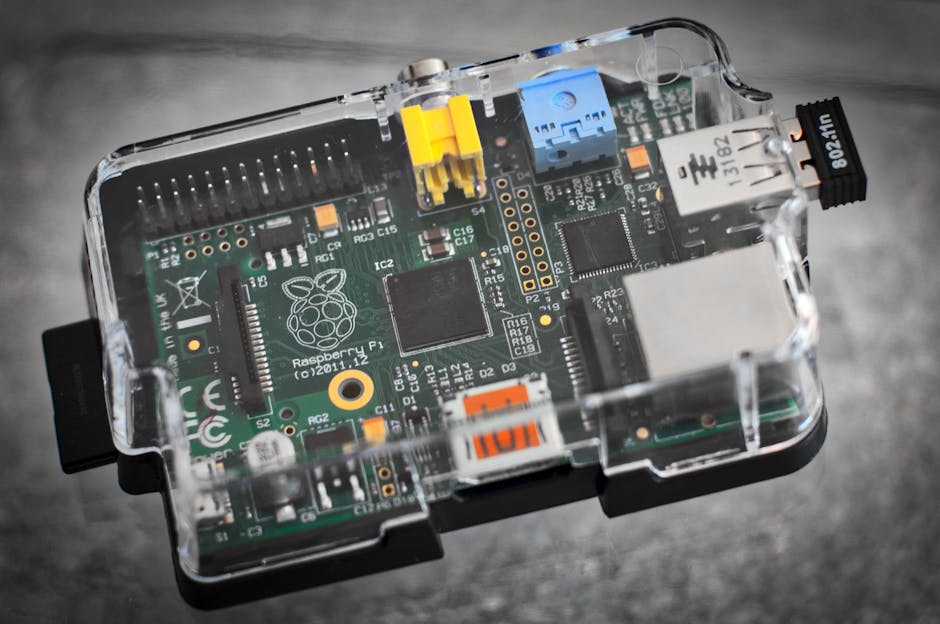
- If your main need is just backup: A simple Raspberry Pi 5 with a USB hard drive enclosure running OpenMediaVault is a $120 solution that covers basic network backup beautifully. Not for streaming, but absolutely fine for Time Machine or rsync backups.
- If budget is truly tight: Repurpose an old desktop PC. Any machine from 2018 onward with 4+ SATA ports and 8GB RAM can run Unraid or TrueNAS reasonably well. Add a $25 HBA card and you’re building on something you already own.
The beauty of DIY NAS in 2026 is that the entry point is lower than ever, and the ceiling is as high as you want to go. Start with what makes sense for your data volume, your network, and — most importantly — how much you enjoy tinkering.
Editor’s Comment : The single best investment in any NAS build — DIY or otherwise — isn’t the CPU or the drives. It’s your backup strategy. A NAS is not a backup. Always follow the 3-2-1 rule: 3 copies of your data, on 2 different media types, with 1 stored offsite (even a cheap cloud cold storage like Backblaze B2). Build the hardware you want, but protect the data like it matters — because it does.
태그: [‘DIY NAS 2026’, ‘NAS hardware recommendations’, ‘home server build’, ‘TrueNAS hardware’, ‘Unraid setup’, ‘self-hosted storage’, ‘NAS 자작’]
Leave a Reply