Category: Uncategorized

  • Mini PC Home Server DIY Guide 2026: Best Builds, Real Costs, and Smarter Alternatives

    A couple of years ago, a friend of mine — a web developer who works remotely from a small apartment — was paying nearly $40 a month for cloud storage and a VPS just to run a personal Git repo, a media server, and automated backups. Then he picked up a used mini PC for under $150, spent a weekend tinkering, and hasn’t paid a cloud subscription since. That story isn’t unique anymore. In 2026, the mini PC home server scene has genuinely matured into one of the smartest DIY lifestyle upgrades you can make — whether you’re a techie or a curious beginner who just wants control over their own data.

    Let’s think through this together: what makes a mini PC a good home server, which specific builds are worth your money right now, and — critically — when does it not make sense so we can save you from an expensive mistake.

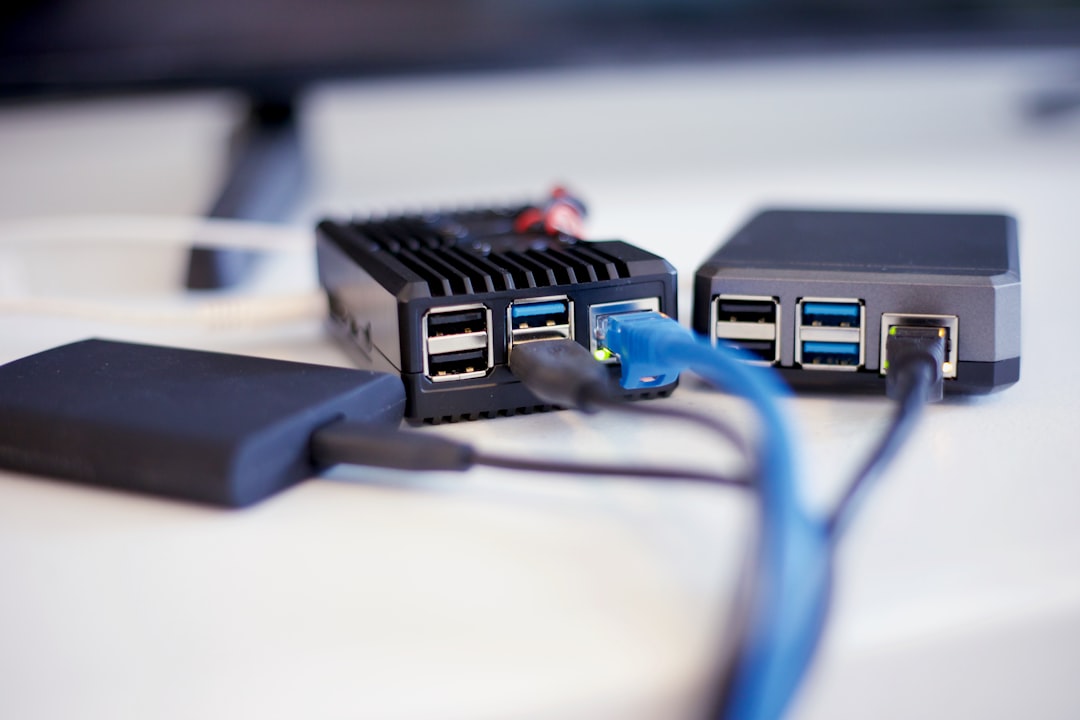
    mini PC home server setup desk 2026 DIY

    Why 2026 Is Actually the Sweet Spot for Mini PC Home Servers

    The timing here is genuinely interesting. Mini PC hardware has hit a performance-per-dollar inflection point. The N-series Intel processors (N100, N200, N305) and AMD Ryzen Embedded chips that were considered “budget” in 2023–2024 are now extremely mature — meaning used units are flooding the secondhand market while new units have dropped in price. At the same time, software ecosystems like Proxmox VE 8.x, TrueNAS Scale, and Home Assistant OS have become dramatically easier to install and maintain. You don’t need to be a Linux wizard anymore.

    Here’s a quick data snapshot to ground this conversation:

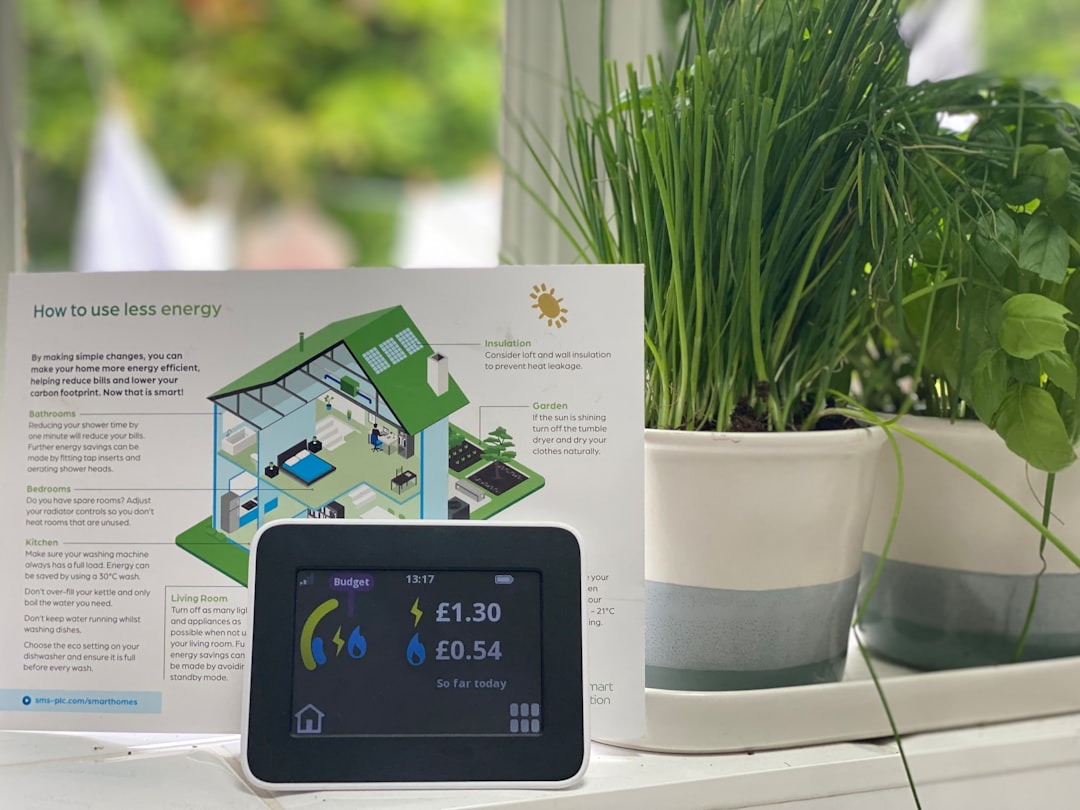
    • Average power draw of a mini PC home server: 8–18W idle (vs. 60–120W for a full ATX tower). At average U.S. electricity rates (~$0.17/kWh in 2026), that’s roughly $10–$26/year in electricity.
    • Entry-level builds start around $120–$180 (used mini PC + RAM + SSD).
    • Mid-tier builds with NAS capability and virtualization: $280–$450.
    • Comparable cloud costs (2TB storage + basic VPS + media streaming service): $50–$90/month, or $600–$1,080/year.
    • Break-even point on a $300 build vs. cloud subscriptions: typically 4–7 months.

    The Best Mini PC Picks for a Home Server in 2026

    Let’s break this down by use case, because the “best” build depends entirely on what you want to run.

    🥇 Budget Pick — Intel N100-based Mini PCs (e.g., Beelink EQ12, Trigkey G5)
    These are the workhorses of the budget home server world right now. The N100 chip is a surprisingly capable 4-core processor with a 6W TDP. It handles Jellyfin media streaming (including hardware-accelerated transcoding via Intel Quick Sync), Pi-hole network ad-blocking, Nextcloud personal cloud, and lightweight Docker containers with ease. You can typically find these new for $150–$200 with 16GB RAM and a 500GB SSD included. Add a USB 3.2 external drive for bulk storage and you’re genuinely set.

    🥈 Mid-Range Pick — AMD Ryzen 7 5825U / Intel Core i5-12th Gen Mini PCs (e.g., Minisforum UM590, Beelink SER6)
    If you want to run multiple virtual machines, a home automation stack, a VPN server, and a media server simultaneously, you need more headroom. These machines typically run $280–$380 and support up to 64GB RAM. They’re also well-suited for running Proxmox with several lightweight VMs, or acting as a small Kubernetes node if you’re learning DevOps at home.

    🥉 NAS-Focused Pick — Devices with Dual or Quad 2.5GbE + M.2 + SATA (e.g., Topton N5105 boards, Minisforum MS-01)
    If your primary goal is network-attached storage with redundancy (RAID), look at mini PCs or mini-ITX boards designed with multiple SATA ports or M.2 slots. The Minisforum MS-01 in particular has become a cult favorite in 2026 for its dual 2.5GbE + dual 10GbE options and three M.2 slots — all in a compact chassis. Expect to pay $400–$550 for the unit alone, plus drives.

    Real-World Examples: How People Are Actually Using These

    It’s one thing to spec a build on paper. Let’s look at what real users are running in 2026.

    South Korea (domestic example): The Korean home server hobbyist community — active on platforms like clien.net and ppomppu.co.kr — has shown a strong trend toward N100 mini PCs paired with Synology-style software stacks built on TrueNAS Scale. Many users run these as a replacement for expensive Synology NAS units, noting that a $180 N100 mini PC with a 4TB external drive outperforms a $300 Synology DS223 for most home use cases while offering far more flexibility.

    International examples: The r/HomeServer and r/selfhosted communities on Reddit (now partially migrated to Lemmy-based federated forums in 2026) consistently highlight a few standout use cases:

    • Running Immich (open-source Google Photos alternative) on an N100 mini PC — preserving family photos locally with facial recognition and mobile sync.
    • Vaultwarden (self-hosted Bitwarden) for password management — security-conscious users in Germany and Japan especially favor this.
    • Paperless-ngx for document scanning and OCR — popular among small business owners in the U.S. and Australia who want a private document archive.
    • Home automation hubs running Home Assistant with Zigbee2MQTT — replacing subscription-based smart home platforms entirely.
    • Personal VPN gateway using WireGuard, allowing secure remote access to home networks while traveling.
    home server rack mini PC Jellyfin Nextcloud Docker containers

    Software Stack Recommendations for 2026

    The hardware is only half the story. Here’s what the community consensus looks like for software in 2026:

    • Proxmox VE 8.3+ — Hypervisor for running multiple VMs and LXC containers. Best if you want to experiment with different OSes.
    • Debian 12 “Bookworm” + Docker + Portainer — Simpler, container-first approach. Great for beginners who just want to run apps.
    • TrueNAS Scale 24.10+ — Purpose-built for NAS/storage with a polished UI. Excellent ZFS support for data integrity.
    • Casaos — A newer, extremely beginner-friendly home server OS with a beautiful dashboard. Ideal if you want a “just works” experience.
    • Home Assistant OS — If smart home automation is your primary goal, this is still the gold standard.

    Realistic Alternatives: When a Mini PC Server Isn’t the Right Move

    Okay, let’s be honest with ourselves here — because I’d rather save you time and money than sell you on a hobby you’ll abandon in three months.

    Consider a dedicated NAS appliance instead if: You primarily need storage and don’t want to manage a Linux system. A Synology DS423+ or QNAP TS-464 offers a polished, largely maintenance-free experience with excellent mobile apps. You’ll pay more upfront, but the time cost is lower.

    Stick with selective cloud services if: You only need one or two things (say, just cloud backup or just a password manager). Paying $3/month for Bitwarden Premium is vastly simpler than setting up a home server just for that. The home server math works best when you’re consolidating multiple cloud services.

    Consider a Raspberry Pi 5 if: Your workload is truly minimal — Pi-hole, a simple VPN, and basic home automation. A Pi 5 at $80 draws just 3–5W and handles these tasks elegantly. The mini PC advantage kicks in when you need x86 compatibility, hardware transcoding, or more RAM.

    Think carefully about your ISP situation: If your home internet connection is unstable or your ISP blocks inbound ports (common with mobile broadband or some cable providers), running services that you access remotely becomes complicated. Solutions like Cloudflare Tunnel exist to work around this, but it adds complexity.

    The bottom line is this: a mini PC home server in 2026 is genuinely one of the most cost-effective, empowering tech projects you can take on — but it’s a hobby that rewards curiosity and patience. If you love tinkering, the learning curve pays dividends in both savings and skills. If you just want things to work silently in the background, factor in the setup time honestly.

    Editor’s Comment : The mini PC home server scene in 2026 has crossed a threshold where the barrier to entry is low enough for curious non-experts, yet the ceiling is high enough to keep experienced homelabbers engaged for years. My honest suggestion? Start with a $150 N100 mini PC, install CasaOS, and run Nextcloud and Jellyfin for a month. If you find yourself logging in just to explore new apps rather than because you have to — you’ve caught the bug, and it’s a very productive one to have.

    태그: [‘mini PC home server 2026’, ‘DIY home server guide’, ‘self-hosted cloud setup’, ‘Proxmox home lab’, ‘Jellyfin Nextcloud setup’, ‘N100 mini PC server’, ‘homelab beginner guide’]


    📚 관련된 다른 글도 읽어 보세요

  • 미니 PC 홈서버 DIY 추천 2026 – 전기세 아끼면서 나만의 서버 만드는 법

    얼마 전 지인 한 분이 이런 말을 하더라고요. “넷플릭스 끊고 내 NAS에 다 올려놓으니까 월 구독료가 확 줄었어.” 처음엔 그냥 너드(Nerd)들의 취미 정도로 여겼는데, 막상 따라 해보니 생각보다 진입 장벽이 낮고, 무엇보다 한 번 구축하면 몇 년은 우려먹을 수 있다는 게 매력이더라고요. 2026년 현재, 미니 PC 시장은 손바닥만 한 크기에 데스크탑 못지않은 성능을 내는 제품들이 쏟아지고 있어요. 이번 글에서는 홈서버 DIY에 처음 도전하는 분들도 이해할 수 있게, 기기 선택 기준부터 실제 운영 팁까지 함께 살펴보려 합니다.

    mini PC home server setup desk 2026

    📊 왜 지금 미니 PC 홈서버인가? – 숫자로 보는 현실

    홈서버 구축의 핵심 관심사는 결국 비용 대비 효용이라고 봐요. 2026년 기준으로 시장 상황을 간단히 정리하면 이렇습니다.

    • 전력 소비: 일반 타워형 PC(평균 150~300W) 대비 미니 PC는 유휴 시 6~15W 수준. 24시간 가동 기준 월 전기요금 차이가 약 1만 5천 원~3만 원에 달한다고 봅니다.
    • 구매 비용: 국내 유통 중인 Intel N100 / N305 탑재 미니 PC는 15만~25만 원대, AMD Ryzen 7840HS 탑재 고성능 모델은 35만~55만 원대에 형성돼 있어요.
    • 클라우드 스토리지 대체 효과: 구글 원 2TB 플랜 기준 연 13만 원 이상. 8TB HDD 한 개(약 20만 원)를 연결하면 2년 안에 비용 회수가 가능한 셈이에요.
    • 소음·공간: 대부분 0.5~1L 내외의 초소형 폼팩터로, 공유기 옆에 나란히 두어도 위화감이 없어요.

    🖥️ 2026년 홈서버용 미니 PC 추천 라인업

    아래 모델들은 실제 커뮤니티(클리앙, 국내 홈서버 디스코드, Reddit r/homelab)에서 반복적으로 언급되는 기기들을 기준으로 정리한 것이에요. 어디까지나 참고용이라는 점을 먼저 밝혀둡니다.

    • Beelink EQ12 Pro (Intel N300) – 입문용 최강자

      TDP 6W의 초저전력 N300 칩셋에 최대 16GB DDR5 RAM 구성 가능. Proxmox VE나 Debian 기반 홈 어시스턴트(Home Assistant OS) 설치에 아주 잘 어울립니다. 가격대는 약 18만~22만 원.

    • MINISFORUM UM890 Pro (Ryzen AI HX 370) – 중고급 올라운더

      2026년 현재 AMD의 Ryzen AI 계열 탑재 미니 PC 중 가성비 논의가 가장 활발한 모델이에요. NPU(신경망처리장치)까지 탑재되어 있어 로컬 AI 추론(Ollama, LM Studio 등)을 홈서버에서 직접 돌리고 싶은 분들에게 현실적인 선택지가 될 것 같아요. 가격은 약 45만~55만 원대.

    • GMKtec NucBox G3 Plus (Intel Core Ultra 5 125H) – 가상화 특화

      Thunderbolt 4 포트와 2.5GbE 이더넷을 동시에 지원해, VM(가상머신)을 여러 개 올리면서 네트워크 대역폭도 챙기고 싶은 분들에게 적합해 보입니다.

    • Raspberry Pi 5 (8GB) – 초경량 사이드카

      단독 홈서버보다는 Pi-hole(광고 차단 DNS), WireGuard VPN, Zigbee2MQTT 같은 경량 서비스 전용으로 분리해서 쓰는 형태가 대세예요. 소비전력이 5W 내외라 연중 켜놓아도 전기세 부담이 거의 없다는 점이 인상적입니다.

    Beelink mini PC proxmox home lab server rack

    🌐 국내외 홈서버 DIY 트렌드 – 어떻게 활용하고 있을까?

    해외에서는 Reddit의 r/homelabr/selfhosted 커뮤니티를 중심으로 ‘탈(脫)클라우드’ 움직임이 2024년 이후 꾸준히 확산되고 있어요. 특히 미국의 일부 클라우드 서비스들이 무료 플랜을 축소하거나 가격을 인상한 뒤, 자체 호스팅(Self-hosting)에 눈을 돌리는 사용자가 눈에 띄게 늘었다고 봅니다.

    국내에서도 비슷한 흐름이에요. 클리앙 ‘나만의공간’ 게시판이나 SLR클럽 IT 포럼을 보면, 과거에는 시놀로지(Synology) 같은 전용 NAS를 구입하던 분들이 이제는 미니 PC에 TrueNAS Scale이나 Proxmox를 직접 올려 NAS + 미디어서버(Jellyfin) + VPN(WireGuard) + 홈 오토메이션(Home Assistant)을 한 대로 통합 운영하는 사례가 늘고 있어요. 전용 NAS 대비 확장성이 월등하고, 비슷한 가격에 훨씬 높은 스펙을 얻을 수 있다는 게 이유인 것 같습니다.

    🔧 홈서버 구축 시 꼭 챙겨야 할 것들

    • OS 선택: 단일 서비스라면 Ubuntu Server 24.04 LTS, 복수의 서비스를 가상화로 분리하고 싶다면 Proxmox VE 8.x가 현재 가장 안정적인 선택이에요.
    • 스토리지 구성: 미니 PC 내장 M.2 SSD는 OS용으로만 쓰고, 데이터는 USB 3.2 Gen2 또는 Thunderbolt 연결 외장 HDD/SSD로 분리하는 걸 권장합니다. RAID 구성이 어렵더라도 3-2-1 백업 원칙(로컬 2벌 + 오프사이트 1벌)은 꼭 지키는 게 좋다고 봐요.
    • 네트워크: 공유기의 포트포워딩보다는 Cloudflare Tunnel이나 Tailscale 같은 Zero Trust 방식의 원격 접속을 고려해 보세요. 보안 측면에서 훨씬 안전하다고 봅니다.
    • UPS(무정전 전원 장치): 갑작스러운 정전으로 인한 파일 시스템 손상을 막으려면 소형 UPS 하나쯤 연결해 두는 게 현명해요. 2만~5만 원대 소형 UPS도 충분한 역할을 합니다.
    • 발열 관리: 미니 PC는 냉각 설계가 타이트한 편이에요. 24시간 구동 시 팬 속도 설정과 주기적인 먼지 청소가 수명에 직접적인 영향을 준다고 봐요.

    💡 어떤 서비스를 올려볼까? – 인기 셀프호스팅 앱 모음

    • Jellyfin – 넷플릭스 대체 미디어 서버 (완전 무료 오픈소스)
    • Nextcloud – 구글 드라이브 대체 파일·캘린더·연락처 동기화
    • Vaultwarden – Bitwarden 호환 비밀번호 관리자
    • Home Assistant – 스마트홈 허브 (애플 홈킷, 구글 홈 연동 가능)
    • Ollama + Open WebUI – 로컬 LLM 추론 환경 (인터넷 없이 AI 챗봇 운영)
    • Immich – 구글 포토 대체 사진 라이브러리 (얼굴 인식 포함)
    • Pi-hole / AdGuard Home – DNS 레벨 광고 차단

    🧭 결론 – 어디서 시작하면 좋을까요?

    처음 홈서버에 도전하는 분이라면 Beelink EQ12 Pro + TrueNAS Scale 또는 Proxmox VE 조합을 가장 현실적인 출발점으로 추천하고 싶어요. 투자 비용이 20만 원 초반대로 낮고, 커뮤니티 문서가 풍부하며, 나중에 업그레이드하거나 역할을 분리할 때도 유연하게 대처할 수 있거든요.

    로컬 AI나 가상화에 관심 있는 분이라면 UM890 Pro 같은 Ryzen AI 계열 모델을 처음부터 선택하는 것도 나쁘지 않다고 봅니다. 처음엔 다소 과한 스펙처럼 느껴져도, 사용하다 보면 리소스가 항상 부족하게 느껴지는 게 홈서버의 특성이거든요.

    중요한 건 완벽한 구성을 기다리기보다 일단 시작해 보는 것인 것 같아요. 홈서버는 점진적으로 키워나가는 취미에 가깝고, 그 과정 자체에서 배우는 게 정말 많거든요.

    에디터 코멘트 : 저도 처음엔 라즈베리 파이 하나로 Pi-hole만 돌리다가, 어느 순간 Jellyfin을 올리고, 그다음엔 Nextcloud, 그리고 결국 미니 PC 한 대로 싹 통합하게 됐어요. 홈서버의 가장 무서운 점은 한 번 맛들이면 계속 확장하게 된다는 거예요. 그러니 처음부터 너무 작게 시작하지 않는 게 오히려 현명할 수도 있다는 걸, 반쯤은 농담처럼, 반쯤은 진담으로 전하고 싶습니다. 😄

    태그: [‘미니PC홈서버’, ‘홈서버DIY’, ‘셀프호스팅’, ‘미니PC추천2026’, ‘Proxmox’, ‘NAS대체’, ‘홈랩구축’]


    📚 관련된 다른 글도 읽어 보세요

  • Additive Manufacturing in Aerospace: Real-World Applications & Quality Validation in 2026

    Picture this: it’s 2019, and an engineer at a major aerospace firm is staring at a titanium bracket that took 14 weeks to machine from a solid billet — and they’ve just been told the design needs to change. Fast forward to today in 2026, and that same engineer is watching a revised part emerge from a powder bed fusion printer in under 48 hours, ready for a digital quality certificate. That’s not a dream scenario anymore. It’s Tuesday at dozens of facilities worldwide.

    Additive manufacturing (AM) — more commonly known as 3D printing in industrial circles — has genuinely matured into a production-grade technology for aerospace components. But let’s be honest: the hype cycle hit this space hard, and plenty of teams have been burned by jumping in without understanding the quality validation piece. So today, let’s think through this together — what’s actually working, where the numbers live, and how you can realistically approach AM if you’re in this space.

    aerospace 3D printed titanium bracket powder bed fusion manufacturing facility 2026

    Why Aerospace and Additive Manufacturing Are Such a Natural Fit

    Aerospace has always been the industry where the phrase “every gram matters” is literal, not metaphorical. Reducing weight by even a few kilograms on a commercial aircraft can save hundreds of thousands of dollars in fuel over a decade of service life. AM — specifically techniques like Selective Laser Melting (SLM) and Electron Beam Melting (EBM) — enables what engineers call topology optimization: designing a part to have material only exactly where structural loads demand it, resulting in organic-looking geometries that are mechanically superior yet dramatically lighter than their machined equivalents.

    According to industry data compiled through early 2026, the global aerospace AM market is valued at approximately $4.8 billion USD, up from roughly $2.1 billion in 2021. That’s not just bracket prototypes — we’re talking certified flight hardware. GE Aviation’s LEAP engine fuel nozzle, produced via direct metal laser sintering (DMLS), remains the flagship success story: one printed part replaced an assembly of 20 separate welded components, reducing weight by 25% and increasing durability by a factor of five. By 2026, GE and its joint ventures have produced over 150,000 of these nozzles cumulatively.

    Key Material Families Dominating Aerospace AM in 2026

    • Titanium alloys (Ti-6Al-4V): The workhorse for structural components — brackets, hinges, and duct supports. Excellent strength-to-weight ratio and corrosion resistance. EBM processes are preferred for large titanium parts due to reduced residual stress.
    • Nickel superalloys (Inconel 718, 625): Essential for high-temperature applications like turbine components, combustion chambers, and exhaust structures. These materials would be nightmarishly difficult to machine traditionally.
    • Aluminum alloys (AlSi10Mg, Scalmalloy): Increasingly used for non-structural interior components and brackets where cost efficiency matters. Scalmalloy, developed by Airbus’s APWorks subsidiary, has become a go-to for ultra-light structural applications.
    • High-performance polymers (PEEK, ULTEM 9085): Primarily for interior cabin components and non-structural ducting, certified under FAR/CS 25 flammability standards.
    • Refractory metals (Tungsten, Molybdenum): Niche but growing — used in thermal protection and radiation shielding for next-generation spacecraft.

    Real-World Application Cases: Domestic and International Examples

    Let’s look at who’s actually doing this at scale and what the results look like.

    Boeing (USA) — 787 Dreamliner Titanium Parts: Boeing has been certifying AM titanium components for the 787 since the early 2020s. By 2026, the company reports over 60,000 AM parts flying across its commercial and defense fleet. One notable case is a titanium door hinge fitting that was previously a 32-piece assembly. The printed version is a single monolithic component, 41% lighter, with lead times cut from 22 weeks to under 3 weeks. The cost savings per aircraft over a production run are estimated at over $2 million USD when amortized.

    Airbus (Europe) — Bionic Partition and Cabin Structures: Airbus’s partnership with Autodesk produced the now-famous “bionic partition” — an A320 cabin divider designed using generative algorithms and printed via SLM. It’s 45% lighter than the conventional version. More recently, Airbus’s A350 program has integrated AM brackets into primary structure with full EASA certification, a milestone that took years of qualification work but is now a repeatable process.

    Korea Aerospace Industries (KAI) — KF-21 Boramae Fighter Program: On the domestic front in South Korea, KAI has been quietly but steadily integrating AM into the KF-21 Boramae fighter development program. By 2026, KAI has validated AM processes for non-critical structural brackets and hydraulic manifolds, using SLM-produced Inconel 718 parts. Their quality validation pipeline — developed in collaboration with the Korea Research Institute of Standards and Science (KRISS) — uses a combination of CT scanning and digital twin comparison to certify each part batch.

    SpaceX (USA) — Raptor Engine Components: SpaceX has arguably pushed the most aggressive AM adoption in rocketry. The Raptor engine, powering Starship, uses dozens of AM-produced components including turbopump housings and injector manifolds. SpaceX’s philosophy of in-house qualification — rather than waiting for external certification bodies — has been controversial but effective, enabling iteration cycles impossible in traditional aerospace supply chains.

    Safran (France) — Landing Gear and Nacelle Systems: Safran has deployed AM across multiple product lines. Their AM-produced nacelle components for the CFM RISE program (targeting 20% fuel reduction by the late 2020s) represent some of the most complex thermally-loaded printed parts yet certified in commercial aviation.

    aerospace additive manufacturing quality inspection CT scanning digital twin validation lab

    The Quality Validation Challenge: Where Most Teams Stumble

    Here’s the part most glossy brochures skip over — AM quality validation in aerospace is genuinely complex, and getting it wrong is catastrophic. Let’s break down the current best-practice framework as it stands in 2026.

    The core issue is that AM parts don’t fail the way machined parts fail. Porosity (tiny internal voids), residual stress from rapid thermal cycling, and anisotropic material properties (strength varying by print direction) are failure modes that require different inspection approaches entirely.

    Non-Destructive Testing (NDT) methods now standard in aerospace AM:

    • Industrial CT Scanning: The gold standard. Micro-CT at 5-10 micron resolution can detect internal porosity, delamination, and geometric deviations in complex geometries that X-ray simply can’t reach. Cost per scan has dropped significantly — in 2026, automated CT lines for AM batch inspection are commercially available from providers like Zeiss and Nikon Metrology.
    • Computed Tomography + Digital Twin Comparison: The really exciting development of the last two years. A digital twin of the “ideal” part is generated from the design CAD, and CT data of the actual printed part is algorithmically compared against it. Deviations above tolerance thresholds trigger automated rejection flags. This is now an NADCAP-recognized process for qualifying AM suppliers.
    • Acoustic Resonance Testing (ART): A faster, cheaper complement to CT — essentially using the vibrational “fingerprint” of a part to detect structural anomalies. Think of it as listening to a wine glass to hear if it’s cracked, but for turbine blades.
    • In-Process Monitoring: The frontier right now. High-speed cameras and thermal imaging embedded inside the build chamber can flag layer-by-layer anomalies during printing, potentially catching problems before you’ve even finished a build. Companies like Sigma Labs and Additive Assurance have systems commercially deployed in aerospace AM cells.

    From a standards perspective, the landscape has matured considerably. AS9100 Rev D (the aerospace quality management standard) now includes specific AM process control requirements. SAE’s AMS7000 series specifically addresses AM metal materials and processes. In Europe, EASA’s CM-S-010 guidance on AM continues to be updated, with the 2025 revision adding specific requirements for in-process monitoring data retention.

    Realistic Alternatives and Entry Points for Different Teams

    Not every organization is GE or SpaceX. So let’s be practical — if you’re approaching AM for aerospace components in 2026, here’s how to think about your entry point based on where you actually are:

    If you’re a Tier-2/Tier-3 supplier just starting out: Don’t start with flight-critical structure. Begin with tooling, jigs, and fixtures — these have lower certification burdens and let your team build process familiarity. Many successful AM programs started by replacing $50,000 machined assembly jigs with $3,000 printed equivalents. The ROI is immediate and visible, building internal confidence.

    If you’re a mid-size manufacturer with some AM experience: Target non-structural cabin components (Class 1 parts under FAA order 8110.49). The flammability certification path is well-established, and the design freedom AM enables for complex duct routing and bracket consolidation in cabins is immediately valuable.

    If you’re an R&D team at an OEM: Invest now in in-process monitoring infrastructure. The regulatory trajectory is clearly moving toward mandating process data retention for certified AM parts. Getting ahead of this puts you in a vastly better qualification position in two to three years.

    One thing I’d strongly caution against: treating AM as a drop-in replacement for machining without redesigning the part. The phrase is overused but true — design for additive manufacturing (DfAM) is a real discipline. A part optimized for machining printed as-is often performs worse and costs more than just machining it. The value unlocks when you redesign for AM’s unique capabilities: internal channels, topology optimization, part consolidation.

    Editor’s Comment : What genuinely excites me about aerospace AM in 2026 isn’t the headline numbers — it’s the quiet maturation of the quality validation ecosystem. Five years ago, the bottleneck to deployment wasn’t the printing technology itself; it was the inability to certifiably prove the part met spec. That bottleneck is dissolving rapidly, and the teams that will win the next decade are those investing as seriously in their inspection and digital twin infrastructure as in their printers. The machines are commoditizing. The certified, data-driven process around them? That’s the real competitive moat.

    태그: [‘aerospace additive manufacturing 2026’, ‘3D printed aerospace components’, ‘AM quality validation aerospace’, ‘SLM EBM titanium aerospace parts’, ‘aerospace NDT CT scanning’, ‘NADCAP additive manufacturing’, ‘topology optimization aerospace’]


    📚 관련된 다른 글도 읽어 보세요

  • 항공우주 부품 적층 제조(3D 프린팅) 적용 사례와 품질 검증 방법 완벽 정리 [2026년 최신]

    몇 년 전, 한 항공기 엔진 제조사의 엔지니어가 이런 말을 했다고 해요. “우리가 지금 만드는 부품의 절반은, 10년 전엔 물리적으로 만들 수 없는 형상이었다.” 처음엔 과장된 이야기처럼 들렸지만, 실제로 적층 제조(Additive Manufacturing, AM) 기술이 항공우주 산업에 스며든 속도를 보면 그 말이 전혀 허풍이 아님을 알 수 있어요. 티타늄 합금으로 만든 위성 브래킷, 니켈 초합금으로 출력한 터빈 블레이드… 2026년 현재, 항공우주 적층 제조 시장은 단순한 프로토타입 제작 도구를 훌쩍 넘어, 비행 인증 부품(flight-certified parts)을 양산하는 핵심 공정으로 자리잡았습니다.

    하지만 ‘출력하면 끝’이 아니라는 게 이 분야의 진짜 어려움이라고 봅니다. 항공우주 부품 하나의 결함이 수백 명의 안전과 직결되는 만큼, 품질 검증(Quality Verification)과 인증(Certification) 프로세스가 제조 기술 자체만큼이나 중요하거든요. 오늘은 최신 적용 사례와 함께 어떻게 신뢰성을 확보하는지까지 함께 살펴볼게요.


    📊 숫자로 보는 항공우주 적층 제조 시장 규모와 성장률

    먼저 시장 데이터부터 짚어보는 게 좋을 것 같아요. 글로벌 시장조사 기관들에 따르면, 2026년 기준 항공우주 분야 적층 제조 시장 규모는 약 68억~72억 달러 수준으로 추정됩니다. 2021년 대비 연평균 성장률(CAGR)이 약 19~21%에 달하는 수치예요.

    특히 주목할 만한 지표들을 정리해 보면 이렇습니다.

    • 소재별 비중: 티타늄(Ti-6Al-4V) 합금이 전체 항공우주 AM 소재 사용량의 약 38%를 차지하며 1위. 그 뒤를 니켈 초합금(Inconel 625, 718 등)이 27%로 추격 중이에요.
    • 공정별 비중: 금속 분말 적층 방식인 레이저 분말 소결(L-PBF, Laser Powder Bed Fusion)이 약 44%로 가장 많이 쓰이고, 지향성 에너지 증착(DED, Directed Energy Deposition)이 대형 구조 부품 수리·제작에 쓰이며 23% 수준을 차지합니다.
    • 비용 절감 효과: GE Aerospace의 LEAP 엔진용 연료 노즐 적층 제조 사례에서는 기존 대비 부품 수를 20개에서 1개로 통합(consolidation)하여 약 25% 비용 절감중량 25% 감소를 동시에 달성한 바 있어요.
    • 납기 단축: 복잡한 항공 구조물의 경우 전통 가공 대비 납기를 최대 70% 단축한 사례가 보고되고 있습니다.
    • 인증 부품 수: FAA(미국 연방항공청)와 EASA(유럽항공안전청)가 승인한 비행 인증 AM 부품은 2026년 기준 전 세계적으로 10만 개 이상이 운용 중인 것으로 추정돼요.

    이 숫자들이 단순히 ‘기술이 발전했다’는 선언이 아니라, 실제 제조 현장의 패러다임이 전환되고 있다는 증거라고 봅니다.

    aerospace additive manufacturing metal 3D printing turbine component factory

    🚀 국내외 주요 적용 사례 — 어디까지 왔을까?

    ① GE Aerospace — LEAP 엔진 연료 노즐 (해외 대표 사례)

    적층 제조 항공 사례의 ‘교과서’로 자주 언급되는 케이스예요. CFM International의 LEAP 엔진에 탑재된 연료 노즐은 코발트-크롬 합금(Co-Cr)을 사용한 L-PBF 방식으로 제조됩니다. 2026년 현재까지 누적 생산량이 10만 개를 상회하며, GE는 이를 “역사상 가장 많이 비행한 금속 AM 부품

    태그: []


    📚 관련된 다른 글도 읽어 보세요

  • Small Home Server Hardware Guide 2026: Cut Your Electricity Bill Without Sacrificing Performance

    A few months ago, a friend of mine excitedly told me he’d set up a home server for media streaming, file backups, and running a few self-hosted apps. Six weeks later, he called back — not so excitedly — after seeing his electricity bill had jumped by nearly $40 a month. Sound familiar? Here’s the thing: that spike wasn’t inevitable. It was a hardware selection problem, and it’s one we can absolutely solve together.

    Whether you’re building your first home server or reconsidering your current setup, choosing the right low-power hardware is the single biggest lever you have over long-term running costs. Let’s dig into the numbers and the options.

    small home server setup low power mini PC 2026

    Why Power Consumption Matters More Than You Think

    Let’s do some quick math that most hardware review sites skip. A home server typically runs 24/7, so even small wattage differences compound dramatically over a year.

    • A standard desktop repurposed as a server (60–120W idle): At 80W average and a U.S. average electricity rate of ~$0.17/kWh in 2026, that’s roughly $119/year just idling.
    • A mid-range NAS device (15–25W idle): At 20W average, you’re looking at about $30/year — a savings of nearly $90 annually.
    • An ARM-based SBC like a Raspberry Pi 5 or Orange Pi 5 Plus (5–10W): At 8W average, you’re spending roughly $12/year on electricity. That’s almost negligible.

    Over five years, choosing a 10W device over an 80W device saves you around $500+ — enough to buy entirely new hardware and still have money left over. The math is hard to argue with.

    The Hardware Categories Worth Considering in 2026

    Let’s walk through the realistic tiers of small home server hardware, ranked by power efficiency:

    Tier 1 — ARM Single-Board Computers (SBCs): 5–12W
    Devices like the Raspberry Pi 5 (launched late 2023, still a top pick in 2026), the Orange Pi 5 Plus, and the newer Rock 5C offer surprisingly capable performance for light-duty server tasks. They’re ideal for Pi-hole DNS filtering, lightweight NAS, Nextcloud personal cloud, or Home Assistant smart home control. The tradeoff? Limited PCIe bandwidth and less raw CPU power for transcoding video.

    Tier 2 — Low-Power x86 Mini PCs: 10–25W idle
    This is where the market has exploded in 2026. Devices built around Intel N100, N200, or AMD Ryzen 7840HS platforms — like the Beelink EQ12, Minisforum MS-01, or ASUS NUC 14 — hit a sweet spot. They idle at 10–18W but can run full Linux server stacks, handle hardware-accelerated Plex or Jellyfin transcoding, and still support multiple NVMe/SATA drives. For most people reading this, this is the sweet spot tier.

    Tier 3 — Dedicated NAS Appliances: 15–30W
    Brands like Synology (DS923+ and newer), QNAP, and Terramaster offer purpose-built NAS units optimized for storage workloads. They’re power-efficient for what they do, come with polished software ecosystems, and support drive spin-down features that can push effective consumption even lower. The downside is that they’re less flexible for running arbitrary applications compared to a general-purpose mini PC.

    Tier 4 — Repurposed Office PCs (Thin Clients): 10–30W
    This is a popular budget path globally. Devices like the HP EliteDesk 800 G3 Mini or Dell OptiPlex Micro (refurbished) can be found for $50–$120 and consume surprisingly modest power for their Intel Core i5/i7 performance. The Korean and Japanese home server communities (known locally as “홈서버” enthusiasts and ニコニコ技術部 tinkerers) have embraced thin clients heavily due to their low acquisition cost paired with decent energy profiles.

    mini PC Intel N100 home server low power electricity comparison chart

    Real-World Examples: How Enthusiasts Are Doing It

    In South Korea’s active 홈서버 (home server) community — particularly on platforms like Naver Café and DC Inside’s hardware boards — the Beelink EQ12 with an Intel N100 processor has become a consensus favorite for 2026 builds. Users report consistent 8–14W idle consumption running TrueNAS Scale with two HDDs, which aligns well with the theoretical specs.

    In Germany, where electricity prices remain among Europe’s highest at roughly €0.31/kWh, home lab enthusiasts on the Heimnetz Forum have largely pivoted away from older Xeon-based repurposed servers toward Raspberry Pi clusters and N100 mini PCs specifically due to energy costs. One frequently cited build runs a 3-node Pi 5 cluster for about €18/year total in electricity — hosting file sync, VPN, and monitoring dashboards.

    In Japan, the “省電力サーバー” (low-power server) niche has a long tradition, and the Synology DS224+ paired with WD Red drives in spin-down mode is a go-to recommendation for users who prioritize storage reliability over compute flexibility.

    Drive Selection: The Hidden Power Drain

    Don’t overlook storage. Hard drives are often the second-largest power consumer in a home server after the CPU/motherboard.

    • 3.5″ HDDs: 5–8W active, 0.5–1.5W standby. Great for capacity, but keep spin-down enabled.
    • 2.5″ HDDs: 1.5–3W active. Good balance for moderate storage needs.
    • SSDs (SATA or NVMe): 2–5W active, under 1W idle. Fast and efficient, but cost-per-TB remains higher. Ideal for the OS and app data; use HDDs for bulk storage.
    • CMR vs SMR HDDs: CMR (Conventional Magnetic Recording) drives like WD Red Plus or Seagate IronWolf are preferred for NAS use due to better performance under mixed read/write workloads — SMR drives can throttle severely during writes, causing higher sustained power use during those periods.

    Software Optimizations That Reinforce Hardware Choices

    Hardware alone doesn’t tell the full story. A few software strategies can meaningfully reduce consumption regardless of which tier you choose:

    • CPU frequency scaling: On Linux-based servers, using the powersave governor keeps the CPU at lower frequencies during low-load periods.
    • Drive spin-down: Configure HDD spin-down after 20–30 minutes of inactivity using hdparm or your NAS OS’s built-in settings.
    • Wake-on-LAN (WoL): For servers you don’t need running 24/7, configure WoL so the machine sleeps and wakes only when needed.
    • Container-based workloads: Running services in Docker or Podman is generally more resource-efficient than spinning up full VMs, keeping CPU usage — and therefore power draw — lower at idle.

    Realistic Alternatives Based on Your Situation

    Not every situation calls for a full home server build. Here’s how to think through the right choice for where you actually are:

    • Just need file backups and cloud sync? A Synology 2-bay NAS + 2 HDDs does this elegantly at under $250 total upfront and ~$30/year in electricity. No Linux knowledge required.
    • Want to learn self-hosting and experiment? Start with a Raspberry Pi 5 (about $80) and a USB SSD. You’ll spend almost nothing on electricity while you figure out what you actually need.
    • Running Plex/Jellyfin with hardware transcoding? You need at least an N100 or N200 mini PC for Intel Quick Sync support. ARM devices still struggle with H.265 4K hardware transcoding in 2026.
    • Deep home automation + multiple services? The Minisforum MS-01 or similar 25–35W mini PC gives you serious flexibility with enterprise-grade NIC options, all at a fraction of the power of a tower build.

    The honest truth is that there’s no single “best” home server — but there is almost always a smarter hardware choice than a repurposed gaming PC or desktop tower running 24/7. The energy math alone makes the case.

    Editor’s Comment : Building a home server is genuinely one of the most satisfying tech projects you can do in 2026 — but I’ve seen too many people sabotage the experience by starting with hardware that was “free” or “already around the house,” only to abandon the whole project after a few brutal electricity bills. Think of the hardware decision not just as a tech choice but as a subscription cost decision. A $150 investment in an efficient mini PC often pays for itself within 18 months compared to running that old desktop, and you’ll actually enjoy the system rather than resenting the power meter. Start small, measure your actual consumption with a smart plug, and scale deliberately. Your future self — and your electricity bill — will thank you.

    태그: [‘home server electricity cost 2026’, ‘low power mini PC home server’, ‘small home server hardware guide’, ‘NAS power consumption comparison’, ‘Intel N100 home server build’, ‘Raspberry Pi server vs NAS’, ‘self-hosted server energy savings’]


    📚 관련된 다른 글도 읽어 보세요

  • 소형 홈서버 전기세 절약, 하드웨어 선택이 90%를 결정합니다 [2026년 최신 가이드]

    작년 말, 친구 한 명이 NAS 서버를 처음 구축하고 나서 전기요금 고지서를 보고 깜짝 놀랐다는 이야기를 들었어요. “그냥 파일 저장용인데 한 달에 2만 원 넘게 나온다”고 하더군요. 알고 보니 구형 데스크톱 메인보드에 하드디스크를 4개 달아서 24시간 돌리고 있었던 거였어요. 소형 홈서버가 ‘소형’이라는 이름을 달고 있어도, 하드웨어 선택을 잘못하면 절대로 소형 전기세가 나오지 않는다는 걸 그 친구 덕분에 다시 한번 실감하게 됐습니다.

    2026년 현재, 전기요금은 꾸준히 인상 기조를 유지하고 있고, 홈서버·NAS를 직접 구축하는 분들이 늘어나면서 ‘어떻게 하면 성능은 유지하면서 전력 소비를 줄일 수 있는가’에 대한 관심도 함께 높아지고 있어요. 오늘은 소형 홈서버의 전기세를 실질적으로 줄이는 하드웨어 선택 기준을 수치와 함께 정리해 보려고 합니다.

    small home server hardware low power setup

    📊 먼저 숫자로 보는 전력 소비의 현실

    홈서버의 전력 소비를 이야기할 때 가장 중요한 단위는 TDP(Thermal Design Power, 열설계전력)와 실측 소비전력(Watt)입니다. TDP는 최대 발열을 기준으로 한 수치이기 때문에, 실제 유휴(Idle) 상태의 소비전력은 훨씬 낮을 수 있어요. 하지만 홈서버는 대부분의 시간을 유휴 상태로 보내기 때문에, 유휴 전력이 낮은 플랫폼을 선택하는 것이 핵심이라고 봅니다.

    간단히 비교해 볼게요. 연간 전기요금은 1kWh당 약 150원(2026년 한국전력 평균 가정용 기준)으로 계산합니다.

    • 구형 데스크톱 CPU (예: Intel Core i5 6세대 + ATX 메인보드): 유휴 소비전력 약 50~70W → 연간 약 65,700원~92,000원
    • Intel N100 기반 미니 PC 또는 보드: 유휴 소비전력 약 6~10W → 연간 약 7,884원~13,140원
    • ARM 기반 SBC (Raspberry Pi 5, Orange Pi 5 등): 유휴 소비전력 약 3~5W → 연간 약 3,942원~6,570원
    • 상업용 NAS 전용 보드 (Realtek RTD1619B 탑재 제품 등): 유휴 소비전력 약 8~15W → 연간 약 10,512원~19,710원

    단순 수치로만 봐도 구형 데스크톱과 저전력 플랫폼 사이에는 연간 5만~8만 원 이상의 차이가 날 수 있어요. 5년이면 25만~40만 원이니, 하드웨어 비용을 회수하고도 남는 셈이라고 봅니다.

    🔩 전기세를 결정짓는 핵심 부품 4가지

    홈서버의 전력 소비는 단순히 CPU 하나로 결정되지 않아요. 실제로 소비전력에 영향을 주는 부품을 하나씩 짚어볼게요.

    1. CPU / SoC 플랫폼
    2026년 현재 소형 홈서버에서 가장 효율이 뛰어난 선택지는 Intel N시리즈(N100, N305)AMD 라이젠 임베디드, 그리고 ARM 기반 SoC로 좁혀진다고 봐요. 특히 Intel N100은 단일 코어 성능과 전력 효율의 균형이 좋아서 가벼운 파일 서버, Jellyfin 미디어 서버, Pi-hole 등의 용도에 탁월합니다. 반면 Plex 트랜스코딩처럼 GPU 가속이 필요한 작업이라면 Intel 내장 GPU(iGPU)의 QSV(Quick Sync Video) 지원 여부도 함께 확인해야 해요.

    2. 저장장치 (HDD vs SSD vs HDD 혼용)
    HDD는 스핀들 모터가 돌아가는 동안 단일 디스크당 5~8W를 소비합니다. 4베이 NAS에 HDD를 4개 달면 스토리지만으로도 20~32W가 추가되는 거예요. 반면 2.5인치 SSD는 0.5~2W 수준이고, M.2 NVMe SSD는 활성 상태에서 3~5W, 유휴 시 0.5~1W 수준입니다. OS 드라이브는 SSD로, 대용량 데이터는 HDD 스핀다운(Spin-down) 기능을 적극 활용하는 전략이 현실적인 절충안이라고 봅니다.

    3. 전원공급장치(PSU) 또는 파워 어댑터
    ATX 파워서플라이는 낮은 부하율에서 효율이 급격히 떨어져요. 500W PSU를 10W 부하로 사용하면 효율이 60%대로 떨어질 수 있습니다. 소형 홈서버에는 가능하면 외부 DC 어댑터(피코 PSU + 어댑터 조합) 또는 전용 파워 어댑터를 쓰는 것이 효율 면에서 훨씬 유리해요. 피코 PSU는 90% 이상의 효율을 저부하에서도 유지합니다.

    4. 네트워크 인터페이스 카드(NIC) 및 주변기기
    2.5GbE NIC는 1GbE 대비 소비전력이 약간 높지만 체감 차이는 크지 않아요. 오히려 USB 장치나 불필요한 PCIe 카드가 켜진 채로 방치되는 경우가 전력 낭비의 주요 원인인 경우가 많습니다. 필요 없는 포트와 장치는 BIOS에서 비활성화하는 습관이 중요하다고 봐요.

    low power NAS mini PC energy efficiency comparison

    🌍 국내외 실제 구축 사례로 보는 전략

    해외 커뮤니티인 Reddit r/homelabServeTheHome 포럼에서는 2025~2026년 기준으로 Intel N100 기반의 미니 PC(예: Beelink EQ12, CWWK N100 보드)를 활용한 저전력 홈서버 구축이 대세로 자리잡았다는 걸 쉽게 확인할 수 있어요. 실측 유휴 전력 6~8W를 달성하면서도 Docker, Samba, Jellyfin을 동시에 구동하는 사례가 많이 공유되고 있습니다.

    국내에서도 클리앙, 뽐뿌 등의 커뮤니티에서 “N100 NAS 전기세 실측” 관련 글이 꾸준히 올라오고 있어요. 대부분의 사용자들이 유휴 시 전력 소비계(스마트 플러그 TP-Link Tapo P115 기준)로 측정했을 때 7~12W 수준을 보고하고 있으며, 월 전기요금 추가분이 1,500원~2,000원 내외라는 결과를 보여주고 있습니다. 이는 상업용 NAS 제품(시놀로지 DS423+ 기준 유휴 20~25W)과 비교해도 꽤 경쟁력 있는 수치예요.

    반면, Raspberry Pi 5 기반 구성은 전력 소비는 가장 낮지만 USB 3.0을 통한 HDD 연결 시 불안정성x86 소프트웨어 호환성 문제가 아직 완전히 해소되지 않아, 범용 홈서버보다는 특정 경량 서비스(Pi-hole, Home Assistant 등) 전용으로 활용하는 것이 더 현실적인 것 같습니다.

    ✅ 2026년 기준 전기세 절약 홈서버 하드웨어 선택 체크리스트

    • CPU/SoC는 TDP 15W 이하, 유휴 전력 10W 이하를 목표로 선택할 것
    • OS 드라이브는 반드시 SSD(가급적 M.2 SATA 또는 NVMe)로 구성할 것
    • 대용량 HDD는 스핀다운 기능 활성화, 접근 없을 때 자동으로 대기 모드 전환 설정 필수
    • 전원은 피코 PSU + DC 어댑터 조합 또는 전용 외부 어댑터 사용 권장
    • 불필요한 USB 장치, 미사용 SATA 포트, 추가 NIC는 BIOS에서 비활성화
    • 스마트 플러그(Tapo, 샤오미 등)로 실제 소비전력 모니터링 습관화
    • 가능하다면 ECC 지원 여부하드웨어 트랜스코딩 지원(QSV, NVENC 등)도 함께 고려할 것

    💡 결론 및 현실적인 대안

    소형 홈서버의 전기세는 단순히 “작은 기계니까 적게 나오겠지

    태그: []


    📚 관련된 다른 글도 읽어 보세요

  • 3D Printing Material Innovation 2026: High-Strength Polymers & Composites That Are Rewriting the Rules

    Picture this: It’s 2019, and a surgeon in Seoul is holding a custom-fitted titanium implant that took three weeks to manufacture. Fast forward to today — in 2026, that same implant can now be replicated using a next-generation high-strength polymer composite, printed overnight, and with mechanical properties that rival metal. That’s not science fiction. That’s Tuesday morning in the world of advanced 3D printing materials.

    If you’ve been loosely following the 3D printing space, you might still associate it with desktop hobbyist machines churning out plastic figurines. But the materials science revolution happening right now is something entirely different — and honestly, it’s one of the most exciting developments in manufacturing, medicine, and everyday product design that I’ve had the pleasure of tracking. Let’s dig in together.

    high-strength polymer 3D printing composite materials laboratory 2026

    Why Materials Were Always the Bottleneck

    For most of 3D printing’s commercial history, the technology outpaced its materials. Printers became faster, more precise, and more affordable — but the materials you could actually print with were limited. Early FDM (Fused Deposition Modeling) filaments like basic PLA and ABS were brittle, prone to warping, and definitely not something you’d trust in a load-bearing aerospace component.

    The core challenge? Polymers are inherently flexible at the molecular level, which is great for some applications but terrible when you need structural rigidity under stress. This is where the innovation in 2026 is hitting differently. Researchers and companies are no longer just selecting polymers — they’re engineering them from the ground up, embedding reinforcements and tailoring molecular architectures for specific performance profiles.

    The Numbers Behind the Shift

    Let’s look at some concrete data to ground this conversation:

    • PEEK (Polyether Ether Ketone) composites — once reserved for aerospace and medical implants due to cost — have seen a 40% price reduction since 2023, making them increasingly viable for mid-market industrial applications. A PEEK-carbon fiber blend can now achieve tensile strengths exceeding 200 MPa, comparable to aluminum alloys.
    • Continuous Fiber Reinforcement (CFR) technology, pioneered by companies like Markforged and Desktop Metal, now allows carbon fiber, Kevlar, and fiberglass to be embedded directly into printed parts during production. CFR-printed nylon parts have demonstrated up to 27x the strength of standard nylon prints.
    • The global market for high-performance 3D printing polymers was valued at approximately $4.1 billion in 2025 and is projected to reach $7.8 billion by 2029, according to industry analysts — nearly doubling in under five years.
    • Bio-based composite filaments reinforced with flax or hemp fibers are now achieving flexural moduli competitive with traditional glass-fiber composites, with the added benefit of being biodegradable — a major win for sustainable manufacturing initiatives in the EU and South Korea.

    Meet the Star Materials of 2026

    So what’s actually in the toolkit right now? Let me walk you through the heavy hitters:

    1. CF-PEKK (Carbon Fiber-Reinforced Polyetherketoneketone): Think of this as PEEK’s even more thermally stable cousin. CF-PEKK can withstand continuous operating temperatures above 240°C and is being adopted aggressively in aerospace ducting and automotive under-hood components. Airbus’s supplier network has been qualifying CF-PEKK printed parts for non-structural interior brackets since late 2025.

    2. Multi-material Elastomer-Rigid Composites: Polyjet and multi-material SLA technologies now allow a single print to contain zones of varying Shore hardness — from rubber-like 20A to rigid 80D — in one seamless build. This is transforming prosthetics, wearable tech housings, and custom footwear orthotics.

    3. Graphene-Enhanced Nylon: Graphene’s much-hyped arrival in practical applications is finally materializing in printable filaments. Adding just 0.5–1% graphene by weight to PA12 (nylon 12) has shown improvements of 15–20% in tensile strength and a notable improvement in electrical conductivity — opening the door for printed EMI shielding components.

    4. Metal-Polymer Hybrids via Bound Metal Deposition (BMD): While not purely polymer, BMD materials — where metal particles are suspended in a polymer binder — bridge the gap elegantly. After printing, the part is debinded and sintered, yielding nearly fully dense stainless steel, titanium, or copper components. The polymer phase is essentially a scaffold that disappears, leaving behind metal geometry impossible to achieve with traditional machining.

    3D printed composite material aerospace medical implant structural part

    Global and Domestic Examples Worth Watching

    Innovation in this space isn’t happening in a vacuum — it’s being driven by real organizations with real production needs.

    South Korea — KAIST and Hyundai Collaboration: The Korea Advanced Institute of Science and Technology (KAIST), in partnership with Hyundai Motor Group, published findings in early 2026 demonstrating a self-reinforced polymer composite (using PA66 matrix with aligned PA66 fiber inserts) for lightweight automotive crash-absorption structures. The result? A 22% weight reduction versus injection-molded equivalents with comparable energy absorption.

    USA — Impossible Objects & Boeing: Impossible Objects’ CBAM (Composite-Based Additive Manufacturing) process, which laminates carbon fiber sheets with thermoplastic powders, received qualification approval from Boeing’s supply chain for cabin component brackets in 2025. This marks one of the first certified composite-printed parts in commercial aviation history.

    Germany — Evonik’s VESTAKEEP PEEK Filaments: Evonik, one of the world’s leading specialty chemicals companies, released their fourth-generation PEEK filament line in 2026, specifically tuned for open-frame industrial FDM printers. The material features improved interlayer bonding — historically the Achilles heel of printed PEEK — achieved through a proprietary surface-energy modifier added at the compounding stage.

    Japan — Teijin’s Recyclable Carbon Fiber Composites: Teijin Limited has been developing thermoplastic CFRTP (Carbon Fiber Reinforced Thermoplastic) filaments that are fully recyclable — you can re-melt and reprint them. In a circular economy context, this is massive. Their pilot program with Panasonic for consumer electronics housings launched commercially in Q1 2026.

    What This Means for You — Realistic Alternatives by Use Case

    Here’s where I want to get practical. Not everyone is building aerospace brackets or medical implants. So let me break down what these material innovations mean across different levels of access and need:

    • Hobbyists & Makers: Graphene-enhanced PLA and recycled CF-PLA are now available from mainstream filament brands at price points only 20–30% above standard PLA. If you’re printing functional mechanical parts — brackets, mounts, gears — these are genuinely worth the upgrade. You won’t get aerospace-grade performance, but you’ll get something that won’t crack under moderate stress.
    • Small Businesses & Product Designers: Look into service bureaus offering Markforged or Onyx-FR prints if you need strong, lightweight end-use parts but don’t own industrial equipment. The per-part cost has come down significantly. For low-volume production runs of 10–200 units, this is often more economical than injection molding tooling.
    • Engineers in Mid-Sized Manufacturers: The real conversation in 2026 is around qualification and validation pipelines. High-strength polymer composites are ready from a materials standpoint — the bottleneck is now your internal testing and certification process. Consider partnering with a materials testing lab early in design to build the data package you’ll need for approval.
    • Medical Device Designers: Multi-material elastomer-rigid composites and bio-compatible PEEK variants are creating real opportunities in patient-specific devices. However, regulatory pathways (FDA 510(k) in the US, CE marking in Europe, MFDS in Korea) still require careful documentation of material traceability and print process validation. Plan for 12–18 months of regulatory groundwork alongside your technical development.

    The Honest Challenges Still Ahead

    I’d be doing you a disservice if I only highlighted the wins. A few realities to keep in mind:

    First, anisotropy remains a fundamental challenge. Most 3D printed parts — regardless of material sophistication — are stronger in the X-Y plane than in the Z direction (layer-to-layer bonding). This isn’t insurmountable, but it requires design teams to think about build orientation from day one, not as an afterthought.

    Second, post-processing complexity increases with material performance. High-temp polymers like PEKK require enclosed, actively heated build chambers to print successfully. Bound metal deposition parts need sintering furnaces. Continuous fiber parts need precise cutting mechanisms mid-print. The ecosystem cost goes up alongside the material performance.

    Third, material standards are still catching up. ASTM and ISO working groups are actively developing standardized test protocols for additive-manufactured composite parts, but widespread adoption is a 3–5 year horizon. Until then, every organization is somewhat building their own qualification database.

    Where to Start if You’re Ready to Explore

    If this has sparked your interest and you want to dip your toes in without diving off the deep end, here’s my practical starting ladder:

    • Start with a CF-nylon or carbon-fiber-infused PLA filament on your existing printer (if it has a hardened steel nozzle) — immediate, low-cost strength upgrade.
    • Use online material comparison tools like Xometry’s material selector or Formlabs’ material dashboard to compare mechanical specs side-by-side for your specific load case.
    • Attend (virtually or in-person) the Formnext 2026 exhibition in Frankfurt this November — it remains the single best venue globally to see cutting-edge material innovations from hundreds of vendors in one place.
    • If you’re in Korea, the Korea Institute of Industrial Technology (KITECH) runs accessible workshops on advanced AM materials — excellent for SMEs looking to upskill without heavy R&D investment.

    The exciting thing about being in this space in 2026 is that the gap between “research-grade breakthrough” and “something you can actually order and use” has never been smaller. Materials that were theoretical five years ago are now on purchase order forms. And that trajectory is only accelerating.

    Editor’s Comment : What strikes me most about the high-strength polymer revolution isn’t just the mechanical properties — it’s the philosophical shift it represents. For decades, 3D printing was seen as a prototyping tool. Now, with materials that can genuinely compete with metals and traditional composites, the question isn’t “can we print this for production?” — it’s “why aren’t we printing this yet?” The answer, increasingly, is just inertia. And inertia, as history shows, doesn’t last forever.

    태그: [‘3D printing materials 2026’, ‘high-strength polymer composites’, ‘carbon fiber reinforced printing’, ‘PEEK 3D printing’, ‘additive manufacturing innovation’, ‘composite filament technology’, ‘advanced manufacturing 2026’]


    📚 관련된 다른 글도 읽어 보세요

  • 3D 프린팅 소재 혁신 2026: 고강도 폴리머와 복합 재료가 바꾸는 제조업의 미래

    얼마 전, 항공우주 부품 제조 스타트업을 운영하는 지인과 커피 한 잔을 마신 적이 있어요. 그분이 꺼낸 이야기가 꽤 인상적이었는데요. 불과 3년 전만 해도 탄소섬유 복합재 부품 하나를 납품받으려면 최소 6주를 기다려야 했는데, 지금은 사무실 한편에 놓인 3D 프린터로 이틀 만에 직접 뽑아낸다는 거예요. 그것도 기존 금속 부품과 비교해도 손색없는 강도로요. 그 이야기를 들으면서 ‘소재의 혁신이 결국 제조의 민주화를 이끄는구나’라는 생각이 자연스럽게 들었습니다.

    2026년 현재, 3D 프린팅 산업에서 가장 뜨거운 화두는 단연 소재(Material)라고 봅니다. 프린터 자체의 정밀도는 어느 정도 성숙 단계에 접어들었고, 이제 경쟁의 핵심은 ‘무엇으로 출력하느냐’로 이동했거든요. 특히 고강도 폴리머와 복합 재료 분야의 발전 속도는 업계 전문가들조차 예측을 벗어날 정도라는 말이 나올 만큼 빠른 것 같습니다. 오늘은 이 흐름을 함께 짚어보려 해요.

    3D printing advanced polymer composite material laboratory

    📊 숫자로 보는 고강도 폴리머 시장의 현재

    시장조사 기관들의 최근 집계를 종합해 보면, 2026년 글로벌 3D 프린팅 소재 시장 규모는 약 45억 달러(한화 약 6조 원)를 넘어선 것으로 추정되고 있어요. 이 가운데 고성능 폴리머 및 복합 재료 세그먼트가 전체의 38% 이상을 차지할 정도로 비중이 커졌습니다.

    특히 주목할 만한 수치들이 있는데요.

    • PEEK(폴리에테르에테르케톤): 인장강도 100MPa 이상을 구현하며 금속 대체재로 의료·항공 분야에서 채택률이 전년 대비 약 42% 증가한 것으로 나타났어요.
    • 탄소섬유 강화 나일론(CF-PA): 기존 순수 나일론 소재 대비 강도가 최대 5~7배 향상되면서, 자동차 경량화 부품 시장에서 금속을 빠르게 대체하고 있습니다.
    • 연속 섬유 복합재(Continuous Fiber Composites): Markforged나 Continuous Composites 같은 기업들이 주도하는 이 소재는 유리섬유·아라미드 섬유를 실시간으로 내장하는 방식으로, 출력물의 굽힘강도가 알루미늄 합금 수준인 600MPa 이상을 기록하기도 해요.
    • 고온 내성 폴리머(ULTEM, PEI 계열): 섭씨 200도 이상의 환경에서도 형태를 유지하며, 반도체 지그(Jig)와 항공기 내장재 부품 출력에 본격적으로 활용되고 있습니다.
    • 생분해성 고강도 복합 소재: PLA 기반에 대나무 섬유, 아마 섬유 등 자연 유래 강화재를 혼합한 ‘에코 복합재’가 강도와 친환경성을 동시에 잡는 소재로 급부상 중이에요. 강도가 기존 PLA 대비 최대 180% 향상된 제품도 등장한 상태입니다.

    이런 수치들이 의미하는 바는, 단순히 ‘프로토타입을 빠르게 뽑는 도구’라는 3D 프린팅의 이미지가 완전히 바뀌고 있다는 거예요. 이제는 최종 제품(End-use Part)을 직접 출력하는 시대로 넘어간 것 같습니다.

    🌐 국내외 주요 사례로 본 소재 혁신의 현장

    해외 사례 — Boeing과 Airbus의 복합재 활용

    항공 산업은 고강도 폴리머 3D 프린팅의 최전선이라고 볼 수 있어요. Boeing은 PEEK 및 ULTEM 기반 출력 부품을 일부 기내 구조물에 적용하면서 부품당 무게를 평균 55% 절감했다는 결과를 공개한 바 있습니다. Airbus 역시 탄소섬유 강화 복합재 브래킷을 3D 프린팅으로 대체하면서 공급망 리드타임을 기존 대비 70% 단축했다고 밝혔어요. 이는 소재 혁신이 단순한 재료 성능의 문제가 아니라, 공급망과 비용 구조 전체를 바꾸는 이야기라는 걸 잘 보여주는 것 같습니다.

    국내 사례 — 현대자동차그룹과 소재 스타트업들

    국내에서도 주목할 만한 움직임이 있어요. 현대자동차그룹은 차세대 전기차 플랫폼 개발 과정에서 탄소섬유 복합재 3D 프린팅을 활용한 시제품 검증을 대폭 확대한 것으로 알려져 있습니다. 또한 국내 소재 스타트업들, 예를 들어 카이스트 스핀오프 기업들을 중심으로 그래핀(Graphene) 혼합 폴리머 필라멘트 개발이 활발히 이루어지고 있어요. 그래핀이 혼합되면 전기 전도성과 열 전도성이 동시에 높아지기 때문에, 전자부품 케이싱이나 방열 구조물 제작에 응용 가능성이 높다고 봅니다. 아직 상용화 초기 단계라 단가가 높긴 하지만, 2026년 기준으로 양산 라인을 준비하는 기업들이 하나둘 등장하고 있는 상황이에요.

    carbon fiber reinforced polymer 3D printed parts aerospace automotive

    🔬 소재 혁신을 이끄는 핵심 기술 트렌드

    단순히 어떤 소재가 좋아졌는지를 아는 것도 중요하지만, 왜 이런 변화가 지금 시점에 폭발적으로 일어나는지를 이해하면 더 넓은 그림이 보이는 것 같아요.

    • AI 기반 소재 설계(Materials Informatics): 머신러닝이 수천 가지 폴리머 조성을 시뮬레이션하면서 최적의 배합 비율을 찾아내는 시간이 기존 실험 대비 수십 배 단축됐습니다. 이 덕분에 신소재 개발 사이클 자체가 빨라지고 있어요.
    • 멀티 머티리얼 프린팅(Multi-Material Printing): 한 번의 출력 과정에서 서로 다른 강도와 유연성을 가진 소재를 동시에 배치할 수 있게 됐어요. 예를 들어 외벽은 단단한 CF-PA로, 내부 완충 구조는 TPU(열가소성 폴리우레탄)로 출력하는 것이 가능해졌습니다.
    • 소재 재활용 루프(Closed-loop Recycling): 고강도 폴리머의 한계 중 하나가 재활용 어려움이었는데요. 최근에는 출력 실패품이나 지지대(Support) 소재를 분쇄·재압출하여 동일한 품질의 필라멘트로 재생하는 기술이 빠르게 발전하고 있습니다. 순환 경제 관점에서도 의미 있는 진전이라고 봅니다.

    💡 현실적으로 활용하려면 어떻게 접근해야 할까?

    여기까지 읽으시면 ‘그래서 나한테 어떻게 적용이 되지?’라는 생각이 드실 수 있어요. 솔직히 말씀드리면, 고강도 폴리머 소재와 산업용 복합재 3D 프린터는 아직 진입 장벽이 있는 편입니다. 고온 챔버가 필요한 PEEK 출력용 프린터의 경우 장비 가격이 수천만 원에서 수억 원대까지 올라가거든요.

    그렇다면 현실적인 접근법은 무엇일까요? 몇 가지 방향을 함께 생각해 봤어요.

    • 서비스 뷰로(Service Bureau) 활용: 직접 장비를 구매하지 않고, 고성능 소재 출력을 전문으로 하는 서비스 업체에 외주를 맡기는 방식이에요. 국내에도 PEEK, 탄소섬유 복합재 출력 서비스를 제공하는 기업들이 늘고 있어서 소량 시제품 제작에 적합합니다.
    • 중간 단계 소재부터 시작: CF-PA나 PETG-CF처럼 일반 FDM 프린터(챔버 온도 60~80도 수준)에서도 출력 가능한 탄소섬유 혼합 필라멘트부터 경험해 보는 것을 추천해요. 진입 비용이 낮으면서도 고강도 소재의 특성을 체감할 수 있거든요.
    • 소재 데이터시트(Data Sheet) 꼭 확인: 같은 ‘탄소섬유 필라멘트’라도 제조사마다 강화 비율, 섬유 길이, 인장강도 수치가 크게 다를 수 있어요. 마케팅 문구보다는 실제 기계적 물성 데이터를 비교하는 습관이 중요한 것 같습니다.
    • 설계와 소재의 동시 최적화: 고강도 소재를 쓰더라도 설계 자체가 소재의 이방성(Anisotropy, 출력 방향에 따라 강도가 달라지는 특성)을 고려하지 않으면 기대한 성능이 나오지 않아요. 적층 방향, 인필(Infill) 패턴, 쉘(Shell) 두께를 소재 특성에 맞게 설정하는 것이 핵심입니다.

    에디터 코멘트 : 3D 프린팅 소재 혁신은 단순히 ‘더 강한 플라스틱이 나왔다’는 이야기가 아닌 것 같아요. 그것은 제조업의 진입 장벽이 낮아지고, 소규모 팀이나 개인도 산업 수준의 부품을 직접 만들 수 있는 시대가 열린다는 의미라고 봅니다. 2026년은 그 전환점의 한가운데에 있는 해가 아닐까 싶어요. 물론 아직 모든 소재가 완벽하지 않고, 비용과 기술적 허들도

    태그: []


    📚 관련된 다른 글도 읽어 보세요

  • DIY NAS vs Synology in 2026: Which Storage Solution Actually Wins for Your Home or Office?

    A few months ago, a friend of mine — let’s call him Marcus — spent three weekends hunched over his desk, soldering cables and flashing custom firmware onto a homebuilt NAS rig. He was convinced he’d save money and get superior performance. Fast forward to today, and he’s… actually pretty happy with it. But his neighbor Sarah? She unboxed a Synology DS923+ on a Saturday afternoon and had her entire media library streaming by dinner. Two wildly different journeys, same destination. So which path is right for you? Let’s think this through together.

    DIY NAS build vs Synology device comparison 2026

    🔧 What Exactly Are We Comparing?

    Before we dive into specs and dollars, let’s make sure we’re on the same page. A DIY NAS (Network Attached Storage) means you source your own hardware — typically a mini-ITX or micro-ATX motherboard, an Intel N100 or AMD Ryzen chip, and a multi-bay HDD cage — then run open-source software like TrueNAS SCALE, OpenMediaVault, or Unraid on top of it. You control everything from the RAM to the RAID controller.

    A Synology NAS, on the other hand, is a turnkey appliance. You buy the box, pop in your drives, and Synology’s proprietary DiskStation Manager (DSM) operating system handles virtually everything else. As of 2026, Synology’s lineup spans from the entry-level DS124 (single-bay) all the way to the enterprise-grade RS-series rack units.

    💰 Cost Breakdown: The Real Numbers in 2026

    This is where things get interesting — and a little counterintuitive.

    • DIY NAS (mid-range build, 4-bay): Motherboard + CPU combo (e.g., ASRock N100DC-ITX) ~$130, 16GB DDR5 RAM ~$45, 4-bay HDD enclosure or case ~$90, power supply ~$55, HBA card (LSI 9207-8i) ~$40. Total hardware: ~$360 before drives.
    • Synology DS923+ (4-bay, 2026 street price): Approximately $580–$620 without drives. Comes with AMD Ryzen R1600 dual-core, 4GB DDR4 ECC RAM expandable to 32GB.
    • Drive costs are identical — whether DIY or Synology, you’re still buying the same 4TB or 8TB WD Red Plus or Seagate IronWolf drives. So drives aren’t a differentiating factor here.

    On paper, the DIY route saves you roughly $200–$250 upfront. But here’s the logical reasoning Marcus and I had to work through: that savings evaporates fast if you spend 10+ hours troubleshooting driver conflicts or a ZFS pool that won’t mount after a power surge.

    ⚡ Performance: Raw Power vs. Optimized Efficiency

    In 2026, the performance gap has narrowed considerably. A DIY build running an Intel N305 (8 cores) or even a modest Ryzen 5 8600G will absolutely smoke a comparable Synology unit in raw compute tasks — think Plex 4K transcoding, Docker container workloads, or running a local LLM model server on your NAS (yes, people are actually doing this now).

    • DIY NAS (Intel N305 build): Plex 4K HEVC transcodes simultaneously: up to 4–5 streams
    • Synology DS1522+ (2026): Plex 4K HEVC transcodes: 1–2 streams before stuttering (without GPU passthrough)
    • Sequential read speed (TrueNAS SCALE, RAID-Z1): 450–600 MB/s over 2.5GbE
    • Synology DS923+ sequential read (SHR-1): 380–470 MB/s over 2.5GbE

    However — and this is crucial — Synology’s DSM is extraordinarily well-optimized for its hardware. The power consumption difference is telling: a Synology DS923+ idles at roughly 17W, while a comparable DIY build might idle at 35–55W depending on the platform. Over a year, that’s a real electricity cost difference of $15–$30 in most regions.

    🌍 Real-World Examples: How People Are Using These in 2026

    In South Korea, the maker community around platforms like Clien.net and ppomppu has seen a significant surge in N100-based NAS builds since late 2025, largely driven by rising NAS appliance prices and the affordability of Intel’s N-series chips. Many Korean home users are running 4-bay TrueNAS setups for under ₩400,000 (~$290 USD) in hardware costs alone.

    Meanwhile, in North America and Western Europe, small creative studios and freelance video editors have overwhelmingly standardized on Synology — particularly the DS1821+ and DS1522+ — because of seamless integration with Synology Drive as a self-hosted Dropbox alternative, and the Active Backup for Business suite that requires zero additional licensing fees. A freelance studio in Toronto I follow on Reddit documented their entire 200TB hybrid workflow running on two Synology units with no dedicated IT staff — something that would be significantly more complex on a DIY platform.

    Synology DSM dashboard homelab setup 2026

    🛠️ Software Ecosystem: DSM vs. Open Source

    Synology’s DSM 7.2 (current as of 2026) is genuinely impressive. The app ecosystem — Moments for photo management, Surveillance Station, Note Station, and especially the newly expanded AI Assistant integration in the 2026 DSM 7.3 beta — makes it feel like a proper private cloud platform, not just a file server.

    Open-source platforms have their own advantages:

    • TrueNAS SCALE: Best-in-class ZFS implementation, excellent for data integrity obsessives, strong Docker/Kubernetes support
    • Unraid: Incredibly flexible mixed-drive setup (no matched drive sizes required), massive plugin community, $69/year subscription model
    • OpenMediaVault: Lightweight, Debian-based, ideal for low-power builds, completely free

    The honest truth? Synology’s software ecosystem is more polished and cohesive. Open-source platforms give you more raw power and freedom, but require you to be comfortable reading documentation and occasional command-line troubleshooting.

    🔒 Reliability & Support: The Unsexy but Critical Factor

    Synology offers a 3-year warranty on most desktop NAS units, with a clear upgrade path and long-term DSM support (typically 5–7 years per model). If something breaks, you have a vendor to call.

    With a DIY build, you’re sourcing components from multiple vendors — your warranty coverage is fragmented. The motherboard manufacturer covers the board, Amazon covers a dead RAM stick, and if TrueNAS has a compatibility bug with your specific HBA card firmware? That’s a GitHub issue thread at 11pm on a Tuesday for you.

    🎯 Who Should Choose What? A Realistic Framework

    • Choose DIY NAS if: You enjoy tinkering, need maximum compute power per dollar, want to run VMs or containerized services alongside storage, or have specific hardware requirements Synology can’t meet.
    • Choose Synology if: You want a reliable set-and-forget solution, value polished software, need business-grade backup features without a sysadmin on staff, or simply don’t want to spend weekends troubleshooting.
    • The hybrid approach (underrated): Use a Synology as your primary reliable backup/sync hub, and a DIY machine as your media server and compute node. Many homelab enthusiasts in 2026 run exactly this dual-system setup.

    Editor’s Comment : After walking through all of this, here’s my honest take — the “DIY vs. Synology” debate is really a question of what you value more: control or convenience. In 2026, both options are genuinely excellent, and the performance gap has shrunk enough that it’s rarely the deciding factor anymore. If you’re reading this article and already feeling a little anxious about terms like “ZFS” and “HBA card,” Synology is probably your friend. If you read those terms and felt a tiny spark of excitement? Welcome to the DIY rabbit hole — it’s deep, occasionally frustrating, and absolutely worth it for the right kind of person.

    태그: [‘DIY NAS 2026’, ‘Synology vs DIY NAS’, ‘TrueNAS vs Synology’, ‘home NAS guide’, ‘NAS build comparison’, ‘Synology DSM review’, ‘homelab storage 2026’]


    📚 관련된 다른 글도 읽어 보세요

  • NAS 자작 vs 시놀로지 2026년 완전 비교 리뷰 — 내 상황에 맞는 선택은?

    얼마 전 지인 한 분이 이런 고민을 털어놓으셨어요. “사진이랑 영상 파일이 너무 많아서 NAS를 하나 들이려는데, 직접 만드는 게 나을까요, 아니면 그냥 시놀로지 사는 게 나을까요?” 솔직히 이 질문, 답이 딱 하나로 떨어지지 않아요. 상황에 따라 정답이 완전히 달라지거든요. 그래서 오늘은 2026년 현재 시점에서 실제 비용과 성능 수치를 기반으로, 두 선택지를 최대한 솔직하게 비교해 보려 합니다.

    NAS home server setup desk comparison synology custom build

    먼저, NAS가 뭔지 간단히 짚고 가요

    NAS(Network Attached Storage)는 네트워크에 연결된 개인 저장장치입니다. 쉽게 말해 집 안에 두는 나만의 클라우드 서버라고 보시면 돼요. 구글 드라이브나 iCloud에 월정액 내는 대신, 한 번 하드웨어를 구입하면 용량 걱정 없이 쓸 수 있다는 게 핵심 매력이라고 봅니다.


    본론 1 — 비용과 성능, 수치로 직접 비교해 봤어요

    ① 초기 구축 비용 비교 (2026년 3월 기준 국내 최저가 참고)

    시놀로지 DS923+ (4베이) 구성 예시

    • 본체(DS923+): 약 62만 원
    • WD Red Plus 4TB × 2개: 약 26만 원 (13만 원 × 2)
    • 총 초기 비용: 약 88만 원
    • 추가 RAM 업그레이드(4GB→8GB): 약 5~8만 원 선

    자작 NAS 구성 예시 (N100 미니PC 기반 TrueNAS Scale)

    • 인텔 N100 기반 미니 PC (4베이 이상): 약 25~35만 원
    • WD Red Plus 4TB × 2개: 약 26만 원
    • 추가 SSD 캐시 (256GB): 약 3~5만 원
    • 총 초기 비용: 약 54~66만 원

    단순 수치로 보면 자작이 20~30만 원 정도 저렴하게 라인이 형성되는 편이에요. 그런데 여기서 끝나지 않아요.

    ② 전력 소비 비용 — 장기 운용에서 격차가 벌어집니다

    NAS는 24시간 365일 켜두는 기기라 전력 소비가 은근히 중요해요.

    • 시놀로지 DS923+ 평균 소비전력: HDD 가동 시 약 30~35W, 슬립 시 약 8W
    • N100 기반 자작 NAS: 시스템 구성에 따라 약 15~25W (N100의 TDP가 6W로 매우 낮음)
    • 1년 전기료 차이(kWh당 180원 기준, 10W 차이 가정): 약 15,768원/년

    전력비 차이 자체는 크지 않지만, N100 칩 기반 자작 NAS가 확실히 저전력 측면에서 유리하다고 봅니다.

    ③ 성능 — 트랜스코딩과 다중 사용자 환경에서 차이가 나요

    시놀로지 DS923+는 AMD Ryzen R1600 듀얼코어를 탑재하고 있어요. 기본적인 파일 서버, Plex 직접 재생(Direct Play), 사진 관리 앱 구동에는 충분하지만, 4K 영상을 실시간 트랜스코딩(원본 파일을 실시간으로 다른 해상도로 변환)하는 작업에서는 버벅임이 생길 수 있어요.

    반면 자작 NAS에 Intel N100이나 Core i3-N305를 쓰면 인텔 Quick Sync 하드웨어 가속을 활용해 4K 트랜스코딩도 무난하게 소화한다는 보고가 많습니다. 물론 TrueNAS나 Unraid 같은 OS를 직접 설정해야 하는 허들이 있어요.


    본론 2 — 국내외 실사용자 사례에서 배우는 것들

    synology NAS home media server Plex streaming setup 2026

    해외 커뮤니티인 Reddit의 r/homelabr/DataHoarder에서는 2025~2026년 들어 “시놀로지의 DSM(운영체제) 생태계 락인(lock-in)”에 대한 비판이 꾸준히 올라오고 있어요. 특히 시놀로지가 자사 인증 HDD 사용을 권장하면서 서드파티 드라이브에 경고 메시지를 띄우는 정책을 강화한 게 불만의 핵심이라고 봅니다. 물론 실제 기능 제한은 없지만, “내 장비인데 왜 제조사 눈치를 봐야 하냐”는 정서적 거부감이 있는 것 같아요.

    국내에서는 클리앙, 뽐뿌, 각종 IT 커뮤니티를 보면 분위기가 조금 달라요. “처음에는 자작 욕심이 났는데, DSM 쓰고 나서는 절대 못 돌아가겠다”는 후기가 압도적으로 많습니다. 시놀로지의 DSM은 확실히 완성도가 높아서, Drive, Photos, Video Station 같은 앱들이 구글 포토, 넷플릭스처럼 매끄럽게 동작해요. IT에 익숙하지 않은 가족 구성원도 별 교육 없이 쓸 수 있다는 점이 국내 실사용자들이 꼽는 가장 큰 이유인 것 같아요.

    반대로 서버 운영 경험이 있는 개발자나 IT 직군 종사자들은 자작 쪽을 선호하는 경향이 뚜렷합니다. Docker, VM 운용, ZFS 파일시스템 활용 등 더 유연한 환경을 원하는 분들에게는 TrueNAS Scale이나 Unraid가 훨씬 강력한 선택지라고 봐요.


    선택 기준을 정리하면 이렇게 됩니다

    시놀로지가 더 잘 맞는 경우

    • IT 지식이 많지 않거나, 설정에 시간을 쏟고 싶지 않은 분
    • 가족 공용으로 사진·영상·문서를 공유할 계획인 경우
    • 구입 후 별도 관리 없이 안정적으로 오래 쓰고 싶은 경우
    • 공식 기술지원과 보증이 중요한 분
    • Surveillance Station(CCTV 통합 관리)처럼 시놀로지 전용 기능이 필요한 경우

    자작 NAS가 더 잘 맞는 경우

    • 리눅스 기반 OS 운용 경험이 있거나, 직접 배우고 싶은 분
    • Plex, Jellyfin 등 미디어 서버를 4K 트랜스코딩까지 활용하려는 경우
    • Docker 컨테이너로 다양한 서비스를 직접 올려 쓰고 싶은 경우
    • 초기 비용을 최대한 줄이고 싶은 경우
    • 하드웨어를 내 필요에 맞게 자유롭게 확장하고 싶은 분

    결론 — 가장 현실적인 접근법은요

    두 선택지를 놓고 “어느 쪽이 더 낫다”고 단정 짓기는 어렵다고 봅니다. 결국 내가 얼마나 직접 관리할 의지가 있느냐어떤 용도로 쓸 것이냐가 갈림길이에요.

    만약 처음 NAS를 도입하는 분이라면, 시놀로지 DS223j(2베이 입문형, 약 30만 원대)로 가볍게 시작해보는 것도 좋은 라고 봐요. 쓰다 보면 자연스럽게 “이 기능이 아쉽다”는 지점이 생기고, 그때 자작으로 넘어가도 전혀 늦지 않아요. 반대로 이미 홈서버에 흥미가 있고 리눅스 명령어가 낯설지 않은 분이라면, 처음부터 N100 기반 자작 NAS에 TrueNAS Scale을 올리는 게 장기적으로 훨씬 만족스러울 가능성이 높다고 봅니다.

    에디터 코멘트 : 저는 개인적으로 두 가지를 다 써봤는데, 솔직히 말하면 가족들이 쓰는 공용 NAS는 시놀로지, 개인 미디어 서버는 자작으로 나눠서 운용하는 게 현실적으로 가장 편한 것 같아요. 완벽한 단일 해답보다는, 내 생활 패턴에 맞는 최선을 찾는 게 NAS 선택의 진짜 핵심이라고 봅니다.

    태그: [‘NAS 자작’, ‘시놀로지’, ‘NAS 비교’, ‘홈서버’, ‘TrueNAS’, ‘시놀로지 DS923’, ‘NAS 추천 2026’]


    📚 관련된 다른 글도 읽어 보세요