Blog

  • 아직도 그냥 사세요? 2026년 한국 전기차 보조금 받는 법 — 놓치면 수백만 원 날립니다

    지인이 전기차 계약하고 나서 연락이 왔어요. ‘야, 나 보조금 신청 타이밍 놓쳤대. 수백만 원 그냥 날렸어.’ 순간 말이 안 나오더라고요. 차값 할인 받으려고 몇 달을 고민했는데, 정작 보조금 신청 구조를 몰라서 그냥 날려버린 거거든요. 이거 남 얘기가 아닙니다. 2026년 현재도 같은 실수를 반복하는 사람이 엄청나게 많아요. 그래서 오늘 제대로 정리해드립니다. 복잡해 보이지만, 핵심만 알면 진짜 어렵지 않아요.

    • 🔍 2026년 전기차 보조금, 얼마나 받을 수 있나?
    • 📋 국고보조금 vs 지자체 보조금 — 뭐가 다른가?
    • 📊 차종별 보조금 비교표 (2026년 기준)
    • 🚨 절대 하면 안 되는 보조금 신청 실수 5가지
    • 🌍 해외 전기차 보조금 제도와 비교
    • ❓ FAQ — 독자들이 가장 많이 묻는 질문 3가지
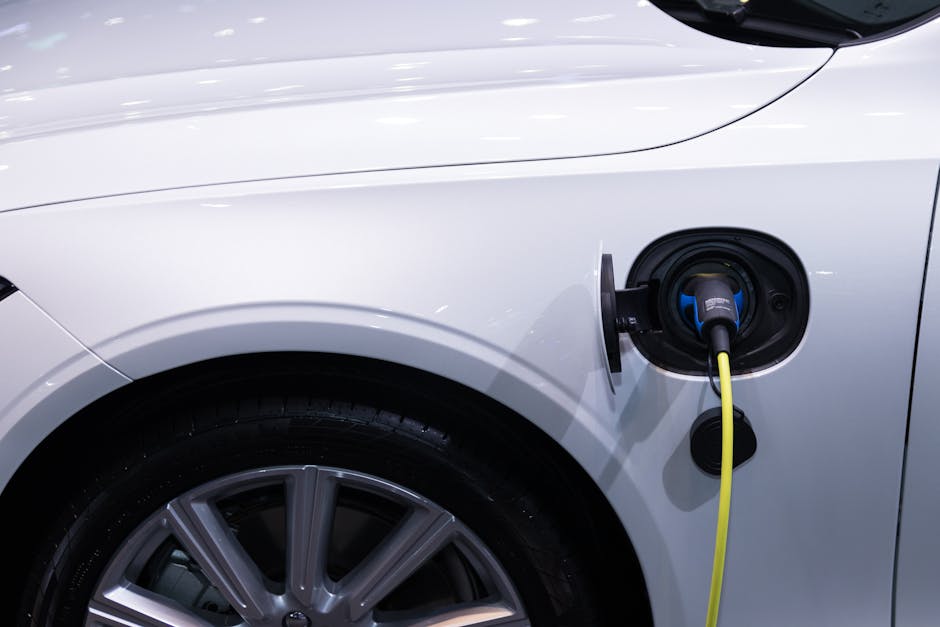
    electric vehicle subsidy Korea 2026, EV government grant application

    2026년 전기차 보조금, 얼마나 받을 수 있나?

    2026년 기준 전기차 국고보조금은 차량 가격과 성능(1회 충전 주행거리, 에너지 효율)에 따라 차등 지급됩니다. 환경부 무공해차 통합누리집(ev.or.kr) 기준으로, 승용 전기차의 경우 최대 580만 원 국고보조금이 지급되며, 여기에 지자체 보조금을 더하면 서울 기준 최대 약 780만 원, 지방(전남, 경북 등 일부 지역)은 최대 약 1,200만 원까지 받을 수 있습니다.

    단, 차량 출고가가 5,500만 원 미만이면 전액 지급, 5,500만 원 이상 8,500만 원 미만이면 50% 지급, 8,500만 원 이상이면 보조금 지급 대상에서 완전 제외됩니다. 이 구간 하나 때문에 수백만 원이 갈리니까 계약 전에 반드시 출고가 기준으로 확인하세요.

    EV subsidy amount Korea chart, electric car government grant tiers 2026

    국고보조금 vs 지자체 보조금 — 뭐가 다른가?

    많은 분들이 ‘보조금’을 하나로 뭉뚱그려 생각하는데, 실제로는 두 개의 레이어가 있습니다.

    • 국고보조금: 환경부가 지급. 차량 성능(주행거리, 에너지 효율)과 가격에 따라 결정. 전국 동일 기준 적용.
    • 지자체 보조금: 각 시·군·구에서 별도 예산 편성. 지역마다 금액과 지급 조건이 다름. 예산 소진 시 종료.

    핵심은 지자체 보조금은 선착순이라는 겁니다. 매년 초에 예산이 풀리면 빠르게 소진돼요. 특히 서울, 경기 같은 수도권은 상반기 내에 마감되는 경우가 많습니다. ‘나중에 신청하면 되지’라고 생각하다가 예산이 떨어지면 그냥 0원입니다.

    차종별 보조금 비교표 (2026년 기준)

    아래는 2026년 주요 전기차 모델별 보조금 수령 가능 금액을 정리한 표입니다. (서울시 기준, 환경부 고시 및 서울시 공고 기반 추정치이며 실제 지급액은 출고 시점에 따라 변동될 수 있습니다.)

    모델명 출고가 (만원) 국고보조금 (만원) 서울시 보조금 (만원) 합계 (만원) 보조금 적용 여부
    현대 아이오닉6 (스탠다드) 4,699 580 200 780 ✅ 전액
    기아 EV6 (스탠다드) 4,820 540 200 740 ✅ 전액
    테슬라 모델Y (RWD) 5,399 580 200 780 ✅ 전액
    테슬라 모델Y (롱레인지) 6,299 290 100 390 ⚠️ 50%
    벤츠 EQS 450+ 13,500 0 0 0 ❌ 제외
    BMW iX3 7,090 290 100 390 ⚠️ 50%

    ※ 위 수치는 2026년 환경부 공고 기준 추정값이며, 출고 시점 및 지자체별 예산 상황에 따라 달라질 수 있습니다. 계약 전 ev.or.kr에서 반드시 직접 확인하세요.

    해외 전기차 보조금 제도와 비교 — 한국은 어떤 수준?

    객관적인 비교를 위해 주요국 제도를 살펴봤습니다.

    • 미국: IRA(인플레이션 감축법) 기준 최대 $7,500(약 1,000만 원) 세액공제. 단, 북미 최종 조립 조건 + 배터리 부품 원산지 조건이 까다로워 실제 수혜 모델이 제한적. 현대·기아는 미국 조지아 공장 가동 이후 일부 모델 대상 포함.
    • 독일: 2024년 말 전기차 보조금 프로그램(Umweltbonus) 조기 종료. 2026년 현재 국가 보조금 없음. 대신 각 주(州)별 소규모 인센티브 존재.
    • 중국: 신에너지차 구매세 감면 정책 유지 중. 차량가격의 최대 10% 수준.
    • 한국: 금액 자체는 중간 수준이지만, 지자체 보조금 추가 시 실질 혜택은 상위권. 다만 행정 절차가 복잡하고 지역 편차가 크다는 단점이 있음.

    결론적으로 한국 보조금은 ‘구조를 아는 사람’에게 유리하게 설계돼 있어요. 모르면 손해, 알면 이득이라는 구조입니다.

    🚨 절대 하면 안 되는 보조금 신청 실수 5가지

    • 1. 계약 전에 지자체 예산 잔량 미확인: 딜러에게 계약금 넣기 전에 해당 지자체 보조금 잔량을 직접 확인하세요. 예산이 이미 소진됐으면 국고보조금만 받게 됩니다.
    • 2. 출고 후 2년 내 차량 매도: 보조금 받고 2년 이내 차량을 팔면 보조금을 환수당합니다. 보조금 전액 또는 비율에 따라 토해내야 해요.
    • 3. 거주지 외 지자체 보조금 신청 시도: 지자체 보조금은 실제 거주지(주민등록 주소) 기준입니다. 다른 지역 보조금이 많다고 위장전입하면 적발 시 환수 + 행정 제재.
    • 4. 법인 명의 vs 개인 명의 혼동: 법인 차량은 보조금 기준이 다릅니다. 개인 명의 기준으로 계획 세웠다가 법인으로 등록하면 금액 차이가 발생할 수 있어요.
    • 5. 딜러 말만 믿고 출고 날짜 잡기: 보조금 지급은 출고 등록일 기준입니다. 딜러가 ‘연말에 출고해도 괜찮다’고 해도, 지자체 예산이 연초에 소진되면 보조금 못 받을 수 있어요. 연초 출고가 유리한 이유입니다.

    보조금 신청 실전 프로세스 — 이 순서대로만 하세요

    1. ev.or.kr 접속 → 내가 살 차량의 보조금 지급 대상 여부 및 금액 확인
    2. 거주 지자체 공식 홈페이지 또는 담당 부서(시·군·구청 기후환경과 등) 연락 → 지자체 보조금 잔량 및 신청 방법 확인
    3. 딜러와 계약 체결 → 이 시점에 보조금 신청서 제출 (딜러가 대행하는 경우 多)
    4. 지자체 보조금 지급 확정 통보 대기
    5. 차량 출고 및 등록
    6. 보조금 지급 (제조사 또는 딜러 계좌로 지급 후 차량 대금에서 차감)

    전체 프로세스는 보통 계약 후 1~3개월 소요됩니다. 인기 차종은 출고 대기 기간이 더 길어질 수 있으니 여유 있게 잡으세요.

    FAQ — 독자들이 가장 많이 묻는 질문

    Q1. 작년에 전기차 샀는데 올해 보조금 추가로 받을 수 있나요?

    아니요. 보조금은 차량 구매(출고 등록) 시점에 1회만 지급됩니다. 이미 수령했다면 추가 신청 불가하고, 보조금 없이 구매했다면 소급 적용도 되지 않습니다. 단, 올해 새 차를 구매한다면 당연히 2026년 기준으로 신청 가능합니다.

    Q2. 테슬라 모델3처럼 직영 판매 방식의 차는 보조금 신청을 어떻게 하나요?

    테슬라 같은 직영 판매 브랜드도 보조금 신청 자체는 동일합니다. 구매 계약 시 테슬라 측에서 보조금 신청 서류를 안내해주고, 딜러 대신 브랜드가 직접 지자체에 신청을 대행합니다. 단, 지자체별 처리 속도 차이가 있을 수 있으니 출고 전에 담당자에게 진행 상황을 꼭 확인하세요.

    Q3. 보조금 받은 전기차를 2년 안에 팔면 정말 환수되나요? 예외는 없나요?

    원칙적으로 환수 대상입니다. 다만 예외 사유가 있어요. 천재지변, 교통사고 전손 처리, 해외 이민 등 불가피한 사정이 인정되는 경우 지자체 심의를 통해 환수 면제가 가능합니다. 단순 ‘돈이 급해서’, ‘다른 차가 사고 싶어서’ 같은 이유는 면제 사유가 되지 않아요. 2년은 반드시 지키는 게 맞습니다.


    전기차 보조금, 솔직히 제도 자체가 복잡하게 설계돼 있어요. ‘잘 모르면 알아서 챙겨주겠지’라는 생각이 가장 위험합니다. 딜러는 차 팔면 끝이고, 보조금 못 받아도 딜러 손해가 아니거든요. 결국 본인이 공부하고 챙기는 사람이 수백만 원을 더 가져갑니다. 2026년 기준으로 최대 1,200만 원까지 챙길 수 있는 보조금, 이제 남한테 맡기지 마세요.

    에디터 한 줄 평: 전기차 보조금은 ‘아는 만큼 받는 제도’다. 모르면 그 돈은 고스란히 국고로 돌아간다.

    이 글이 도움이 됐다면, 전기차 계약 앞둔 지인에게 공유해 주세요. 수백만 원짜리 정보입니다.


    📚 관련된 다른 글도 읽어 보세요

    태그: 전기차보조금, 2026전기차, 전기차구매가이드, 국고보조금, 지자체보조금, EV보조금신청, 전기차혜택

  • 아직도 혼자 가세요? 2026 제주 현지인이 강추하는 남들 모르는 한적한 코스 7선

    지인한테 연락이 왔어요. ‘제주 또 가는데 어딜 가야 안 질리냐’고. 이미 성산일출봉, 한라산, 협재해수욕장은 다 가봤다고. 솔직히 말하면 저도 처음엔 그 루트 그대로 다녔거든요. 그런데 열 번 넘게 제주를 다니다 보니까 ‘아, 진짜 제주는 관광지 바깥에 있다’는 걸 뼈저리게 느꼈습니다. 오늘은 2026년 현재도 여전히 붐비지 않는, 로컬들이 실제로 가는 코스를 정리해 드릴게요. 실망하면 저한테 뭐라고 해도 됩니다.

    Jeju island aerial view, hidden beach, local road trip
    • 🗺️ 왜 제주 핫플은 이제 ‘실망 스팟’이 됐나 — 데이터로 보는 관광객 밀도
    • 🌿 코스 1~3: 서쪽 비밀 루트 (애월~한림~저지리)
    • 🌊 코스 4~5: 동쪽 숨은 루트 (세화~종달~오조리)
    • 🏔️ 코스 6~7: 중산간 고원 루트 (1100도로~돌오름~물영아리)
    • 📊 핫플 vs 로컬 스팟 비교표 — 주차, 가격, 대기시간 실측
    • 🚗 렌트카 vs 대중교통: 이 코스엔 뭐가 맞나
    • ⛔ 제주 여행 전 절대 하지 말아야 할 실수 6가지
    • ❓ 자주 묻는 질문 (FAQ)

    🗺️ 왜 제주 핫플은 이제 ‘실망 스팟’이 됐나

    2026년 기준, 제주 관광객은 연간 약 1,500만 명을 상회합니다. 이게 얼마나 많은 숫자냐면, 제주 인구(약 70만 명)의 21배예요. 주말 협재해수욕장 주차장은 오전 9시 기준 이미 만차, 성산일출봉 입장 대기는 평균 40~60분. 우도는 전기차 반입 제한이 걸려 있음에도 여름 성수기엔 선착장 대기가 2~3시간입니다. 여행을 하러 간 건지 줄을 서러 간 건지 모를 지경이죠.

    반면 제가 소개할 코스들은 SNS 노출 빈도가 낮고, 접근성이 살짝 떨어지거나, 그냥 ‘알려지지 않은’ 곳들이에요. 그게 오히려 장점입니다.

    Jeju crowded tourist spot vs quiet road, Jeju local village morning

    🌿 코스 1~3: 서쪽 비밀 루트

    코스 1. 납읍리 금산공원 — 제주에서 온대림을 보는 유일한 곳

    애월에서 1132번 도로를 타고 북쪽으로 5분만 올라가면 나옵니다. 입장료 무료, 주차 무료. 상록수 원시림이 그대로 보존돼 있어서, 여름엔 30도 바깥 온도인데 안에 들어가면 체감 5~6도는 내려가는 느낌이에요. 방문객 수가 하루 평균 100명 이하. 일부러 조용한 곳 찾는 분들한테 강력 추천합니다. 운영: 상시 개방 / 주차: 소형 15대 가능.

    코스 2. 저지리 예술인마을 + 제주현대미술관

    한림에서 차로 10분 거리, 중산간에 조성된 예술인 마을입니다. 2026년 현재 입장료 성인 기준 2,000원. 이게 말이 되나 싶을 정도로 저렴하고, 실내·외 조각공원이 잘 꾸며져 있어요. 카페 2곳 운영 중이고 아메리카노 기준 4,500~5,000원으로 제주 관광지 대비 착한 편입니다. 운영 시간: 09:00~18:00 (입장 17:30 마감), 매주 월요일 휴관.

    코스 3. 수월봉 지질트레일 — 올레가 아닌 ‘지질’ 걷기

    차귀도가 보이는 절벽 위 트레일. 성인 입장 무료, 왕복 약 4km, 소요 시간 1시간 30분. 제주 지질공원 UNESCO 인증 구간이라 안내판 설명이 충실하고, 바람 맞으며 걷는 해안 뷰가 협재보다 훨씬 덜 붐벼요. 단, 바람이 강하게 부는 날엔 체감온도 급락하니 얇은 겉옷은 필수. 비수기(11~2월) 방문 시 수월봉 정상에서 차귀도 일몰을 독점 감상 가능합니다.

    🌊 코스 4~5: 동쪽 숨은 루트

    코스 4. 세화 해변 + 세화민속오일장 (매월 5·10·15·20·25·30일)

    구좌읍 세화리에 있는 작은 해변과 오일장 조합입니다. 장날에 맞추면 제주 로컬 음식, 청과물, 해산물을 시중의 50~70% 가격에 살 수 있어요. 특히 자리돔 젓갈은 여기서만 볼 수 있는 가격대. 해변은 모래보다 돌이 많지만, 그만큼 물이 맑고 조용합니다. 주변 카페들도 협재·애월에 비해 가격이 15~20% 저렴한 편이에요.

    코스 5. 오조리 내수면 — 제주에서 유일하게 바다와 담수가 만나는 풍경

    성산일출봉 바로 옆 동네인데 아무도 여기서 멈추지 않아요. 이게 제일 신기한 점. 오조포구 근처에 차를 세우면 성산일출봉이 정면으로 보이는데, 일출봉 정상에서 내려다보는 풍경과는 완전히 다른 앵글입니다. 일몰 때 특히 좋고, 주차비 없음, 입장료 없음. 새벽 4시~5시에 방문하면 안개 낀 일출과 성산봉이 겹쳐서 진짜 장관입니다.

    🏔️ 코스 6~7: 중산간 고원 루트

    코스 6. 1100고지 습지 — 구름 위에서 걷는 트레킹

    해발 1,100m. 제주에서 가장 높은 도로 휴게소 바로 옆에 람사르 습지가 있어요. 걷는 거리는 약 1km, 20~30분이면 충분. 여름에도 평균 기온 18~20도 유지, 겨울엔 설경이 장관입니다. 단 겨울 폭설 시 1100도로 통제 가능 — 출발 전 제주도로관리청(064-710-6782) 또는 제주 교통정보 앱에서 반드시 도로 상황 확인하세요.

    코스 7. 물영아리오름 — 분화구 안에 호수가 있는 오름

    남원읍에 위치. 입장 무료, 정상까지 편도 약 1.2km, 30~40분 소요. 분화구 안쪽에 습지 호수가 형성되어 있어서 다른 오름과 전혀 다른 경험을 줍니다. 성수기에도 하루 방문객 200~300명 수준. 한라산 백록담이 힘들다면 이쪽 루트를 먼저 경험해 보는 걸 추천드려요. 비 온 다음 날 방문 시 안개와 습지 조합이 절정입니다.

    📊 핫플 vs 로컬 스팟 비교표

    구분 장소 입장료 평균 대기 주차 난이도 혼잡도 (성수기) 비수기 꿀팁
    핫플 성산일출봉 성인 5,000원 40~60분 매우 어려움 ★★★★★ 평일 오전 6시 전 입장
    핫플 협재해수욕장 무료 주차 30분+ 어려움 ★★★★★ 10~11월 방문
    핫플 우도 여객선 왕복 10,800원~ 선착장 1~3시간 섬 내 차량 제한 ★★★★★ 비추 (비수기도 혼잡)
    로컬 납읍리 금산공원 무료 없음 쉬움 ★☆☆☆☆ 상시 방문 가능
    로컬 수월봉 지질트레일 무료 없음 쉬움 ★★☆☆☆ 11~2월 일몰 추천
    로컬 물영아리오름 무료 없음 쉬움 ★★☆☆☆ 우천 직후 방문
    로컬 오조리 내수면 무료 없음 매우 쉬움 ★☆☆☆☆ 일출 시간 맞추기

    🚗 렌트카 vs 대중교통: 이 코스엔 뭐가 맞나

    결론부터 말하면 렌트카 필수입니다. 미안하지만 이 코스들은 대중교통으로 접근하기 어려운 곳들이 대부분이에요. 납읍리, 저지리, 수월봉, 물영아리는 하루 2~4회 버스만 운행합니다. 렌트카 기준 2026년 소형차(모닝급) 평일 하루 렌탈 비용은 3~5만 원대(보험 포함 기준). 여름 성수기엔 2~3주 전 예약이 기본이고, 전기차 렌트 시 충전소 위치 미리 파악은 필수 — 중산간 지역은 충전 인프라가 아직 부족합니다.

    ⛔ 제주 여행 전 절대 하지 말아야 할 실수 6가지

    • 성수기(7~8월) 주말 오전 10시 이후 핫플 접근 — 주차장 진입 자체가 안 됩니다. 차 막혀서 일정 전체 망합니다.
    • 오름 트레킹을 슬리퍼로 시도 — 물영아리, 1100고지는 습지라 미끄러움. 트레킹화 필수.
    • 카카오맵만 믿고 중산간 도로 진입 — 실시간 통제 정보가 반영 안 됩니다. 제주교통정보센터 앱 병행 필수.
    • 세화오일장 날짜 미확인 — 5·10·15·20·25·30일 아닌 날 가면 텅 빕니다.
    • 전기차 렌트 후 충전 계획 없이 중산간 투어 — 저지리~1100도로~물영아리 구간은 급속 충전기 없는 구간 30km 이상 가능.
    • 저지리 현대미술관 월요일 방문 — 매주 월요일 정기 휴관. 이거 모르고 갔다가 돌아온 사람 한두 명이 아닙니다.

    ❓ FAQ

    Q1. 이 코스들 차 없이 다닐 수 있나요?

    솔직히 어렵습니다. 세화 해변과 세화오일장은 제주시에서 버스(701번)로 접근 가능하지만, 나머지 코스들(납읍리, 저지리, 수월봉, 1100고지, 물영아리)은 대중교통만으로는 하루에 한두 곳 가기도 빡빡합니다. 여럿이 간다면 렌트카 나눠 타는 게 훨씬 합리적이에요.

    Q2. 비수기(11~2월) 제주는 정말 볼 게 없나요?

    오히려 반대입니다. 1100고지 설경, 수월봉 겨울 일몰, 납읍리 동백 시즌(1~2월)이 있고, 항공권·숙소 가격이 성수기 대비 30~50% 저렴합니다. 단 날씨가 변덕스러워서 최소 하루 여유 일정은 잡아두세요. 제주 겨울 바람은 진짜 장난 아닙니다.

    Q3. 아이 동반 가족 여행으로도 괜찮은 코스인가요?

    납읍리 금산공원(평탄 산책로), 저지리 현대미술관(실내외 관람), 세화 해변+오일장은 아이와 함께 무난합니다. 수월봉과 물영아리는 비포장·경사 구간이 있어서 유아차는 무리고, 초등 저학년 이상이라면 문제없어요. 1100고지는 겨울에 아이와 갈 경우 방한 장비 꼭 챙기세요.

    📝 한 줄 평: 제주는 아직 안 죽었습니다. 다만 대부분의 관광객이 같은 1% 구역만 돌고 있을 뿐. 나머지 99%를 발견하는 게 진짜 제주 여행입니다. 주관적 만족도 ★★★★☆ (4.5/5) — 0.5점 뺀 이유는 렌트카 없으면 접근이 제한된다는 점 때문입니다.

    여행작가 한줄평: 비행기 타고 가서 줄만 서다 오는 여행은 이제 그만. 2026년엔 제주 로컬 루트로 진짜 제주를 만나보세요. 한 번 맛보면 다음 제주 여행은 핫플 건너뛰고 이 코스부터 먼저 잡게 될 거예요.


    📚 관련된 다른 글도 읽어 보세요

    태그: 제주여행, 제주숨은여행지, 제주로컬코스, 제주비수기여행, 제주오름추천, 제주현지인추천, 2026제주여행

  • Why I Almost Gave Up on Roofing — A Real 2025 Guide to Getting It Right

    A friend of mine called me last spring in a panic. She’d just gotten three quotes for a new roof — ranging from $7,000 to $22,000 — and had absolutely no idea what she was paying for or why the prices were so wildly different. Sound familiar? That conversation is exactly why I wanted to put this together. Roofing is one of those home improvement topics where a little knowledge can save you thousands, and a lot of ignorance can cost you even more.

    Let’s dig into what’s actually going on with roofing in 2025, from materials and costs to contractor red flags and long-term maintenance — without the fluff.

    roofing shingles close-up, roof replacement contractor

    What’s Actually Changed About Roofing in 2025

    The roofing industry in 2025 looks meaningfully different from even five years ago. Labor costs have climbed roughly 18–24% since 2021, driven by skilled trade shortages. Meanwhile, asphalt shingle prices — which account for roughly 70% of residential roofing in the US — have stabilized somewhat after supply chain chaos pushed them up nearly 30% between 2021 and 2023. As of early 2025, a mid-grade architectural shingle bundle runs about $105–$140 per square (100 sq ft), up from around $80 pre-pandemic.

    But here’s what most homeowners miss: material costs are typically only 40–50% of your total bill. Labor, underlayment, flashing, decking repair, and disposal fees make up the rest. When my friend got that $22,000 quote, it included full decking replacement (her roof had significant rot) plus a premium Class 4 impact-resistant shingle. The $7,000 quote? It was a second layer of shingles laid over the existing one — a practice that saves money upfront but voids most manufacturer warranties and adds weight stress to your structure.

    Breaking Down the Three Major Roofing Material Choices

    If you’re evaluating a roof replacement, here are the materials you’ll most realistically encounter, with honest trade-offs:

    • 3-Tab Asphalt Shingles: Cheapest option at $80–$100 per square installed. 20–25 year lifespan under ideal conditions. Rarely recommended in 2025 because the price gap with architectural shingles has narrowed significantly.
    • Architectural (Dimensional) Asphalt Shingles: The sweet spot for most homeowners. $130–$180 per square installed. 30-year warranties are standard; some premium lines (like Owens Corning Duration or GAF Timberline HDZ) offer limited lifetime warranties. Impact resistance ratings (Class 3 or 4) may qualify you for a homeowner’s insurance discount of 10–30% depending on your state and carrier.
    • Metal Roofing (Standing Seam or Exposed Fastener): Installed costs range from $250–$600+ per square. Standing seam is the premium option — concealed fasteners, 40–70 year lifespans, and excellent performance in both heat and snow. Exposed fastener metal (like corrugated steel) is cheaper but requires fastener maintenance every 10–15 years as rubber seals degrade. In wildfire-prone areas like California and Colorado, metal is increasingly the default.
    • Synthetic Slate / Composite Shingles: Products like DaVinci Roofscapes or CertainTeed Belmont offer the look of natural slate at a fraction of the weight and cost. Installed price: $350–$500 per square. Lifespan claims of 50+ years, though real-world data on some brands is still accumulating.
    • Natural Slate or Clay Tile: Beautiful, but $600–$1,500+ per square installed, requires structural reinforcement in many homes, and demands specialized installers. Worth it for historic or high-end properties; overkill for most suburban homes.

    The Contractor Selection Problem (Where Most People Go Wrong)

    Here’s the brutal truth: the roofing industry has one of the highest rates of contractor fraud of any home improvement category. After major hailstorms, “storm chasers” — out-of-state contractors who appear for a few weeks, collect deposits, and disappear — are a documented and recurring problem. The Better Business Bureau and state attorney general offices received a combined 14,000+ roofing-related complaints in 2023 alone.

    What to look for when vetting contractors:

    • Manufacturer certification: Look for GAF Master Elite, Owens Corning Platinum Preferred, or similar designations. These require contractors to meet installation standards and carry proper insurance. Only about 2–3% of US contractors hold GAF Master Elite status, for example.
    • Local presence and reviews: Verify they have a physical address, not just a P.O. box. Check Google Reviews, Yelp, and the BBB — and look specifically for reviews from 6–18 months ago to gauge how they handle warranty issues post-installation.
    • Detailed written contract: Should specify shingle brand and model, underlayment type (synthetic vs. felt), decking replacement terms, disposal method, start/end dates, and payment schedule. Never pay more than 10–30% upfront.
    • Permit pulling: A legitimate contractor will pull permits in your municipality. If a contractor says “we don’t need a permit for this,” that’s a red flag in most jurisdictions.
    roof damage inspection, contractor checking roof

    Insurance Claims and Roofing: A Rapidly Shifting Landscape

    One angle that’s become increasingly important in 2025 is the insurance dimension. Several major carriers — including State Farm and Allstate — have stopped writing new homeowner policies in states like Florida and California partly due to catastrophic roof claim losses. In states where coverage still exists, many carriers have shifted to “actual cash value” (ACV) roof coverage rather than “replacement cost value” (RCV), meaning depreciation is subtracted from your claim payout.

    If your policy is ACV-based and your 18-year-old asphalt roof takes hail damage, you might receive $4,000 on a $14,000 repair because the insurer deducts for depreciation. This is worth checking before you ever need to file a claim. Upgrading to a Class 4 impact-resistant shingle can sometimes get you back to RCV coverage in certain markets — worth a call to your agent.

    DIY Roofing: Where It Makes Sense and Where It Doesn’t

    Let me be real with you here. A full roof replacement as a DIY project is genuinely dangerous (falls are the leading cause of construction fatalities) and often voids manufacturer warranties that require certified installer sign-off. However, there are legitimate DIY scenarios:

    • Minor repairs (1–3 shingles): Replacing a few storm-damaged shingles with matching materials is manageable for a confident DIYer. Materials cost $30–$80; a roofer will charge $150–$400 for the same job.
    • Flat roof patching: TPO or EPDM flat roof repairs using peel-and-stick patches are accessible. Brands like Cofair or EternaBond make products that genuinely work for temporary and semi-permanent fixes.
    • Roof maintenance: Cleaning gutters, applying zinc strips to prevent moss growth, and sealing around pipe boots are all homeowner-appropriate tasks that meaningfully extend roof life.

    Real-World Cost Benchmarks (2025 Numbers)

    To give you a concrete frame of reference, here’s what a full tear-off and replacement of a typical 2,000 sq ft single-story home (about 22–25 squares of actual roof area accounting for pitch and waste) looks like in 2025 dollars across different scenarios:

    • Budget option (3-tab shingles, basic underlayment): $8,500–$12,000
    • Mid-range (architectural shingles, synthetic underlayment, Class 3 impact): $13,000–$18,000
    • Premium (Class 4 architectural or metal, full ice-and-water shield, new decking): $20,000–$35,000+

    These ranges assume average US labor markets. Coastal California, New York City metro, and Hawaii run 30–60% higher. Rural Midwest and Southeast markets can run 15–25% lower.

    Maintenance That Actually Extends Roof Life

    One thing I wish more homeowners knew: a well-maintained 25-year shingle can realistically hit 28–32 years, while a neglected one might fail at 18. The key maintenance tasks that actually matter:

    • Annual gutter cleaning to prevent water backup under shingles (ice dams in cold climates cause enormous damage)
    • Trimming tree branches within 6 feet of the roof surface — friction abrades granules off shingles
    • Inspecting and re-caulking pipe boot flashings every 7–10 years (the rubber collar degrades before the shingles do)
    • Addressing moss and algae growth promptly — organisms accelerate granule loss and shingle degradation
    • After any major storm, visually inspecting from the ground for missing shingles or damaged ridge caps

    A $200–$400 annual maintenance mindset can genuinely push a mid-grade roof past its rated lifespan — that’s a better ROI than many home improvement projects.

    The Bottom Line on Roofing Decisions in 2025

    If you’re staring down a roof replacement, the good news is that architectural asphalt shingles in the 30-year class represent a genuinely excellent value in 2025 — especially if you can qualify for an insurance discount with a Class 4 rating. Metal roofing makes strong economic sense if you’re planning to stay in the home long-term (15+ years) or live in a hail, wind, or wildfire zone. And whatever you choose, contractor vetting deserves as much attention as material selection.

    If you’re trying to buy time on a tight budget, a professional inspection ($150–$300 from a qualified roofer — not a storm-chaser) will tell you honestly whether you have 2 years or 8 years left, so you can plan accordingly rather than getting ambushed.

    Quick tip from the field: Always get at least three quotes, ask each contractor to walk you through their bid line by line, and check whether their quotes include the same underlayment spec — it’s one of the easiest places for a low bidder to cut corners invisibly. The roof that keeps water out of your home is worth understanding deeply before you sign anything.


    📚 관련된 다른 글도 읽어 보세요

    태그: []

  • Why Most EV Charging Guides Get It Wrong — Real 2025 Home Setup Breakdown

    A friend of mine bought his first electric vehicle last spring, super excited, ready to go green. Three weeks later he called me frustrated — his Level 1 charger was adding maybe 4 miles of range overnight, and he’d already paid an electrician $600 for a panel upgrade he wasn’t even sure he needed. Sound familiar? This situation comes up constantly, and honestly, most of the setup guides out there skip the messy details that actually matter. So let’s walk through what a real 2025 home EV charging setup looks like — panel assessments, charger specs, installation costs, and the gotchas nobody warns you about.

    Level 1 vs Level 2: The Number That Changes Everything

    The core confusion starts here. Almost every EV ships with a Level 1 EVSE (Electric Vehicle Supply Equipment) — that’s the cord you plug into a standard 120V household outlet. It pulls about 12 amps and delivers roughly 1.2–1.4 kW of power. For a 75 kWh battery (like the one in a Tesla Model 3 Long Range), a full charge from empty would take over 50 hours. That’s not a misprint.

    Level 2 charging operates at 240V — the same voltage as your dryer or electric range — and typically runs at 32 to 48 amps, delivering anywhere from 7.2 kW to 11.5 kW. A realistic overnight charge window of 8 hours at 7.2 kW adds about 55–60 miles of range. For most commuters averaging 30–40 miles daily, that’s more than enough. The math is simple; the installation is where it gets complicated.

    home EV charging station Level 2 installation, electric panel upgrade residential

    Your Electrical Panel Is the Real Gatekeeper

    Here’s what the glossy charger brochures don’t mention: your panel capacity determines everything. A typical older American home runs on a 100-amp service panel. By the time you account for HVAC (typically 30–50A), electric water heater (30A), kitchen appliances (40–60A combined), and lighting circuits, you might have 20–30 amps of headroom — on paper. Adding a dedicated 50-amp circuit for a 48A charger will almost certainly trigger a panel upgrade to 200A service.

    In 2025, a 200A panel upgrade with new service entrance runs $1,800–$4,500 depending on your region and utility, with California and New York skewing high due to permit requirements and labor costs. Some utilities offer rebates — Pacific Gas & Electric’s EV Panel Upgrade Rebate covers up to $1,000, and many local co-ops run similar programs. Always check the Database of State Incentives for Renewables and Efficiency (DSIRE) at dsireusa.org before you write a check.

    If your panel is already 200A and has available breaker slots, you’re in much better shape. A licensed electrician can run a dedicated 240V/50A circuit and install the charger for $400–$900 in most markets. That’s the scenario you want to be in.

    Choosing the Right EVSE — Specs That Actually Matter

    • Amperage rating: 32A (7.6 kW) is the sweet spot for most households without panel drama. 48A chargers (11.5 kW) are faster but require a 60A breaker.
    • Smart features: Look for Wi-Fi connectivity and time-of-use scheduling. Charging at off-peak hours (typically 9 PM–6 AM) can cut electricity costs by 30–50% in states with tiered rates like California’s TOU-EV-B plan.
    • NEMA plug vs hardwired: A NEMA 14-50 plug-in unit is portable and easier to move if you relocate. Hardwired units are more permanent but often look cleaner.
    • UL listing and warranty: Non-negotiable. Stick to UL-listed units. Most reputable brands offer 3-year warranties minimum.
    • Cable length: 25 feet is the practical minimum if your garage has any layout complexity. Some budget units ship with 18-foot cables and that creates real problems.

    In terms of real-world brand performance in 2025, ChargePoint Home Flex remains a consistently reliable choice — adjustable from 16A to 50A, solid app integration, and wide vehicle compatibility. The Emporia EV Charger has been gaining traction for its energy monitoring features and competitive $199–$249 price point. Tesla’s Wall Connector is excellent if you’re in the Tesla ecosystem but note that non-Tesla vehicles using it via the included J1772 adapter cap out at 40A rather than the full 48A on some older firmware.

    The Permit Question — Don’t Skip This

    This is the step people skip most often, and it creates real headaches. In most U.S. jurisdictions, installing a new 240V dedicated circuit requires a permit and inspection. Skipping it doesn’t just create legal liability — some homeowner insurance policies have denied claims related to electrical fires originating from unpermitted work. The permit typically costs $50–$150 and the inspection adds a day or two to the timeline, but it’s absolutely worth it.

    Some jurisdictions — notably those following the 2023 National Electrical Code — now require arc-fault circuit interrupter (AFCI) protection on EV circuits in garages. If your electrician doesn’t mention this, ask specifically. The wrong breaker type gets flagged at inspection and costs rework time.

    electrical permit inspection EV charger circuit breaker panel

    Real Cost Breakdown for a Typical 2025 Install

    Let’s put concrete numbers together for a median scenario: 200A panel already in place, single-car garage, moderate-cost market like suburban Ohio or Texas:

    • EVSE unit (ChargePoint Home Flex or similar): $499–$699
    • Electrician labor + materials (50A dedicated circuit, ~30ft run): $450–$750
    • Permit and inspection: $75–$120
    • Total: approximately $1,000–$1,570

    If you need a panel upgrade, add $2,000–$3,500 to that figure. On the other end, if you qualify for the federal Alternative Fuel Vehicle Refueling Property Credit (30C), you can claim 30% of equipment and installation costs up to $1,000 back on your federal tax return in 2025 — confirm eligibility with a tax professional since income and location factors apply.

    When Level 2 at Home Isn’t the Right Answer

    If you drive fewer than 20 miles a day and have access to workplace charging or a nearby DC fast charger (DCFC), the math on a home Level 2 install can be harder to justify. Level 1 overnight charging genuinely covers short-commute scenarios, and saving $1,200 by not upgrading the setup has real value. Similarly, apartment dwellers should look at whether their building participates in programs like ChargePoint’s multifamily network or whether local municipalities have curbside Level 2 pilots — several cities including Austin, Denver, and Seattle are actively expanding these in 2025.

    The conditional recommendation is simple: if you drive more than 25 miles daily or own a larger battery EV (60+ kWh), Level 2 home charging will pay back its installation cost within 2–3 years through convenience and avoided DC fast charge session fees. If you drive less and have alternatives, Level 1 or public Level 2 may serve you just fine.

    One Last Thought: The biggest mistake I see isn’t choosing the wrong charger — it’s skipping the panel assessment before buying anything. Get an electrician to look at your box before you order hardware. That one conversation saves you from the exact situation my friend landed in: paid for equipment, then discovered the real cost was the infrastructure underneath it. Start with the panel, then pick your charger, and the rest of the decisions get a lot easier.


    📚 관련된 다른 글도 읽어 보세요

    태그: home EV charging, Level 2 charger installation, EV charging setup 2025, electric vehicle home charger, panel upgrade EV, EVSE installation cost, home electric vehicle charging guide

  • 국민 자동차 쏘나타, 6개월 타고 팔아버린 이유 — 사기 전에 제발 생각해보세요.

    작년 말에 친한 형이 전화를 했어요. “야, 쏘나타 DN8 살까? 주변에서 국민차라고 다들 추천하던데.” 저는 그 순간 잠깐 말을 멈췄습니다. 형한테 솔직하게 말해야 할 것 같아서요. 저도 2026년 기준으로 딱 6개월 전에 쏘나타 2.0 가솔린을 뽑았다가, 결국 팔아버렸거든요. 국산 세단의 상징, 30년 넘은 브랜드 파워, 그리고 ‘무난하면 쏘나타’라는 공식. 근데 직접 타보면 얘기가 달라집니다. 오늘은 제가 실제로 겪은 이야기를 가감 없이 풀어볼게요. 사기 전에 딱 이 글 하나만 읽어보세요.

    Hyundai Sonata DN8 exterior side view, Korean sedan 2026
    • ① 쏘나타가 아직도 ‘국민차’인가? 2026년 기준 포지션 재점검
    • ② 6개월 실사용 비용 총정리 — 유지비가 생각보다 이렇습니다
    • ③ 쏘나타 vs 경쟁 모델 비교표 — 숫자로 보면 진실이 보인다
    • ④ 국내외 오너 클럽 후기를 뒤져봤더니 이런 말이 나오더라
    • ⑤ 쏘나타 사기 전 절대 놓치면 안 되는 체크리스트
    • ⑥ 자주 묻는 질문 (FAQ)
    • ⑦ 결론: 누구에게 맞고, 누구에게 맞지 않는가

    ① 쏘나타가 아직도 ‘국민차’인가? 2026년 기준 포지션 재점검

    솔직히 말씀드릴게요. 쏘나타는 여전히 훌륭한 차입니다. 그런데 ‘국민차’라는 수식어가 2026년에도 유효하냐고 물으면, 저는 고개를 갸웃하게 됩니다. 2020년대 들어 국내 자동차 시장의 지형이 완전히 바뀌었거든요.

    현대차 내부에서도 쏘나타보다 아이오닉 6, 그랜저, 싼타페에 더 공을 들이고 있다는 게 느껴집니다. 2025년 기준 국내 중형 세단 판매량을 보면, 쏘나타는 월평균 약 3,000~4,000대 수준을 유지하고 있지만 SUV 전체(투싼+싼타페+코나 합산)는 월 2만 대를 넘습니다. 세단의 시대가 조용히 저물고 있다는 신호예요.

    그렇다고 쏘나타가 나쁜 차냐? 절대 아닙니다. 2.0 스마트스트림 가솔린은 공인 복합연비 13.7km/L(도심 12.1 / 고속 16.4), 실사용 기준 시내 10~11km/L, 고속 13~14km/L 정도가 현실적인 수치예요. 하이브리드 모델은 복합 20.1km/L로 확실히 매력적이고요. 다만 이게 ‘6개월 만에 팔게 된 이유’를 설명하진 못해요. 그 이유는 아래에서 천천히 풀겠습니다.

    Hyundai Sonata interior dashboard 2026, smart stream engine

    ② 6개월 실사용 비용 총정리 — 유지비가 생각보다 이렇습니다

    제가 직접 소유했던 차량은 쏘나타 2.0 가솔린 인스퍼레이션 트림(2,780만 원 + 옵션 포함 실구매가 약 3,050만 원)이었습니다. 6개월 동안 약 18,000km를 주행했고, 아래가 실제 지출 내역입니다.

    항목 6개월 실지출 월평균 비고
    유류비 (휘발유 1,650원/L 기준) 약 272만 원 약 45만 원 실연비 10.5km/L 적용
    자동차세 (연세 약 52만 원) 약 26만 원 약 4.3만 원 6개월 분할
    자동차보험 (26세, 1년 기준) 약 65만 원 약 10.8만 원 다이렉트 가입
    정기점검 + 엔진오일 교환 약 15만 원 약 2.5만 원 블루핸즈 공임 포함
    주차비 + 세차 약 30만 원 약 5만 원 월 주차 계약 포함
    합계 약 408만 원 약 68만 원 할부 원금 제외

    여기서 할부 원금(3,050만 원, 60개월 / 금리 5.5% 기준)을 더하면 월 원리금 약 58만 원이 추가됩니다. 즉, 실질 월 부담은 약 126만 원이에요. 서울 기준 30평대 아파트 관리비보다 많이 나온다는 걸 직접 체감했을 때, 멈칫하게 됩니다.

    결정적으로 팔게 된 이유는 비용만이 아니었습니다. 제가 주로 서울 도심 출퇴근에 차를 썼는데, 막히는 도심에서 세단 특유의 낮은 시트 포지션과 후방 시야 제한이 의외로 피로감을 줬어요. 거기다 ‘이 돈이면 아이오닉 5 RWD 리스를 같은 돈에 탈 수 있겠다’는 생각이 드는 순간, 결심이 섰습니다.

    ③ 쏘나타 vs 경쟁 모델 비교표 — 숫자로 보면 진실이 보인다

    2026년 기준 같은 예산대(2,800~3,300만 원)에서 쏘나타와 경쟁하는 모델들을 나란히 놓아봤습니다. 제가 직접 시승 or 비교 조사한 모델들입니다.

    모델 가격대 (만 원) 공인 복합연비 배기량/파워트레인 트렁크 용량 자동차세/년 2026년 장점 2026년 단점
    쏘나타 2.0 가솔린 2,780~3,300 13.7km/L 2,000cc / 160마력 510L 약 52만 원 넓은 실내, 승차감, A/S망 세단 수요 감소, 리세일 약세
    쏘나타 하이브리드 3,100~3,700 20.1km/L 2,000cc HEV / 215마력 452L 약 18만 원 연료비 절감, 세금 감면 배터리 교체 비용 리스크
    K5 2.0 가솔린 2,700~3,200 13.5km/L 2,000cc / 160마력 510L 약 52만 원 디자인 호불호 적음, 가격 경쟁력 쏘나타와 플랫폼 동일
    아이오닉 6 RWD 4,200~5,000 전비 6.1km/kWh EV / 151마력 521L 약 13만 원 전기세 저렴, 저속 토크 초기 가격 높음, 충전 인프라
    투싼 2.0 가솔린 2,850~3,500 12.3km/L 2,000cc / 156마력 620L (2열 기준) 약 52만 원 높은 시트, 적재공간, 리세일 연비 소폭 불리, 연료비 차이

    표를 보면 느끼시겠지만, 쏘나타는 세단이 필요한 사람에게는 여전히 최선의 선택입니다. 단, 투싼과 가격이 사실상 같은 예산대에서 경쟁하는 상황이라면, 리세일 밸류(중고 잔존가치)에서 SUV가 유리합니다. 2025년 K-USED 데이터 기준, 3년 후 잔존가치율은 쏘나타 가솔린 약 52%, 투싼 가솔린 약 61% 수준으로 약 9%p 차이가 납니다. 3,000만 원짜리 차에서 이 차이는 약 270만 원이에요. 무시하기 어렵죠.

    ④ 국내외 오너 클럽 후기를 뒤져봤더니 이런 말이 나오더라

    보배드림, 클리앙, 그리고 미국 Reddit의 r/Hyundai 커뮤니티까지 훑어봤습니다. 공통적으로 나오는 키워드를 정리하면 이렇습니다.

    국내 오너 클럽 (보배드림 쏘나타 게시판, 2025~2026년 게시물 기준)

    • “승차감은 역시 국산 세단 중 최고” — 장거리 고속도로 주행 피로도 낮다는 평가 압도적
    • “뒷좌석 레그룸은 그랜저 부럽지 않다” — 실제로 휠베이스 2,900mm로 넓은 편
    • “DCT 변속기 저속 울컥거림은 여전히 존재” — 1.6T 모델 한정, 2.0 가솔린은 해당 없음
    • “스마트센스 레이더 오인식 간헐 발생” — 주로 터널 입출구, OTA 업데이트로 일부 개선

    미국 Reddit r/Hyundai (Sonata 검색 최상위 스레드)

    • “The Sonata is criminally underrated in the US” — 북미 시장에서 세단 전체 수요 감소로 존재감 희박해지는 것에 대한 아쉬움
    • “Hybrid mpg is real — averaging 43mpg mixed” — 하이브리드 실연비에 대한 북미 오너 긍정 평가 (한국 기준 약 18.3km/L에 해당)
    • “Just wish Hyundai kept investing in it” — 단종 루머에 대한 우려 (현대차는 공식 부인 중)

    해외 오너들이 공통적으로 언급하는 것 하나가 인상적이었어요. “쏘나타는 차 자체는 좋은데, 브랜드가 세단을 포기하는 것 같아 아쉽다”는 정서입니다. 이게 리세일 약세로도 이어지는 구조예요. 차가 나빠서가 아니라, 시장이 세단을 덜 찾게 됐기 때문이거든요.

    ⑤ 쏘나타 사기 전 절대 놓치면 안 되는 체크리스트

    아래 항목 중 3개 이상 해당되면 신중하게 고민해보세요. 2개 이하라면 쏘나타는 충분히 좋은 선택입니다.

    • 🔴 주로 도심 출퇴근이고, 주차 공간이 좁다 — 전장 4,900mm, 세단 특성상 입출차 시 후방 시야 제한이 SUV보다 체감상 불리함
    • 🔴 3~4년 후 차를 바꿀 계획이 있다 — 세단 중고 잔존가치 하락 추세. 같은 기간 투싼/싼타페 대비 손실 가능성 있음
    • 🔴 주 2회 이상 짐을 싣거나 아이가 있다 — 트렁크 입구 높이가 낮아 유모차 등 적재 시 불편. SUV와 비교하면 실용성 체감 차이 큼
    • 🔴 연간 3만 km 이상 고주행 — 가솔린이라면 하이브리드 추가 고려 필수. 연료비 차이가 연 100만 원 이상 날 수 있음
    • 🟡 1.6 터보 트림에 끌린다 — 출력(180마력)은 매력적이나 저속 DCT 진동 이슈, 긴 신호 대기 후 출발 시 울컥거림 일부 보고됨. 장거리 위주라면 문제없음
    • 🟡 스마트센스(ADAS) 기능 의존도가 높다 — HDA2, LFA 등 기능은 잘 작동하지만, 터널/역광 상황에서 오인식 사례 커뮤니티에서 간헐 보고. 과신 금지
    • 🟢 고속도로 출장이 잦고, 장거리 승차감을 중시한다 — 이 조건이라면 쏘나타는 여전히 최상의 선택지. 동급 최고 수준의 고속 안정성

    FAQ — 독자들이 가장 많이 묻는 것들

    Q1. 쏘나타 하이브리드와 가솔린, 2026년 기준 어떤 게 더 이득인가요?

    연간 2만 km 이상 주행하신다면 하이브리드가 유리합니다. 연료비 기준으로 계산해볼게요. 가솔린 실연비 10.5km/L, 하이브리드 실연비 18km/L, 유류비 1,650원/L 기준 — 연 2만 km 주행 시 가솔린 약 314만 원, 하이브리드 약 183만 원으로 연 131만 원 차이가 납니다. 두 트림 가격 차이가 약 320~400만 원이니, 약 2.5~3년이면 연료비로 회수 가능해요. 단, 하이브리드 배터리(보증 10년/20만 km 초과 후) 교체 비용(약 150만~300만 원)을 장기 리스크로 고려하세요.

    Q2. 쏘나타 DN8 단종 루머가 있던데, 사도 괜찮을까요?

    현대차는 공식적으로 단종 계획 없다고 밝혔습니다. 다만, 다음 풀체인지(차세대 DN9 혹은 EV 전환) 시점이 2027~2028년으로 예상된다는 업계 루머는 있습니다. 지금 DN8을 새 차로 구매하면 2~3년 후 부분변경 전 모델 소유자가 될 수 있다는 점을 감안하세요. 리세일을 생각한다면 타이밍이 살짝 애매한 시점이기는 합니다.

    Q3. 같은 예산이면 쏘나타보다 그랜저 중고를 사는 게 낫지 않나요?

    이건 진짜 많이 받는 질문이에요. 3,000만 원이면 GN7 그랜저 2.5 가솔린 2023~2024년식 무사고 중고를 볼 수 있습니다. 브랜드 체감과 뒷좌석 공간은 확실히 그랜저가 위입니다. 단, 중고차는 사고 이력 리스크, 소모품 교체 이력 불투명, 보증 만료 문제가 있어요. ‘신차의 안심’ vs ‘상위 등급의 만족감’ 중 어디에 가치를 두느냐의 문제입니다. 도심 단거리 위주라면 그랜저 중고, 장거리 고주행이라면 신차 쏘나타 하이브리드를 추천합니다.

    결론: 쏘나타, 이런 사람에게는 여전히 최선이다

    6개월 타고 판 제가 쏘나타를 나쁜 차라고 말하는 건 절대 아닙니다. 저는 제 라이프스타일이 세단에 맞지 않았던 것이었고, 쏘나타는 충분히 잘 만든 차입니다. 정리하면 이렇습니다.

    • 이 사람에게는 추천: 고속도로 출장 잦은 세일즈맨, 승차감 중시 장거리 운전자, 뒷좌석 비즈니스 활용이 많은 분, 연비 중시하면 하이브리드 트림
    • 이 사람에게는 비추: 도심 출퇴근 위주, 짐 자주 실음, 3년 내 차 바꿀 계획, SUV 높은 시트 자세를 이미 경험해본 분

    한 줄 평: “국민차의 품격은 여전하지만, 2026년엔 ‘국민 라이프스타일’이 바뀌었다.”

    현직 엔지니어의 한마디: 자동차는 감성으로 사도 되지만, 유지비는 철저하게 계산하고 사세요. 월 60~70만 원의 유지비가 부담되지 않는 소득 구조인지 먼저 확인하는 게 쏘나타를 고르는 것보다 더 중요한 결정입니다.


    📚 관련된 다른 글도 읽어 보세요

    태그: 쏘나타, 쏘나타DN8, 국산세단, 쏘나타하이브리드, 중형세단비교, 자동차유지비, 2026년자동차추천

  • Why I Almost Gave Up on DIY Solar — The Real 2025 Home Installation Guide

    A neighbor of mine spent an entire weekend on his roof last spring, only to fire up his new solar system and watch it throw a Error 306: Grid Isolation Fault the moment he flipped the breaker. Three calls to the installer, two YouTube rabbit holes, and one very expensive electrician visit later — he finally had it running. That story stuck with me, because it’s not an edge case. It’s basically the rite of passage for DIY solar in 2025.

    So let’s dig into what’s actually happening on the ground, what the numbers really look like, and how to avoid the landmines that the official documentation quietly glosses over.

    residential solar panel installation rooftop, home solar system setup 2025

    The 2025 Solar Landscape: Costs, Incentives, and Realistic Payback

    First, the honest numbers. As of 2025, the average installed cost for a residential solar system in the US sits around $3.00–$3.50 per watt before incentives. For a typical 8 kW system, that’s roughly $24,000–$28,000 upfront. After applying the federal Residential Clean Energy Credit (30% ITC), you’re looking at an effective cost closer to $16,800–$19,600.

    Payback periods — the figure everyone actually cares about — range from 7 to 11 years depending on your local utility rate, roof orientation, and shading. In high-rate states like California (where PG&E averages $0.32/kWh in 2025) or Massachusetts ($0.29/kWh), payback can compress to 6–7 years. In low-rate states like Louisiana ($0.11/kWh), you might be looking at 12+ years. That’s not a dealbreaker, but it’s a number you need to know before you sign anything.

    The Inverter Decision Is Where Most People Get It Wrong

    Here’s a technical detail that manufacturers don’t exactly shout from the rooftops (pun intended): the inverter you choose fundamentally changes your system’s behavior, maintenance burden, and troubleshooting experience.

    • String Inverters (e.g., SMA Sunny Boy, Fronius Primo): Cheapest option, $1,000–$2,000 for a whole-home system. Works great if your roof has zero shading. One shaded panel drags down the entire string — production losses of 20–40% are common in partial shade conditions.
    • Microinverters (e.g., Enphase IQ8 series): ~$150–$200 per panel. Each panel operates independently, so shading one panel doesn’t tank the others. The IQ8 series even supports off-grid “sunlight backup” without a battery — a genuinely useful 2025 feature. More components means more potential failure points, but Enphase’s 25-year warranty is among the best in class.
    • Power Optimizers + String Inverter (e.g., SolarEdge HD-Wave): Middle ground. Optimizers on each panel, single inverter. SolarEdge’s Error 25 (communication loss) is one of the most commonly reported installer headaches — usually caused by RS485 wiring polarity being reversed during setup. Swap the A/B terminals and it clears immediately.
    • Hybrid Inverters (e.g., Growatt MIN TL-X, Solis RHI): If you’re adding battery storage now or planning to, a hybrid inverter is almost always worth the premium. Retrofitting battery capability to a non-hybrid system later typically costs $800–$1,500 in additional hardware and labor.

    Permitting: The Step Nobody Talks About Until It Costs Them Two Months

    In 2025, most US jurisdictions require a building permit, electrical permit, and utility interconnection agreement before your system can legally export power to the grid. The interconnection process alone — filing an application with your utility, waiting for approval, scheduling an inspection — averages 30–90 days in most states. California’s NEM 3.0 rules (which took effect in April 2023 and are now fully in force) have changed the export compensation math significantly: new solar customers get time-of-use export credits averaging $0.05–$0.08/kWh rather than the old near-retail rates. This makes battery storage far more attractive economically for California installations than it was even two years ago.

    For permit submission, services like SolarApp+ (a NREL-developed tool now adopted by 200+ jurisdictions) can reduce permit approval time to under 24 hours for straightforward residential installs. Worth checking if your jurisdiction participates.

    solar permit application process, solar inverter installation wiring diagram

    Real-World Case Studies: What Independent Installers Are Seeing

    The team at EnergySage (energysage.com), which aggregates quotes from vetted installers nationally, published 2025 market data showing that the average consumer receives 3–5 competing quotes through their platform, with a median price spread of about $4,000 on an 8 kW system. That spread almost entirely comes from labor and overhead differences — the panels and inverters are largely commoditized at this point.

    On the DIY side, the r/solar community (now over 400,000 members) consistently flags a specific issue with DIY hybrid system setups: incorrect CT clamp placement on the main panel’s service entrance conductors, which causes the system to export power when it thinks it’s consuming, or vice versa. The fix is straightforward — reverse the clamp orientation — but it’s rarely covered in quick-start guides.

    Internationally, Germany’s solar market (the most mature per-capita in the world) has moved heavily toward balcony power plants — plug-in 800W systems that require no permit under revised EU regulations. While US rules don’t yet have an equivalent simplified pathway, several states including Colorado and New Mexico are piloting “Tier 1 exemption” programs for systems under 2 kW. Worth watching in 2025.

    Battery Storage: Worth It Now, or Still Too Early?

    The economics shifted meaningfully in 2024–2025. With the ITC applying to battery storage (regardless of whether it’s paired with solar, thanks to the Inflation Reduction Act clarification), and with lithium iron phosphate (LFP) battery prices dropping to roughly $400–$600/kWh installed for residential systems, the conversation has changed.

    A 13.5 kWh Tesla Powerwall 3 runs about $11,500 installed before incentives (~$8,050 after ITC). For homes in states with time-of-use rates or frequent outages, the value case is real. For homes in states with flat rates and reliable grids, the payback still stretches to 15+ years on the battery alone — honest truth.

    If backup power during outages is your primary motivation, compare the Powerwall 3 against a Kohler or Generac whole-home generator ($4,000–$8,000 installed). The generator wins on upfront cost and runtime; the battery wins on silent operation, zero fuel cost, and the ability to cycle daily for rate arbitrage.

    The Checklist I Wish I’d Had From Day One

    • Pull your last 12 months of utility bills and calculate your actual annual kWh usage before sizing anything.
    • Use NREL’s PVWatts Calculator (pvwatts.nrel.gov) to model production for your specific address, tilt, and azimuth — takes 5 minutes and is more accurate than any installer’s back-of-envelope estimate.
    • Check your roof age and condition. Most installers won’t warrant their work on a roof with less than 10 years of remaining life. Re-roofing under an installed solar array costs 2–3x what it would on a bare roof.
    • Confirm your main panel capacity. A 100A panel serving a 2,500 sq ft home often needs an upgrade to 200A before adding solar + EV charging + heat pump. Budget $2,000–$4,000 for this if needed.
    • Get the utility interconnection application number before signing a contract. Some utilities (particularly in the Southeast) have multi-month queues.
    • Ask any installer for their NABCEP certification number. The North American Board of Certified Energy Practitioners maintains a public lookup — it takes 30 seconds and tells you a lot.

    Solar in 2025 is genuinely more accessible, better incentivized, and more technically mature than it’s ever been. But the gap between a smooth installation and a three-month headache almost always comes down to the details — inverter choice, permit timing, panel sizing, and understanding your utility’s specific interconnection rules before you commit. The good news: those details are all learnable, and the online community around this stuff (forums, YouTube teardowns, NREL tools) is remarkably good.

    Editor’s note: If you’re still on the fence, start with the PVWatts estimate and one real quote from a NABCEP-certified local installer — no commitment required, just data. You’ll know within a week whether the numbers make sense for your specific roof, rate, and situation. That clarity alone is worth the hour it takes.


    📚 관련된 다른 글도 읽어 보세요

    태그: []

  • Why I Almost Missed My Flight Trusting Google Maps — Real 2025 Incheon Airport Guide

    A friend of mine — seasoned traveler, frequent flyer, the kind of person who scoffs at travel anxiety — nearly missed a Singapore Airlines flight out of Incheon last spring. Not because of traffic. Not because of a delayed subway. Because he trusted the first result on Google Maps for “Incheon Airport Terminal 1” and ended up at the wrong drop-off zone, 20 minutes away from his actual check-in counter, with 45 minutes to boarding. That story haunted me enough to dig deep into how Incheon International Airport actually works in 2025 — and what most travel guides still get catastrophically wrong.

    Two Terminals, One Massive Headache If You Mix Them Up

    Let’s start with the thing that trips up even experienced travelers: Incheon has two terminals, Terminal 1 (T1) and Terminal 2 (T2), and they are not walking distance apart. The inter-terminal shuttle bus takes approximately 15–18 minutes, and if you’re already cutting it close, that gap can mean a missed flight — full stop.

    Here’s the airline split as of 2025:

    • Terminal 2 (T2): Korean Air, Delta, Air France, KLM, Garuda Indonesia, Czech Airlines, Xiamen Airlines
    • Terminal 1 (T1): Virtually all other airlines — Asiana, Singapore Airlines, Emirates, Cathay Pacific, United, Lufthansa, ANA, and more

    The mistake my friend made? He flies Korean Air domestically all the time, so his muscle memory said “T1.” His international flight was actually Korean Air to Singapore — which departs from T2. Always, always verify your terminal on your boarding pass or e-ticket before you leave for the airport.

    Incheon Airport Terminal 2 exterior, Korea airport guide 2025

    Getting There: Real Numbers on Every Option

    The AREX (Airport Railroad Express) is still the gold standard for getting to Incheon in 2025, but there are two versions that confuse a lot of people:

    • AREX Express (직통열차): Seoul Station → Incheon Airport T1 in exactly 43 minutes, T2 in 51 minutes. Fare: ₩11,000 (adults, one way). Runs every 30 minutes from around 5:20 AM to 10:50 PM.
    • AREX All-Stop (일반열차): Takes 66–70 minutes, stops at Gimpo Airport, Hongik University, etc. Fare: ₩4,850 from Seoul Station. Runs more frequently.
    • KAL Limousine Bus: From Gangnam or Hongdae areas, roughly ₩17,000. Travel time is 70–100 minutes depending on traffic — not advisable during peak hours (7–9 AM, 5–8 PM).
    • Taxi/Kakao T: Standard taxi from central Seoul runs ₩55,000–₩75,000 with tolls included. Premium black car (모범택시) averages ₩80,000–₩95,000. In 2025, Kakao T has improved surge pricing transparency, so check the app estimate before you commit.

    My personal recommendation for most travelers: AREX Express if you’re near Seoul Station, All-Stop if you’re in Hongdae or Gimpo corridor, and taxi only if you’re traveling with 3+ bags or from a location poorly connected to the subway.

    Check-In Timing: The 2025 Reality Check

    Incheon’s official recommendation is to arrive 3 hours before international departure. In practice, here’s what that actually looks like in 2025:

    • Peak hours (July–August, Chuseok/Seollal holidays): Security lines at T1 can reach 40–60 minutes. Budget 3.5 hours minimum.
    • Off-peak weekday mornings (9 AM–12 PM): Security typically clears in 10–15 minutes. 2 hours is usually fine for experienced travelers.
    • Self check-in kiosks: Available for most major carriers. Korean Air and Asiana have expanded kiosk lanes in 2025, and bag drop queues have been separated — this saves 15–25 minutes on average.
    • Smart Pass (생체인식): Incheon rolled out expanded biometric gates in 2025. If you’re enrolled (available at the Smart Pass counters near departure halls), you can skip the standard immigration line — saving up to 30 minutes during rush periods.

    Layover Strategy: What Actually Makes Sense

    Incheon is consistently ranked among the top 3 airports globally by Skytrax, and the facilities back that up. But knowing where things are saves you from wandering:

    • Free Transit Tour: For layovers of 5–23 hours, Incheon offers complimentary city tours (Korean Culture Tour, Seoul City Tour, and DMZ options). Registration desk is at Transit Hotel Zone, Basement Level, T1. Slots fill fast — register as soon as you land.
    • Shower facilities: Available in the transit zone. ₩7,000 for a 20-minute session. Towels and toiletries included. Worth every won on a long haul.
    • Sleeping pods (T2): Nap zone on the 4th floor of T2. Around ₩15,000/hour. Requires a transit boarding pass for access.
    • Currency exchange: Rates inside security (post-customs) are consistently 1.5–2% better than landside counters. If you need Korean won for a layover tour, exchange a small amount at the Travelex counters near Gate 28 (T1) or Gate 251 (T2).
    Incheon Airport transit area shopping, Korea layover guide

    The Hidden Stress Points Most Guides Skip

    Here’s where things get practical in a way most glossy travel articles skip entirely:

    • T1 Gates 101–132 are a 15–20 minute walk from the main check-in hall. If your gate ends in a number above 100, factor this into your timeline. There are inter-concourse transit carts, but they run on their own schedule.
    • Duty-free pickup for pre-ordered items is at a separate counter from the in-store duty-free. If you ordered online (Lotte Duty Free, Shilla, etc.), your pickup counter is Level 1, near specific airline clusters. Confirm the exact counter when you order — this caught several travelers off guard in early 2025 after a counter reorganization.
    • SIM cards and pocket Wi-Fi: KT, SK Telecom, and U+ all have booths at both arrival and departure halls. In 2025, a 30-day unlimited data eSIM runs about ₩30,000–₩40,000 — genuinely good value. Physical SIM is slightly cheaper but requires a passport check.
    • Incheon Airport’s free Wi-Fi (AIP_Free_WiFi_5G) is reliable for basic use but throttles above 20 Mbps. Fine for messaging, not ideal for streaming or large uploads.

    If You Have Extra Time: The Bits Worth Knowing

    The Incheon Airport Transit Hotel (inside T1, airside) offers day-use rooms from ₩50,000 for 4 hours. It’s not luxury, but it’s legitimately comfortable — clean beds, quiet, and you never leave the secure zone. For long-haul travelers connecting onward, this is a significantly underused resource.

    The Korean Cultural Street on T1’s 3rd floor (post-security) has a surprisingly solid selection of traditional crafts, ginseng products, and K-beauty items at regulated, fixed prices — no bargaining needed, and no tourist markup concerns. It’s actually a better place to buy Korean gifts than most airport duty-free shops.

    For food, skip the chain restaurants near the main hall. The basement food court (지하 식당가) in T1 has a proper Korean set meal (백반) for ₩9,000–₩12,000 — same quality as a neighborhood restaurant, which is rare for an airport.

    Wrapping It All Up

    Incheon is genuinely one of the best airports in the world to transit through in 2025 — but it rewards people who know how it works and punishes those who wing it. The terminal confusion is real. The walking distances are real. The check-in timing pressures are real. None of this is insurmountable once you’ve mapped it out beforehand.

    If you’re arriving for the first time: screenshot your terminal assignment, add 30 minutes to whatever time feels comfortable, and use the AREX Express if geography allows. If you’re a transit passenger: register for the free city tour the moment you land, and check out the nap pods if you have a long wait.

    The airport itself won’t let you down — it’s your preparation that makes or breaks the experience.

    Have you had a terminal mix-up at Incheon, or found a hidden gem in the transit zone that other travelers should know about? Drop it in the comments — real firsthand tips are always more useful than any official brochure.


    📚 관련된 다른 글도 읽어 보세요

    태그: Incheon Airport guide, ICN terminal tips, Korea travel 2025, AREX airport train, Incheon layover, Korea transit tips, Seoul airport travel

  • 버리고 싶어도 못 버리는 사람들의 심리 — 미니멀리즘 실천 전 반드시 알아야 할 2026년 현실 가이드

    지인 중에 유튜브 보고 감화받아서 주말 내내 짐 다 버렸다가, 월요일에 후회하며 다시 사러 간 사람이 있어요. 미니멀리즘 콘텐츠 3시간 정주행 → 쓰레기봉투 10개 → 다음 날 쿠팡 새벽배송 3박스. 이 사이클, 한 번쯤 겪어봤거나 주변에서 봤을 거예요.

    저도 직접 해봤습니다. 2년에 걸쳐 물건을 80% 줄였고, 그 과정에서 뭘 버려야 하고 뭘 버리면 진짜 후회하는지 체감했어요. 그리고 솔직히 말하면, 미니멀리즘 인플루언서들이 절대 안 알려주는 ‘실패 패턴’이 있어요. 오늘은 그걸 다 까발립니다.

    minimalism lifestyle clean room, decluttering before after
    • 🧠 왜 우리는 버리지 못하는가 — 소유 심리학
    • 📊 물건 80% 줄이면 실제로 삶이 어떻게 바뀌나 (수치 포함)
    • 🔍 미니멀리즘 유형별 비교 — 나에게 맞는 방식은?
    • ⚠️ 절대로 먼저 버리면 안 되는 물건 7가지
    • ✅ 2026년 현실적인 미니멀리즘 실천 체크리스트
    • ❓ 자주 묻는 질문 3가지

    왜 우리는 버리지 못하는가 — 소유 심리학부터 알고 시작해

    행동경제학에서 ‘소유 효과(Endowment Effect)’라는 개념이 있어요. 한마디로, 내가 가진 것은 실제 가치보다 훨씬 높게 평가한다는 거예요. 노벨경제학상 수상자 리처드 탈러(Richard Thaler)가 실험으로 증명했는데, 머그컵을 받은 사람은 평균 5.25달러에 팔겠다고 했지만, 안 받은 사람은 2.75달러면 사겠다고 했어요. 같은 물건인데 소유 여부만으로 가격 인식이 2배 달라진 거죠.

    여기에 ‘매몰 비용 오류(Sunk Cost Fallacy)’까지 더해지면 최악이에요. “이거 살 때 15만 원 줬는데…” 하면서 지금 전혀 쓰지 않는 물건을 붙잡고 있는 거, 완전히 합리적인 뇌의 함정입니다. 버리는 게 어려운 건 의지 부족이 아니라 뇌가 설계된 방식의 문제예요.

    psychology of ownership brain decision making, sunk cost fallacy illustration

    물건 80% 줄였을 때 실제로 달라진 것 — 수치로 봅니다

    제가 2년간 물건을 줄이면서 기록한 데이터를 공유할게요. 주관적 감상이 아니라 측정 가능한 지표로요.

    항목 미니멀리즘 이전 미니멀리즘 이후 (2년) 변화
    월 평균 충동구매 횟수 11.3회 2.8회 ▼ 75%
    월 평균 소비 지출 (생활용품) 약 38만 원 약 14만 원 ▼ 63%
    아침 루틴 소요 시간 평균 54분 평균 22분 ▼ 59%
    분기별 ‘물건 찾는 데 쓴 시간’ 약 6.5시간 약 0.8시간 ▼ 88%
    수납/정리 관련 스트레스 지수 (자체 10점) 7.2점 2.1점 ▼ 71%

    가장 체감이 컸던 건 ‘아침 루틴 시간’이에요. 입을 옷 고르는 데 30분 썼던 게 사라지니까, 아침이 완전히 다른 느낌이 돼요. 대신 솔직하게 말하면 단점도 있었어요. 초반 6개월간 ‘없어서 불편한 순간’이 생각보다 자주 왔고, 손님 왔을 때 빌려줄 이불이 없어서 곤란했던 적도 있었습니다. 미화하지 않겠습니다.

    미니멀리즘 유형별 비교 — 나는 어떤 방식이 맞을까

    미니멀리즘도 다 같은 게 아니에요. 자신의 성향과 라이프스타일에 안 맞는 방식을 억지로 따라 하면 그냥 며칠짜리 다이어트랑 똑같이 끝납니다.

    유형 핵심 원칙 장점 단점 추천 대상
    하드 미니멀리즘 물건 수를 100개 이하로 제한 완전한 자유감, 이사 초간단 사회생활·가족 있으면 현실 불가 1인 가구, 디지털노마드
    기능 미니멀리즘 중복 기능 물건 제거, 다기능 우선 타협 가능, 지속 가능성 높음 기준 모호해지면 다시 늘어남 바쁜 직장인, 자취러
    감정 미니멀리즘 감정적으로 긍정적인 것만 소유 심리적 만족감 높음 합리화 여지 많음 감성적 성향, 수집가 출신
    점진적 미니멀리즘 월 30개씩 줄이기 등 단계적 접근 리바운드 최소화 속도 느림, 동기부여 유지 어려움 결정 장애, 처음 시도하는 사람

    해외 미니멀리즘 연구 및 사례 — 숫자로 검증된 근거들

    UCLA의 ‘현대 미국 가정 연구(Life at Home in the 21st Century)’에 따르면, 평균 미국 가정은 약 30만 개의 물건을 보유하고 있으며, 가정주부의 코르티솔(스트레스 호르몬) 수치는 집 안의 물건 밀도와 통계적으로 유의미한 양의 상관관계를 보였어요. 물건이 많으면 스트레스가 올라간다는 게 호르몬 수준에서도 증명된 거예요.

    일본의 미니멀리스트 후미오 사사키는 저서 <굿바이, 씽스>에서 물건 2,000개 → 150개로 줄인 후 월 저축률이 6% → 41%로 증가했다고 기록했어요. 물론 이건 극단적인 사례지만, 포인트는 소비 패턴 자체가 바뀐다는 거예요.

    2026년 기준 국내 미니멀리즘 관련 검색량은 꾸준히 증가 추세이며, 특히 MZ세대 1인 가구를 중심으로 ‘의도적 소비 줄이기’가 라이프스타일 트렌드로 자리잡고 있어요. 당근마켓 거래 데이터를 보면 ‘정리 판매’ 카테고리 거래량이 전년 대비 꾸준히 증가하고 있는 것도 같은 맥락입니다.

    절대로 먼저 버리면 안 되는 물건 7가지 — 실패자들의 공통 패턴

    미니멀리즘 실패하는 사람들 대부분이 초반에 ‘기세 좋게’ 이것들을 버렸다가 후회해요. 이걸 먼저 비우면 반드시 다시 삽니다.

    • 🛠️ 공구류 (드라이버, 망치, 줄자 등) — 없으면 꼭 필요한 순간이 와요. 대여 서비스 이용 가능한 환경이 아니면 소형 공구 세트 하나는 유지하세요.
    • 🧰 구급·비상용품 — 이건 미니멀리즘의 예외 영역이에요. 밴드, 해열제, 손전등, 비상 충전기는 절대 버리지 마세요.
    • 📄 각종 영수증 및 보증서류 (1년 이내) — AS 접수할 때 없으면 진짜 울고 싶어져요.
    • 🧥 계절 의류 전부 — 여름에 겨울 패딩 버리고 싶은 마음 이해하지만, 여름 한 철 후회할 시간이 없어요. 계절 옷은 최소 1세트 유지.
    • 🎁 받은 선물 (감정 연결이 강한 것) — 나중에 버려도 늦지 않아요. 처음부터 이것부터 건드리면 감정 소진으로 중단 확률 급등.
    • 📚 전문 서적 및 참고 자료 — “나중에 PDF로 보면 되지”는 실제로 잘 안 해요. 실용 가치 있는 책은 신중하게.
    • 🍳 주방 기본 도구 (칼, 도마, 냄비 1개) — 미니멀한 주방을 만들겠다고 다 버렸다가 매끼 배달시키는 아이러니, 실제로 많아요.

    2026년 현실적인 미니멀리즘 실천 체크리스트

    이론 말고 실제로 따라 할 수 있는 순서입니다. ‘기세 좋게 다 버리기’가 아니라 리바운드 없이 지속 가능한 방식으로.

    • 1단계 (1주차): 버릴 것 찾지 말고, 먼저 ‘반드시 필요한 것’만 리스트업하기. 역발상이 포인트.
    • 2단계 (2주차): 6개월 이상 손 안 댄 물건에 포스트잇 붙이기. 아직 버리지 말 것.
    • 3단계 (3주차): 포스트잇 붙은 것 중 감정 연결 없는 것부터 당근마켓 or 기부.
    • 4단계 (1개월 후): 중복 기능 물건 통합 (예: 멀티쿠커 → 밥솥 + 냄비 대체 가능 여부 검토).
    • 5단계 (2개월 후): 의류 정리 — 옷걸이 30개 제한 룰 도입. 새로 사면 하나 나가는 원칙.
    • 지속 관리: 월 1회 ‘들어온 것’ 목록 체크. 미니멀리즘은 일회성 이벤트가 아니라 습관이에요.

    자주 묻는 질문 (FAQ)

    Q1. 가족이 있는데 혼자만 미니멀리즘 하면 의미 있나요?

    충분히 의미 있어요. 단, 가족 공유 공간은 건드리지 말고 내 공간(방, 책상, 옷장)부터 시작하세요. 억지로 가족에게 강요하면 갈등만 생겨요. 내 영역에서 변화를 보여주면 자연스럽게 관심 갖는 경우가 훨씬 많습니다.

    Q2. 미니멀리즘 하면 진짜 돈이 절약되나요, 아니면 오히려 ‘좋은 것 하나’에 더 쓰게 되나요?

    솔직히 둘 다 맞아요. 초반엔 절약 효과가 크고, 중후반에는 ‘하나를 사더라도 제대로 된 것’으로 소비 질이 올라가요. 그 결과 단가는 올라가지만 총 지출은 줄어드는 게 일반적인 패턴이에요. 다만 ‘미니멀 라이프 굿즈’ 같은 새로운 소비 카테고리에 빠지는 함정은 조심해야 해요.

    Q3. 버린 걸 나중에 후회하면 어떡하죠?

    실제로 통계적으로 버린 물건을 다시 사게 되는 비율은 생각보다 낮아요. 제 경우 80% 감량 중 ‘아 이거 다시 살 걸’ 하고 실제로 산 건 4~5개 정도였어요. 불안하면 처음엔 ‘임시 박스’에 담아 3개월 보관 후 안 꺼냈으면 그때 처분하는 방식으로 리스크 헤지 하세요.

    한 줄 평: 미니멀리즘은 트렌드가 아니라 소비 습관 재설계 프로젝트예요. 유튜브 감화 → 주말 대청소 루트는 작동 안 합니다. 뇌의 소유 심리를 이해하고 단계적으로 접근하면, 진짜로 삶의 밀도가 달라져요 — 실제로 경험한 사람으로서 보장합니다.

    직접 해봤으면 이렇게 말씀드립니다: 첫 주엔 버리지 말고 ‘내가 진짜 필요한 것’만 리스트업하는 것부터 시작하세요. 그게 가장 덜 후회하는 방법이에요.


    📚 관련된 다른 글도 읽어 보세요

    태그: []

  • I Bought a Used Server for My Homelab in 2026 — Here’s What Actually Happened

    A colleague of mine at a local DevOps meetup last month dropped a casual comment that kind of broke my brain a little: “I’m running Kubernetes on a $120 server I bought off a local auction site, and it’s been up for 847 days straight.” I nearly choked on my coffee. That conversation sent me down a three-week rabbit hole — researching used enterprise servers, picking one up, rack-mounting it in my spare bedroom, and yes, suffering through the kind of late-night debugging sessions that make you question your life choices. But wow, was it worth it. Let me walk you through the whole journey.

    used server rack homelab setup, enterprise server homelab

    Why Used Enterprise Servers Are Having a Moment in 2026

    The homelab community has exploded over the past few years, largely because enterprise hardware refresh cycles are shortening. Hyperscalers like AWS and Meta are swapping out gear on 3–4 year cycles now, which means a flood of 2022–2023 vintage servers are hitting the secondhand market at rock-bottom prices. Sites like eBay, Craigslist, Korea’s Bunjang and Joonggo-nara, and specialty resellers like ServerMonkey or TechMikeNY are absolutely packed with deals right now.

    Here’s the math that grabbed me: A Dell PowerEdge R730 with dual Xeon E5-2690 v4 CPUs (28 cores total), 128GB DDR4 ECC RAM, and a PERC H730 RAID controller was listed for about $180 USD on eBay in early 2026. That same compute capacity in a cloud environment? You’re looking at $0.45–$0.65/hour on a comparable EC2 instance — meaning the server pays itself off in raw compute cost within roughly 300–400 hours of usage, or about 2–3 weeks of continuous use. Obviously power costs complicate that math, but you get the idea.

    What I Actually Bought: Specs and the Buying Process

    After about two weeks of obsessive lurking, I pulled the trigger on a HP ProLiant DL380 Gen9 — a workhorse that HP shipped by the tens of thousands between 2015 and 2018. Here’s what my unit came with:

    • CPU: 2× Intel Xeon E5-2680 v4 (14 cores / 28 threads each = 56 logical cores total)
    • RAM: 256GB DDR4 ECC RDIMM (16× 16GB sticks)
    • Storage: 8× 2.5″ hot-swap bays (came with 4× 600GB SAS HDDs — I replaced these)
    • RAID Controller: HP Smart Array P440ar
    • Network: 4× 1GbE onboard + a dual-port 10GbE SFP+ card
    • Power Supply: Dual 800W hot-swap PSUs
    • Form Factor: 2U rack-mount
    • Purchase Price: ₩280,000 (~$195 USD) on Bunjang, local pickup in Seoul

    Before buying, I checked the seller’s feedback score, asked for the iLO health dashboard screenshot (HP’s out-of-band management interface — think of it as a remote console you can access even when the OS is down), and verified the hardware age via the serial number on HP’s support portal. Total hardware age was 7 years, which is well within the serviceable life for this class of machine.

    The Setup Journey — Including the Parts That Hurt

    Getting the server physically installed was the easy part. The DL380 G9 is a 2U chassis that slides into a standard 19-inch rack. I bought a StarTech 12U open-frame rack for about $130 and set it up in the corner of my home office. The machine weighs roughly 18kg fully loaded, so definitely grab a friend for the lift.

    The first painful lesson came from the fans. Enterprise servers are designed for data center ambient temperatures — meaning the fan controller ramps them to jet-engine levels at startup and keeps them at 60–70% speed during operation. At full tilt, the DL380 G9 generates around 65–70 dB, which is comparable to a vacuum cleaner. I had to implement a custom iLO fan curve using the ilorest command-line tool, which brought idle noise down to a tolerable ~45 dB. There are great community scripts for this on GitHub under repos like dl380g9-fan-control.

    Second war story: the HP Smart Array controller absolutely refused to see my new Samsung 870 EVO SATA SSDs. Turns out HPE locks the P440ar to a whitelist of certified drives. The fix? Flash the controller to IT mode (initiator target mode) using the MegaCLI workaround, which bypasses the RAID firmware and lets the OS see the drives directly. Took me about four hours of documentation-diving across r/homelab and the ServeTheHome forums to figure that out. Once done, it was smooth sailing.

    Software Stack: What’s Running on This Thing in 2026

    Once the hardware was sorted, I installed Proxmox VE 8.3 as the hypervisor — it’s free, KVM-based, and has a clean web UI. On top of that I spun up:

    • Kubernetes cluster (3-node via k3s) for container workloads
    • TrueNAS Scale VM for network-attached storage (targeting my old HDDs for cold storage)
    • Jellyfin media server — transcoding 4K HDR content without breaking a sweat
    • Home Assistant for smart home automation
    • Tailscale for secure remote access (absolutely essential — don’t expose your homelab to the raw internet)
    • Grafana + Prometheus stack for monitoring — because watching dashboards is half the fun

    Power draw at idle sits around 180–210W. Under full k8s load it spikes to about 350–400W. At Korean residential electricity rates (~₩120/kWh as of April 2026), that’s roughly ₩15,000–20,000 per month in power costs — totally manageable.

    Proxmox VE dashboard homelab monitoring, Grafana server metrics

    International Community Research: What Others Are Running

    I’m not alone in this adventure. The r/homelab subreddit on Reddit has over 700,000 members as of early 2026 and is a goldmine of real-world configs. Popular used server picks in the community right now include:

    • Dell PowerEdge R730/R740 — most recommended for beginners due to Dell’s excellent iDRAC out-of-band management
    • HP ProLiant DL380 Gen9/Gen10 — my pick; great memory expandability
    • Supermicro X10/X11 boards — beloved by power users for flexibility and IPMI access
    • Lenovo ThinkSystem SR650 — quieter than HP/Dell equivalents, popular in Asian homelab communities

    Korean homelab communities on Clien.net and SLR Club have active threads on secondhand server buying, with users regularly posting deals from industrial auction platforms like Auction.co.kr. The ServeTheHome website (servethehome.com) also runs detailed reviews of enterprise gear that translate well to secondhand buying decisions.

    Realistic Alternatives If a Full Server Feels Like Too Much

    A 2U rack server in your bedroom isn’t for everyone — and that’s completely fair. Here are some genuinely good middle-ground options:

    • Mini PC clusters (Intel NUC / Beelink SER series): Near-silent, power-efficient, perfect for k3s or Docker Compose. You sacrifice raw RAM capacity but gain sanity.
    • Used workstations (HP Z440/Z640): Tower form factor, much quieter, still support ECC RAM. Great bridge between desktop and server.
    • Raspberry Pi 4/5 cluster: Ultra low power (~5W per node), great for learning Kubernetes networking without the hardware overhead.
    • NAS devices (Synology DS923+): If storage is your primary need, a dedicated NAS is simpler and quieter than a full server.

    Was It Worth It? Honest Verdict

    Absolutely, yes — with a few asterisks. The DL380 G9 has been running for 67 days straight as I write this, hosting a full Kubernetes cluster, a media server, and a dozen VMs, without a single unexpected downtime event. The enterprise-grade ECC RAM, redundant PSUs, and hardware IPMI access give me a level of confidence I never had with consumer hardware. I’ve learned more about storage controllers, networking, and Linux power management in the past two months than in the previous two years of cloud-only work.

    The caveats: noise management is real work, older SAS drives need replacing with SSDs for best performance, and you need patience for the firmware and whitelist quirks. Budget an extra $50–100 for SSDs, cables, and small upgrades on top of the purchase price.

    Editor’s Comment : If you’ve been on the fence about diving into homelab with used enterprise gear, 2026 is genuinely one of the best windows to do it — secondhand prices are low, the community documentation is mature, and tools like Proxmox and k3s make the software side more approachable than ever. Start with a Dell R730 or HP DL380 G9, join r/homelab and the Clien server section, and don’t be afraid of the learning curve. That first moment your self-hosted Kubernetes dashboard loads on hardware you bought for less than a night out? That feeling doesn’t get old.


    📚 관련된 다른 글도 읽어 보세요

    태그: homelab server setup, used server buying guide, HP ProLiant DL380 homelab, Proxmox VE 2026, enterprise server secondhand, 중고 서버 홈랩, self-hosted infrastructure

  • 삽질 3개월 끝에 완성한 중고 서버 홈랩: Dell R730xd 실구매 후기 + 2026 세팅 가이드

    홈랩을 시작하게 된 계기는 사실 별거 없었다. 팀 동료가 슬랙에 올린 스크린샷 하나였다. Proxmox 위에 VM 12개를 동시에 돌리면서 CPU 점유율이 30%도 안 된다는 거다. 그 친구가 쓴 장비가 중고로 40만 원짜리 서버라는 말을 듣고 나서, 솔직히 좀 현타가 왔다. 나는 지금 월 15만 원씩 클라우드 비용 내면서 t3.medium 인스턴스 두 개 띄워놓고 있었거든.

    그날 저녁부터 당근마켓, 중고나라, 국내 중고 서버 전문 커뮤니티를 뒤지기 시작했다. 그리고 3개월 후, 나는 iDRAC 원격 콘솔에 접속하며 커피를 마시고 있었다. 그 사이에 있었던 삽질과 진짜 써봐야 알 수 있는 것들을 여기다 다 털어놓겠다.

    • 📦 왜 중고 서버인가: 클라우드 대비 비용 분석
    • 🖥️ Dell R730xd 실구매 스펙 및 구입처 후기
    • 전기세 계산기: 홈랩 운영 실비용 공개
    • 🔧 Proxmox 설치부터 VM 세팅까지 실전 과정
    • 📊 중고 서버 모델 비교표: R730xd vs R720 vs HP DL380
    • 🌐 해외 홈랩 커뮤니티에서 배운 것들
    • 🚫 절대 하지 말아야 할 실수 7가지
    • 자주 묻는 질문 (FAQ)

    왜 중고 서버인가: 클라우드 대비 비용 분석

    AWS에서 개발 환경용으로 쓰던 스펙을 기준으로 잡았다. c5.4xlarge (16 vCPU, 32GB RAM) 온디맨드 기준 월 약 58만 원. 여기에 EBS 스토리지 500GB 더하면 월 70만 원 언저리다. 1년이면 840만 원.

    내가 최종 구입한 Dell PowerEdge R730xd의 스펙과 비용은 다음과 같다:

    • CPU: Xeon E5-2680 v4 × 2 (28코어 56스레드, 2.4GHz)
    • RAM: 256GB DDR4 ECC (16 × 16GB)
    • 스토리지: 2.5인치 베이 24개 (SSD 4개 장착, 총 3.84TB)
    • 구입가: 중고나라 개인 거래, 95만 원 (레일 포함)
    • 추가 구매: SSD 2TB × 2 (Samsung PM883 중고) = 12만 원
    • 총 초기 비용: 약 107만 원

    AWS와 비교하면 1.5개월치 클라우드 비용으로 훨씬 고사양 장비를 소유한 셈이다. 전기세를 아무리 잡아도 손익분기점은 3~4개월이다. 이 계산을 안 해보고 클라우드만 쓰고 있었다면… 그냥 빠르게 넘어가자.

    Dell PowerEdge R730xd server rack homelab setup

    Dell R730xd 실구매 스펙 및 구입처 후기

    중고 서버를 살 수 있는 국내 채널은 크게 세 곳이다. 당근마켓, 중고나라, 그리고 ‘IT 중고장터’ 같은 전문 카페. 솔직히 당근은 개인 판매자가 많아서 스펙 설명이 엉망인 경우가 많고, 중고나라는 사기꾼도 있어서 직거래를 강력히 권한다. 나는 결국 중고나라에서 서울 강서구 직거래로 구입했다.

    구입 전 반드시 iDRAC(서버 원격 관리 인터페이스)에 접속해서 하드웨어 상태를 직접 확인해야 한다. 판매자한테 노트북 들고 가서 현장에서 iDRAC URL 띄워달라고 하면 된다. 여기서 팬 상태, 디스크 상태, 메모리 에러 이력을 다 볼 수 있다. 이거 안 보고 샀다가 나중에 팬 하나가 이상하다는 걸 발견하면 부품 구하는 것도 일이다.

    내가 확인한 체크포인트:

    • iDRAC → Storage → Physical Disks: Predictive Failure 항목 없는지 확인
    • System Event Log에 UCE (Uncorrectable Memory Error) 기록 없는지
    • 팬 6개 전부 정상 RPM인지 (R730xd는 팬이 6개, 이상하면 경보음 장난 아님)
    • PSU 두 개 모두 정상 인식 확인

    전기세 계산기: 홈랩 운영 실비용 공개

    가장 많이 받는 질문이 “서버 전기세 얼마나 나와요?”다. 직접 측정한 값을 공개한다.

    Dell R730xd의 아이들 소비전력: 약 180~220W (부하에 따라 다름). 풀로드 시 최대 350W까지 올라간다. 내 환경에서 24시간 측정 평균은 210W였다.

    월간 전력 소비량 계산: 210W × 24시간 × 30일 = 151.2 kWh

    2026년 4월 기준 한국전력 주택용 전기요금 (누진세 2단계, 200kWh 초과 구간 적용 시) 약 kWh당 280원으로 계산하면:

    151.2 kWh × 280원 = 약 42,336원/월

    AWS t3.xlarge (4 vCPU, 16GB) 온디맨드 한 달이면 약 12만 원이다. 서버 한 대로 그 스펙의 VM 8~10개를 돌릴 수 있다. 전기세 포함해도 비교 자체가 안 된다.

    Proxmox 설치부터 VM 세팅까지 실전 과정

    OS는 Proxmox VE 8.x를 선택했다. 2026년 현재 기준 가장 안정적인 홈랩용 하이퍼바이저다. ESXi는 VMware가 Broadcom에 인수된 이후 무료 라이선스가 사실상 소멸됐고, Hyper-V는 Windows Server 라이선스 비용이 부담된다. 홈랩이라면 Proxmox가 정답이다.

    설치 과정에서 실제로 막혔던 부분을 솔직히 적는다:

    • iDRAC Virtual Media로 ISO 부팅: Java 콘솔이 구형 JRE를 요구해서 호환성 문제가 발생한다. 해결책은 USB에 Ventoy로 Proxmox ISO를 올려서 물리적으로 연결하는 것이 속 편하다.
    • RAID 컨트롤러(PERC H730P) 인식: Proxmox에서 기본적으로 PERC를 HBA 모드로 전환해야 개별 디스크가 보인다. BIOS에서 PERC 컨트롤러를 HBA 모드로 전환하는 옵션을 찾아야 한다. 이걸 모르면 디스크가 하나도 안 보이는 황당한 상황이 생긴다.
    • IPMI/iDRAC와 Proxmox 관리 네트워크 분리: 관리용 NIC와 VM 트래픽 NIC를 물리적으로 분리하는 게 맞다. R730xd는 온보드 4포트 NIC가 있어서 이 구성이 가능하다.

    최종 VM 구성: Ubuntu 22.04 LTS (개발 서버) × 3, TrueNAS Scale (NAS), pfSense (방화벽/라우터), Home Assistant OS (스마트홈), Portainer (컨테이너 관리) 합산 7개 VM/CT 운영 중.

    Proxmox VE dashboard virtual machines homelab

    중고 서버 모델 비교표

    모델 세대 최대 CPU 최대 RAM 드라이브 베이 소비전력(아이들) 중고 시세 (2026.04) 홈랩 추천도
    Dell R720 12세대 E5-2600 v2 768GB 8 × 3.5″ 약 150W 30~50만 원 ⭐⭐⭐
    Dell R730 13세대 E5-2600 v4 768GB 8 × 2.5″ 약 180W 60~90만 원 ⭐⭐⭐⭐
    Dell R730xd 13세대 E5-2600 v4 1.5TB 24 × 2.5″ 약 210W 80~120만 원 ⭐⭐⭐⭐⭐
    HP DL380 Gen9 9세대 E5-2600 v4 768GB 24 × 2.5″ 약 200W 70~100만 원 ⭐⭐⭐⭐
    HP DL380 Gen10 10세대 Silver/Gold 3TB 24 × 2.5″ 약 220W 150~250만 원 ⭐⭐⭐⭐
    Lenovo SR650 2세대 Cascade Lake 3TB 24 × 2.5″ 약 230W 180~300만 원 ⭐⭐⭐⭐

    ※ 시세는 2026년 4월 국내 중고 시장 기준이며 구성에 따라 큰 차이가 있을 수 있음.

    해외 홈랩 커뮤니티에서 배운 것들

    Reddit의 r/homelab은 전 세계 홈랩 엔지니어들이 모이는 곳이다. 2026년 현재 구독자 수가 80만 명을 넘겼다. 여기서 배운 실용적인 인사이트 몇 가지:

    • ServeTheHome (STH): 중고 서버 벤치마크와 분해 리뷰로는 이 사이트가 최고다. R730xd 관련 딥다이브 아티클이 특히 유용하다. 공식 Dell 문서보다 STH 포럼 검색이 더 빠를 때가 많다.
    • iDRAC 라이선스 문제: R730xd의 iDRAC8 Express는 기본 기능만 되고, Enterprise 라이선스가 있어야 가상 미디어, KVM, Power 그래프 등이 풀린다. eBay에서 iDRAC8 Enterprise 라이선스 키를 5달러~10달러에 구할 수 있다는 정보를 커뮤니티에서 얻었다. 공식 Dell 채널로 사면 수십만 원짜리다.
    • 팬 소음 개선: R730xd는 기본 세팅에서 팬 소음이 상당하다. iDRAC에서 Fan Offset을 Low로 설정하거나 ‘Dell Fan Control’ 스크립트를 사용하면 팬 RPM을 수동으로 낮출 수 있다. 단, 서버룸이 아닌 집에서 쓸 거라면 이 작업은 필수다.
    • 10GbE NIC 추가: R730xd는 PCIe 슬롯이 있어서 Intel X540-T2 같은 중고 10GbE 카드를 15만 원대에 달아서 NAS와 10Gbps 연결이 가능하다. TrueNAS와의 조합에서 진가가 나온다.

    절대 하지 말아야 할 실수 7가지

    • 🚫 전력 사양 확인 없이 구입: R730xd의 PSU는 750W 또는 1100W 듀얼 구성이다. 가정용 멀티탭에 연결하면 과전류 차단기가 내려갈 수 있다. 구입 전에 반드시 분전반 용량을 확인해라.
    • 🚫 팬 소음 과소평가: 부팅 시 제트기 소음은 각오해야 한다. 아파트 거실에 두면 민원 각이다. 베란다나 별도 공간 없으면 조용한 미니 PC 기반 홈랩을 고려해라.
    • 🚫 RAID 카드 모드 확인 없이 구매: PERC H730P가 RAID 모드인지 HBA 모드인지 반드시 확인. Proxmox에서 ZFS를 쓰려면 HBA 모드 또는 IT 펌웨어가 필요하다. 이걸 모르고 구입하면 삽질 최소 반나절이다.
    • 🚫 메모리 슬롯 구성 무시: R730xd는 메모리 채널 구성을 맞춰서 꽂아야 성능이 제대로 나온다. 8개를 꽂을 때 무작위로 꽂으면 싱글 채널로 동작하는 불상사가 생긴다. Dell 메모리 구성 가이드 PDF는 반드시 읽어라.
    • 🚫 iDRAC 비밀번호 초기화 없이 구매: 전 주인이 iDRAC 비밀번호를 바꿔놓은 경우가 있다. 구입 시 현장에서 iDRAC 접속을 직접 테스트하거나, 리셋 방법(점퍼 핀 또는 RACADM 명령어)을 숙지하고 가라.
    • 🚫 소프트웨어 RAID에 의존: ECC 메모리와 하드웨어 RAID 또는 ZFS 없이 운영하면 데이터 무결성을 보장할 수 없다. 홈랩이라도 ZFS RAIDZ 구성은 기본이다.
    • 🚫 네트워크 스위치를 가장 마지막에 고려: 서버를 사고 나서 집 공유기가 기가비트도 안 된다는 걸 뒤늦게 아는 경우가 생각보다 많다. 관리용 VLAN 구성까지 생각한다면 중고 매니지드 스위치 (Cisco SG350, HP 1920S 등)를 함께 준비해라. 10만 원대 중고로 충분하다.

    자주 묻는 질문 (FAQ)

    Q1. 아파트에서 홈랩 서버 운영이 현실적으로 가능한가요?

    솔직히 말하면 쉽지 않다. R730xd 기준 아이들 소음이 45~55dB 수준인데, 팬 컨트롤 스크립트로 30dB대까지 낮출 수 있다. 하지만 부팅 시 30초 동안 나오는 풀스피드 팬 소음(약 75dB)은 막을 방법이 없다. 베란다 밀폐 공간이나 서재 같은 별도 방이 있다면 가능하고, 거실 운영은 비추천이다. 소음이 진짜 걱정된다면 R730xd 대신 Supermicro X11SCL-F 기반 미니 타워 홈랩을 고려해라. 훨씬 조용하다.

    Q2. 중고 서버 구입 후 AS나 부품 수급은 어떻게 하나요?

    R730xd 같은 Dell 13세대 서버 부품은 국내외 모두 수급이 원활한 편이다. 팬, PSU, 메모리 모두 쿠팡, 옥션, eBay에서 구할 수 있고, 특히 Dell 부품은 Part Number만 알면 검색이 쉽다. 팬 하나 교체 비용이 보통 5,000~15,000원 수준이다. iDRAC가 부품 상태를 실시간으로 모니터링해주기 때문에 예방적 교체가 가능하다는 것도 큰 장점이다.

    Q3. Proxmox 말고 다른 하이퍼바이저를 쓰면 안 되나요?

    안 되는 건 아니지만, 2026년 기준 홈랩에서 Proxmox가 가장 합리적인 선택이다. VMware ESXi는 Broadcom 인수 후 라이선스 정책이 대기업 중심으로 재편됐고, 무료 버전은 사실상 기능이 거의 없다. XCP-ng (Xen 기반)도 좋은 대안이지만 커뮤니티가 Proxmox보다 작아서 문제 발생 시 레퍼런스가 적다. Windows Server + Hyper-V는 라이선스 비용이 발생하고 홈랩 철학에 맞지 않는다. 결론: Proxmox 써라.


    에디터 코멘트 : 클라우드가 모든 걸 해결해준다는 신화는 2026년에도 유효하다. 하지만 그 신화가 매달 당신 통장에서 빠져나가는 구독료 위에 서 있다는 걸 잊지 마라. 중고 서버 홈랩은 초기 세팅 장벽이 분명히 있다. 하지만 그 장벽 너머에는 월 4만 원짜리 전기세로 돌아가는 개인 데이터센터가 기다리고 있다. 이걸 경험하고 나면 다시는 예전으로 돌아가기 싫어진다. 주관적 평점: ★★★★☆ (4.5/5) — 소음 문제만 없었으면 만점.


    📚 관련된 다른 글도 읽어 보세요

    태그: []