Author: likevinci

  • Best Compact Home Lab Low-Noise Cases in 2026: Quiet, Powerful, and Space-Smart Picks

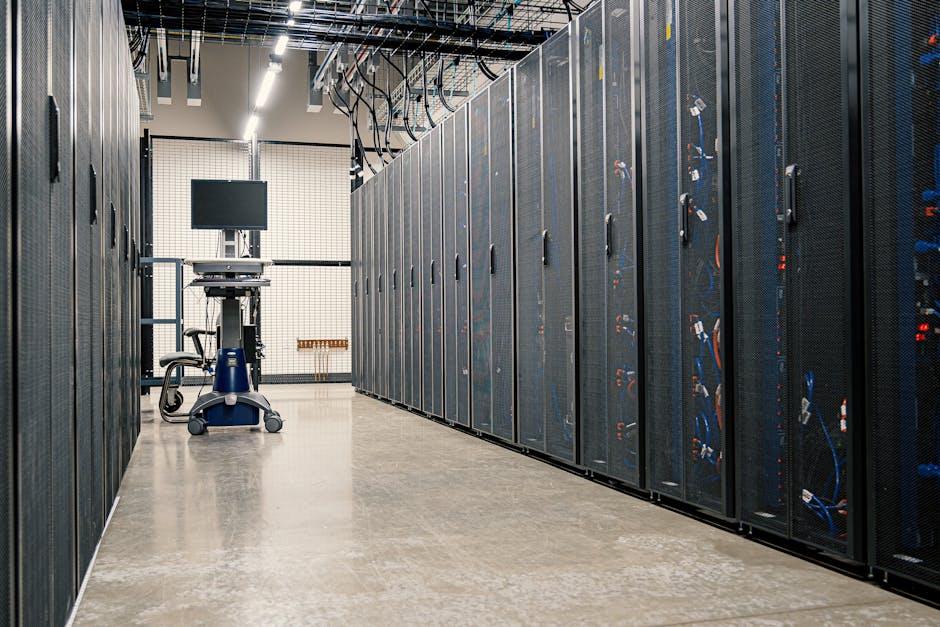
    Let me paint you a picture. It’s 11 PM, you’ve finally set up your home lab after weeks of planning — a mini server rack tucked in the corner of your home office. Everything’s running. But then your partner knocks on the door: “What is that buzzing noise?” Sound familiar? If you’ve been there, you already know that picking the right low-noise case for your home lab isn’t just a tech decision — it’s a quality-of-life decision.

    In 2026, compact home labs have exploded in popularity. More people are self-hosting apps, running Proxmox clusters, experimenting with NAS builds, or just tinkering with Kubernetes at home. But with smaller living spaces and shared environments, the noise factor has become just as critical as processing power or storage capacity. So let’s think through this together — what actually makes a great small-form-factor (SFF) low-noise home lab case, and which ones are worth your money right now?
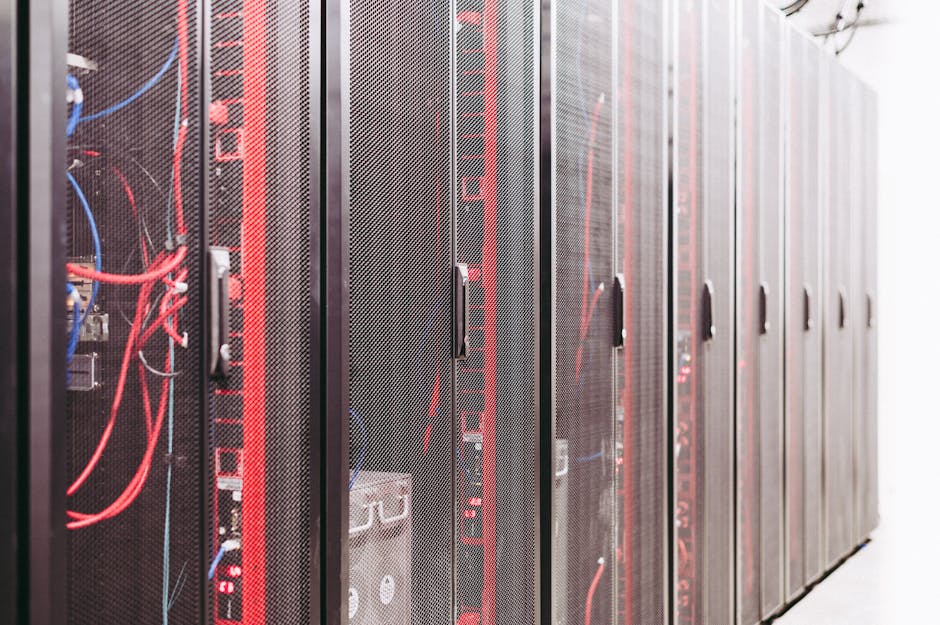
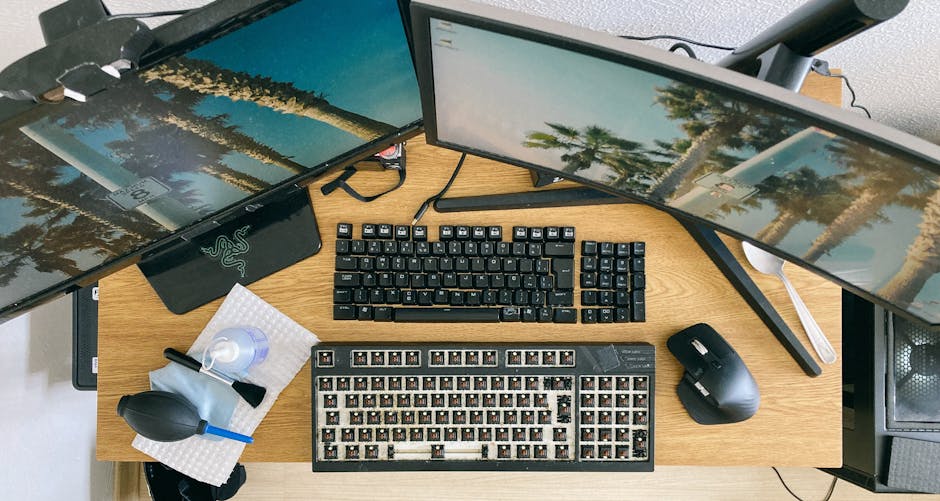
    compact home lab setup low noise server case 2026 desk

    Why Noise Matters More Than Ever in 2026 Home Labs

    The average urban apartment in 2026 sits around 45–55 dB ambient noise during the day. A typical home server fan can push 35–50 dB on its own — and if you’re stacking drives, CPUs, and networking gear, that adds up fast. Studies from acoustic researchers suggest that consistent background noise above 40 dB can disrupt sleep quality and concentration, especially in compact living spaces where the home lab is within 10 feet of a bedroom or workspace.

    The good news? Case manufacturers have caught up. We’re seeing a new generation of cases in 2026 that combine:

    • Passive or semi-passive cooling — relying on large, slow-moving fans (120mm or 140mm) that move more air at lower RPM and noise levels
    • Sound-dampening foam panels — acoustic insulation lining interior walls to absorb vibration and fan hum
    • Vibration-isolated drive mounts — rubber grommets and silicone decouplers that prevent HDD spin noise from resonating through the chassis
    • Fanless zones — separated compartments for storage bays that can operate with no active cooling at all
    • Mini-ITX and Micro-ATX compatibility — keeping the footprint small without sacrificing expandability

    Top Compact Low-Noise Cases to Consider in 2026

    Let’s walk through some standout options across different budgets and use cases. I’ve broken these down by what type of home labber you are, because one size definitely does not fit all here.

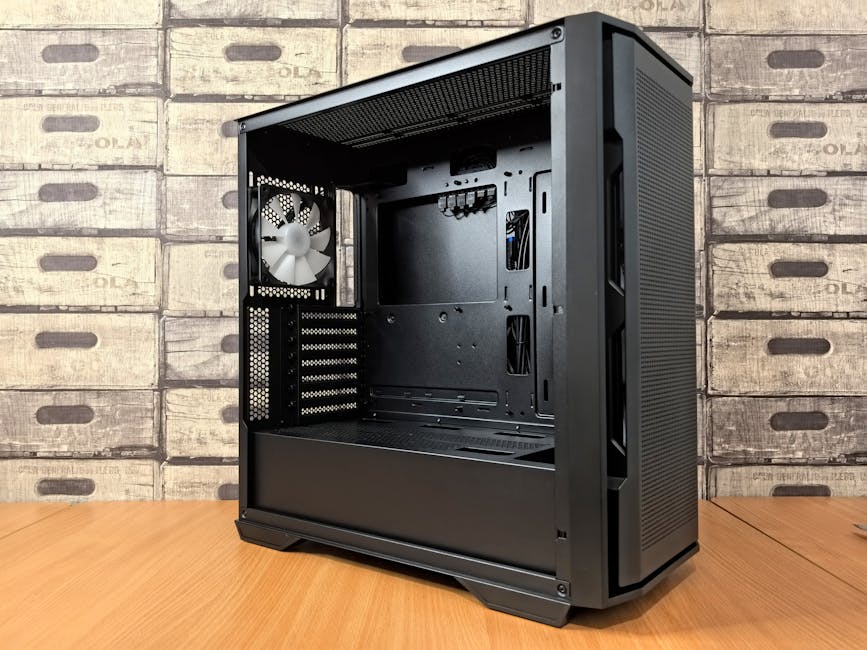
    1. Fractal Design Node 304 (Revised 2026 Edition)
    Fractal Design has long been a darling of the quiet PC community, and the Node 304’s 2026 refresh doubles down on what made it great. It fits Mini-ITX boards and supports up to six 3.5-inch drives — making it brilliant for a home NAS or Proxmox node. The dual 92mm front fans now ship with fluid dynamic bearings, dropping noise to around 18–22 dB at idle. At roughly $89 USD, it’s an exceptional value pick.

    2. Silverstone CS381
    This one’s more of a prosumer choice, aimed at homelab enthusiasts running TrueNAS or Unraid. It supports eight hot-swap 3.5-inch bays and Micro-ATX boards. Silverstone’s 2026 CS381 variant includes a newly redesigned airflow chamber that separates the storage bay from the motherboard area — a smart move that allows you to run drives passively while keeping CPU cooling active. Noise at full load sits around 28 dB, which is impressively quiet for a storage-dense build. Price: around $189 USD.

    3. Jonsbo N3 (Popular in Asia-Pacific Markets)
    Jonsbo has become a major name in 2026, especially in South Korea, Japan, and China where compact living spaces are the norm rather than the exception. The N3 is a gorgeous aluminum Mini-ITX NAS case that fits up to five 3.5-inch drives. Its all-aluminum construction acts as a natural heat sink, enabling near-silent operation. Korean tech community forums like ClienT and PPOMPPU consistently rank it as a top pick for home lab enthusiasts who want aesthetics alongside silence. It retails around ₩120,000–₩135,000 (approximately $90–$100 USD).

    4. Thermaltake Tower 100 Mini (Silent Edition)
    If you’re running a lightweight Proxmox node or a home automation hub rather than a storage-heavy rig, the Tower 100 Mini Silent Edition is worth a look. It’s a Mini-ITX tower with a tempered glass panel and comes pre-installed with a 140mm low-RPM fan. It’s not a NAS powerhouse, but for compute-focused mini homelabs, the silent 140mm fan keeps things whisper-quiet at around 20 dB. Around $75 USD.

    5. BeQuiet! Shadow Base 800 FX (SFF Variant)
    BeQuiet! — the German brand whose entire identity is built around silence — launched an SFF-focused variant of their Shadow Base 800 series in late 2025, and it’s been making waves through early 2026. The multi-layer noise dampening panels are genuinely impressive, and the Pure Wings 3 fans included are near-inaudible at low loads. It’s a pricier option at around $149 USD, but if silence is non-negotiable, this is your gold standard.
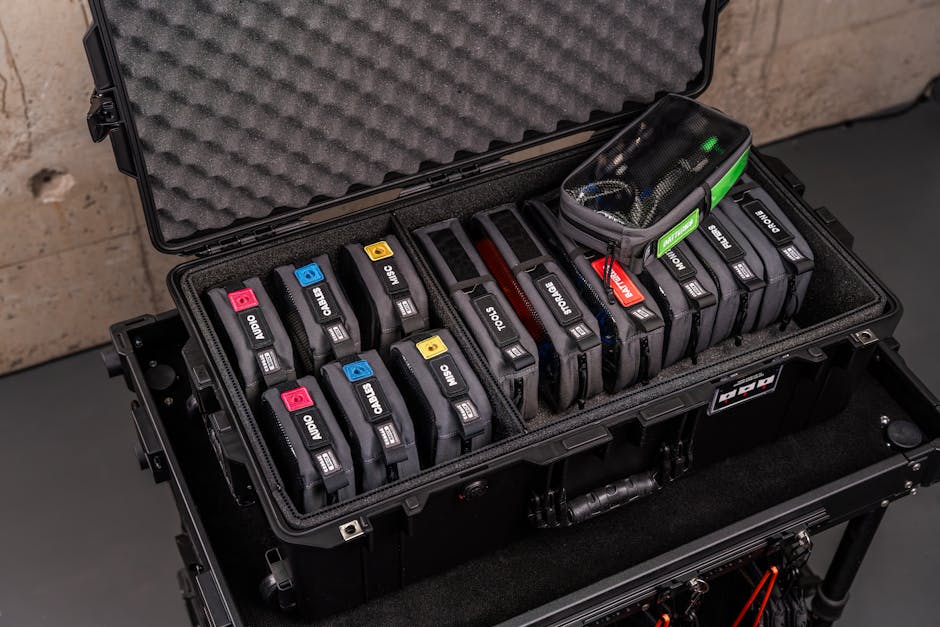
    quiet mini-ITX NAS case homelab acoustic foam interior 2026

    Domestic & International Use Case Examples

    In South Korea, a growing number of apartment-dwelling developers are building what they call ‘베란다 홈랩’ (balcony home labs) — compact setups on enclosed balconies using fanless or near-silent cases to avoid noise complaints from neighbors. The Jonsbo N3 and Fractal Node 304 dominate these setups because of their passive thermal capability combined with small footprints.

    In the US and Europe, the trend leans more toward under-desk or closet home labs. Reddit’s r/homelab community in 2026 shows a clear preference for Fractal Design and BeQuiet! cases, with users citing WAF (Wife/Partner Acceptance Factor) as a surprisingly common real-world metric for case selection. Multiple community threads confirm that cases below 25 dB at idle are the threshold where most household members stop noticing the server is running.

    In Japan, the mini-homelab culture is particularly advanced — builders often combine low-noise cases with vibration-dampening mats (like those from AudioQuest or local brand Oto-Mute) placed under the case to further reduce resonance transmitted through desks and floors.

    How to Choose the Right Case for Your Situation

    Rather than just handing you a ranked list and walking away, let’s think through your specific scenario:

    • Running a NAS or media server? → Prioritize drive bay count and vibration isolation. Silverstone CS381 or Jonsbo N3 are your friends.
    • Running compute-heavy workloads (Proxmox, Docker, K8s)? → Prioritize airflow and fan quality over drive bays. Tower 100 Mini or BeQuiet! Shadow Base SFF work well here.
    • Budget under $100? → Fractal Node 304 or Jonsbo N3 give you the most bang for your buck.
    • Noise is an absolute dealbreaker? → BeQuiet! products or fully passive/fanless builds using aluminum cases as heatsinks are your path forward.
    • Living in a shared apartment or small space? → Consider combining any of the above cases with an anti-vibration mat and placing the unit inside a closed cabinet with ventilation — this can drop perceived noise by another 5–8 dB easily.

    Realistic Alternatives If You’re on a Tight Budget

    Here’s the thing — you don’t always need a brand-new purpose-built case. In 2026, the used market for quality SFF cases is healthier than ever. Platforms like eBay, Japan’s Mercari, and Korea’s Joongonara regularly list previous-generation Fractal, Silverstone, and Cooler Master cases in excellent condition for 40–60% of retail price. Pairing a $40 used Node 304 with a $15 quality 92mm Noctua fan replacement can give you near-silent performance that competes with $150 new options.

    Another underrated alternative: repurpose a mini PC platform like an Intel NUC successor or a Beelink SER series unit. These are fanless or near-fanless out of the box, consume just 15–35W at load, and produce almost no audible noise. They won’t replace a full homelab, but for single-node experiments or lightweight services, they’re genuinely brilliant silent solutions.

    Editor’s Comment : The home lab hobby in 2026 has never been more accessible — but it’s also never been more important to think holistically about where and how you build. A case isn’t just a metal box; it’s the acoustic and thermal environment your entire setup lives inside. Whether you go with a proven classic like the Fractal Node 304, a storage beast like the Silverstone CS381, or a boutique option like the Jonsbo N3, the key is matching the case to your actual living situation, not just the spec sheet. Think about who shares your space, how close your lab is to sleeping or working areas, and whether silence or airflow is your primary constraint. Get that right first, and the rest falls into place naturally. Happy labbing!

    태그: [‘home lab case 2026’, ‘low noise server case’, ‘compact homelab setup’, ‘mini-ITX NAS case’, ‘silent PC case’, ‘SFF home server’, ‘Fractal Design Node 304’]
    📚 관련된 다른 글도 읽어 보세요

  • 소형 홈랩 저소음 케이스 추천 2026 – 조용하고 작은 서버, 제대로 고르는 법

    퇴근 후 거실 한쪽에 조그마한 홈랩 서버를 들여놓은 분이라면 한 번쯤 겪어봤을 겁니다. 밤 11시, 집 안이 조용해지면 갑자기 존재감을 드러내는 쿨러 소음. 파트너가 “저거 끄면 안 돼?”라고 물어보는 순간, 홈랩이 단순한 취미가 아니라 ‘가정 평화 위협 요소’가 되어버리죠. 2026년 현재, 미니 ITX 폼팩터와 저소음 설계가 동시에 진화하면서 예전보다 훨씬 현실적인 선택지가 생겼습니다. 오늘은 소형 홈랩 환경에 어울리는 저소음 케이스를 함께 살펴보고, 어떤 기준으로 골라야 하는지 논리적으로 따져보려고 합니다.

    small form factor PC case homelab quiet 2026

    📐 소형 홈랩 케이스, 수치로 따져보는 핵심 기준

    저소음 케이스를 고를 때 가장 먼저 마주치는 숫자가 dB(A) 수치입니다. 일반적으로 사람이 ‘조용하다’고 느끼는 환경은 30dB(A) 이하인데, 홈랩 케이스에서 이를 달성하려면 단순히 쿨러 크기만 키우는 것 이상의 설계가 필요해요.

    • 케이스 용적(리터 기준): 소형 홈랩에 주로 쓰이는 미니 ITX 케이스는 보통 7L~20L 사이입니다. 7~10L급은 내부 공기 순환이 제한되어 쿨러 RPM이 올라가기 쉽고, 12~20L급은 더 큰 팬을 장착하거나 팬 없이 자연 대류 방식(패시브 쿨링)을 쓸 여지가 생깁니다.
    • 팬 크기 vs. RPM: 팬 지름이 클수록 동일한 풍량을 낮은 RPM으로 낼 수 있어 소음이 줄어요. 40mm 팬 4,000RPM보다 120mm 팬 800RPM이 훨씬 조용하면서 풍량은 비슷하거나 더 많습니다. 저소음 케이스를 선택할 때 ‘몇 mm 팬을 지원하는가’를 먼저 확인하는 게 좋습니다.
    • 방음 소재(흡음재): 케이스 내부에 폼(foam) 또는 PETG 기반 흡음 패널이 붙어있으면 3~5dB(A) 정도 소음 감쇄 효과를 기대할 수 있습니다. 다만 흡음재는 내부 온도를 1~3°C 올리는 트레이드오프가 있어서, 발열이 심한 GPU를 쓰는 경우엔 오히려 역효과가 날 수 있어요.
    • 드라이브 베이 진동 차단: NAS 겸용 홈랩이라면 HDD 진동이 케이스 패널을 울려 소음을 증폭시키는 현상이 발생합니다. 실리콘 마운트 방식의 드라이브 베이가 있는지 확인하세요. SSD/NVMe 전용 구성이라면 이 부분은 신경 쓰지 않아도 됩니다.
    • TDP 한계: 저소음 설계는 결국 발열 관리의 여유에서 나옵니다. 홈랩 CPU TDP 기준으로 65W 이하(예: 인텔 Core i 시리즈 T 모델, AMD Ryzen Pro 저전력 라인)라면 패시브 또는 세미패시브 방식도 충분히 가능합니다.

    🌍 국내외 사례로 본 2026년 트렌드

    해외 홈랩 커뮤니티(Reddit r/homelab, ServeTheHome 포럼)에서 2025~2026년 사이 꾸준히 언급되는 케이스 설계 트렌드는 크게 두 가지 방향으로 갈리고 있습니다.

    첫 번째는 ‘패시브 쿨링 특화 케이스’의 부상입니다. Akasa와 같은 브랜드는 팬리스(fanless) 미니 ITX 케이스 라인을 꾸준히 확장하고 있고, 특히 인텔 N100·N305 계열이나 AMD Ryzen Embedded 기반 보드와 조합할 때 완전 무소음 홈랩 구성이 가능해졌습니다. Akasa의 Turing 시리즈는 케이스 자체가 대형 히트싱크 역할을 하도록 설계되어, 소비전력 35W 이하 CPU에서는 팬이 전혀 없어도 안정적으로 운용된다는 평이 지배적이에요.

    두 번째는 국내 DIY 커뮤니티(클리앙, 다나와 홈랩 게시판)에서의 흐름인데, “라즈베리파이 클러스터는 졸업했고, 이제 x86 저전력 미니 PC 여러 대를 랙리스(rack-less) 형태로 운용한다

    태그: []


    📚 관련된 다른 글도 읽어 보세요

  • Metal Additive Manufacturing Processes Compared: Which One Actually Fits Your Needs in 2026?

    A few years back, a friend of mine who runs a small aerospace components workshop called me in a mild panic. He’d just signed a contract requiring titanium brackets with internal cooling channels — the kind of geometry that would make any traditional machinist sweat. His question was simple: “Should I just buy a metal 3D printer?” My answer took about two hours, three cups of coffee, and a whiteboard covered in acronyms. That conversation is basically what inspired this deep dive.

    Metal additive manufacturing (AM) has exploded from a niche R&D curiosity into a genuine production workhorse. But here’s the thing — it’s not one technology. It’s a whole family of processes, each with its own quirks, costs, and sweet spots. In 2026, we’re seeing sharper segmentation than ever before, so let’s think through this together carefully.

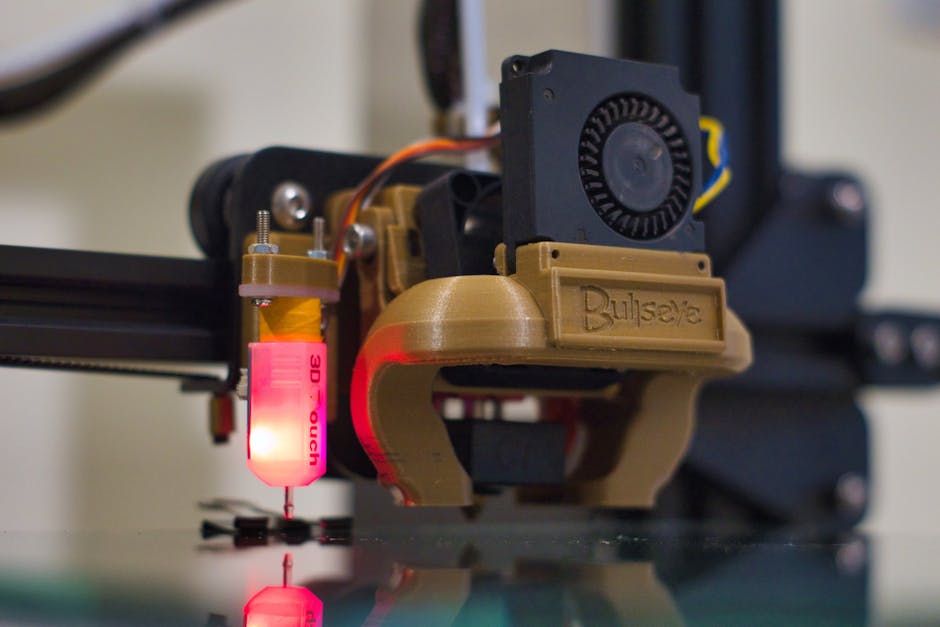
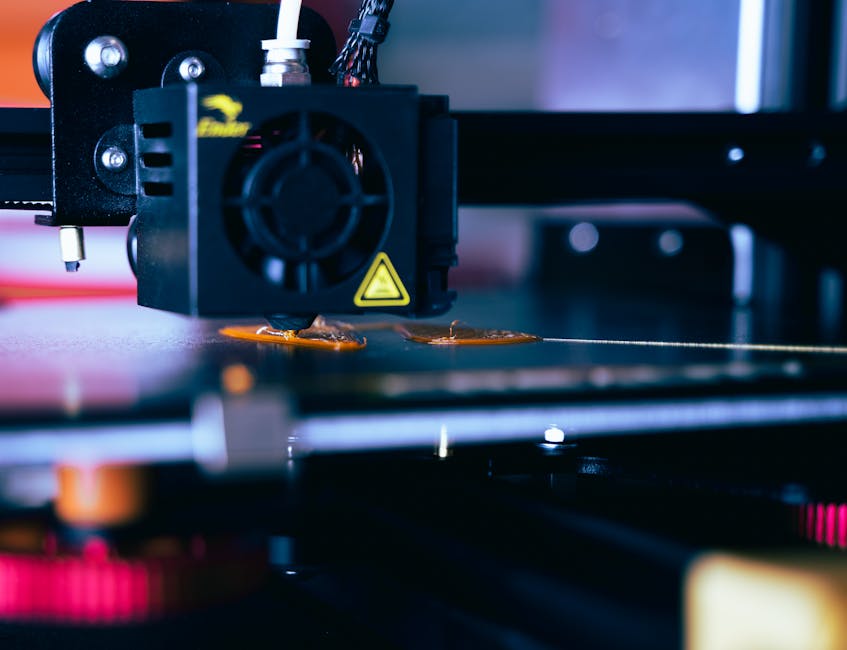
    metal additive manufacturing process comparison laser powder bed fusion 2026

    The Big Players: A Process-by-Process Breakdown

    Let’s walk through the major metal AM processes that are actually seeing real commercial traction right now, not just lab demos.

    1. Laser Powder Bed Fusion (L-PBF)

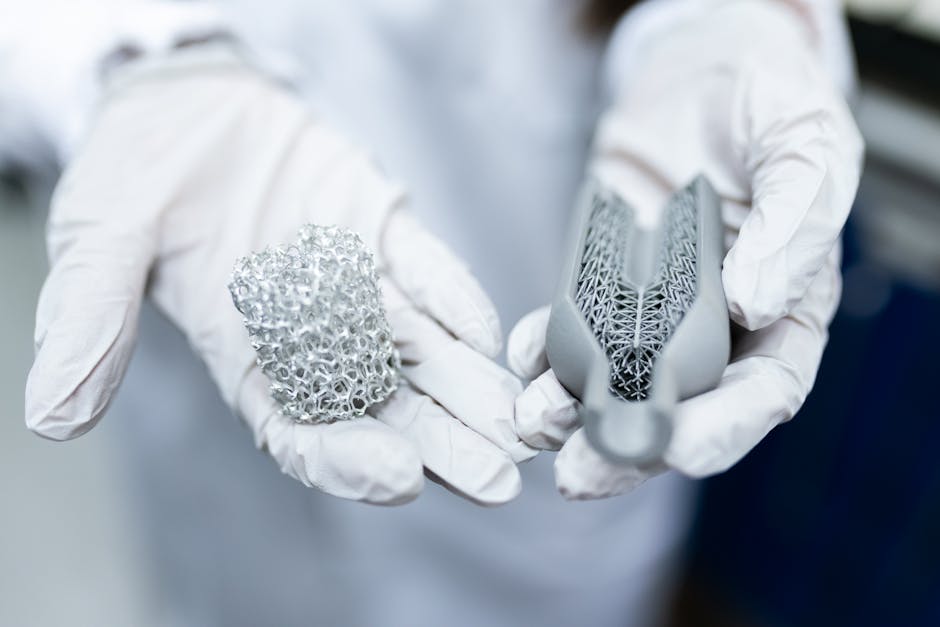
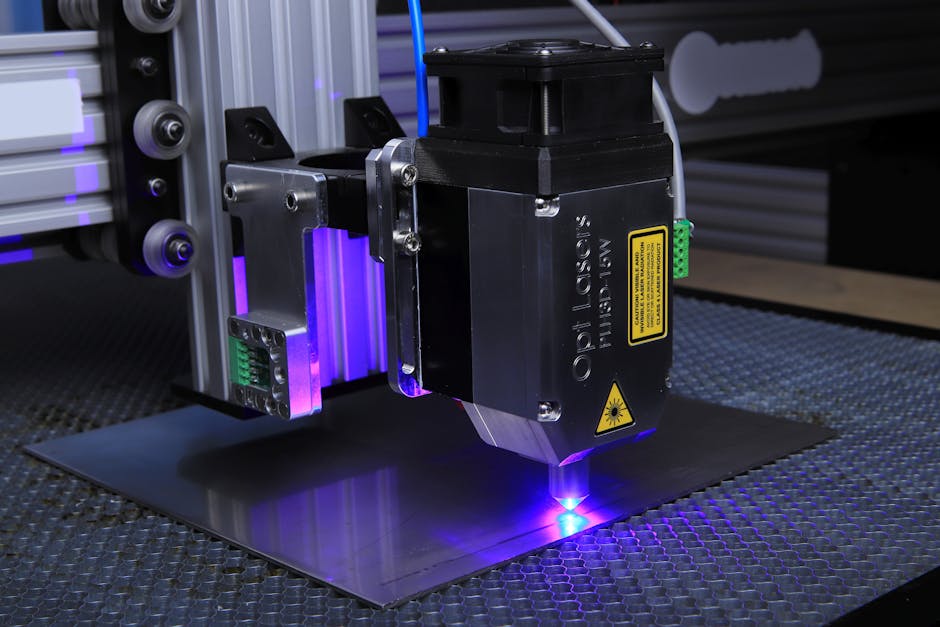
    Still the gold standard for precision. L-PBF (sometimes called SLM or DMLS depending on the machine vendor) melts fine metal powder layer by layer using a focused laser. The resolution is exceptional — we’re talking feature sizes down to ~80–100 microns — which makes it the go-to for dental implants, turbine blades, and complex aerospace brackets.

    • Materials: Ti-6Al-4V, Inconel 625/718, AlSi10Mg, 316L stainless steel, cobalt-chrome
    • Build envelope (2026 leaders): Up to 800 × 400 × 500 mm on flagship systems (e.g., EOS M 400-4, Trumpf TruPrint 5000)
    • Surface finish (as-built): Ra 6–15 µm — typically requires post-processing
    • Typical cost per kg: $200–$600 depending on material and complexity
    • Best for: High-complexity, low-to-medium volume, safety-critical parts

    The catch? Support structures are non-negotiable for overhangs, and removing them from internal channels is a genuine headache. Also, residual stress is a real concern — proper thermal management during printing and post-build stress relief are non-negotiable steps.

    2. Directed Energy Deposition (DED)

    Think of DED as “metal welding on steroids with a robotic arm.” It deposits material (either powder or wire) directly onto a substrate using a laser, electron beam, or plasma arc. The build rates are dramatically higher than L-PBF, but the resolution is lower.

    • Sub-variants: Laser DED (powder-fed), Wire Arc Additive Manufacturing (WAAM), Electron Beam DED
    • Build rates: WAAM can deposit 2–10 kg/hour — game-changing for large structural parts
    • Part size: Potentially meters-scale (think ship propellers, wing spars)
    • Best for: Large near-net-shape parts, repair of high-value components, multi-material structures

    WAAM in particular has been getting serious traction in 2026 for naval and heavy industry. Cranfield University’s WAAM3D spinout, for instance, has been delivering large titanium aerospace frames for European clients with lead times cut by over 60% compared to forging routes.

    3. Binder Jetting (BJT)

    This one is the dark horse that’s really grown up in 2026. A printhead deposits a liquid binder onto metal powder — no melting during printing. The green part then gets sintered in a furnace. Desktop Metal, ExOne (now owned by Desktop Metal), and HP’s Metal Jet S100 are key players.

    • Speed advantage: Up to 100× faster than L-PBF for medium-complexity parts
    • Cost per part: Dramatically lower at volume — HP’s Metal Jet claims sub-$1/cm³ at scale
    • Shrinkage: ~15–20% sintering shrinkage must be compensated in design — this is the skill gap to watch
    • Best for: High-volume production of small-to-medium steel, stainless, and copper parts

    GKN Powder Metallurgy and Volkswagen have been running binder jetting lines for structural automotive components since 2024, and by 2026 the yield rates have matured considerably. If you’re making thousands of the same part under ~30 cm in each dimension, binder jetting deserves serious consideration.

    4. Material Extrusion for Metals (MEX / FFF-Metal)

    This is the most accessible entry point — essentially metal-loaded filament printed like FDM plastic, then debound and sintered. Markforged Metal X and Desktop Metal Studio System are the familiar names here.

    • Upfront cost: $100K–$200K range (vs. $500K–$2M for L-PBF)
    • Material options: 17-4 PH stainless, H13 tool steel, Inconel 625, pure copper
    • Accuracy: Lower than L-PBF; expect ±0.2–0.5 mm on typical features
    • Best for: Prototyping, small batch tooling, in-house R&D without a cleanroom
    binder jetting metal 3D printing sintering furnace industrial process

    5. Electron Beam Powder Bed Fusion (EB-PBF)

    GE Additive’s Arcam EBM line and the newer Freemelt ONE represent this category. By using an electron beam instead of a laser in a vacuum environment, EB-PBF achieves lower residual stress and can process reactive metals like titanium and niobium more safely. The tradeoff is a rougher surface finish and a higher minimum powder layer thickness. For orthopedic implants with intentional porosity (for osseointegration), it’s arguably unmatched.

    Real-World Examples: Who’s Doing What in 2026?

    Let’s ground this in some actual use cases, because specs on paper only tell half the story.

    South Korea — Hanwha Aerospace: Hanwha has been scaling L-PBF for turbofan combustor components using Inconel 718. By integrating in-situ monitoring (melt pool analytics via photodiode arrays), they’ve pushed first-pass yield rates above 94% — a figure that would have seemed ambitious just three years ago.

    Germany — Siemens Energy: Their Berlin facility is using DED for gas turbine blade repair. Instead of scrapping a $40,000 blade with a worn tip, they’re DED-depositing new material and re-machining. ROI is reportedly under 18 months per repair cell.

    USA — SpaceX (Starship supply chain): While SpaceX famously uses in-house processes, their tier-1 suppliers have adopted binder jetting heavily for brazed heat exchanger plates — the speed and cost fit perfectly for parts that aren’t load-bearing but are geometrically complex.

    Japan — Mitsubishi Heavy Industries: MHI published results in late 2025 showing WAAM-built titanium structural frames for next-generation aircraft achieving equivalent fatigue life to forged parts after HIP (Hot Isostatic Pressing) treatment. The lead time went from 26 weeks (forging route) to 9 weeks.

    The Decision Matrix: Thinking It Through Realistically

    Here’s how I’d suggest thinking about process selection — not as a rigid flowchart, but as a set of honest questions to ask yourself:

    • Volume: Under 50 parts/year → L-PBF or DED. Over 500 parts/year → Binder jetting or MEX seriously compete.
    • Part size: Larger than 500 mm in any direction → DED (especially WAAM) is often the only practical AM route.
    • Tolerance requirements: Tighter than ±0.05 mm → L-PBF with post-machining, or reconsider AM entirely.
    • Material: Reactive metals (Ti, Nb) → EB-PBF or DED in inert atmosphere. Tool steels at scale → MEX or binder jetting.
    • In-house vs. outsourced: If you’re printing fewer than 200 builds/year, service bureaus like Materialise, Protolabs, or Stratasys Direct likely beat ownership economics.

    What’s New in 2026 That Changes the Calculus

    A few developments this year genuinely shift the decision landscape:

    Multi-laser L-PBF has gone mainstream: 4- and 8-laser systems are no longer exotic. EOS, Trumpf, and Nikon SLM Solutions all offer multi-beam platforms under $1.5M, making L-PBF build rates competitive with DED for medium-sized parts.

    AI-assisted process parameter optimization: Tools like Sigma Labs PrintRite3D and Ansys Additive Suite have matured to where new alloy qualification that used to take 18 months can be compressed to 3–4 months. This matters enormously if you’re working with proprietary alloy chemistries.

    Copper and precious metal AM: Green laser L-PBF (using 515 nm wavelength instead of 1064 nm IR) has finally made high-density copper parts reliable. This is opening doors in EV motor windings and thermal management components.

    Realistic Alternatives to Metal AM (Yes, Really)

    Let me be the voice that says it plainly: metal AM isn’t always the answer. If your part has simple geometry, tolerances tighter than ±0.025 mm, or you need 10,000+ units per year, conventional manufacturing routes — CNC machining from billet, investment casting, or metal injection molding (MIM) — may still win on cost and reliability. MIM in particular deserves more credit; for small, complex steel parts at high volume, it’s devastatingly cost-effective compared to any AM process.

    The smart move in 2026 is a hybrid strategy: use AM for the portions of your assembly that genuinely benefit from geometric freedom or consolidated part count, and conventional manufacturing for everything else. Design for the process, not the other way around.

    Editor’s Comment : If I had to leave you with one thought, it’s this — the question is never “should I use metal AM?” The right question is “which specific process, for which specific part, at which specific volume, justifies the investment?” Spend time with that question before you spend money on equipment. The technology in 2026 is genuinely mature enough to deliver on its promises, but only when it’s matched to the right problem. And if you’re still not sure? Call a service bureau first. A few real builds will teach you more than any spec sheet ever could.

    태그: [‘metal additive manufacturing 2026’, ‘laser powder bed fusion comparison’, ‘binder jetting metal 3D printing’, ‘WAAM wire arc additive manufacturing’, ‘DED directed energy deposition’, ‘metal AM process selection guide’, ‘industrial 3D printing review 2026’]


    📚 관련된 다른 글도 읽어 보세요

  • 금속 적층 제조 공정 완전 비교 리뷰 2026 | SLM·EBAM·DED, 어떤 방식을 선택해야 할까?

    얼마 전, 국내 한 중소 항공부품 제조사 대표님과 이야기를 나눈 적이 있어요. 티타늄 브래킷 부품을 소량 생산해야 하는데, 기존 CNC 가공으로는 재료 손실이 너무 크고, 그렇다고 금형을 파기엔 수량이 너무 적다는 고민이었죠. 결국 ‘금속 3D 프린팅’을 알아보기 시작했는데, 막상 찾아보니 SLM이니 EBAM이니 DED니 하는 용어들이 쏟아져서 머리가 아프다고 하시더라고요. 사실 저도 처음 이 분야를 들여다봤을 때 딱 그런 느낌이었어요. 그래서 오늘은 2026년 현재 시점에서 실제로 쓰이고 있는 주요 금속 적층 제조(Metal Additive Manufacturing) 공정들을 하나씩 비교해 보려고 합니다.

    metal additive manufacturing 3D printing comparison industrial 2026

    금속 적층 제조, 왜 지금 다시 주목받는가?

    2026년 현재 글로벌 금속 AM 시장 규모는 약 62억 달러에 달하는 것으로 추산되며, 2030년까지 연평균 성장률(CAGR) 약 18~20%를 유지할 것이라는 전망이 우세해요. 특히 항공·우주, 의료 임플란트, 방위산업 분야에서의 수요가 폭발적으로 늘고 있는데, 그 이유는 단순히 ‘신기술이어서’가 아니라 기존 제조 방식으로는 도저히 구현할 수 없는 복잡한 내부 채널 구조나 경량화 토폴로지 최적화 형상을 실현할 수 있기 때문이라고 봅니다.

    ① SLM (Selective Laser Melting) / LPBF (Laser Powder Bed Fusion)

    가장 널리 알려진 방식이에요. 금속 분말을 얇은 층(보통 20~100μm)으로 깔고, 고출력 레이저로 선택적으로 용융·소결하는 방식입니다. 정밀도가 매우 높아 표면 조도(Ra)가 4~12μm 수준까지 가능하고, 스테인리스, 티타늄, 인코넬, 알루미늄 합금 등 다양한 소재를 처리할 수 있어요.

    • 장점: 높은 치수 정밀도, 복잡한 내부 구조 구현 가능, 소재 선택 폭 넓음
    • 단점: 빌드 속도가 느림(대형 부품 시 수십 시간 소요), 잔류 응력 관리 필수, 분말 취급 안전 문제
    • 대표 장비: EOS M 시리즈, Trumpf TruPrint, SLM Solutions NXG XII 600(멀티 레이저로 생산성 대폭 향상)
    • 적합 용도: 의료용 임플란트, 항공 부품, 공구 인서트 등 소형 고정밀 부품

    ② EBM (Electron Beam Melting) / EPBF (Electron Powder Bed Fusion)

    레이저 대신 전자빔을 사용하는 방식으로, 진공 챔버 내에서 작동합니다. 빌드 온도를 700~1,000°C로 높게 유지하기 때문에 잔류 응력이 SLM 대비 현저히 낮고, 후처리로 HIP(열간 등방압 성형) 없이도 밀도 99.9% 이상 확보가 가능한 경우가 많아요. 티타늄 합금(Ti-6Al-4V) 처리에 특히 강점을 보입니다.

    • 장점: 낮은 잔류 응력, 고밀도 출력물, 티타늄 계열 소재 최적화
    • 단점: 진공 장비로 인한 높은 초기 투자비, 표면 조도 SLM 대비 거침(Ra 25~35μm), 소재 다양성 제한
    • 적합 용도: 정형외과용 임플란트, 항공우주 구조재

    ③ DED (Directed Energy Deposition) — LMD / LENS / WAAM 포함

    분말 또는 와이어 형태의 금속 재료를 레이저, 전자빔, 아크(플라즈마) 등의 에너지원으로 실시간 용융하면서 적층하는 방식이에요. 빌드 속도가 PBF 방식 대비 5~15배 빠르고, 부품 크기 제한이 훨씬 적습니다. 특히 WAAM(Wire Arc Additive Manufacturing)은 대형 구조물 제작에서 두각을 나타내고 있어요.

    • 장점: 빠른 적층 속도, 대형 부품 대응 가능, 기존 부품 보수(리페어) 작업 가능
    • 단점: 치수 정밀도가 PBF 대비 낮음, 후가공(CNC 마무리) 거의 필수, 표면 품질 조도 높음
    • 적합 용도: 조선·해양 대형 구조재, 금형 보수, 우주발사체 부품

    ④ Binder Jetting (바인더 젯팅)

    금속 분말 층에 액상 바인더를 선택적으로 분사하여 그린 파트(Green Part)를 만든 후, 소결 공정을 거쳐 최종 부품을 얻는 방식입니다. 2026년 현재 Desktop Metal, HP Metal Jet S100 등의 장비가 양산 라인에 적용되기 시작하며 주목받고 있어요. 적층 속도가 매우 빠르고(SLM 대비 최대 50배 빠른 처리량 주장), 대량 소품종보다는 중간 규모 다품종 생산에 적합한 것으로 보입니다.

    • 장점: 높은 처리량, 지지대 불필요(분말이 지지 역할), 비교적 낮은 운영 비용
    • 단점: 소결 수축(약 15~20%) 관리가 핵심 난제, 복잡한 내부 채널 탈지 어려움
    • 적합 용도: 자동차 부품 대량 생산, 소비재 금속 부품

    SLM DED binder jetting metal 3D printing process comparison chart

    국내외 실제 적용 사례로 보는 공정 선택의 기준

    해외 사례로는 에어버스(Airbus)가 A350 XWB 항공기 브래킷을 SLM(LPBF) 공정으로 제작해 기존 알루미늄 가공 대비 중량을 30~55% 절감한 것이 잘 알려져 있어요. 또한 NASA는 RS-25 로켓 엔진 부품 제작에 DED 방식을 활용해 기존 제작 대비 리드타임을 대폭 단축했습니다.

    국내에서도 2025~2026년 사이 의미 있는 움직임들이 포착돼요. 한국항공우주연구원(KARI)은 소형 위성 구조체에 EBM 기반 티타늄 적층 부품을 적용하는 프로젝트를 진행 중이라고 알려져 있고, 현대제철과 포스코는 WAAM 공정을 활용한 대형 금형 보수 및 부품 제작 파일럿을 운영하고 있는 것으로 전해지고 있습니다. 국내 의료기기 분야에서는 오스템임플란트를 비롯한 몇몇 기업이 SLM을 활용한 맞춤형 티타늄 임플란트 양산 체계를 구축하고 있는 것으로 보여요.

    공정 선택 시 반드시 따져봐야 할 핵심 지표

    • 부품 크기: 소형(200mm 이하) → SLM/EBM, 대형(500mm 이상) → DED/WAAM 유리
    • 요구 정밀도: 고정밀(±0.05mm 이내) → SLM/EBM, 형상 위주 → DED, Binder Jetting
    • 생산 수량: 소량(1~수십 개) → SLM/DED, 중대량(수백~수천 개) → Binder Jetting
    • 소재: 티타늄 계열 → EBM 강점, 인코넬·스테인리스·알루미늄 → SLM, 저합금강 대형재 → WAAM
    • 후처리 허용 여부: 후가공 여유가 없다면 PBF(SLM/EBM) 계열이 유리
    • 초기 투자비: SLM 중급형 약 3~8억 원, EBM 5~15억 원, WAAM 2~6억 원, Binder Jetting 고급형 10억 원 이상(2026년 기준 대략적 시세)

    2026년 주목해야 할 트렌드 — 멀티머티리얼과 하이브리드 공정

    최근 가장 흥미로운 흐름은 하이브리드 AM이라고 봅니다. DED 헤드와 CNC 가공 스핀들을 하나의 기계에 통합한 장비(예: 마자크 INTEGREX i-400 AM, 드무트 5축 하이브리드)가 상용화되면서 ‘적층 → 절삭 → 재적층’을 한 번의 셋업으로 처리할 수 있게 됐어요. 이렇게 되면 DED의 단점인 치수 정밀도 문제를 CNC가 보완해 주니, 현장에서의 활용도가 상당히 높아졌습니다.

    또 하나는 멀티머티리얼 적층이에요. 단일 빌드 내에서 두 가지 이상의 금속 합금을 구역별로 달리 적용하는 기술인데, 예를 들어 내열성이 요구되는 부위에는 인코넬을, 강성이 필요한 부위에는 스테인리스를 쓰는 식이죠. 아직은 연구·파일럿 단계가 많지만, 2026년 하반기부터 일부 항공·방산 적용 사례가 나올 것으로 예상되고 있어요.

    결론 — 정답은 없다, 맥락이 있을 뿐

    금속 적층 제조 공정 선택은 “어떤 게 가장 좋냐”가 아니라 “내 부품에 무엇이 맞냐

    태그: []


    📚 관련된 다른 글도 읽어 보세요

  • Best Used Dell & HP Servers for Your Home Lab in 2026: A Real-World Buyer’s Guide

    A couple of years ago, a friend of mine — a software developer working from a cramped apartment in Seoul — decided he was tired of paying cloud subscription fees every month. He bought a used Dell PowerEdge R720 off a local secondhand marketplace for under $150, slapped some extra RAM in it, and suddenly had a private Kubernetes cluster humming away in his closet. Was it loud? Absolutely. Did it slash his monthly DevOps costs? You bet. That little experiment got me deep into the world of home lab servers, and in 2026, the used server market has never been more accessible — or more exciting.

    If you’ve been eyeing used Dell or HP servers for building your own home lab (홈랩), let’s think through this together: what models make sense, what the real costs look like, and whether it’s genuinely worth it for your situation.

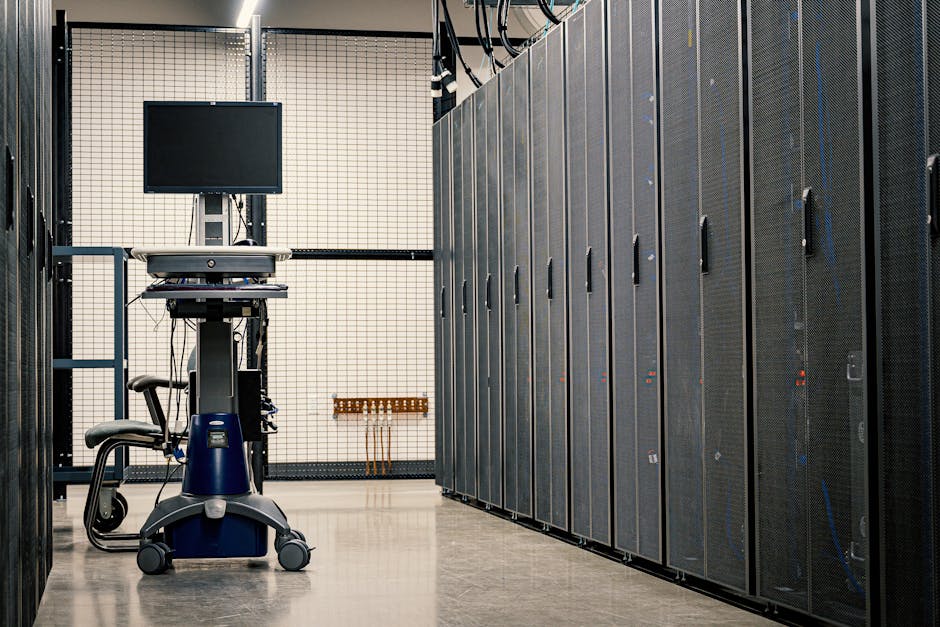
    used server rack home lab Dell HP PowerEdge ProLiant

    Why Build a Home Lab in 2026?

    The case for a home lab has actually strengthened in 2026. Cloud costs have continued their upward creep — AWS and Azure pricing has increased roughly 12–18% cumulatively over the past three years. Meanwhile, enterprise-grade servers from the 2012–2018 era are flooding the secondhand market as data centers refresh their fleets with newer, energy-efficient hardware. The sweet spot? You can get genuinely powerful gear for a fraction of what it originally cost.

    Home labs are used for a range of purposes:

    • Learning & Certification: Practicing for VMware, Red Hat, Cisco, or AWS certifications hands-on
    • Self-hosting: Running Nextcloud, Plex, Jellyfin, Gitea, or Home Assistant locally
    • Development & Testing: Spinning up isolated VMs or containers without cloud billing anxiety
    • NAS / Storage Solutions: Building TrueNAS or Unraid-based storage arrays
    • Network Security Labs: Testing firewalls, VPNs, and intrusion detection systems safely

    Dell PowerEdge: The Reliable Workhorse

    Dell’s PowerEdge lineup is arguably the most popular choice in the home lab community, and for good reason. The iDRAC (Integrated Dell Remote Access Controller) management interface is intuitive and well-documented — a real lifesaver when you’re debugging at midnight.

    Here are the models worth considering in 2026’s used market:

    • Dell PowerEdge R720 / R720xd: Still the community favorite. Supports dual Intel Xeon E5-2600 v2 CPUs, up to 768GB DDR3 RAM, and up to 12 or 24 drive bays (xd version). Street price: $80–$200 depending on configuration. Excellent for VMware ESXi or Proxmox VE.
    • Dell PowerEdge R730 / R730xd: A step up with DDR4 support and Xeon E5-2600 v4 compatibility. More energy-efficient than the R720. Street price: $150–$350. Recommended if power bills concern you.
    • Dell PowerEdge R620: A 1U compact option — quieter and lower power draw than 2U models. Great for limited rack space. Street price: $60–$150.
    • Dell PowerEdge R440 / R640 (newer gen): These 2016–2019 models support Xeon Scalable processors and DDR4. Pricier on the used market ($400–$800) but offer significantly better performance-per-watt ratios.

    HP ProLiant: The Underdog That Punches Hard

    HP (now HPE) ProLiant servers often get slightly less attention in home lab circles, but they’re genuinely excellent machines — especially if you prioritize expandability and iLO (Integrated Lights-Out) remote management, which rivals iDRAC in capability.

    • HP ProLiant DL380 Gen8 (G8): Comparable to the Dell R720 in era and specs. Dual Xeon E5-2600 v2, up to 384GB RAM. Slightly cheaper on average — $60–$180. iLO 4 is a fan favorite for its web interface.
    • HP ProLiant DL380 Gen9 (G9): DDR4 support, Xeon E5-2600 v4, and better NVMe compatibility with adapters. Street price: $120–$300. Strong value for the money in 2026.
    • HP ProLiant DL360 Gen9/10: The 1U counterpart — compact, relatively quieter, ideal for home environments where noise is a real concern. The Gen10 models (2017–2019 vintage) are increasingly available and support modern workloads well.
    • HP ProLiant MicroServer Gen10 Plus: This is a wildcard recommendation. It’s not a rack server — it’s a compact tower designed for SMBs — but it’s whisper-quiet, energy-efficient, and perfect if you want a home lab server that coexists peacefully with your living room. Current used pricing: $200–$400.
    HP ProLiant DL380 Dell PowerEdge R730 comparison home server setup

    Real-World Examples: What People Are Actually Running

    In South Korea, communities like 클리앙 (Clien) and 뽐뿌 (Ppomppu) have active home server threads where users regularly share builds. The most common setups in 2026 involve Proxmox VE running atop a Dell R730xd or HP DL380 G9, with TrueNAS SCALE as a VM for storage. Many Korean home labbers source hardware from 중고나라 or 당근마켓, where pricing often undercuts international marketplaces.

    Internationally, the r/homelab subreddit (now over 1.2 million members as of early 2026) is a goldmine of real-world builds. A popular 2026 trend there is pairing a used PowerEdge R730 with a 10GbE switch for a full-blown home network upgrade — total cost hovering around $400–$600 all-in, versus thousands for equivalent new hardware.

    The Hidden Costs You Need to Know About

    Let’s be honest here — the sticker price is just the beginning. Here’s what actually adds up:

    • Power consumption: A Dell R720 under moderate load draws 150–250W. At average 2026 Korean electricity rates (~₩120/kWh), running it 24/7 costs roughly ₩13,000–₩22,000/month (~$10–$17 USD). That’s manageable, but it’s real money over a year.
    • RAM upgrades: DDR3 ECC RAM is dirt cheap now — 16GB sticks can be found for $5–$10 each. Maxing out a server to 128GB might cost you $60–$80 total. DDR4 ECC is slightly pricier but still far below retail.
    • Drive costs: This is where builds can balloon. Budget $30–$60 per used enterprise SAS/SATA drive, or $80–$150 for used SSDs.
    • Noise mitigation: Rack servers are genuinely loud — 55–75 dB at full fan speed. Fan speed controllers or custom fan curves via iDRAC/iLO can help, but plan for this if you’re putting it anywhere near a living space.

    Realistic Alternatives Worth Considering

    Not everyone should buy a rackmount server, and I want to be upfront about that. Here are situations where alternatives make more sense:

    • If noise and power are dealbreakers: Consider a used Intel NUC or a mini PC like the Minisforum MS-A1 (2026 model). They run Proxmox fine for light workloads, consume 15–35W, and are nearly silent.
    • If you just want storage: A Synology DS923+ or a used QNAP NAS is a purpose-built, quieter solution that requires zero Linux knowledge.
    • If budget is very tight: A Raspberry Pi 5 cluster (4 nodes under $300 total) teaches containerization and networking without the electricity overhead.
    • If you want modern performance: Used workstation-class PCs (like a Dell Precision 7820 or HP Z8 G4) offer newer CPUs, PCIe 4.0, and better GPU support for AI/ML home lab work — increasingly relevant in 2026.

    The key question to ask yourself: What specifically do I want to learn or run? A Kubernetes cluster needs very different hardware than a Plex media server or a pfSense firewall lab.

    The used server home lab scene in 2026 is genuinely one of the best deals in tech for curious, hands-on learners. Dell and HP both offer excellent platforms — Dell edges ahead for community support and iDRAC usability, while HP often wins on price and iLO reliability. Either way, you’re getting enterprise-grade infrastructure for the price of a nice dinner out.

    Editor’s Comment : If I had to pick one starter recommendation for 2026, I’d say grab a Dell PowerEdge R730 with 64GB RAM for around $200–$250, install Proxmox VE for free, and spend a weekend exploring virtual machines. The learning curve is real, but so is the satisfaction — and your cloud bill will thank you. Just maybe warn your roommates about the fan noise first.

    태그: [‘home lab server 2026’, ‘used Dell PowerEdge guide’, ‘HP ProLiant home server’, ‘Proxmox VE setup’, ‘secondhand server buying guide’, ‘homelab Korea’, ‘self-hosted server build’]


    📚 관련된 다른 글도 읽어 보세요

  • 2026년 중고 서버 홈랩 구축 완전 가이드 | 델·HP 추천 모델과 실전 비교

    어느 날 저녁, 클라우드 요금 청구서를 받아 든 한 개발자가 눈을 의심했습니다. AWS EC2 인스턴스 몇 개와 스토리지 조금 썼을 뿐인데 월 30만 원이 훌쩍 넘어버린 거예요. 그 순간 그는 결심했습니다. “차라리 내 서버를 직접 굴리자.” 이게 바로 ‘홈랩(Home Lab)’의 세계로 들어서는 전형적인 계기 중 하나입니다. 2026년 현재, 중고 엔터프라이즈 서버 시장은 그 어느 때보다 접근성이 높아졌어요. 오늘은 델(Dell)과 HP(HPE) 중고 서버를 중심으로, 현실적인 예산 안에서 홈랩을 어떻게 구성할 수 있는지 함께 살펴보겠습니다.

    home lab server rack Dell HP enterprise setup

    1. 왜 중고 엔터프라이즈 서버인가? — 스펙 대비 가격을 숫자로 따져봅시다

    홈랩을 처음 계획할 때 가장 많이 비교하는 조합이 ‘미니PC vs 중고 서버’입니다. 얼핏 보면 미니PC가 저렴하고 조용해 보이지만, 실제 성능 밀도와 확장성 면에서 엔터프라이즈 서버와는 급이 다릅니다.

    예를 들어 2026년 3월 기준 국내 중고 거래 플랫폼(중고나라, 당근마켓, 옥션 비즈)에서 확인되는 시세를 보면 이렇습니다.

    • Dell PowerEdge R730 (2소켓, Xeon E5-2600 v4 시리즈, RAM 64GB~128GB) : 약 30만~55만 원 선
    • Dell PowerEdge R740 (2소켓, Xeon Silver/Gold 계열, RAM 64GB~256GB) : 약 70만~130만 원 선
    • HPE ProLiant DL380 Gen9 (2소켓, Xeon E5-2600 v4, RAM 64GB~128GB) : 약 25만~50만 원 선
    • HPE ProLiant DL380 Gen10 (2소켓, Xeon Scalable 1세대/2세대, RAM 64GB~192GB) : 약 80만~160만 원 선
    • 비교군 — Intel NUC 12 Pro (코어 i7, RAM 32GB) : 약 50만~70만 원 선

    단순 가격만 보면 미니PC와 비슷해 보일 수 있지만, 코어 수와 메모리 용량 확장성, ECC 메모리 지원, RAID 컨트롤러 내장 여부를 고려하면 중고 서버의 가성비는 압도적입니다. Dell R730 기준으로 듀얼 소켓에 총 24코어/48스레드, 최대 1.5TB RAM 슬롯을 갖추고 있어요. 같은 가격대의 소비자용 시스템으로는 절대 흉내 낼 수 없는 스펙이라고 봅니다.

    2. 델(Dell) vs HP(HPE) — 생태계와 관리 편의성 비교

    두 브랜드 모두 엔터프라이즈 시장의 양대 산맥입니다. 홈랩 관점에서는 성능보다 유지보수 편의성커뮤니티 지원이 더 중요한 선택 기준이 될 수 있어요.

    Dell PowerEdge 시리즈는 ‘iDRAC(Integrated Dell Remote Access Controller)’라는 BMC(Baseboard Management Controller)를 탑재하고 있습니다. iDRAC9 이상(R740, R640부터 기본)은 브라우저 기반 GUI가 매우 직관적이고, 가상 콘솔 접근이 무료 라이선스에서도 상당히 잘 동작하는 편입니다. 특히 레드햇, 우분투 서버와의 드라이버 호환성이 매우 뛰어나 Proxmox VE나 VMware ESXi 설치 시 트러블슈팅이 적다는 게 장점입니다.

    HPE ProLiant 시리즈는 ‘iLO(Integrated Lights-Out)’를 사용합니다. iLO 4(Gen9)는 기능이 제한적이지만, iLO 5(Gen10)부터는 원격 관리 경험이 크게 개선되었어요. HPE의 강점은 스토리지 컨트롤러인 ‘Smart Array’의 안정성과, HPE SSA(Smart Storage Administrator) 툴의 완성도라고 봅니다. NAS나 백업 서버를 목적으로 많은 드라이브를 연결하려 한다면 HPE가 조금 더 유리할 수 있습니다.

    Dell PowerEdge R740 HPE ProLiant DL380 Gen10 comparison homelab

    3. 국내외 홈랩 커뮤니티 사례 — 실제로 어떻게 쓰고 있을까요?

    해외 Reddit의 r/homelab 커뮤니티는 2026년 현재 100만 명 이상의 구독자를 보유한 대형 커뮤니티로, Dell R720/R730/R740 시리즈가 ‘홈랩 입문 3대장’으로 꾸준히 언급됩니다. 특히 Proxmox VE + Ceph 스토리지 조합으로 3노드 클러스터를 구성하는 사례가 많고, R730 3대를 총 150만 원 안팎에 구성했다는 후기들이 심심치 않게 올라옵니다.

    국내에서는 IT 커뮤니티 ‘클리앙’, ‘뽐뿌 서버/NAS 게시판’, 그리고 카카오톡 오픈채팅 ‘홈서버·홈랩 모임’ 등을 중심으로 활발한 정보 공유가 이루어지고 있어요. 국내 사용자들의 경우 소음 문제를 상당히 중요하게 다루는 경향이 있습니다. 실제로 Dell R730의 초기 팬 소음은 70dB에 육박하는데, iDRAC을 통한 팬 속도 수동 조절이나 ‘FanPin 조작(팬 커스텀 제어)’ 방법이 국내 커뮤니티에서 활발하게 공유되고 있다는 점이 흥미롭습니다.

    4. 초보자를 위한 2026년 추천 구성 시나리오

    목적에 따라 추천 모델이 달라질 수 있어요. 아래 세 가지 시나리오로 정리해 보겠습니다.

    • [입문용 / 예산 50만 원 이하] Dell PowerEdge R720 또는 HPE DL380 Gen8 — Xeon E5-2600 v2, 64GB RAM 구성으로 Proxmox 가상화 입문, 도커 컨테이너 학습에 최적. 전력 소비가 크므로 항상 켜두기보다 필요할 때 켜는 방식 권장.
    • [중급 / 예산 60만~120만 원] Dell PowerEdge R730 또는 HPE DL380 Gen9 — 듀얼 소켓 E5-2600 v4, 128GB RAM 이상 구성 가능. Kubernetes 클러스터, CI/CD 파이프라인 실습, NAS 겸용으로 활용하기에 충분한 스펙입니다.
    • [고급 / 예산 150만 원 이상] Dell PowerEdge R740 또는 HPE DL380 Gen10 — Xeon Scalable(스카이레이크/캐스케이드레이크) 플랫폼으로 PCIe 4.0, 옵테인(Optane) 메모리 지원 등 최신 기능을 상당 부분 활용 가능. GPU 패스스루(Passthrough)를 통한 AI/ML 개발 환경 구성에도 적합합니다.

    5. 구매 전 반드시 체크해야 할 포인트

    • 세대 확인: 모델명만 봐서는 안 되고, 정확한 CPU 소켓 세대(v2, v3, v4 등)와 메모리 DDR 규격을 확인해야 합니다. 업그레이드 비용이 천차만별입니다.
    • 레일 키트 포함 여부: 랙에 마운트할 계획이라면 레일이 포함된 매물을 찾는 게 훨씬 경제적입니다. 별도 구매 시 정품 레일은 의외로 비쌉니다.
    • PSU(전원공급장치) 상태: 엔터프라이즈 서버는 이중화 PSU 구성이 일반적인데, 두 개 모두 정상 작동하는지 반드시 확인하세요.
    • 스토리지 백플레인 및 HDD 케이지: 드라이브 슬롯이 모두 정상인지, 케이지 잠금 장치가 파손되지 않았는지 체크하는 게 좋습니다.
    • iDRAC/iLO 라이선스: 원격 KVM 콘솔 접근 등 고급 기능은 라이선스가 필요한 경우가 있어요. 특히 iDRAC 엔터프라이즈 라이선스가 포함된 매물인지 확인하면 좋습니다.
    • 소음 및 전력 소비 대비: 평균 공회전 시 200~400W 소비, 풀로드 시 600~1000W에 달하는 제품도 있습니다. 전기 요금을 미리 시뮬레이션해 보는 것을 권장합니다.

    에디터 코멘트 : 중고 서버 홈랩은 처음엔 소음이나 전력 걱정에 망설여지지만, 한 번 세팅하고 나면 클라우드 의존도를 확 줄이면서도 훨씬 자유로운 학습 환경을 얻게 됩니다. 2026년 현재 기준으로 보면 Dell R730이나 HPE DL380 Gen9 정도가 가격 대비 성능, 커뮤니티 지원, 부품 수급 면에서 가장 균형 잡힌 선택지라고 봅니다. 처음부터 너무 고사양을 욕심내기보다, 작게 시작해서 직접 부딪혀 보는 게 오히려 더 빠른 길인 것 같습니다. 랙 한 칸에서 시작한 소소한 실험이, 언젠가 제법 그럴듯한 온프레미스 인프라가 되는 날을 기대해 보세요.

    태그: [‘홈랩’, ‘중고서버’, ‘Dell PowerEdge’, ‘HPE ProLiant’, ‘Proxmox’, ‘서버 구축’, ‘홈서버 추천’]


    📚 관련된 다른 글도 읽어 보세요

  • Beyond Plastic: How Carbon Fiber & Metal Powder Are Rewriting the Rules of 3D Printing in 2026

    Picture this: it’s early 2026, and an aerospace engineer in Toulouse is holding a turbine bracket that weighs roughly 40% less than its traditionally machined counterpart — yet it’s stronger, more heat-resistant, and was printed overnight. A few years ago, that sentence would have sounded like science fiction. Today, it’s Tuesday morning at Airbus’s advanced manufacturing floor. That shift didn’t happen because 3D printing got faster. It happened because the materials got smarter.

    If you’ve been keeping an eye on additive manufacturing (that’s the technical umbrella term for 3D printing), you already know the technology has exploded beyond hobby-grade PLA spools. But what’s really driving the industrial revolution right now is a fascinating materials arms race — specifically around carbon fiber composites and metal powders. Let’s dig into what’s actually happening, what the numbers say, and what it means for you whether you’re a maker, an engineer, or just a curious mind.

    carbon fiber 3D printing aerospace industrial manufacturing 2026

    Why Materials Were Always the Bottleneck

    Early desktop 3D printers democratized prototyping, sure. But the dirty secret was always that standard thermoplastics like PLA or ABS are, well, kind of weak. They warp, they degrade under UV, and they definitely don’t belong anywhere near a car engine or a load-bearing structural joint. The hardware got refined over years, but printing a truly functional part — one that performs under real-world stress — required materials that simply weren’t accessible at scale.

    That changed gradually, then all at once. By 2026, the global 3D printing materials market is valued at approximately $4.8 billion USD, with advanced composites and metal powders together accounting for nearly 38% of total market share according to industry analyst reports from SmarTech Analysis. That’s not a niche segment anymore — that’s the growth engine.

    Carbon Fiber in 3D Printing: Chopped vs. Continuous — It Matters

    When people say “carbon fiber 3D printing,” they usually mean one of two very different things, and understanding the distinction is key to knowing what’s actually possible.

    • Chopped carbon fiber filament: Short carbon fibers (typically 0.2–0.4mm) are blended into a base polymer like nylon or PEEK. The result is stiffer and lighter than plain plastic — great for enclosures, brackets, and tooling fixtures. Brands like Markforged, Polymaker, and ColorFabb have made this accessible even at the prosumer level.
    • Continuous carbon fiber reinforcement (CCFR): This is the game-changer. Companies like Markforged (with their Mark Two and FX20 systems) and Anisoprint feed an unbroken strand of carbon fiber alongside the base material during printing. The mechanical properties jump dramatically — tensile strength can rival aluminum at a fraction of the weight. We’re talking parts with tensile strength exceeding 800 MPa in some configurations.
    • Carbon fiber-reinforced PEEK (CF-PEEK): Combine continuous fiber with polyether ether ketone — a polymer famous for thermal and chemical resistance — and you get parts suitable for medical implants, chemical processing, and high-temperature aerospace components. In 2026, CF-PEEK printing has finally become more commercially viable as high-temperature printers have dropped in price by roughly 30% compared to 2023 levels.

    Metal Powder Printing: Three Technologies You Should Know

    Metal additive manufacturing is where things get truly wild. The core challenge has always been getting metal powder to fuse precisely and predictably. Three dominant technologies are carving up the market right now:

    • Selective Laser Melting (SLM) / Laser Powder Bed Fusion (LPBF): A high-powered laser melts metal powder layer by layer in a controlled atmosphere. Materials range from titanium alloys (Ti-6Al-4V is the workhorse) to Inconel superalloys and tool steels. Resolution is exceptional — down to 20–50 microns. GE Additive and EOS dominate here.
    • Binder Jetting: A liquid binder is jetted onto metal powder to form a “green” part, which is then sintered in a furnace. Desktop Metal and HP’s Metal Jet systems have pushed this toward high-volume production. Binder jetting is faster and cheaper per part at scale, though post-processing adds complexity.
    • Direct Energy Deposition (DED): Metal powder or wire is fed directly into a focused energy beam (laser or electron beam), building up or repairing parts in open space. This is particularly exciting for repair applications — imagine refurbishing a worn turbine blade instead of scrapping it entirely.

    metal powder 3D printing selective laser melting titanium industrial

    Real-World Examples: Who’s Actually Using This?

    It’s easy to get lost in specs, so let’s ground this in actual deployments happening in 2026.

    NASA’s Artemis Program (USA): Multiple engine components on the SLS and associated lunar landers incorporate LPBF-printed Inconel and titanium parts. NASA’s Marshall Space Flight Center has reported lead time reductions of up to 70% compared to traditional casting for certain propulsion components.

    Hyundai Motor Group (South Korea): Hyundai has been running a dedicated metal AM center in Ulsan since late 2024, using binder jetting to produce aluminum and steel components for EV platforms. Their focus is on lightweighting structural brackets — reports suggest average weight savings of 18–22% per component redesigned for additive manufacturing.

    Stryker & Zimmer Biomet (Medical): Orthopedic implants — hip cups, spinal cages, knee components — printed in titanium with deliberately porous lattice structures that encourage bone ingrowth. The porous geometry is something conventional machining simply cannot replicate. Stryker’s Tritanium series is now on its third generation of AM-optimized design.

    Local Motors / Divergent Technologies (Automotive): Divergent’s Czinger 21C hypercar uses a 3D-printed carbon fiber and aluminum chassis node structure. The company’s DAPS (Divergent Adaptive Production System) platform claims to reduce chassis manufacturing energy consumption by over 90% versus stamped steel.

    The Material Science Behind the Magic

    Here’s where it gets genuinely fascinating from a physics standpoint. Carbon fiber’s strength-to-weight ratio is remarkable because of its crystalline structure — graphene-like carbon atoms aligned along the fiber axis create extraordinary tensile strength (around 3,500–7,000 MPa for raw fiber) while maintaining low density (~1.8 g/cm³, versus steel at 7.8 g/cm³). The challenge in printing is preserving fiber alignment and avoiding void formation (delamination points).

    For metal powders, particle size distribution and morphology are critical. Spherical powder particles (achieved via gas atomization) pack more efficiently and flow better in powder bed systems, directly impacting part density and surface finish. Titanium and nickel superalloy powders typically range from 15–45 microns for LPBF applications. One of the biggest 2026 developments is the commercial availability of aluminum-scandium alloys in powder form — these offer improved weldability and strength compared to standard AlSi10Mg, opening doors for automotive and aerospace structural parts.

    Challenges That Still Need Honest Acknowledgment

    Let’s not get carried away with the hype. There are real friction points that engineers and businesses navigate daily:

    • Cost: Metal powder for LPBF can run $50–$400 per kilogram depending on alloy. Machine costs for industrial SLM systems remain in the $500K–$2M range. ROI calculations require careful analysis.
    • Post-processing overhead: Printed metal parts almost always require heat treatment, support removal, and surface finishing. This adds time and cost that isn’t always visible in “print speed” benchmarks.
    • Certification and qualification: In aerospace and medical, proving that a printed part meets regulatory standards (FAA, FDA) is an extensive, expensive process. The material variability inherent in powder-bed processes still demands rigorous statistical qualification.
    • Powder handling safety: Fine metal powders — especially reactive ones like titanium — are an explosion and inhalation hazard. Proper facility infrastructure is non-negotiable.

    Realistic Alternatives: Finding Your Entry Point

    Not everyone needs a $1.5M EOS machine on day one — and honestly, most people shouldn’t start there. Here’s how to think about where carbon fiber and metal printing actually fit your situation:

    • For makers and small studios: Start with a high-quality chopped carbon fiber filament printer (Bambu Lab’s X1C with CF-nylon handles beautifully under $1,500) for functional parts that need stiffness without full metal cost.
    • For SMEs needing metal parts: Before buying equipment, outsource to a metal AM service bureau (Xometry, Protolabs, or regional providers) to validate design and demand. Bureau pricing has dropped significantly in 2026 — many simple titanium parts are now $150–$400 for one-offs.
    • For engineering teams serious about carbon fiber: Evaluate Markforged’s industrial continuous fiber systems or Anisoprint’s Composer for structural applications. The software-side simulation tools (Autodesk Fusion with generative design, nTopology) are just as important as the hardware — design for additive, don’t just replicate traditional geometries.
    • For organizations eyeing in-house metal AM: Desktop Metal’s Studio System 2 offers a relatively accessible entry point (~$120K) using bound metal deposition with no loose powder — a much safer and simpler operational footprint for getting started with steel and stainless parts.

    The bottom line is that 2026 is genuinely an inflection point. The materials science has crossed enough thresholds that carbon fiber and metal powder printing aren’t just for billion-dollar aerospace programs anymore. They’re becoming legitimate tools for mid-market manufacturing, medical device startups, and even ambitious product designers. The question isn’t really “is this technology ready?” anymore — it’s “which application, at which scale, with which material makes sense for your specific problem?”

    That’s a much more interesting question, and one worth spending real time with.

    Editor’s Comment : What strikes me most about the carbon fiber and metal powder revolution in 2026 isn’t the jaw-dropping strength numbers or the NASA applications — it’s the democratization curve. We’ve seen this pattern before with CNC machining and injection molding: technologies that begin as exclusive industrial tools gradually become accessible enough that a determined small team can leverage them competitively. We’re right at that inflection point with advanced 3D printing materials. My advice? Don’t wait until it’s ubiquitous to learn it. The practitioners who build fluency now — understanding both the material science and the design philosophy — will have a meaningful head start when the technology becomes standard equipment.

    태그: [‘3D printing materials 2026’, ‘carbon fiber additive manufacturing’, ‘metal powder 3D printing’, ‘continuous carbon fiber reinforcement’, ‘selective laser melting titanium’, ‘advanced manufacturing innovation’, ‘industrial 3D printing trends’]


    📚 관련된 다른 글도 읽어 보세요

  • 3D 프린팅 소재 혁신 2026: 탄소섬유·금속 분말이 바꾸는 제조업의 미래

    얼마 전 지인 한 명이 흥미로운 이야기를 꺼냈어요. 항공우주 부품 제조 스타트업에 다니는 친구인데, 예전엔 알루미늄 블록을 깎아서 만들던 브래킷 부품을 이제는 금속 분말 3D 프린팅으로 뽑아낸다고 하더라고요. 가공 시간은 기존 대비 60% 줄었고, 무게는 20% 가벼워졌다면서요. ‘소재가 달라지니까 설계 자체가 달라지더라’는 말이 계속 머릿속에 맴돌았습니다. 그 말이 사실, 2026년 현재 3D 프린팅 소재 혁신의 핵심을 꽤 정확하게 짚고 있다고 봐요.

    오늘은 3D 프린팅 세계에서 가장 뜨거운 두 가지 소재, 탄소섬유 복합재(Carbon Fiber Composite)금속 분말(Metal Powder)이 어떻게 산업의 판을 바꾸고 있는지 함께 살펴보겠습니다.

    carbon fiber 3D printing industrial manufacturing close-up

    📊 숫자로 보는 3D 프린팅 소재 시장 — 얼마나 커졌을까?

    글로벌 시장조사 기관들의 데이터를 종합해보면, 2026년 현재 3D 프린팅 소재 시장 규모는 약 45억 달러(한화 약 6조 원) 수준으로 추정되고 있어요. 2022년 대비 연평균 성장률(CAGR)이 약 22~25%에 달하는데, 이 성장을 견인하는 게 바로 고성능 소재 분야입니다.

    • 금속 분말 소재 시장: 전체 3D 프린팅 소재 시장에서 약 38% 비중 차지. 티타늄(Ti-6Al-4V), 인코넬(Inconel 718), 스테인리스 316L 등이 주력 소재로 활약 중.
    • 탄소섬유 강화 필라멘트(CFRP) 시장: 2025~2026년 사이 수요가 폭발적으로 증가, 전년 대비 약 31% 성장한 것으로 추정. 특히 연속섬유(Continuous Fiber) 방식의 채택이 늘어나는 추세.
    • 인장강도 비교: 일반 PLA 필라멘트가 약 37~65 MPa인 데 반해, 연속 탄소섬유 복합재는 최대 700 MPa 이상을 기록하기도 해요. 거의 10배 이상 차이가 납니다.
    • 금속 분말 프린팅 정밀도: 최신 레이저 파우더 베드 퓨전(LPBF) 장비 기준, 해상도 약 20~50μm(마이크로미터) 수준까지 구현 가능. 기존 절삭 가공과 맞먹는 수준이에요.

    이 수치들이 단순한 숫자처럼 느껴질 수 있는데, 현장에서 의미하는 건 꽤 명확합니다. ‘프린팅한 부품이 실제로 쓸 수 있는 강도를 갖추게 됐다’는 거거든요. 예전엔 프로토타입 확인용이었다면, 이제는 최종 제품(End-use Part)으로 직행하는 경우가 눈에 띄게 늘었어요.

    🌏 국내외 혁신 사례 — 실제로 어디서 쓰이고 있나?

    ▶ 해외 사례

    미국의 마크포지드(Markforged)는 연속 탄소섬유 FFF(Fused Filament Fabrication) 방식으로 산업용 지그(Jig)와 픽스처(Fixture)를 출력하는 시장을 선도하고 있어요. BMW, 록히드 마틴 같은 굵직한 고객사들이 이미 생산 라인에 도입했고, 지그 제작 비용을 기존 대비 평균 40~70% 절감했다는 케이스 스터디가 공개돼 있습니다.

    금속 분말 분야에서는 독일의 EOS, 트럼프(TRUMPF)가 여전히 강자인데요. 2025년 하반기부터는 중국 BLT(铂力特)가 가성비를 앞세워 아시아 시장을 빠르게 잠식하고 있다는 점도 눈여겨볼 만합니다. 특히 BLT의 대형 챔버 금속 프린터는 항공기 구조 부품처럼 대형 파트 제작에 강점을 보이고 있어요.

    ▶ 국내 사례

    국내에서는 한국항공우주산업(KAI)과 한화에어로스페이스가 금속 분말 적층 제조(AM, Additive Manufacturing) 기술을 항공기 엔진 부품 내재화에 활용 중인 것으로 알려져 있어요. 또 현대자동차 그룹 계열사들은 탄소섬유 강화 소재 3D 프린팅을 레이싱카 파츠와 EV 경량화 파트 시제품 검증에 적용하고 있다고 합니다.

    스타트업 씬에서도 움직임이 있어요. 서울과 대구를 중심으로 금속 AM 서비스 뷰로(Bureau) 형태의 기업들이 2025~2026년 사이 제법 늘었는데, 의료용 임플란트(티타늄 소재 맞춤형 뼈 고정 장치)나 반도체 장비 부품을 소량 다품종으로 빠르게 납품하는 모델로 틈새를 파고들고 있다고 봅니다.

    metal powder 3D printing titanium aerospace parts detailed

    ⚙️ 탄소섬유 vs 금속 분말 — 어떤 상황에 어떤 소재가 맞을까?

    둘 다 ‘고성능 소재’라는 카테고리에 묶이지만, 쓰임새는 꽤 다릅니다. 간단히 정리해보면 이런 식이에요.

    • 탄소섬유 복합재 ✅ 추천 상황: 경량화가 최우선, 비교적 복잡한 형상, 전기 절연성이 필요한 경우, 중간 수준의 초기 투자 비용으로 시작할 때. 드론 프레임, 로봇 암, 스포츠 용품, 자동차 내장 구조재 등에 적합.
    • 금속 분말 ✅ 추천 상황: 고온·고압 환경 내구성이 필수, 금속 특유의 전기·열 전도성이 필요한 경우, 의료·항공·방산처럼 인증이 중요한 산업군. 인장강도와 피로 수명이 플라스틱계로는 절대 커버 안 될 때.
    • 공통 주의점: 두 소재 모두 후처리(Post-processing)가 상당히 중요해요. 탄소섬유는 표면 거칠기 처리, 금속은 HIP(열간 등방 가압 처리)나 열처리(Heat Treatment)가 최종 물성에 큰 영향을 미칩니다. 이걸 생략하거나 대충 넘어가면 기대한 성능이 안 나오는 경우가 꽤 많아요.

    🔮 2026년 이후를 내다보면 — 무엇이 달라질까?

    지금 업계에서 가장 많이 이야기되는 방향은 두 가지인 것 같아요. 첫째는 멀티 머티리얼(Multi-material) 프린팅의 실용화입니다. 탄소섬유와 금속을 한 프린팅 사이클 안에서 조합하거나, 금속과 세라믹을 함께 쓰는 방식이 실험실 단계를 넘어 상용화 단계로 진입하고 있거든요.

    둘째는 AI 기반 공정 최적화예요. 금속 분말 LPBF 프린팅은 레이저 파워, 스캔 속도, 레이어 두께 등 파라미터가 수십 가지인데, 이걸 AI가 실시간으로 모니터링하고 조정해서 결함률을 줄이는 기술이 2026년 현재 빠르게 도입되고 있다고 봅니다. 비용과 불량률을 동시에 낮출 수 있는 접근이라 주목할 만해요.


    에디터 코멘트 : 탄소섬유와 금속 분말, 둘 다 매력적인 소재지만 ‘일단 도입해보자’는 식으로 접근하면 생각보다 큰 비용 낭비가 생길 수 있어요. 현실적으로는 먼저 설계 목적과 환경 조건을 명확히 정의하고, 서비스 뷰로를 통한 소량 시제품 테스트로 물성을 직접 확인한 뒤 내재화 여부를 결정하는 순서가 가장 안전한 것 같습니다. 소재가 좋다고 결과물도 자동으로 좋아지진 않거든요. 소재, 장비, 공정 설계, 후처리까지 하나의 시스템으로 바라보는 시각이 결국 3D 프린팅을 제대로 활용하는 핵심이라고 봐요.

    태그: [‘3D프린팅소재’, ‘탄소섬유3D프린팅’, ‘금속분말프린팅’, ‘적층제조’, ‘CFRP’, ‘금속AM’, ‘3D프린팅혁신2026’]


    📚 관련된 다른 글도 읽어 보세요

  • Best Mini PC Home Servers in 2026: Low Power, Big Performance — Is It Worth Building One?

    Let me paint you a picture. It’s 2:00 AM, and your NAS drive just died — taking with it three years of family photos, a half-finished novel, and your entire Plex library. Sound familiar? I’ve been there, and that one painful night pushed me down a rabbit hole that eventually led me to building my very own mini PC home server. What I discovered completely changed how I think about personal data ownership, home automation, and yes, electricity bills.

    In 2026, the mini PC home server scene has matured beautifully. We’re no longer talking about noisy towers humming in the corner or overpriced NAS boxes with locked-down software. Today’s low-power mini PCs are genuinely capable of running full Linux or Windows Server environments, handling 4K media transcoding, hosting self-deployed apps, and even acting as smart home hubs — all while sipping less electricity than a desk lamp.

    So let’s think through this together: Should you build one? Which hardware makes sense in 2026? And what are the realistic alternatives if you’re not quite ready to dive in?

    mini PC home server setup desk 2026 low power

    Why Mini PCs Have Become the Go-To Home Server Platform in 2026

    The shift happened gradually, then all at once. By early 2026, Intel’s N-series processors (particularly the N100 and N150) and AMD’s Ryzen Embedded line have reached a sweet spot that previous generations never could: under 15W TDP at idle, yet enough CPU muscle to handle containerized apps, lightweight VMs, and media server duties simultaneously.

    Let’s look at some real numbers to ground this conversation:

    • Intel N100-based mini PCs (e.g., Beelink EQ12 Pro, GMKtec NucBox M2 Plus): Idle power draw of 5–8W, peak ~18W. These units cost roughly $150–$220 USD in early 2026 and handle Jellyfin, Home Assistant, Pi-hole, and basic Nextcloud deployments with ease.
    • AMD Ryzen 7 8700U mini PCs (e.g., Minisforum UM890 Pro): More powerful at 28–35W under load, but capable of light video transcoding and multi-VM setups. Price range: $350–$480 USD.
    • Intel Core Ultra 5 125H mini PCs (e.g., ASUS NUC 14 Pro, Beelink GTi 14): Premium tier. These pull 45–65W under load but can replace a full desktop AND act as a home server. Best for power users. ~$600–$900 USD.

    For pure home server use, the N100/N150 tier wins on the value-per-watt equation almost every time. Running 24/7 at ~8W means roughly $8–$12/year in electricity costs at average US rates — genuinely remarkable.

    Top Mini PC Home Server Picks for 2026: Real-World Use Cases

    Rather than just listing specs, let me match hardware to actual lifestyle scenarios — because the “best” server depends entirely on what you’re running.

    • The Frugal Starter (Budget: Under $200)Beelink EQ12 Pro (N100): Perfect for Pi-hole (network ad blocking), WireGuard VPN server, and Nextcloud personal cloud. Pair it with a USB 3.2 external SSD and you’ve got a capable private cloud for under $300 total. Runs Debian or Ubuntu Server flawlessly.
    • The Media Enthusiast (Budget: $250–$400)GMKtec NucBox K9 (Ryzen 9 6900HX) or Minisforum Venus Series UN100L: The extra GPU grunt matters here. Jellyfin with hardware-accelerated transcoding means your family can stream 4K content to three devices simultaneously without breaking a sweat. The integrated Radeon graphics handle HEVC decode surprisingly well.
    • The Smart Home Architect (Budget: $200–$350)Trigkey Speed S5 (N100 or Ryzen 5 5500U): Running Home Assistant OS natively, plus Zigbee2MQTT, Node-RED, and a local AI assistant model (think Ollama with a small 7B LLM). The low power draw makes always-on smart home logic genuinely affordable.
    • The Self-Hosting Enthusiast (Budget: $450+)ASUS NUC 14 Pro (Core Ultra 5 125H): Running Proxmox VE with multiple VMs — one for Nextcloud, one for Immich (self-hosted Google Photos alternative), one for a personal VPN, and a Docker host container. This is where mini PCs genuinely replace cloud subscriptions worth $30–$60/month.

    International and Domestic Examples: How People Are Actually Using These

    It’s not just tech hobbyists anymore. In South Korea, the “홈서버” (home server) community has exploded in online communities like Clien and SLR Club, where users share detailed builds using N100 mini PCs running TrueNAS Scale with Korean-language Nextcloud setups. The common theme? Ditching Naver Cloud and Google Drive subscriptions for complete data sovereignty.

    In Germany, where privacy regulations make local data storage particularly appealing, the Nextcloud community reported a 40% year-over-year increase in self-hosted instances in 2025, with mini PC hardware consistently cited as the enabling factor. The affordability of units like the Beelink Mini S12 Pro made self-hosting accessible beyond just developers.

    In the United States, the r/homelab and r/selfhosted communities have shifted their “starter recommendation” from Raspberry Pi (still suffering from occasional supply constraints) to N100 mini PCs — citing better performance, PCIe NVMe storage support, and the ability to run a full x86 Linux environment without compatibility headaches.

    home server rack mini PC Proxmox Nextcloud self-hosted 2026

    The Honest Trade-offs: What Nobody Tells You

    Look, I want to be real with you here — because a home server isn’t magic, and rushing in without understanding the trade-offs leads to frustration.

    • Storage is the real cost: The mini PC itself might be $180, but adding 2x 4TB SSDs for redundancy pushes your total to $500+. HDDs are cheaper but louder and slower.
    • Maintenance is a skill you’ll develop: Unlike Synology’s polished DSM interface, running Proxmox or TrueNAS has a learning curve. Expect to spend 5–10 hours in your first month troubleshooting configs.
    • Backup strategy is non-negotiable: A home server without an offsite backup strategy is just a single point of failure with extra steps. Budget for a second location backup (even a cloud cold storage like Backblaze B2 at ~$6/month).
    • Power redundancy: A UPS (uninterruptible power supply) protecting your mini PC costs $50–$100 and is absolutely worth it. Sudden power cuts can corrupt filesystems.

    Realistic Alternatives If You’re Not Ready to Self-Host

    Not everyone should run a home server — and that’s completely okay. Here’s how I’d think through the alternatives:

    • Synology or QNAP NAS: If you want simplicity over flexibility, a 2-bay Synology DS223 (~$300 + drives) gives you 80% of the functionality with a polished GUI and almost zero Linux knowledge required. The trade-off is a more locked ecosystem and higher cost per feature.
    • Upgraded cloud storage plan: If your primary need is photo/file backup, iCloud+ at $2.99/month for 200GB or Google One at $2.99/month for 100GB is genuinely reasonable. Sometimes the pragmatic answer is just “pay the $3.”
    • Hybrid approach: Run a simple N100 mini PC as a local cache and Plex server, but keep critical backups in the cloud. Best of both worlds for most families.

    The beauty of 2026’s mini PC landscape is that the entry point has never been lower. If you’re curious, a $160 N100 mini PC running Ubuntu Server is a low-stakes experiment that might fundamentally change how you think about your digital life — or confirm that managed cloud services suit you just fine. Either outcome is valid.

    The real question isn’t “which mini PC should I buy?” It’s: How much do you value control over your data versus the convenience of letting someone else manage it? Answer that honestly, and the hardware choice almost makes itself.

    Editor’s Comment : I’ve been running a Beelink EQ12 Pro as my primary home server since early 2025, and the single best decision I made was pairing it with Proxmox VE rather than running services directly on bare metal. The ability to snapshot a VM before experimenting with a new config — and roll back in 30 seconds when things go sideways — has saved me hours of frustration. If you’re on the fence about the self-hosting journey in 2026, my honest advice is: start small, start cheap, and let curiosity be your guide. The community support around these platforms has never been better.

    태그: [‘mini PC home server 2026’, ‘low power home server’, ‘self-hosted server build’, ‘N100 mini PC NAS’, ‘Proxmox home lab’, ‘Nextcloud self-hosted’, ‘best mini PC 2026’]


    📚 관련된 다른 글도 읽어 보세요

  • 2026년 미니 PC 홈서버 추천 총정리 | 저전력으로 24시간 돌려도 전기세 걱정 없는 모델은?

    얼마 전 지인이 이런 말을 하더라고요. “NAS 사려고 알아봤는데, 차라리 미니 PC 하나 사서 홈서버 만드는 게 훨씬 유연하고 저렴하다더라.” 처음엔 반신반의했는데, 직접 찾아보니 정말 그랬어요. 2026년 현재, 저전력 미니 PC 시장은 불과 2~3년 전과 비교할 수 없을 만큼 선택지가 풍부해졌고, 성능 대비 전력 소비 효율도 눈에 띄게 좋아졌습니다. 오늘은 “홈서버로 미니 PC 써볼까?” 고민 중인 분들과 함께 실제로 어떤 모델이 쓸 만한지, 전기세는 얼마나 나오는지 같이 살펴보려고 해요.

    mini PC home server low power 2026 compact desktop

    📊 홈서버용 미니 PC, 왜 ‘저전력’이 핵심 조건인가?

    홈서버는 24시간 365일 상시 가동이 기본 전제입니다. 여기서 전력 소비량이 얼마냐에 따라 연간 전기세 차이가 수십만 원까지 벌어질 수 있어요. 구체적인 수치로 비교해 볼게요.

    • TDP 65W급 데스크톱 PC: 실사용 평균 약 80~100W 소비 → 연간 약 700~876kWh → 누진세 포함 시 연간 약 15~20만 원 수준
    • TDP 15W급 저전력 미니 PC: 실사용 평균 약 10~20W 소비 → 연간 약 88~175kWh → 누진세 없이 연간 약 1.5~3만 원 수준
    • TDP 6W 이하 초저전력 ARM 기반 미니 PC: 실사용 5~10W → 연간 약 44~88kWh → 연간 약 1만 원 미만도 가능

    단순 계산만 해도 저전력 모델을 선택하면 3~5년 사용 기준 10만 원 이상의 전기세를 아낄 수 있습니다. 홈서버 용도라면 CPU 성능보다 유휴 전력(Idle Power)과 발열이 훨씬 중요한 이유가 바로 여기 있는 것 같아요.

    🖥️ 2026년 현재 주목할 만한 저전력 미니 PC 홈서버 추천 모델

    현재 시장에서 홈서버 용도로 실제 많이 언급되고 사용되는 모델들을 추려봤어요. 가격은 출시 시점 기준 참고값으로 보시면 됩니다.

    • ① ASUS NUC 14 Pro Mini (인텔 Core Ultra 5/7 탑재)
      인텔 코어 울트라 시리즈 기반으로 내장 NPU까지 품고 있어요. 유휴 전력이 약 8~12W 수준으로 알려져 있고, Thunderbolt 4 포트를 통해 외장 스토리지 확장도 용이합니다. Proxmox, Ubuntu Server 등 리눅스 기반 OS와의 호환성도 뛰어난 편이라 홈서버 입문자에게 적합하다고 봅니다.
    • ② Beelink EQ13 (인텔 N100 탑재)
      ‘가성비 홈서버’라는 수식어가 전혀 어색하지 않은 모델이에요. 인텔 N100은 TDP 6W의 Alder Lake-N 아키텍처 기반 SoC로, 유휴 시 실측 5~8W 수준을 기록합니다. 가격은 20~25만 원대로 형성되어 있어 진입 장벽이 낮고, Jellyfin 미디어 서버, Pi-hole DNS 차단, Samba 파일 공유 등 경량 서비스에 아주 잘 맞는 것 같아요.
    • ③ Minisforum UM890 Pro (AMD Ryzen 9 8945HS 탑재)
      홈서버 중에서도 좀 더 무거운 작업, 예를 들어 Plex 트랜스코딩이나 Docker 컨테이너 다수 운용을 원하는 분들에게 추천할 만한 모델입니다. Ryzen AI 탑재로 로컬 AI 추론까지 커버할 수 있어요. 다만 부하 시 최대 소비전력이 50~70W에 달하므로 ‘저전력’이라기보다는 ‘효율형 고성능’ 포지션으로 보는 게 맞을 것 같습니다.
    • ④ Raspberry Pi 5 (ARM Cortex-A76 기반)
      엄밀히는 SBC(단일 보드 컴퓨터)이지만 홈서버 목적으로는 여전히 강력한 선택지예요. 최대 소비전력이 약 12W 이하이며, Home Assistant, Nextcloud, Pi-hole 같은 경량 서비스에 최적화되어 있습니다. 다만 x86 대비 소프트웨어 호환성이 일부 제한될 수 있다는 점은 감안해야 해요.
    Beelink mini PC Intel N100 home server setup desk

    🌍 국내외 홈서버 커뮤니티의 실제 사용 트렌드는?

    해외 Reddit의 r/homelab, r/selfhosted 커뮤니티에서는 2026년 기준으로 “N100 계열 미니 PC + ZFS 기반 스토리지” 조합이 가장 많이 언급되고 있어요. 특히 “전기세 의식하는 유럽 사용자들 사이에서 N100이 라즈베리 파이를 밀어내고 1순위가 됐다”는 평가가 눈에 띄었습니다.

    국내 커뮤니티(클리앙, 뽐뿌, 각종 IT 카페)에서도 비슷한 흐름이 보여요. “NAS 전용 기기 대신 미니 PC에 TrueNAS Scale이나 Unraid 설치하는 게 훨씬 유연하다”는 의견이 꾸준히 올라오고 있고, 특히 Beelink, Minisforum, GMKtec 같은 중국계 브랜드의 가성비 미니 PC에 대한 관심이 높아지는 추세인 것 같습니다. 물론 AS(애프터서비스) 측면에서는 국내 대리점 여부를 꼭 확인해야 하는 점은 주의가 필요해요.

    🔧 홈서버 구축 전 꼭 체크해야 할 포인트

    • WOL(Wake-on-LAN) 지원 여부: 상시 가동이 부담스럽다면 원격으로 켜고 끌 수 있는 WOL 기능이 필수예요.
    • M.2 슬롯 및 2.5인치 베이 수량: 스토리지 확장성은 홈서버의 수명을 좌우합니다. 슬롯이 충분한지 꼭 확인하세요.
    • 2.5GbE 랜 포트 탑재 여부: 기가비트를 넘어 2.5Gbps 유선 랜이 탑재된 모델이 늘고 있어요. 대용량 파일 전송이 잦다면 이 부분이 체감 성능 차이를 만들어 냅니다.
    • 리눅스 드라이버 호환성: 윈도우 미탑재 버전을 구매해 리눅스를 설치하는 경우, 와이파이나 오디오 드라이버가 지원 안 되는 경우가 있으므로 커뮤니티 후기를 반드시 확인하는 게 좋아요.
    • 팬리스(Fanless) 설계 여부: 완전 무소음을 원한다면 팬리스 모델을 선택할 수 있는데, 발열 관리를 위해 환기가 잘 되는 곳에 배치하는 것이 중요합니다.

    💡 결론: 예산별 현실적인 선택 가이드

    정리하면, 홈서버 목적의 미니 PC는 “어떤 서비스를 돌릴 것인가”를 먼저 정하는 게 순서인 것 같아요.

    • 예산 10만 원대, 초경량 서비스 (Pi-hole, Home Assistant) → Raspberry Pi 5 또는 중고 N100 미니 PC
    • 예산 20~30만 원대, 파일 서버 + 미디어 서버 병행 → Beelink EQ13 (N100) 또는 GMKtec G3 Plus
    • 예산 50만 원 이상, Docker 다수 운용 + Plex 트랜스코딩 → Minisforum UM890 Pro 또는 ASUS NUC 14 Pro

    무조건 비싼 걸 살 필요도, 라즈베리 파이에 너무 집착할 필요도 없어요. 2026년의 미니 PC 시장은 이미 충분히 성숙해 있고, 2~3만 원짜리 연간 전기세로 나만의 클라우드를 운영할 수 있다는 건 꽤 매력적인 선택지라고 봅니다.

    에디터 코멘트 : 처음 홈서버에 도전하는 분이라면 ‘N100 미니 PC + TrueNAS Scale’조합을 가장 먼저 경험해 보시길 권해드려요. 설치 난이도도 낮고, 커뮤니티 자료가 워낙 많아서 막히는 지점마다 금방 해결책을 찾을 수 있거든요. 작은 서버 하나가 집 안 네트워크 환경 전체를 바꿔놓는 경험, 생각보다 훨씬 재미있답니다. 😊

    태그: [‘미니PC홈서버’, ‘저전력미니PC추천2026’, ‘홈서버구축’, ‘N100미니PC’, ‘Beelink홈서버’, ‘셀프호스팅’, ‘홈랩’]


    📚 관련된 다른 글도 읽어 보세요