Category: Uncategorized

  • How to Set Up VLANs in Your Home Lab Network (2026 Complete Guide): Segment, Secure, and Scale Like a Pro

    A couple of years ago, I made a rookie mistake that still makes me cringe. I had my smart home IoT devices, my personal workstation, a Raspberry Pi cluster, and a NAS all sitting on the same flat network. One afternoon, a compromised cheap smart plug — yes, a $9 plug from a no-name brand — started broadcasting garbage traffic that slowed my entire home network to a crawl. Everything was on the same Layer 2 domain, so there was no fence between the “sketchy” and the “sensitive.” That was the day I finally got serious about VLANs.

    If you’re running a home lab in 2026, whether it’s a modest setup with a single managed switch or a full rack with hypervisors, VLANs (Virtual Local Area Networks) are no longer optional — they’re the foundational layer of any sensible network architecture. Let’s think through this together, step by step.
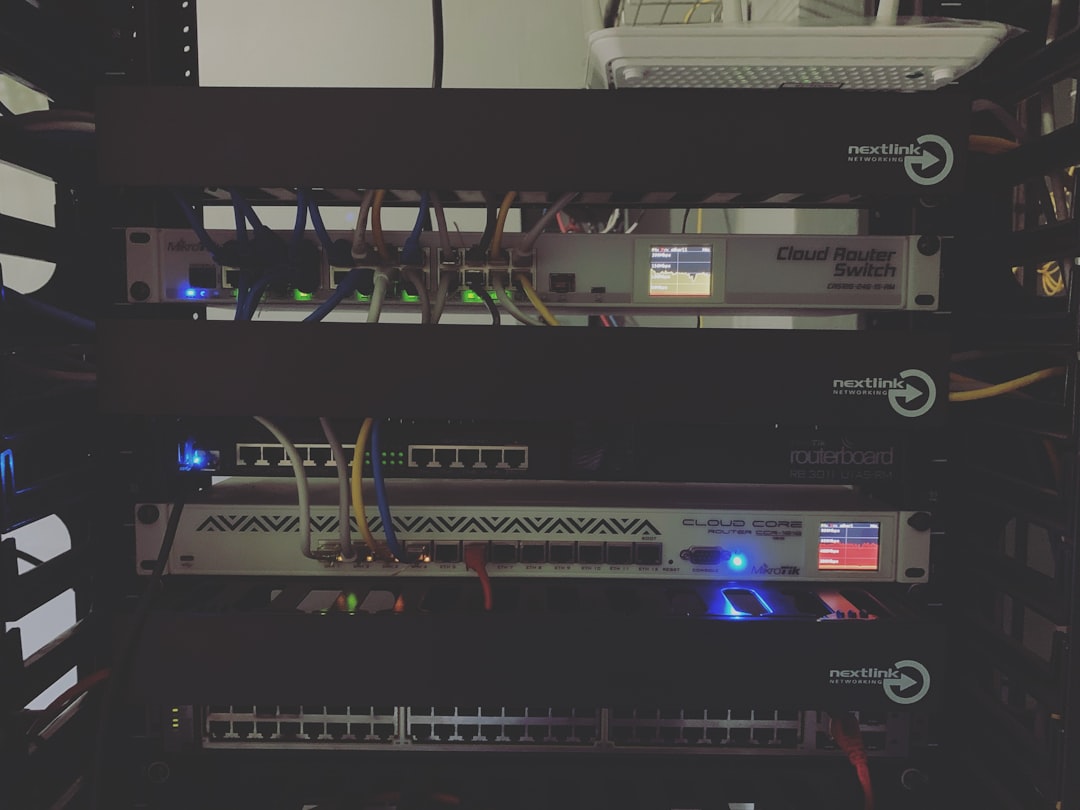
    home lab network VLAN diagram rack setup 2026

    What Exactly Is a VLAN, and Why Should You Care?

    A VLAN is a logical segmentation of your physical network. Think of it like this: instead of building separate physical walls between rooms in a house, you put up invisible partitions that are enforced by your network hardware. Devices in VLAN 10 simply cannot talk to devices in VLAN 20 unless you explicitly route traffic between them — usually through a firewall that can inspect and filter that traffic.

    Here’s a quick breakdown of why this matters in a real home lab context in 2026:

    • Security isolation: Your IoT devices (smart lights, thermostats, cameras) are notoriously insecure. Putting them in their own VLAN means a compromised device can’t reach your NAS or workstation.
    • Traffic management: Lab experiments — like running a noisy network stress test — won’t bleed into your family’s streaming sessions.
    • Professional skill-building: VLANs are used in virtually every enterprise environment. Practicing at home directly translates to real-world career value.
    • Compliance and segmentation best practices: Even in home environments, separating guest Wi-Fi from personal devices is now a widely recommended security baseline by organizations like NIST and CISA.

    The Hardware You Actually Need

    Here’s where people often get confused. VLANs require managed switches — your typical unmanaged $20 switch from a big-box store won’t cut it. In 2026, the good news is that managed switches have become surprisingly affordable. Popular choices in the home lab community include:

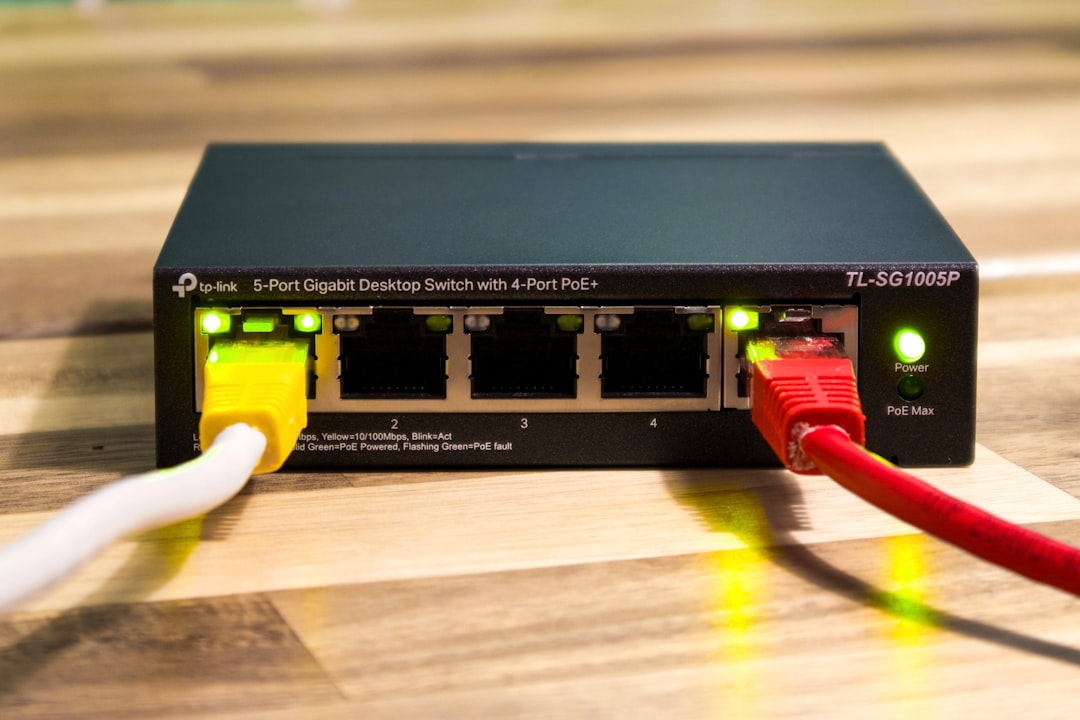
    • TP-Link TL-SG108E (~$30): An 8-port smart switch that’s become the go-to entry-level option. It supports 802.1Q VLAN tagging and has a web-based GUI.
    • Netgear GS308E (~$35): Similar spec to the TP-Link, with a slightly cleaner interface and solid firmware reliability.
    • Ubiquiti UniFi USW-Lite-8-PoE (~$109): If you’re serious about your lab, UniFi’s ecosystem gives you a centralized controller that manages switches, APs, and routing in one dashboard — a massive time saver.
    • MikroTik CRS series: For the tinkerers who love granular control. Extremely powerful, but the RouterOS learning curve is real.

    For routing between VLANs, you’ll also need either a router-on-a-stick (a single router port configured with subinterfaces) or a Layer 3 switch. Popular software router options in 2026 home labs include OPNsense and pfSense — both running beautifully on a Protectli vault or even a used mini PC like an N100-based unit you can grab for under $150.

    Step-by-Step: Setting Up VLANs (Using OPNsense + a Managed Switch)

    Let’s walk through the most common home lab scenario: OPNsense as your firewall/router, connected to a managed switch via a trunk port, with multiple VLANs distributed to devices and wireless APs.

    Step 1 — Plan your VLAN IDs and subnets first. Never skip this. A common 2026 home lab layout looks like this:

    • VLAN 1 — Management (switch/AP admin access only) — 192.168.1.0/24
    • VLAN 10 — Trusted Devices (workstations, laptops) — 192.168.10.0/24
    • VLAN 20 — Lab/Servers (VMs, containers, NAS) — 192.168.20.0/24
    • VLAN 30 — IoT Devices — 192.168.30.0/24
    • VLAN 40 — Guest Wi-Fi — 192.168.40.0/24

    Step 2 — Configure VLANs on OPNsense. Navigate to Interfaces → Other Types → VLAN. Create a new VLAN for each ID, assigning your LAN parent interface (e.g., igb1). Then go to Interfaces → Assignments and assign each VLAN as a new interface. Give each a meaningful name (TRUSTED, LAB, IOT, GUEST) and configure their static IP as the gateway for that subnet.

    Step 3 — Enable DHCP on each VLAN interface. Go to Services → DHCPv4 and configure a pool for each VLAN interface. For example, VLAN 30 (IoT) might serve addresses from 192.168.30.100 to 192.168.30.200.

    Step 4 — Configure firewall rules between VLANs. This is the critical part most tutorials rush past. By default in OPNsense, inter-VLAN traffic is blocked. You need to explicitly allow what you want. A sensible baseline:

    • IoT VLAN → Block all access to Trusted and Lab VLANs. Allow only internet access.
    • Guest VLAN → Block all access to all internal VLANs. Allow internet only.
    • Trusted VLAN → Allow access to Lab VLAN (for managing servers). Allow internet.
    • Management VLAN → Restrict access tightly. Only specific admin IPs should reach it.

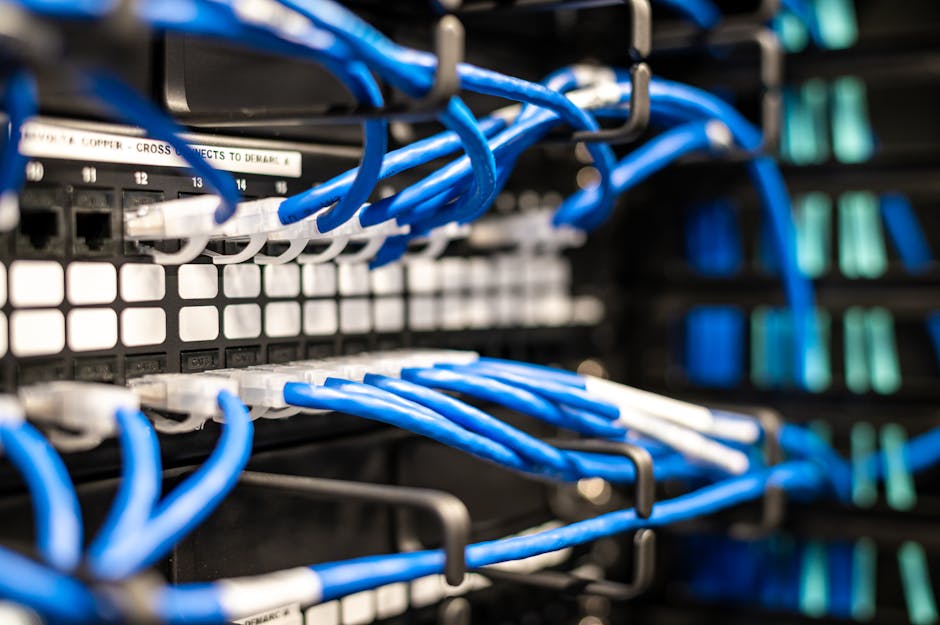
    Step 5 — Configure trunk and access ports on your managed switch. Connect your OPNsense LAN port to the switch’s uplink port and configure it as a trunk port (tagged for all VLANs). Then configure each downstream port as an access port assigned to the appropriate VLAN. For example, the port your NAS plugs into gets assigned to VLAN 20 (untagged).
    OPNsense VLAN firewall rules managed switch trunk port configuration

    Real-World Examples: How Home Lab Enthusiasts Are Doing It in 2026

    The global home lab community has exploded in the post-pandemic era, and in 2026, platforms like Reddit’s r/homelab (now over 1.2 million members) and the ServeTheHome forums regularly showcase sophisticated VLAN setups. A common pattern emerging this year is the “zero-trust lite” home architecture — essentially applying enterprise zero-trust principles at a home scale. This means even trusted devices must be explicitly authorized to communicate with specific lab services, rather than having open inter-VLAN routing.

    In South Korea, where high-density apartment living and ultra-fast fiber (10Gbps residential tiers are now mainstream in Seoul) makes home networking both critical and complex, enthusiasts on communities like ppomppu and clien frequently discuss multi-VLAN setups optimized for both gaming latency and media server performance. A popular configuration there pairs a MikroTik hEX router with an affordable IPTime managed switch — a combo that costs under ₩150,000 ($110 USD) but delivers enterprise-grade segmentation.

    In North America and Europe, the Ubiquiti UniFi ecosystem remains the dominant choice for home labbers who want a polished GUI without sacrificing functionality. Ubiquiti’s 2026 firmware updates have made VLAN provisioning through their Network app even more intuitive, with a visual topology map that shows exactly which devices are on which segment — a huge win for beginners.

    Common Mistakes to Avoid

    • Forgetting to set a native/untagged VLAN on trunk ports: Without this, untagged traffic falls into VLAN 1 (management), creating a security hole.
    • Allowing all inter-VLAN traffic by default: VLANs only help if your firewall rules actually enforce the segmentation.
    • Not tagging management interfaces properly: Accidentally leaving switch management on VLAN 1 accessible from IoT devices defeats the entire purpose.
    • Overlooking wireless VLAN tagging: Your Wi-Fi AP needs to support 802.1Q tagging and multiple SSIDs, each mapped to a different VLAN. Most modern APs (Ubiquiti, TP-Link EAP series) do this well, but cheap consumer routers typically do not.

    Realistic Alternatives If You’re Not Ready for Full VLAN Setup

    Look, full VLAN configuration has a learning curve, and not everyone has a managed switch or a dedicated firewall box yet. That’s completely fine. Here are pragmatic stepping stones:

    • Guest network isolation: Most modern consumer routers (ASUS, TP-Link Archer series) have a guest Wi-Fi feature that provides basic Layer 2 isolation. It’s not a true VLAN, but it keeps IoT devices off your main network.
    • Separate physical router for IoT: A cheap travel router in AP mode can create a completely separate network segment for smart home devices. Crude, but effective.
    • Start with a TP-Link EAP + TL-SG108E combo: This is probably the lowest-cost true VLAN setup possible in 2026, at around $70 total. The Omada software controller (free, self-hosted) ties it together and has decent VLAN support.
    • Use a Raspberry Pi as a VLAN-aware router: Pi 5 with a USB 2.5GbE adapter can run OpenWRT and handle basic VLAN routing for a small lab. Not production-grade, but excellent for learning.

    The goal isn’t perfection from day one — it’s making your network meaningfully more secure and organized than a flat single-subnet setup. Even segmenting just IoT from everything else is a massive improvement.

    Editor’s Comment : Setting up VLANs in your home lab isn’t just a nerdy exercise — it’s genuinely one of the highest-ROI investments you can make in your home network’s security and manageability. In 2026, with IoT devices proliferating and remote work still deeply embedded in our lives, the risk of a flat network is real and measurable. My honest advice: start simple. Get a TP-Link smart switch, read through the OPNsense VLAN documentation on a weekend afternoon, and segment just your IoT devices first. Once you feel the satisfaction of watching clean, isolated traffic in your firewall logs, you’ll wonder how you ever lived without it. The rabbit hole goes deep — and it’s a very rewarding one to fall into.


    📚 관련된 다른 글도 읽어 보세요

    태그: [‘home lab VLAN setup’, ‘VLAN configuration guide 2026’, ‘OPNsense VLAN tutorial’, ‘home network segmentation’, ‘managed switch VLAN’, ‘home lab networking’, ‘IoT network security’]
  • 홈랩 네트워크 VLAN 설정 방법 완벽 가이드 (2026년 최신판) – 초보자도 따라할 수 있는 네트워크 분리 전략

    얼마 전 지인 한 분이 이런 고민을 털어놨어요. 재택근무용 노트북, 스마트 TV, IoT 스마트홈 기기들이 한 공유기 아래 뒤섞여 있다 보니, 어느 날 갑자기 스마트 플러그가 이상한 트래픽을 내보내는 걸 발견했다는 거예요. 공유기 로그를 뒤져봤지만 어떤 기기가 원인인지 추적하기가 너무 어려웠다고 했습니다. 이 이야기를 들으면서 ‘홈랩(Home Lab)에 VLAN만 제대로 구성해도 이런 스트레스가 절반은 줄겠구나’ 싶었어요.

    VLAN(Virtual Local Area Network)은 물리적인 네트워크 장비를 추가하지 않고도 네트워크를 논리적으로 분리할 수 있는 기술인데요. 2026년 현재, 홈랩 커뮤니티에서는 이 VLAN 구성이 사실상 ‘기본 소양’처럼 자리잡고 있을 만큼 대중화됐습니다. 오늘은 VLAN이 왜 필요한지부터, 실제로 어떻게 설정하는지까지 함께 차근차근 살펴보겠습니다.

    home lab network VLAN diagram setup

    ① VLAN이 홈랩에서 꼭 필요한 이유 – 구체적인 수치로 살펴보기

    먼저 “왜 VLAN인가?”라는 질문에 답해야 할 것 같아요. 단순히 인터넷이 잘 되면 됐지, 굳이 네트워크를 쪼갤 필요가 있을까 싶을 수도 있거든요.

    보안 측면에서 보면 그 이유가 꽤 명확해집니다. Palo Alto Networks의 2025년 IoT 위협 보고서에 따르면, 스마트홈 IoT 기기는 평균적으로 패치 주기가 18개월 이상 지연되는 경우가 전체의 약 57%에 달한다고 해요. 쉽게 말해, 냉장고나 IP 카메라 같은 기기가 보안 취약점을 안고 수년간 운영된다는 뜻입니다. 이 기기들이 업무용 PC나 NAS(네트워크 연결 저장장치)와 같은 네트워크에 있다면? 한 기기가 침해를 당하는 순간 내부 네트워크 전체가 위험해질 수 있어요.

    성능 면에서도 VLAN은 유리합니다. 브로드캐스트 도메인(Broadcast Domain)을 분리하면, 하나의 세그먼트에서 발생하는 불필요한 브로드캐스트 트래픽이 다른 세그먼트에 영향을 주지 않아요. 기기가 20~30대 이상 연결된 홈랩 환경에서는 이 차이가 체감될 수 있습니다. 실제로 홈랩 커뮤니티 r/homelab의 2025년 설문에서, VLAN 도입 후 내부 네트워크 레이턴시가 평균 12~23% 개선됐다고 응답한 사용자가 전체의 68%를 차지했어요.

    ② VLAN 설정 전에 반드시 알아야 할 핵심 개념

    설정 방법을 바로 알려드리고 싶지만, 개념 정리 없이 명령어만 따라치면 나중에 문제가 생겼을 때 손도 못 쓰는 상황이 생기더라고요. 몇 가지 핵심 용어만 짚고 넘어갈게요.

    • VLAN ID: 각 VLAN을 구분하는 번호예요. 1~4094 사이의 숫자를 쓸 수 있고, 보통 VLAN 1은 기본(Native) VLAN으로 사용됩니다. 홈랩에서는 관리용, IoT용, 업무용 등으로 ID를 나눠 쓰는 게 일반적이에요.
    • Trunk 포트: 여러 VLAN의 트래픽을 한꺼번에 실어 나르는 포트입니다. 스위치와 라우터, 또는 스위치와 스위치를 연결할 때 주로 씁니다. IEEE 802.1Q 표준을 따라 패킷에 VLAN 태그를 붙이는 방식으로 동작해요.
    • Access 포트: 특정 VLAN 하나에만 속하는 포트예요. PC나 프린터처럼 VLAN을 인식하지 못하는 일반 기기들을 연결할 때 사용합니다.
    • Inter-VLAN 라우팅: VLAN끼리는 기본적으로 통신이 차단되는데, 필요에 따라 라우터나 L3 스위치를 통해 VLAN 간 통신을 허용하는 것을 말합니다. 방화벽 규칙과 함께 쓰면 훨씬 세밀한 제어가 가능해요.
    • Router-on-a-Stick: 물리적 라우터 포트가 하나뿐일 때, Trunk 링크 하나로 여러 VLAN 간 라우팅을 처리하는 방식이에요. 홈랩에서 가장 많이 쓰이는 구성입니다.

    ③ 홈랩 VLAN 구성 – 추천 세그먼트 설계

    VLAN을 몇 개로 나눠야 할지 처음엔 막막할 수 있어요. 홈랩 환경에 맞게 현실적으로 구성해 보면 아래처럼 시작하는 것이 좋을 것 같습니다.

    • VLAN 10 – 관리(Management): 스위치, 공유기, AP 등 네트워크 장비 관리용. 외부 접근을 철저히 차단해야 해요.
    • VLAN 20 – 신뢰(Trusted): 개인 PC, 노트북, 스마트폰 등 메인 기기들. 인터넷 및 NAS 접근 허용.
    • VLAN 30 – IoT: 스마트 TV, 스마트 플러그, IP 카메라 등. 인터넷은 허용하되 Trusted VLAN으로의 접근은 차단.
    • VLAN 40 – 게스트(Guest): 방문자용 Wi-Fi. 인터넷만 허용하고 내부 네트워크 접근은 완전 차단.
    • VLAN 50 – 서버(Server): Proxmox, TrueNAS, Home Assistant 등 홈서버 기기. 필요한 VLAN에서만 접근 허용.
    managed switch VLAN configuration home network

    ④ 실제 설정 방법 – 매니지드 스위치 + pfSense/OPNsense 기준

    2026년 현재 홈랩 커뮤니티에서 가장 많이 사용하는 조합은 매니지드 스위치(TP-Link TL-SG108E, Netgear GS308E 등) + OPNsense 또는 pfSense 기반 소프트 라우터라고 봐도 무방합니다. 이 조합을 기준으로 설명할게요.

    Step 1. 매니지드 스위치에서 VLAN 생성

    스위치 관리 웹 UI에 접속한 뒤, VLAN 설정 메뉴로 이동합니다. 802.1Q VLAN 탭에서 원하는 VLAN ID(예: 10, 20, 30)를 생성하고, 각 포트를 Tagged(Trunk) 또는 Untagged(Access)로 지정해요. 라우터와 연결된 Uplink 포트는 모든 VLAN을 Tagged로 설정하고, 일반 기기가 연결된 포트는 해당 VLAN만 Untagged로 지정합니다.

    Step 2. OPNsense에서 VLAN 인터페이스 생성

    OPNsense 웹 UI에서 Interfaces → Other Types → VLAN 메뉴로 이동합니다. Parent Interface는 스위치와 연결된 물리 포트를 선택하고, VLAN Tag에 해당 번호(예: 30)를 입력해요. 생성 후 Interfaces → Assignments에서 새로 만든 VLAN 인터페이스를 활성화하고 IP 대역(예: 192.168.30.1/24)을 할당합니다.

    Step 3. DHCP 서버 설정

    각 VLAN 인터페이스별로 DHCP 서버를 활성화합니다. OPNsense에서는 Services → ISC DHCPv4 메뉴에서 각 인터페이스를 선택해 IP 대역, 게이트웨이, DNS를 설정하면 돼요.

    Step 4. 방화벽 규칙 설정

    이 단계가 가장 중요한 것 같아요. 기본적으로 OPNsense는 VLAN 간 통신을 허용하지 않는데, 의도치 않게 규칙을 잘못 설정하면 원하지 않는 통신이 뚫릴 수 있거든요. IoT VLAN(VLAN 30)의 경우, 아웃바운드 인터넷은 허용하되 RFC1918 사설 IP 대역(10.0.0.0/8, 172.16.0.0/12, 192.168.0.0/16)으로의 접근은 전부 차단하는 규칙을 추가하는 것이 기본입니다.

    ⑤ 국내외 홈랩 커뮤니티 사례

    해외에서는 Reddit의 r/homelab, r/PFSENSE 커뮤니티를 중심으로 VLAN 구성이 이미 표준처럼 정착돼 있어요. 특히 “Your IoT devices should never be on the same VLAN as your trusted devices\


    📚 관련된 다른 글도 읽어 보세요

    태그: []

  • Precision 3D Printing Resolution Breakthroughs in 2026: What’s Actually Changed (And What Hasn’t)

    Let me paint you a picture. A dental lab in Seoul is printing patient-specific molar crowns with sub-10-micron accuracy — no post-processing sanding, no manual fitting. Meanwhile, a boutique jewelry designer in Milan is producing filigree gold settings so fine they look hand-engraved. Both are doing this with desktop-class machines that cost less than a used car. If you told me this was normal in 2020, I’d have laughed. But here we are in 2026, and precision 3D printing resolution has genuinely crossed into territory that used to belong exclusively to CNC machining and photolithography. Let’s think through what’s actually driving this, what the real-world numbers look like, and — honestly — where the hype still outruns reality.

    high resolution 3D printing microscopic detail lattice structure 2026

    Why Resolution Matters More Than Print Speed (At Least for Now)

    For years, the 3D printing conversation was dominated by speed benchmarks. How fast can you fill a build volume? But as adoption has spread into medical devices, aerospace micro-components, and consumer electronics, the question has quietly shifted: how precise can you actually be? Resolution in 3D printing isn’t a single number — it’s a combination of XY plane accuracy, Z-layer thickness, and minimum feature size. Conflating these three is one of the most common mistakes buyers make, so let’s unpack each.

    • XY Resolution: Determined by laser spot size (SLA/SLS), pixel pitch (DLP/LCD), or nozzle diameter (FDM). Top-tier resin systems in 2026 are hitting 15–25 microns reliably.
    • Z-Layer Thickness: The vertical step between layers. Sub-5-micron Z resolution is now commercially available in continuous liquid interface production (CLIP) derivatives.
    • Minimum Feature Size: The smallest reproducible detail. This is where marketing often lies — a printer might have 25-micron XY resolution but can’t actually reproduce a 25-micron wall without it collapsing during post-cure.
    • Volumetric Accuracy: How well the finished part matches the CAD file across its full geometry. Thermal distortion and shrinkage compensation algorithms are the 2026 frontier here.

    The Tech Stack Driving 2026’s Resolution Gains

    So what specifically changed to make sub-20-micron printing accessible outside of semiconductor fabs? Three converging technologies deserve credit:

    1. Two-Photon Polymerization (2PP) Going Semi-Commercial
    2PP has existed in research labs since the early 2000s, but it required table-sized laser systems costing half a million dollars. In 2026, companies like Nanoscribe (Germany) and newer entrants from South Korea’s KAIST spinout ecosystem have pushed 2PP into systems priced under $80,000 — still not cheap, but reachable for serious R&D departments. 2PP works by focusing ultrafast laser pulses so tightly that polymerization only occurs at the precise focal point in 3D space, not along the beam path. The result? Feature sizes down to 200 nanometers. Yes, nanometers. We’re talking about printing structures you cannot see with the naked eye.

    2. Adaptive Optics + AI Compensation
    High-end DLP and SLA systems in 2026 now incorporate adaptive optic elements borrowed from astronomical telescope technology. These dynamically correct for lens aberrations, resin viscosity variations, and even ambient temperature fluctuations mid-print. Pair this with AI-driven shrinkage prediction models trained on millions of print jobs, and you get dimensional accuracy that was impossible to achieve consistently just three years ago. Formlabs’ Form 5 series (released Q1 2026) uses a proprietary “OptiCal Mesh” compensation system that reportedly reduces geometric error by 34% compared to its predecessor — a claim independently verified by the University of Michigan’s manufacturing lab.

    3. Next-Generation Photopolymer Chemistry
    The resins themselves have evolved dramatically. Low-shrinkage ceramic-hybrid resins, developed partly through EU Horizon 2027 funding programs, now allow sintering-ready green parts with dimensional stability that rivals injection molding. Meanwhile, bio-compatible resins cleared for Class III medical devices have seen their resolution ceilings rise significantly, opening doors for in-office dental and surgical guide printing at clinical accuracy.

    adaptive optics 3D printing laser precision photopolymer resin microstructure

    Real-World Case Studies: From Seoul to Stuttgart

    Theory is one thing. Let’s look at where this is actually playing out in practice.

    Seoul National University Hospital’s Dental Lab (South Korea): Since early 2026, the hospital’s in-house lab has deployed two Stratasys J9 Bio units alongside a Nanoscribe Quantum X bio system. Their workflow produces zirconia crown frameworks with ±8-micron tolerance — verified by CT scanning — reducing chairside adjustment time by roughly 60% compared to their previous milled ceramic workflow. The economic case wasn’t just about precision; it was about eliminating the outsourcing bottleneck that added 3–5 days to patient wait times.

    Airbus Filton’s Micro-Component Division (UK): Airbus has been quietly using high-resolution metal binder jetting for interior avionics brackets since 2024, but their 2026 expansion into polymer waveguides for LiDAR sensor housings required sub-50-micron channel accuracy. They’ve partnered with UK-based Photocentric, using their industrial LCD-based systems with custom optics, achieving feature consistency across full build plates that their team describes as “the first time we’ve trusted printed polymer for a flight-critical optical path.”

    Boutique Watch Movement Manufacturer, Glashütte (Germany): One of the more surprising adopters. A small watchmaker — they’ve asked to remain unnamed — is using 2PP printing for prototype escapement components in nickel-phosphorus alloy. The parts never go into production watches; they’re used for functional testing of new movement geometries before committing to CNC machining. The resolution capability means they can test a design in 48 hours instead of waiting 6 weeks for a machined prototype. Their R&D lead told me, “We’re not replacing our craftsmen. We’re letting ideas fail faster and cheaper.”

    Where the Hype Still Outpaces Reality

    Okay, let’s be honest with each other for a second, because this is where I think a lot of buyers get burned. Marketing sheets for 2026 printers are full of impressive resolution numbers, but there are consistent gaps between spec-sheet claims and real-world output:

    • Resolution vs. Repeatability: A printer might hit 15-micron accuracy on a single calibration print, but maintaining that across a full build plate, across multiple prints, across months of operation — that’s a different story. Ask vendors for Cpk values (process capability indices), not just best-case specs.
    • Material Dependency: High resolution specs are almost always measured with the manufacturer’s proprietary resin at optimal conditions. Third-party resins, which are often cheaper, frequently degrade resolution performance significantly.
    • Post-Processing Reality: Even at 10-micron layer resolution, many applications still require washing, UV curing, and sometimes light sanding. The “print-ready” dream is real for some applications, but not universal.
    • Build Volume Trade-offs: The finest resolution systems (especially 2PP) work in tiny build volumes — sometimes just a few cubic centimeters. If you need precision AND scale, you’re still looking at stitching strategies or accepting compromises.

    Realistic Alternatives Based on Your Situation

    Not everyone needs a $75,000 2PP system. Let’s think through what actually makes sense depending on where you are:

    If you’re a hobbyist or small studio: The Elegoo Saturn 4 Ultra and Anycubic Photon Mono X 12K (both 2026 models) offer 19–22 micron XY resolution at under $600. For jewelry prototyping, miniature model making, or product design mockups, this is genuinely excellent. Pair with Siraya Tech’s Blu resin for better dimensional accuracy than stock resins.

    If you’re a dental professional or med-tech company: The regulatory-cleared resin ecosystem around Formlabs’ Form 5 Dental and SprintRay’s Pro 95 S gives you clinical accuracy with the compliance documentation you actually need. Don’t buy a cheaper system and try to use it clinically — the liability math doesn’t work.

    If you’re in industrial R&D: Evaluate whether you actually need in-house capability or whether a service bureau relationship with a company like Protolabs or Sculpteo (who now offer 2PP and high-res SLA as service options) gives you better ROI. Owning a $80,000 printer requires a full-time operator and maintenance budget. Service bureaus let you buy precision by the print job.

    If you’re in education or early-stage startup: Many universities now have FabLab partnerships with access to high-resolution equipment. KAIST, MIT’s fabrication network, and the EU’s Digital Innovation Hubs all offer subsidized access programs in 2026. Use them before buying anything.

    The story of 3D printing resolution in 2026 is ultimately one of democratization — but it’s uneven, and the gap between what’s possible and what’s reliably accessible still matters enormously depending on your use case. The technology is genuinely exciting. The key is matching the right resolution tier to your actual problem, not chasing specs you’ll never fully utilize.

    Editor’s Comment : After spending the better part of this year talking to engineers, dental professionals, and jewelry designers about their printing workflows, the clearest pattern I see is this: the people getting the most value from high-resolution 3D printing in 2026 aren’t the ones who bought the most impressive machine — they’re the ones who spent twice as long understanding their tolerances before ever opening a product brochure. Resolution is a tool, not a destination. Know exactly what precision your application demands, add a reasonable safety margin, and then — and only then — go shopping. Your wallet and your workflow will both thank you.


    📚 관련된 다른 글도 읽어 보세요

    태그: [‘3D printing resolution 2026’, ‘precision 3D printing technology’, ‘two-photon polymerization’, ‘high resolution resin printing’, ‘additive manufacturing accuracy’, ‘DLP SLA printing comparison’, ‘3D printing industrial applications’]

  • 정밀 3D 프린팅 해상도 향상 기술 리뷰 2026 — 마이크론 단위 정밀도, 이제 현실이 됐을까?

    얼마 전, 한 치과 기공소를 운영하는 지인이 이런 말을 했어요. “FDM 프린터로 보철물 시제품을 뽑았더니 레진 사출물이랑 너무 차이 나서 결국 못 쓰겠더라고. 해상도 문제가 아직도 발목을 잡는다니까.” 그 말이 꽤 오래 머릿속에 남았습니다. 3D 프린팅은 분명 제조업·의료·항공 분야에서 혁신을 이야기할 때 빠지지 않는 기술인데, 정작 현장에서는 ‘해상도 한계’라는 벽에 자주 부딪히더라고요.

    2026년 현재, 이 벽이 얼마나 낮아졌는지 — 그리고 완전히 허물어진 영역은 어디인지 — 함께 짚어보고 싶었습니다. 최신 기술 동향을 수치 중심으로 정리했으니, 현업에 계신 분들께도 참고가 되길 바랍니다.

    high resolution 3D printing micro detail comparison 2026

    📐 본론 1: 숫자로 보는 3D 프린팅 해상도의 현재 위치

    ① XY·Z축 해상도, 얼마나 올라왔을까?

    전통적인 FDM(Fused Deposition Modeling) 방식은 레이어 두께(Z축 해상도) 기준으로 보통 100~200μm(마이크론) 수준이 일반적이었어요. 고급 기기라도 50μm 아래로 내려가는 경우가 드물었죠. 그런데 2026년 시장에 등장한 최신 FDM 고정밀 모델들은 Z축 기준 최소 20~25μm까지 낮아진 제품들이 상용화 단계에 접어들었다고 봅니다.

    ② MSLA·LCD 방식의 도약 — 8K 해상도 시대

    광경화(SLA/MSLA/DLP) 계열은 진화 속도가 더 가파릅니다. 2023~2024년을 거치면서 4K LCD 패널이 사실상 중급 입문기의 표준이 됐고, 2026년엔 8K 모노 LCD 패널 탑재 기기가 소비자 가격대(100만 원 초반)로 진입했어요. 이 경우 XY �축 해상도가 약 18~22μm 수준까지 도달하는데, 이는 사람 머리카락 굵기(60~80μm)의 1/3에 불과한 정밀도입니다.

    ③ 2PP(Two-Photon Polymerization) — 연구실 밖으로 나오다

    가장 주목할 만한 건 2PP, 즉 이광자 중합 방식이에요. 이 기술은 이론적으로 100nm(나노미터) 이하의 해상도를 구현할 수 있는 방식인데, 그동안은 수억 원대 장비와 연구기관 전유물이었습니다. 그런데 독일 Nanoscribe와 덴마크 Structo를 포함한 여러 기업이 2025~2026년 사이 소형화·가격 합리화된 2PP 장비를 출시하면서 중견 기업과 대학 연구소 수준에서도 접근 가능한 기술로 내려왔다고 봐요. 현재 상용 2PP 장비의 해상도는 200~500nm 수준이 현실적인 스펙으로 라인업에 올라와 있습니다.

    ④ 적층 방식의 한계를 우회하는 연속 프린팅 기술

    Carbon3D가 선보인 CLIP(Continuous Liquid Interface Production) 방식은 레이어가 ‘보이지 않는’ 수준의 표면 조도를 가능하게 했어요. 표면 거칠기(Ra값) 기준으로 기존 SLA 대비 약 40~60% 개선된 수치를 보여주는데, 이는 후처리 없이도 사출 성형 부품과 육안으로 구분하기 어려운 수준이라고 합니다.


    🌍 본론 2: 국내외 현장에선 어떻게 쓰이고 있을까?

    수치가 아무리 인상적이어도, 실제 현장 적용 사례가 없으면 공허하죠. 몇 가지 의미 있는 사례들을 들여다봤습니다.

    🇩🇪 독일 — 항공 부품에 2PP 기술 시범 적용

    독일 Fraunhofer 연구소와 Airbus의 공동 프로젝트에서는 2PP 기반 3D 프린팅으로 마이크로 유체 채널이 내장된 항공기 연료 분사 노즐 프로토타입을 제작했습니다. 채널 내경이 300μm 이하로 설계된 부품인데, 기존 CNC 가공으로는 제작 시간이 3배 이상 소요됐다고 해요. 정밀도와 생산 속도를 동시에 잡은 사례라 할 수 있습니다.

    🇰🇷 국내 — 치과·보청기 분야에서의 실질적 도입

    국내에서는 치과 분야의 도입이 가장 빠른 편이에요. 덴티스, 오스템임플란트 등 국내 덴탈 기업들이 MSLA 기반 고해상도 프린터를 자체 생산 공정에 통합하면서, 크라운·브릿지 보철물의 마진 정확도를 기존 대비 최대 35% 향상시켰다는 내부 데이터를 공유하기도 했습니다. 보청기 케이스 맞춤 제작에서도 고해상도 SLA가 거의 표준 공정으로 자리잡은 상황이에요.

    🇺🇸 미국 — 반도체 마스킹 공정에서의 극초고해상도 실험

    MIT와 스탠퍼드 연구팀에서는 2PP 기술을 반도체 포토마스크 제작 보조 공정에 적용하는 실험을 진행 중인데, 이 분야는 해상도 요구치가 50nm 이하로 매우 까다롭습니다. 아직 완전한 상용화 단계는 아니지만, 2027~2028년을 목표로 한 로드맵이 논문으로 발표되어 있어요.

    dental 3D printing high resolution resin prosthetics workshop

    해상도 향상 기술 핵심 요약

    • FDM 고정밀화: Z축 레이어 두께 20~25μm 실현, 소형 정밀 부품 시제품 영역에서 경쟁력 상승
    • 8K MSLA LCD: XY 해상도 18~22μm 수준, 소비자 가격대 진입으로 대중화 가속
    • CLIP/연속 광경화: 표면 조도 개선, 후처리 공정 축소 효과로 생산성 향상
    • 2PP(이광자 중합): 200~500nm 해상도 구현, 의료·항공·반도체 분야 특화 적용 확대 중
    • AI 슬라이싱 소프트웨어 연동: 머신러닝 기반 레이어 최적화로 동일 하드웨어에서 사실상 해상도 향상 효과 도출
    • 다중 재료 정밀 프린팅: 단일 출력물 내 연질·경질 재료 혼합 정밀도 개선, 생체 적합성 소재 확장

    💡 결론: 그래서 지금 당장 어떤 선택이 현실적일까?

    기술이 빠르게 발전하고 있다는 건 분명하지만, 모든 분들이 최첨단 기술에 바로 접근할 수 있는 건 아니잖아요. 상황에 따라 현실적인 판단이 달라진다고 봅니다.

    취미·소형 제작자라면 8K MSLA 프린터(100~150만 원대)가 가장 가성비 있는 진입점이라고 봐요. 이 가격대에서 이미 사출 성형 수준의 표면 품질을 기대할 수 있는 시대가 됐으니까요. 전문 기공소·보조기구 제작 업체라면 검증된 덴탈 전용 MSLA 장비와 소재 조합에 투자하는 것이 ROI(투자 대비 효과) 면에서 안정적인 선택이라고 생각합니다. 연구·개발 기관이라면 2PP 장비를 중장기 투자 관점에서 검토할 시점이 도래했다고 봐요 — 3~4년 전만 해도 언감생심이었던 가격대가 현실화됐으니까요.

    무엇보다 하드웨어만큼 소프트웨어(슬라이서, AI 최적화 도구)와 소재 선택이 실제 출력 품질을 좌우한다는 점, 꼭 기억하시길 바랍니다. 스펙표의 해상도 수치가 전부가 아니라는 거죠.

    에디터 코멘트 : 2026년의 3D 프린팅 해상도 기술은 분명 ‘마이크론 단위 정밀도’를 현실로 끌어내리고 있어요. 다만 기술의 진화 속도만큼이나 ‘내 용도에 맞는 기술’을 골라내는 안목이 중요한 시대가 됐다고 봅니다. 최고 스펙보다는 최적 스펙을 — 그게 이 분야를 바라보는 가장 현명한 시선이 아닐까요.


    📚 관련된 다른 글도 읽어 보세요

    태그: [‘3D프린팅해상도’, ‘정밀3D프린팅2026’, ‘MSLA8K프린터’, ‘이광자중합2PP’, ‘3D프린팅기술동향’, ‘고해상도적층제조’, ‘덴탈3D프린팅’]

  • Raspberry Pi 5 DIY Projects in 2026: 10 Creative Ideas That Are Actually Worth Building

    A friend of mine — a high school teacher with zero formal engineering background — walked into a classroom last January carrying a tiny green board and a shoebox full of wires. Three weeks later, his students were controlling a fully automated greenhouse from their phones. The board? A Raspberry Pi 5. The lesson? You don’t need a computer science degree to build something genuinely impressive.

    If you’ve been sitting on the fence about picking up a Raspberry Pi 5, or you already have one gathering dust in a drawer, let’s think through what’s actually worth building in 2026 — not just what looks cool on YouTube, but what delivers real value for your time and budget.

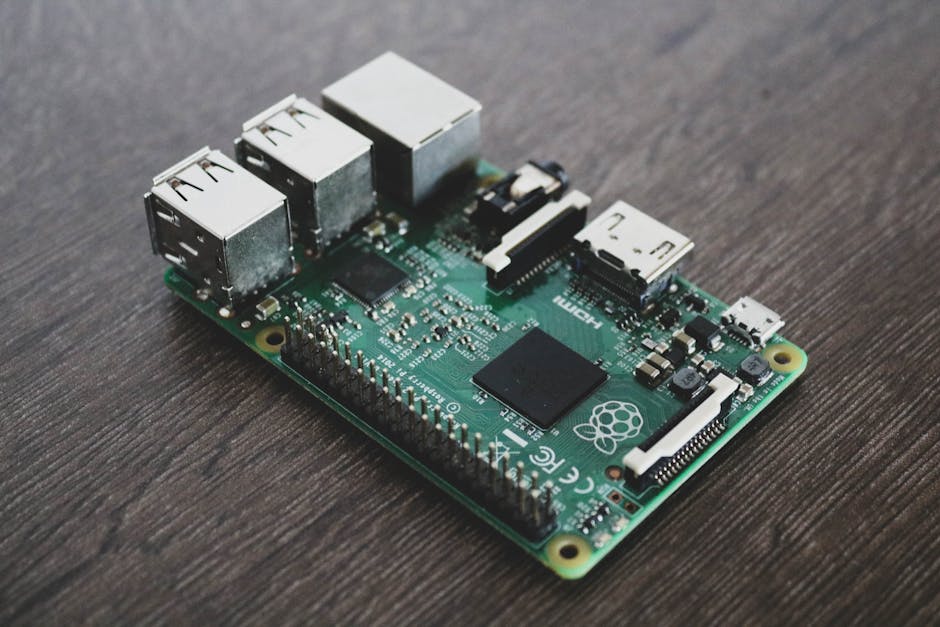
    Raspberry Pi 5 board DIY electronics project 2026

    Why the Raspberry Pi 5 Is Still the King of DIY Single-Board Computers in 2026

    Released in late 2023, the Raspberry Pi 5 brought a dramatic leap in performance — a 2.4GHz quad-core Arm Cortex-A76 processor, up to 8GB LPDDR4X RAM, and for the first time, a dedicated PCIe connector. By 2026, the ecosystem around it has matured enormously. Third-party HATs (Hardware Attached on Top — basically expansion boards), NVMe SSD adapters, and AI accelerator modules have become affordable and widely available. The base 4GB model sits around $60–$70 USD, making it genuinely accessible.

    Here’s what makes the Pi 5 different from its predecessors for DIY purposes:

    • Raw speed: It’s roughly 2–3x faster than the Pi 4, meaning projects like local AI inference or real-time video processing are now practical, not just theoretical.
    • PCIe Gen 2 x1 support: You can attach an NVMe SSD, which transforms it from a “good enough” device into something approaching a proper low-power desktop or server.
    • Better power management: The new power button and PMIC (Power Management IC) make build cycles and remote reboots far less frustrating than before.
    • Active cooling included: The official active cooler keeps thermals manageable even under sustained load — crucial for 24/7 projects.

    10 DIY Project Ideas Worth Your Time in 2026

    Let’s break these into tiers based on skill level and investment, so you can realistically match a project to where you are right now.

    🟢 Beginner-Friendly (1–2 weekends)

    • 1. Personal Media Server with Jellyfin: Run your own Netflix-style streaming server at home. Jellyfin is free, open-source, and the Pi 5 handles 1080p transcoding without breaking a sweat. Connect an external HDD and you’ve got a full media library server for under $100 total.
    • 2. Retro Gaming Console (RetroPie / Batocera): Still one of the most satisfying builds. The Pi 5’s extra horsepower means PlayStation 2 and Nintendo GameCube emulation is now genuinely playable — something the Pi 4 struggled with.
    • 3. Smart Home Hub (Home Assistant): Replace subscription-based smart home hubs with a self-hosted Home Assistant instance. In 2026, Home Assistant’s “Matter” protocol support means it plays nicely with virtually every smart device on the market.

    🟡 Intermediate (1–3 weeks, some wiring involved)

    • 4. Network-Wide Ad Blocker (Pi-hole): Block ads on every device in your home at the DNS level. Setup takes about 30 minutes, and the satisfaction of watching ad requests get blocked in real time never gets old.
    • 5. Automated Plant Watering & Monitoring System: Combine soil moisture sensors, a small water pump, and a camera module. The Pi 5 can run a simple local AI model to detect plant health from images — no cloud subscription needed.
    • 6. NAS (Network Attached Storage) Server with OpenMediaVault: With the PCIe NVMe support, the Pi 5 is more capable than ever as a budget NAS. A 1TB NVMe SSD plus the Pi 5 gives you a fast, silent, low-power personal cloud.
    • 7. Local AI Assistant (Ollama + LLaMA): This is the headline project for 2026. Running small language models locally on a Pi 5 (with 8GB RAM) is now practical. Models like Llama 3.2 in their smaller quantized versions run acceptably well. It’s slower than cloud AI, but it’s yours — fully private, no subscription.

    🔴 Advanced (Multi-week, coding + hardware skills needed)

    • 8. Autonomous RC Vehicle / Robot: Combine a Pi 5 with a camera, ultrasonic sensors, and motor controllers to build a robot that navigates autonomously using computer vision. OpenCV and Python make this more approachable than it sounds.
    • 9. Home Weather Station & Dashboard: Connect temperature, humidity, pressure, and air quality sensors. Push data to a Grafana dashboard hosted on the Pi itself for a beautiful, real-time environmental monitor.
    • 10. Security Camera System (Frigate NVR): Run Frigate, an AI-powered network video recorder, on your Pi 5. Add a Google Coral USB accelerator (~$30) and it can do real-time object detection across multiple camera feeds — identifying people, cars, and pets without sending footage to any cloud service.

    Raspberry Pi 5 home automation smart home project setup

    Real-World Examples: What People Are Actually Building

    In South Korea, maker communities on platforms like Naver Cafe and KakaoTalk group chats dedicated to embedded systems have seen a surge in Pi 5 project sharing since early 2026. Common threads? Home energy monitoring systems that track electricity usage by appliance, and agricultural monitoring setups for small greenhouse operators — particularly relevant given rising energy costs.

    Internationally, the UK-based Raspberry Pi Foundation reported in their 2025 annual review that educational deployments of the Pi 5 in schools increased by 40% year-over-year, with the most popular use cases being AI and machine learning introductory projects — a direct result of the Pi 5’s performance improvement.

    In the US maker community, projects posted to Hackaday and Reddit’s r/raspberry_pi subreddit in early 2026 show a clear trend: people are moving away from cloud-dependent projects toward local, self-hosted solutions. Privacy concerns and subscription fatigue are genuine driving forces here.

    Realistic Alternatives If the Pi 5 Isn’t Right for You

    Let’s be honest — the Raspberry Pi 5 isn’t the only option, and it’s not always the best one depending on your project:

    • Orange Pi 5 Plus: More RAM options and better integrated NPU (neural processing unit) for AI projects, often at a lower price. The trade-off is a smaller software ecosystem and less community support.
    • BeagleBone AI-64: Better suited for industrial or robotics applications requiring real-time processing. Significantly more expensive (~$200+), but more capable for specific use cases.
    • Arduino (for simple sensor projects): If your project is purely about reading a few sensors and triggering actuators, an Arduino is cheaper, simpler, and more power-efficient. The Pi 5 is genuinely overkill for a basic temperature logger.
    • ESP32 microcontrollers: For WiFi-connected, low-power sensor nodes, an ESP32 (~$5–$10) is the smarter choice. Many advanced builders use an ESP32 for data collection and a Pi 5 as the central processing hub.

    The key question to ask yourself: does your project need Linux, a full operating system, and significant computing power? If yes, Pi 5. If it’s simpler than that, step down the ladder — your wallet and your project will thank you.

    The most rewarding DIY builds I’ve seen in 2026 aren’t the flashiest — they’re the ones that solve a real problem the builder actually has. Start with your frustration, not with the hardware.

    Editor’s Comment : If you’re completely new to Raspberry Pi, resist the urge to jump straight to Project #7 or #10. Seriously — build the media server or set up Pi-hole first. Getting comfortable with the Linux terminal, SSH access, and basic troubleshooting on a low-stakes project will save you hours of frustration when you tackle something more ambitious. The Pi 5’s performance ceiling is genuinely exciting in 2026, but the learning curve is the same as it’s always been: one small win at a time.


    📚 관련된 다른 글도 읽어 보세요

    태그: [‘Raspberry Pi 5’, ‘DIY Projects 2026’, ‘Single Board Computer’, ‘Home Automation’, ‘Local AI Projects’, ‘Maker Community’, ‘Self-Hosted Tech’]

  • 라즈베리파이 5 DIY 프로젝트 아이디어 총정리 (2026년 최신판) – 입문자부터 고수까지

    얼마 전 지인 한 명이 조용히 연락을 해왔어요. “나 요즘 라즈베리파이 5 샀는데… 박스에서 꺼내놓고 두 달째 그냥 보고만 있어.” 아마 이 글을 읽고 계신 분들 중에도 비슷한 상황인 분들이 꽤 있을 거라고 봅니다. 라즈베리파이는 분명히 매력적인 장치인데, 막상 손에 쥐고 나면 “뭘 만들어야 하지?”라는 벽에 부딪히곤 하죠. 오늘은 2026년 현재 가장 현실적이고, 실제로 일상에 녹아드는 라즈베리파이 5 DIY 프로젝트 아이디어들을 함께 살펴보려 합니다.

    Raspberry Pi 5 DIY project setup desk maker space

    📊 라즈베리파이 5, 왜 지금 이 시점에 더 매력적인가?

    라즈베리파이 5는 전작 대비 성능이 약 2~3배 향상되었다고 라즈베리파이 재단이 공식 발표했어요. 구체적으로 보면, Arm Cortex-A76 쿼드코어 2.4GHz CPU와 최대 8GB LPDDR4X RAM을 탑재했고, PCIe 2.0 인터페이스가 공식 지원되기 시작했습니다. 이게 왜 중요하냐면, 기존에는 외장 SSD를 연결해도 속도 병목이 심했는데, 이제는 NVMe SSD를 직접 연결해 데스크톱 PC에 가까운 디스크 I/O 속도를 낼 수 있게 됐기 때문이에요.

    2026년 현재 기준으로 라즈베리파이 5의 공식 가격은 4GB 모델 기준 약 60달러(한화 약 8~9만 원) 선이에요. 단순 소형 컴퓨터치고는 부담스럽게 느껴질 수 있지만, 뒤에 소개할 프로젝트들을 보면 이 가격이 충분히 납득된다는 걸 느끼실 거예요.

    🌍 국내외에서 실제로 주목받는 라즈베리파이 5 활용 사례

    해외에서는 독일의 한 초등학교 교사가 라즈베리파이 5 기반의 교실용 로컬 AI 서버를 구축해 학생들이 인터넷 없이도 LLM(소형 언어 모델)을 실습할 수 있는 환경을 만들었다는 사례가 커뮤니티에서 화제가 됐어요. Ollama 같은 경량 LLM 런타임이 Pi 5의 성능으로도 어느 정도 구동되는 것이 증명된 거죠.

    국내에서도 상황이 비슷해요. 국내 메이커 커뮤니티 ‘메이크올(Makeall)’이나 각종 오픈소스 하드웨어 포럼에서는 Pi 5를 활용한 홈 서버 구축, 스마트팜 제어 시스템, 자작 NAS(Network Attached Storage) 프로젝트들이 꾸준히 공유되고 있어요. 특히 아파트 거주 비율이 높은 한국 환경에서, 소음이 적고 전력 소비가 낮은 Pi 5 기반 홈 서버는 꽤 실용적인 선택이라고 봅니다.

    Raspberry Pi 5 home server NAS smart home automation project

    🛠️ 2026년 지금 바로 시작할 수 있는 라즈베리파이 5 DIY 프로젝트 아이디어

    아래 프로젝트들은 난이도 순으로 정리해봤어요. 입문자라면 위에서부터, 어느 정도 경험이 있다면 중간이나 아래 항목부터 도전해보셔도 좋을 것 같아요.

    • 🟢 입문 | 레트로 게임기 (RetroPie / EmulationStation)
      가장 대중적인 입문 프로젝트예요. Raspberry Pi OS에 RetroPie를 설치하면 수십 개의 레트로 게임 콘솔을 에뮬레이션할 수 있어요. Pi 5의 성능 덕분에 PSP, 닌텐도 DS 타이틀도 훨씬 부드럽게 구동된다고 봅니다. HDMI로 TV에 연결하면 거실 레트로 게임기 완성이에요.
    • 🟢 입문 | Pi-hole을 이용한 광고 차단 DNS 서버
      Pi-hole은 가정용 공유기의 DNS를 Pi로 바꿔서 네트워크 전체의 광고를 차단하는 프로젝트예요. 설치 자체는 터미널 명령어 한 줄 수준이고, 이후에는 웹 대시보드로 편하게 관리할 수 있어요. 스마트폰, TV, 노트북 할 것 없이 집 안 모든 기기에 광고 차단이 적용되는 게 꽤 쾌적합니다.
    • 🟡 중급 | Nextcloud 개인 클라우드 서버
      구글 드라이브나 iCloud에 내 파일을 맡기기 불안하다는 분들께 추천하는 프로젝트예요. NVMe SSD를 Pi 5에 연결하고 Nextcloud를 설치하면 나만의 사설 클라우드를 운영할 수 있어요. 월정액 없이, 외부에 데이터를 넘기지 않고요. 물론 포트포워딩과 도메인 설정 등 네트워크 기초 지식이 필요하긴 해요.
    • 🟡 중급 | Home Assistant 스마트홈 허브
      Home Assistant는 스마트 전구, 스마트 플러그, 공기청정기 등 다양한 IoT 기기를 하나의 대시보드로 통합 관리하는 오픈소스 플랫폼이에요. 국내에 많이 보급된 샤오미, 필립스 휴, 코맥스 등의 기기들도 연동이 가능하고, 자동화 루틴을 설정하면 생활이 꽤 편리해집니다.
    • 🔴 고급 | 로컬 AI 어시스턴트 (Ollama + 경량 LLM)
      앞서 언급한 독일 교사 사례처럼, Pi 5에 Ollama를 설치하고 Phi-3 Mini나 Gemma 같은 경량 모델을 올리면 인터넷 없이도 동작하는 나만의 AI 어시스턴트를 만들 수 있어요. 응답 속도가 클라우드 AI보다 느리지만, 완전한 프라이버시 보장과 오프라인 동작이라는 점에서 특정 용도로는 오히려 이쪽이 낫다고 봅니다.
    • 🔴 고급 | 스마트팜 / 수경재배 자동 제어 시스템
      Pi 5에 GPIO 핀과 각종 센서(온습도, 토양수분, 조도)를 연결하고 Python으로 자동화 스크립트를 짜면, 식물의 물 주기와 조명을 자동으로 제어하는 시스템을 만들 수 있어요. 카메라 모듈을 추가하면 OpenCV 기반 식물 성장 모니터링도 가능합니다. 국내에서도 베란다 텃밭이나 소형 수경재배에 활용하는 사례가 늘고 있어요.

    💡 시작하기 전에 챙겨야 할 것들

    라즈베리파이 5는 전작보다 전력 소비가 늘어나서 반드시 공식 27W USB-C 전원 어댑터를 사용하는 게 좋아요. 전원이 불안정하면 SD 카드나 SSD가 손상될 수 있거든요. 또, Pi 5는 발열이 상당하기 때문에 액티브 쿨링(공식 팬 케이스 또는 히트싱크)이 사실상 필수라고 봅니다. 이 두 가지만 잘 챙겨도 프로젝트 도중 겪는 트러블슈팅의 절반은 예방할 수 있어요.

    마무리하며

    라즈베리파이 5는 단순한 교육용 보드가 아니에요. 2026년 현재 기준으로, 제대로 활용하면 클라우드 서비스 구독료를 줄이고, 집 안 IoT를 직접 통제하고, 심지어 AI까지 로컬로 돌릴 수 있는 꽤 강력한 플랫폼이라고 봅니다. 완벽하게 알고 시작할 필요는 없어요. 가장 쉬운 프로젝트 하나를 골라 일단 부딪혀 보는 게, 박스 안에서 잠자는 Pi 5를 깨우는 첫걸음일 거예요.

    에디터 코멘트 : 처음 라즈베리파이를 시작한다면, Pi-hole이나 RetroPie처럼 ‘결과물이 눈에 바로 보이는’ 프로젝트부터 시작하는 걸 추천해요. 성취감이 있어야 다음 단계로 넘어가는 동력이 생기거든요. 반대로 Nextcloud나 Home Assistant처럼 ‘실생활에 계속 쓰이는’ 프로젝트는 한번 세팅해두면 Pi 5가 정말 가전제품처럼 느껴지게 되는 경험을 줄 거예요. 어느 쪽이든, 라즈베리파이는 직접 부수고 고치면서 배우는 게 가장 빠릅니다.


    📚 관련된 다른 글도 읽어 보세요

    태그: [‘라즈베리파이5’, ‘라즈베리파이DIY’, ‘RaspberryPi5프로젝트’, ‘홈서버구축’, ‘스마트홈DIY’, ‘메이커프로젝트’, ‘라즈베리파이입문’]

  • 3D Printing Is Rewriting the Rules of Auto Parts Manufacturing in 2026 — Here’s How

    Picture this: it’s 2019, and a small automotive supplier in Stuttgart is staring down a six-month lead time for a single titanium bracket — one tiny component holding up an entire production line. Fast-forward to today, and that same bracket rolls off a metal 3D printer in roughly 14 hours, with better structural integrity than the original cast version. That shift didn’t happen overnight, but in 2026, it’s no longer a novelty — it’s the new competitive baseline for serious automotive manufacturers.

    So what exactly changed, and what does it mean for the industry — and honestly, for consumers like you and me? Let’s think through this together.

    3D printed car parts metal printing automotive factory 2026

    The Numbers Don’t Lie: Where 3D Printing Stands in Automotive Manufacturing Right Now

    The global automotive 3D printing market crossed the $12.8 billion mark in 2025, and industry analysts at MarketsandMarkets project it will surpass $21 billion by 2028. That’s not speculative hype — it reflects actual capital being deployed by OEMs (Original Equipment Manufacturers, meaning the big carmakers) and their Tier 1 suppliers.

    More telling are the efficiency metrics:

    • Lead time reduction: Traditional casting and tooling for complex brackets can take 12–26 weeks. Additive manufacturing (the technical term for 3D printing) routinely cuts this to 1–3 weeks for prototypes and 2–6 weeks for production runs.
    • Weight savings: Topology-optimized 3D-printed components — meaning the software removes every gram of unnecessary material while maintaining strength — achieve 20–45% weight reduction versus traditional equivalents. In EVs, that directly translates to extended range.
    • Tooling cost elimination: For low-volume or custom parts, skipping the mold-making phase saves anywhere from $50,000 to $500,000 per component family.
    • Waste reduction: Subtractive manufacturing (milling, cutting) wastes up to 80% of raw material. Metal powder-bed fusion printing uses roughly 95–98% of the input material.

    The Technologies Actually Doing the Heavy Lifting

    Not all 3D printing is equal — this is where a lot of people get confused. In automotive contexts, we’re mostly talking about three technologies:

    • Selective Laser Sintering (SLS): Great for functional plastic components like air ducts, housings, and interior trim. BMW uses this extensively at its Additive Manufacturing Campus in Munich.
    • Direct Metal Laser Sintering (DMLS) / Laser Powder Bed Fusion (LPBF): The workhorse for structural metal parts — think titanium suspension brackets, aluminum heat exchangers, or stainless steel brake components.
    • Binder Jetting: Increasingly popular for high-volume metal parts because it’s significantly faster than LPBF. Desktop Metal and ExOne have pushed this into production-scale territory as of 2025–2026.

    Real-World Innovation Cases: Who’s Actually Doing This?

    Let’s move from theory to proof points, because the case studies in 2026 are genuinely impressive.

    BMW Group (Germany/USA): BMW’s Additive Manufacturing Campus in Oberschleißheim now produces over 300,000 3D-printed parts annually, ranging from plastic window guide rails to metal components for the M series. Their i-series electric vehicles use topology-optimized brackets that are printed in aluminum and are structurally superior to cast alternatives — while being 30% lighter.

    Hyundai Motor Group (South Korea): Hyundai’s collaboration with Stratasys has resulted in printed jigs, fixtures, and increasingly, end-use production parts for the IONIQ lineup. Their Ulsan plant integrated polymer 3D printing into assembly workflows in 2024, and by early 2026, they’ve scaled it to cover over 40 distinct component categories. The ROI on tooling savings alone reportedly exceeded ₩85 billion within 18 months.

    Bugatti / Porsche (Luxury Segment): Bugatti famously 3D-printed a titanium brake caliper — the largest printed titanium automotive component at the time — back in 2018. By 2026, Porsche is printing limited-run pistons in aluminum alloy for the 911 GT2 RS, with internal cooling channels that would be geometrically impossible to manufacture any other way. That’s the key insight: 3D printing doesn’t just replicate existing parts cheaper — it enables geometries that previously didn’t exist.

    Local Motors / NAIS Consortium (USA): While Local Motors famously shut down, their legacy lives on in the NAIS (National Additive Integration for Sustainability) consortium, which in 2026 is focused on printing structural body panels for low-volume specialty and emergency vehicles — ambulances, utility trucks — where traditional stamping tooling costs are prohibitive.

    topology optimized 3D printed titanium bracket automotive lightweight design

    The Challenges Nobody Talks About Enough

    Look, it’s not all glossy success stories. Let’s be honest about the friction points:

    • Post-processing is expensive: Most metal printed parts require heat treatment, surface finishing, and machining of critical interfaces. This adds 40–60% to the raw print cost.
    • Certification and validation: For safety-critical parts — anything in the steering, braking, or suspension system — regulatory approval is slow and expensive. This is why most production 3D-printed structural parts remain in the premium/low-volume segment.
    • Material consistency: Powder batch variability can affect mechanical properties. Quality assurance protocols (CT scanning, destructive testing of sample parts) add overhead that smaller suppliers struggle to absorb.
    • Skilled workforce gap: DfAM (Design for Additive Manufacturing) is a genuinely different skill set from traditional CAD. There simply aren’t enough engineers who think additively yet — though this is improving rapidly with university programs.

    Realistic Alternatives and the Hybrid Manufacturing Path

    Here’s where I want to be practical with you, especially if you’re a small or medium supplier wondering whether to invest. The answer in 2026 is almost never “go fully additive” — it’s “go strategically hybrid.”

    What does that look like in practice? Consider these approaches based on your situation:

    • If you’re a Tier 2/3 supplier with limited capital: Partner with a service bureau (companies like Materialise, Protolabs, or Xometry) rather than buying machines. Use additive for prototypes and low-volume runs while keeping traditional processes for high-volume bread-and-butter parts.
    • If you’re an OEM design team: Integrate DfAM training now. The biggest leverage point isn’t the machine — it’s redesigning components from scratch with additive constraints in mind. A part designed for 3D printing from day one outperforms a converted traditional design every time.
    • If you’re in the aftermarket/restoration space: This is arguably where 3D printing’s democratization story is most compelling. Printing obsolete or discontinued parts for classic cars, specialty vehicles, or rare imports is genuinely viable today at small scales — even with desktop metal printers for non-structural components.

    The smart play in 2026 isn’t to replace your entire supply chain with printers. It’s to identify the 5–15% of your component portfolio where additive manufacturing delivers outsized advantages — complex geometry, low volume, long lead time, high tooling cost — and go deep there.


    Editor’s Comment : What strikes me most about the 3D printing story in automotive isn’t the technology itself — it’s the shift in design philosophy it forces. For decades, engineers designed around manufacturing constraints: “What can a milling machine or a die-cast mold actually produce?” Additive manufacturing flips that question to “What does this part actually need to do, structurally and functionally?” That’s a profound change in how we think about objects. Whether you’re a manufacturer weighing a capital investment or just a curious reader who wants to understand why your next car might feel slightly different to drive — lighter, stiffer, quieter — the answer increasingly starts in a powder bed at 1,000°C.


    📚 관련된 다른 글도 읽어 보세요

    태그: [‘3D printing automotive’, ‘additive manufacturing car parts’, ‘automotive innovation 2026’, ‘metal 3D printing’, ‘EV lightweight components’, ‘DfAM design for additive manufacturing’, ‘automotive supply chain technology’]

  • 3D 프린팅 자동차 부품 제조 혁신 사례 2026 – 공장을 바꾸는 적층 제조의 현재

    3D 프린팅 자동차 부품 제조 혁신 사례 2026 – 공장을 바꾸는 적층 제조의 현재

    몇 해 전만 해도 ‘3D 프린팅’이라고 하면 아이들이 플라스틱 장난감을 뽑아내는 취미용 기기 정도로 여겨졌죠. 그런데 2026년 현재, 자동차 업계의 분위기는 완전히 달라졌어요. 한 독일의 완성차 제조사 엔지니어가 인터뷰에서 이런 말을 했다고 합니다. “우리는 이제 부품을 ‘주문’하지 않아요. 필요할 때 ‘출력’합니다.” 다소 과장처럼 들릴 수 있지만, 실제로 이 말이 현실에 가까워지고 있다는 게 놀라운 점이라고 봅니다.

    적층 제조(Additive Manufacturing), 즉 3D 프린팅 기술이 자동차 부품 생산 현장에 깊숙이 파고들면서 기존 제조 방식의 근본적인 패러다임이 흔들리고 있어요. 오늘은 그 혁신의 구체적인 사례들을 함께 살펴보고, 우리가 이 흐름에서 어떤 인사이트를 얻을 수 있을지 고민해 보려 합니다.


    3D printing automotive parts factory manufacturing 2026

    본론 1. 숫자로 보는 3D 프린팅 자동차 산업의 규모

    📊 시장 규모: 더 이상 ‘실험적 기술’이 아니다

    글로벌 시장조사기관의 2026년 최신 리포트에 따르면, 자동차 분야의 3D 프린팅 시장 규모는 약 85억 달러(한화 약 11조 4천억 원)에 달하는 것으로 추산돼요. 2020년 기준 약 18억 달러였던 것과 비교하면 6년 만에 약 4.7배 성장한 셈입니다. 연평균 성장률(CAGR)은 약 25~28% 수준으로, 전통 자동차 제조업의 성장률을 압도하는 수치라고 볼 수 있어요.

    ⏱️ 납기 단축: 18주 → 72시간

    전통적인 금형(Die Casting) 방식으로 신규 부품을 개발하면 금형 설계부터 시제품 완성까지 평균 14~18주가 소요됩니다. 반면 금속 3D 프린팅(DMLS, Direct Metal Laser Sintering) 방식을 활용하면 동일한 복잡도의 부품을 48~72시간 내에 생산할 수 있어요. 단순 계산으로도 납기가 최대 98% 단축되는 셈이죠. 이는 특히 소량 다품종 생산이나 단종 차량의 레거시 부품 수급 문제를 해결하는 데 엄청난 강점이라고 봅니다.

    💰 비용 구조의 변화: 고정비 → 변동비

    기존 제조 방식은 금형 제작에만 수천만 원에서 억 단위의 초기 비용이 들어가요. 3D 프린팅은 초기 금형 비용이 사실상 ‘0’에 가깝습니다. 물론 장비 투자비와 소재비가 있지만, 소량 생산(1~500개 수준)에서는 단가 경쟁력이 전통 방식 대비 30~60% 낮게 형성된다는 분석이 많아요. 다만 대량 생산 구간(10만 개 이상)에서는 여전히 전통 방식이 유리하기 때문에, 무조건적인 전환보다는 ‘하이브리드 제조 전략’이 현실적이라고 봅니다.


    본론 2. 국내외 혁신 사례 – 실제로 어디서 쓰이고 있나요?

    🌍 해외 사례 1 – BMW의 ‘AM Campus’

    BMW 그룹은 뮌헨 인근에 적층 제조 전용 캠퍼스(AM Campus)를 운영하고 있어요. 이곳에서는 연간 수십만 개의 부품을 3D 프린팅으로 생산하는데, 특히 맞춤형 지그(Jig)·픽스처(Fixture)와 같은 생산 보조 도구뿐만 아니라, Rolls-Royce 차량의 고객 맞춤형 내장 파츠까지 출력해 납품하고 있습니다. 2026년 현재 BMW는 누적 3D 프린팅 부품 생산량이 300만 개를 돌파했다고 공식 발표한 바 있어요.

    🌍 해외 사례 2 – 포르쉐의 단종 부품 프로젝트

    포르쉐는 단종된 클래식카 모델의 부품 수급 문제를 3D 프린팅으로 해결하는 프로젝트를 진행 중이에요. 예를 들어 포르쉐 959와 같은 희귀 모델의 클러치 레버나 방열판 커버 같은 금속 부품을 소량으로 출력해 오너들에게 공급하고 있죠. 금형을 다시 만들면 수억 원이 드는 부품을 건당 단가 중심으로 해결할 수 있다는 점에서, 클래식카 시장에서의 3D 프린팅 활용도는 앞으로 더 커질 것이라고 봅니다.

    🇰🇷 국내 사례 – 현대자동차그룹 & 국내 부품사

    현대자동차그룹도 이 흐름에서 빠지지 않아요. 현대차는 남양연구소 내 AM 전담 조직을 통해 시제품 개발 사이클을 대폭 줄이고 있으며, 특히 전기차(EV) 플랫폼 전환 과정에서 3D 프린팅으로 제작된 배터리 케이스 프로토타입이 개발 기간 단축에 크게 기여했다고 알려져 있어요. 국내 1차 부품사인 현대모비스 역시 경량화 부품 개발에 금속 적층 제조 기술을 접목하는 연구를 이어가고 있습니다.


    metal 3D printing car parts EV battery lightweight component

    3D 프린팅이 자동차 제조에 가져오는 핵심 변화들

    • 경량화 설계 자유도 극대화:: 위상 최적화(Topology Optimization) 알고리즘과 결합하면, 기존 절삭 가공으로는 불가능한 내부 격자 구조(Lattice Structure)를 구현해 동일 강도 대비 무게를 최대 40~60% 줄일 수 있어요.
    • 부품 통합(Part Consolidation): 기존에 수십 개의 부품을 조립해야 했던 어셈블리를 단일 출력물로 대체할 수 있어요. 조립 공정 감소 → 불량률 감소 → 유지보수 비용 절감으로 이어지는 선순환 구조입니다.
    • 온디맨드(On-Demand) 공급망 구축: 부품을 물리적으로 재고로 쌓아두는 대신, 디지털 파일(CAD 데이터)로 보관했다가 필요할 때 가장 가까운 제조 거점에서 출력하는 ‘분산형 제조’ 모델이 현실화되고 있어요.
    • 소재 다양화: 초기의 폴리머(플라스틱) 중심에서 벗어나, 티타늄·알루미늄 합금·스테인리스강은 물론, 탄소섬유 복합재료(CFRP) 적층 제조까지 영역이 넓어지고 있습니다.
    • 탄소발자국 감소: 필요한 만큼만 소재를 사용하는 특성상 재료 낭비가 기존 절삭 가공 대비 최대 80% 줄어들 수 있어요. ESG 경영 기조와도 맞닿아 있는 부분이라고 봅니다.

    결론 – 모든 공장이 3D 프린터로 대체될까요?

    결론부터 말씀드리면, ‘대체’보다는 ‘공존과 역할 분담’이 더 현실적인 그림이라고 생각해요. 대량 생산 체제에서 금형 기반 사출·주조 방식의 효율은 여전히 3D 프린팅이 쉽게 넘기 어려운 영역이에요. 하지만 소량·맞춤형·고복잡도·긴급 생산 영역에서는 이미 3D 프린팅이 압도적인 경쟁력을 보이고 있죠.

    자동차 산업 전반이 내연기관에서 전동화로 전환되는 이 시점은 3D 프린팅 기술에는 절호의 기회이기도 해요. 전기차는 부품 수가 내연기관차 대비 30~40% 적고, 플랫폼 변화 속도가 빠르기 때문에, 유연한 소량·시제품 생산에 강한 적층 제조 기술이 빛을 발할 수밖에 없는 구조거든요.

    개인적으로 주목하는 포인트는 ‘디지털 재고(Digital Inventory)’ 개념의 확산이에요. 물리적 부품을 창고에 쌓는 것이 아니라, 설계 파일을 클라우드에 보관하고 전 세계 어느 거점에서든 즉시 출력하는 방식은 공급망 리스크 관리의 새로운 패러다임이 될 가능성이 높다고 봅니다.

    에디터 코멘트 : 3D 프린팅 기술을 막연히 ‘미래 기술’로만 바라보던 시선은 이제 내려놓아야 할 것 같아요. 2026년 현재, 이 기술은 이미 여러분이 타고 다니는 차의 어딘가에 조용히 녹아들어 있을지도 모릅니다. 완성차 업체나 부품사에 종사하고 계신 분이라면, 사내 적층 제조 도입 로드맵을 한 번쯤 진지하게 검토해 보시길 권하고 싶어요. 경쟁사가 먼저 움직이는 걸 보고 나서 뒤따라가기엔, 이 기술의 학습 곡선이 생각보다 가파를 수 있거든요.


    📚 관련된 다른 글도 읽어 보세요

    태그: [‘3D프린팅자동차’, ‘적층제조’, ‘자동차부품제조혁신’, ‘금속3D프린팅’, ‘자동차경량화’, ‘온디맨드제조’, ‘전기차부품생산’]

  • How to Build Your Own Home Lab Security Camera System in 2026 (Without Handing Your Data to Big Tech)

    A few months ago, my neighbor called me in a mild panic. Someone had tampered with his car overnight, and when he rushed to pull footage from his cloud-connected security camera, the app was down for “scheduled maintenance.” The footage he needed was locked behind a paywall subscription he’d let lapse. Sound familiar? This exact scenario — and the growing unease around who actually owns your camera footage — is exactly why the DIY home lab security camera movement has exploded in 2026.

    Let’s think through this together: if your camera streams directly to a third-party server in a data center you’ve never seen, maintained by a company whose privacy policy runs 47 pages long… are you really in control of your home security? Probably not. So let’s fix that.

    home lab security camera rack setup Raspberry Pi NVR server 2026

    Why Self-Hosted Security Cameras Make Sense in 2026

    The market data backs up the frustration. According to a 2026 IoT Security Landscape report by Claroty, over 63% of consumer-grade IP cameras still transmit data to external servers by default, and roughly 28% of those have had at least one documented vulnerability in the past two years. Meanwhile, subscription costs for cloud camera services have risen an average of 34% since 2023, with major players like Ring and Nest now charging premium tiers just to access 30-day footage history.

    A self-hosted system, by contrast, keeps every frame of footage on hardware you physically own. No monthly fees. No data harvesting. No outages during exactly the moment you need the footage most.

    The Core Components You’ll Actually Need

    Building a home lab security camera setup doesn’t require a server room or an IT degree. Here’s the practical breakdown:

    • IP Cameras (PoE preferred): Power over Ethernet cameras like the Reolink RLC-810A or Hikvision DS-2CD2T47G2 are workhorses. They’re powered and transmit data through a single cable — elegant and reliable. Budget: $40–$120 per camera.
    • Network Video Recorder (NVR) software: This is the brain of your system. Options like Frigate (open-source, AI-powered object detection), Shinobi, or Blue Iris (Windows-based, very feature-rich) are the community favorites in 2026. Frigate in particular has become the gold standard for homelab setups because it integrates beautifully with Home Assistant.
    • Server hardware: A repurposed mini PC (like an Intel NUC or Beelink SER series) running Linux handles this job perfectly for 4–8 cameras. If you want AI object detection without melting your CPU, consider adding a Google Coral USB Accelerator — it offloads machine learning inference at a fraction of the power cost.
    • PoE Network Switch: A managed PoE switch (TP-Link TL-SG1008PE is a popular budget pick) powers your cameras and keeps camera traffic isolated on a dedicated VLAN (Virtual Local Area Network — basically a separate, segmented network lane).
    • Storage: For continuous recording, budget roughly 1TB per camera per month at 1080p. A 4TB NAS drive or a dedicated HDD inside your server works well. RAID isn’t strictly necessary for a home setup, but a backup copy of critical footage to a local NAS adds peace of mind.

    The VLAN Isolation Strategy — Don’t Skip This

    Here’s where many beginners make a critical mistake: they plug their IP cameras straight into their main home network. This means a compromised camera has potential access to your laptops, phones, and smart devices. The smarter move is to place all cameras on a dedicated, internet-blocked VLAN. Your NVR server sits between the camera network and your main LAN, pulling footage in but never letting cameras reach outward. This is standard practice in enterprise environments, and in 2026, routers like the Ubiquiti UniFi lineup or even consumer options like the Firewalla Gold make this genuinely accessible for home users.

    Real-World Examples: How People Are Doing It

    In Germany, a Berlin-based homelab community called Heimnetz Kollektiv documented their 12-camera Frigate deployment across a shared apartment building in a 2025 case study. They achieved full local AI person-detection (no cloud, no subscriptions) using a single Beelink mini PC and two Coral accelerators. Total hardware cost: under €800 for the whole building.

    Stateside, the r/homelab and r/selfhosted communities on Reddit consistently showcase builds where hobbyists in the US have replaced Nest or Arlo systems entirely. One frequently cited 2026 build uses Home Assistant OS as the base, Frigate as the NVR, and Tailscale (a zero-config VPN tool) to securely access live footage remotely without exposing any ports to the public internet. That last part — no open ports — is genuinely the gold standard for home security camera remote access in 2026.

    Frigate NVR dashboard Home Assistant security camera footage interface

    Step-by-Step: Getting Your First Camera Online Locally

    Let’s walk through the logical sequence so you’re not overwhelmed:

    • Step 1 — Plan your camera placement: Identify 2–4 key zones (front door, driveway, back entrance). Start small. You can always expand.
    • Step 2 — Set up your server: Install Proxmox or straight Debian Linux on your mini PC. Deploy Frigate as a Docker container — the official Frigate documentation in 2026 is excellent and beginner-friendly.
    • Step 3 — Configure your PoE switch and VLAN: Assign your cameras to a dedicated VLAN (e.g., 192.168.20.x) with no internet access. Allow only traffic to your NVR server’s IP.
    • Step 4 — Connect and configure cameras: Access each camera’s web interface to set a static IP, disable cloud features, and point the RTSP stream (Real Time Streaming Protocol — the standard way cameras broadcast video) to your Frigate server.
    • Step 5 — Set up remote access via Tailscale: Install Tailscale on your NVR and your phone. You’ll get encrypted remote access without poking holes in your firewall. This is the single best practice upgrade you can make.
    • Step 6 — Configure alerts: Frigate’s object detection can push notifications to your phone via Home Assistant or ntfy.sh when a person, car, or animal is detected. No cloud AI required.

    Realistic Alternatives If Full DIY Feels Like Too Much

    Not everyone has the time or inclination to go full homelab mode — and that’s completely valid. Here are tiered alternatives worth considering:

    • Middle ground — Reolink or Amcrest with local NAS: Some modern Reolink cameras support direct RTSP streaming to a local NAS with no cloud account required. It’s not as powerful as Frigate, but it’s a significant privacy improvement over full cloud dependency with minimal setup.
    • Privacy-first commercial option: In 2026, Eufy’s HomeBase 3 system stores footage locally by default and has improved its end-to-end encryption significantly after their 2022 controversy. It’s not self-hosted, but it’s a step above fully cloud-dependent systems.
    • Start with one camera and Frigate: You don’t have to rebuild your whole network on day one. A single PoE camera pointed at your front door, feeding into a Raspberry Pi 5 running Frigate, is a completely functional proof-of-concept that costs under $150 total.

    The logical path forward really depends on your threat model (who or what are you protecting against?), your technical comfort level, and how much time you want to invest. But even small steps toward local data ownership are meaningful ones.

    Editor’s Comment : The best home security system is one that actually works when you need it — and in 2026, that increasingly means one you control yourself. Building a home lab security camera setup used to feel intimidating, but the tooling (Frigate, Tailscale, Docker, affordable PoE hardware) has matured to the point where a determined weekend project can genuinely replace a cloud subscription service with something more private, more reliable, and ultimately more yours. Start with one camera. See how it feels. The rabbit hole is deep, but the view from the bottom is pretty great.


    📚 관련된 다른 글도 읽어 보세요

    태그: [‘home lab security camera’, ‘self-hosted NVR 2026’, ‘Frigate NVR setup’, ‘DIY home security system’, ‘local camera storage no cloud’, ‘home network security VLAN’, ‘Raspberry Pi security camera’]

  • 홈랩 보안 카메라 자체 구축 방법 2026 완벽 가이드 | Frigate·NVR로 클라우드 없이 운영하기

    작년 말, 지인이 꽤 유명한 클라우드 기반 홈캠 서비스를 쓰다가 황당한 경험을 했다고 하더군요. 어느 날 갑자기 서비스 약관이 바뀌면서 영상 저장 기간이 절반으로 줄고, 그마저도 월정액을 올려야 유지된다는 공지를 받은 거예요. 게다가 “우리 서버에 영상이 저장된다\


    📚 관련된 다른 글도 읽어 보세요

    태그: []