Category: Uncategorized

  • SLS vs SLA vs FDM: The Ultimate 2026 Guide to Industrial 3D Printing Methods (And Which One Actually Fits Your Project)

    Picture this: it’s late 2025, and a mid-sized automotive parts manufacturer in Stuttgart is scrambling to prototype a complex cooling bracket. Their engineer has three quotes on the desk — one for SLS, one for SLA, and one for FDM — and the prices are wildly different. He has no idea why. Sound familiar? If you’ve ever stared at a 3D printing spec sheet feeling like you’re reading ancient Sanskrit, you’re in good company. Let’s break this down together, because the differences between these three industrial powerhouses are not just technical trivia — they can make or break your production timeline and budget.
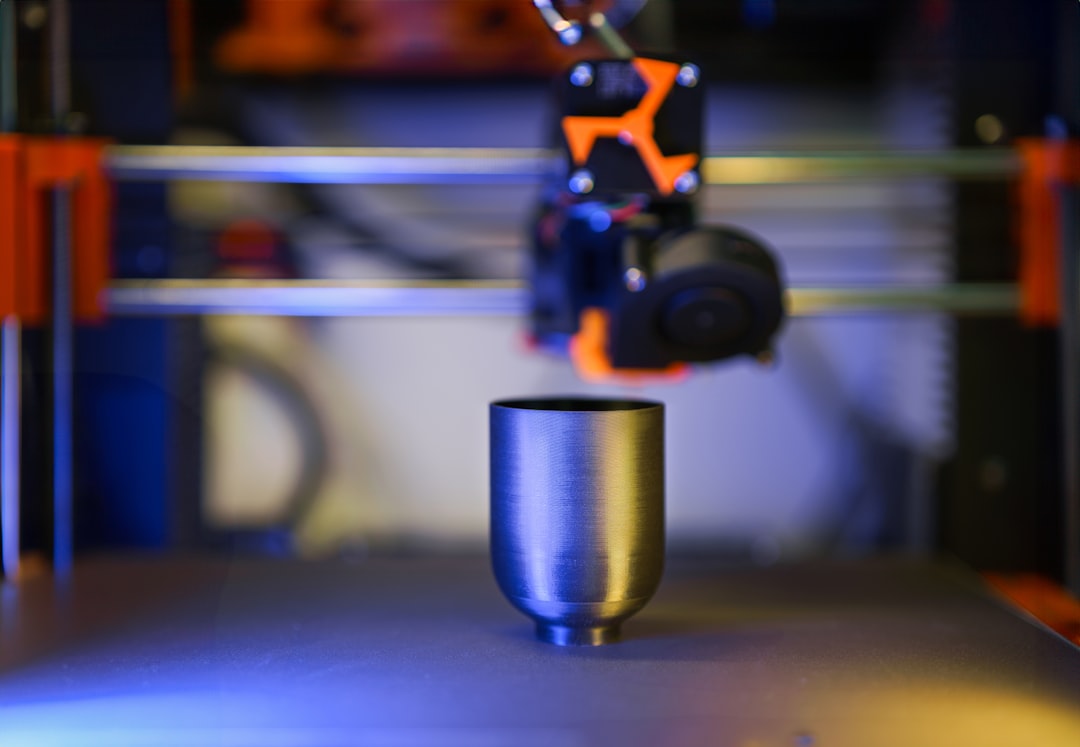
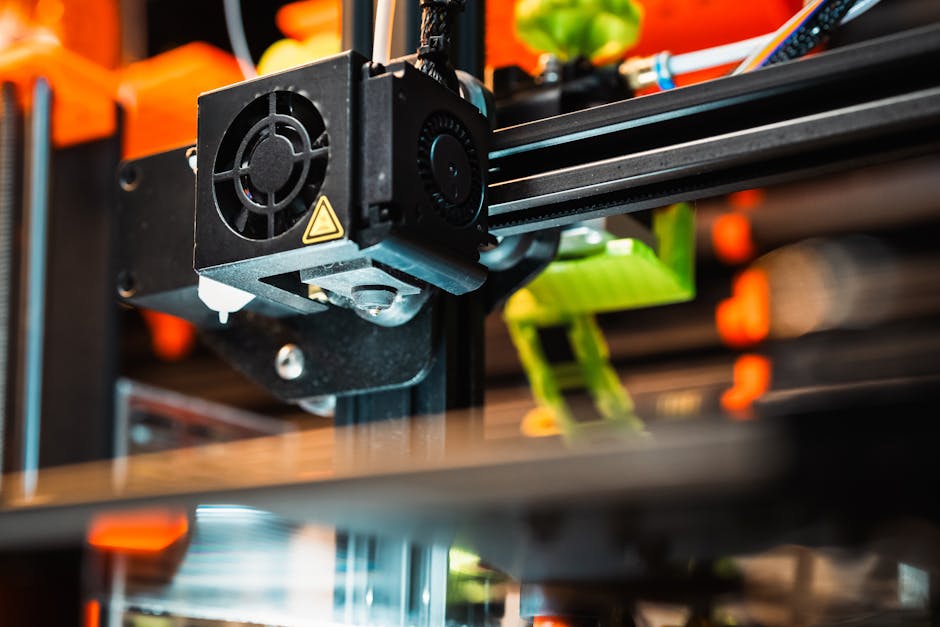
    industrial 3D printing SLS SLA FDM comparison factory floor

    What Are We Actually Talking About? A Quick Orientation

    Before we dive into the deep end, let’s set the stage. SLS (Selective Laser Sintering), SLA (Stereolithography), and FDM (Fused Deposition Modeling) are the three dominant industrial additive manufacturing technologies in 2026. Each uses a fundamentally different physical process to build objects layer by layer — and that process defines everything from material compatibility to surface finish to cost per part.

    Think of it like cooking methods: you can boil, bake, or fry a potato, and you’ll get three very different results. Same raw material, completely different outcomes. 3D printing works the same way.

    SLS (Selective Laser Sintering): The Powder Bed Powerhouse

    How it works: A high-powered CO₂ laser selectively fuses powdered material — typically nylon (PA12, PA11), TPU, or increasingly in 2026, advanced composite powders — layer by layer. Unfused powder acts as a natural support structure, which is one of SLS’s biggest advantages.

    Key data points for 2026:

    • Layer resolution: typically 80–120 microns
    • Build volume: up to 750 × 550 × 550 mm on industrial systems (e.g., EOS P 770)
    • Tensile strength of PA12 SLS parts: ~48 MPa (nearly isotropic — similar strength in all directions)
    • Average industrial build cost: $15–$40 per part at volume
    • Post-processing: powder removal, media blasting, optional dyeing or coating
    • Lead time: 24–72 hours per build cycle

    Best for: Functional prototypes, end-use parts with complex geometries, living hinges, snap-fits, and assemblies that need near-isotropic mechanical properties. The automotive and aerospace sectors in 2026 are particularly fond of SLS for ductwork, brackets, and interior components.

    The honest downside: Surface finish straight out of the machine is grainy (think fine sandpaper). Color options are limited without post-processing, and the machines themselves — think EOS, Farsoon, or 3D Systems — represent a capital investment starting around $200,000 USD.

    SLA (Stereolithography): The Precision Artist

    How it works: A UV laser (or in the case of MSLA/LCD variants now widely adopted industrially in 2026, a UV light array) cures a liquid photopolymer resin layer by layer. The result is parts with exceptional dimensional accuracy and smooth surface finish.

    Key data points for 2026:

    • Layer resolution: 25–100 microns (some dental/medical systems reach 10 microns)
    • Build volume: typically 145 × 145 × 175 mm on desktop industrial units; up to 1500 × 750 × 550 mm on large-format systems like the 3D Systems ProX 950
    • Surface roughness (Ra): 0.2–1.5 µm — the smoothest of the three methods
    • Material tensile strength: 38–65 MPa depending on resin formulation
    • Average industrial build cost: $20–$80 per part (resin is expensive)
    • Post-processing: IPA washing, UV post-curing — mandatory, not optional

    Best for: Jewelry masters, dental models, medical devices, transparent optical components, and any application where surface aesthetics and tight tolerances (±0.1 mm or better) matter more than toughness. In 2026, the medical device sector has become SLA’s largest growth market by a wide margin.

    The honest downside: SLA parts are brittle compared to SLS or FDM engineering-grade materials. They’re also anisotropic — meaning they’re weaker along the Z-axis (build direction). Long-term UV exposure can cause yellowing and degradation. Not your friend for outdoor functional applications.

    FDM (Fused Deposition Modeling): The Workhorse Everyone Underestimates

    How it works: A thermoplastic filament is melted through a heated nozzle and deposited layer by layer onto a build platform. It’s the most intuitive of the three to understand — essentially a very precise hot glue gun drawing cross-sections.

    Key data points for 2026:

    • Layer resolution: 50–330 microns (industrial systems), down to 20 microns on specialized printers
    • Build volume: up to 1000 × 1000 × 1000 mm on large-format industrial FDM (e.g., Stratasys Fortus 900mc)
    • Material range: ABS, PLA, PETG, Nylon, PC, PEEK, ULTEM 9085 (aerospace-certified), carbon fiber composites
    • ULTEM 9085 tensile strength: ~72 MPa — the strongest widely-used FDM material
    • Average industrial build cost: $5–$30 per part (filament is cost-efficient)
    • Machine entry point: industrial Markforged/Stratasys systems from ~$30,000 USD

    Best for: Large structural parts, tooling jigs and fixtures, low-volume production parts where material certification matters (ULTEM for aerospace), and situations where cost-per-part is the primary constraint. In 2026, continuous fiber FDM (Markforged’s Continuous Fiber Fabrication, or CFF) has matured significantly, allowing carbon fiber, Kevlar, and fiberglass to be embedded directly — pushing FDM into structural applications once reserved for machined metals.

    The honest downside: Layer adhesion creates anisotropy (Z-direction weakness). Visible layer lines require post-processing for aesthetic parts. Support structures are needed for overhangs and must be manually removed, adding labor cost and sometimes leaving surface marks.
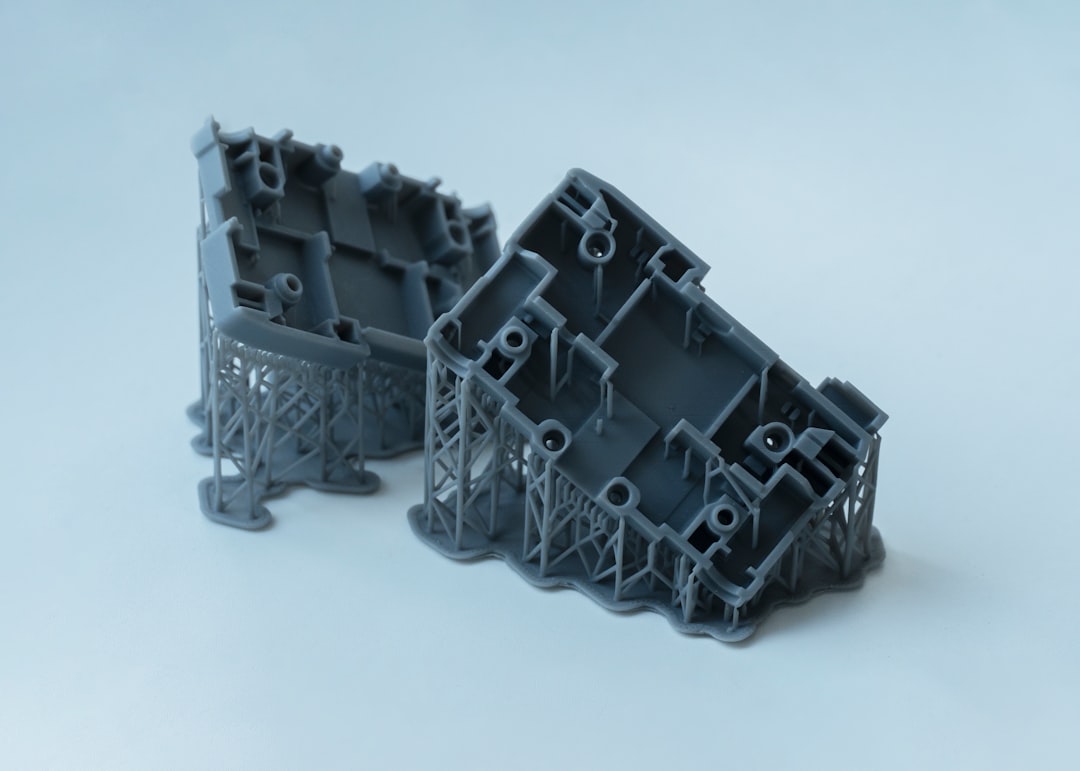
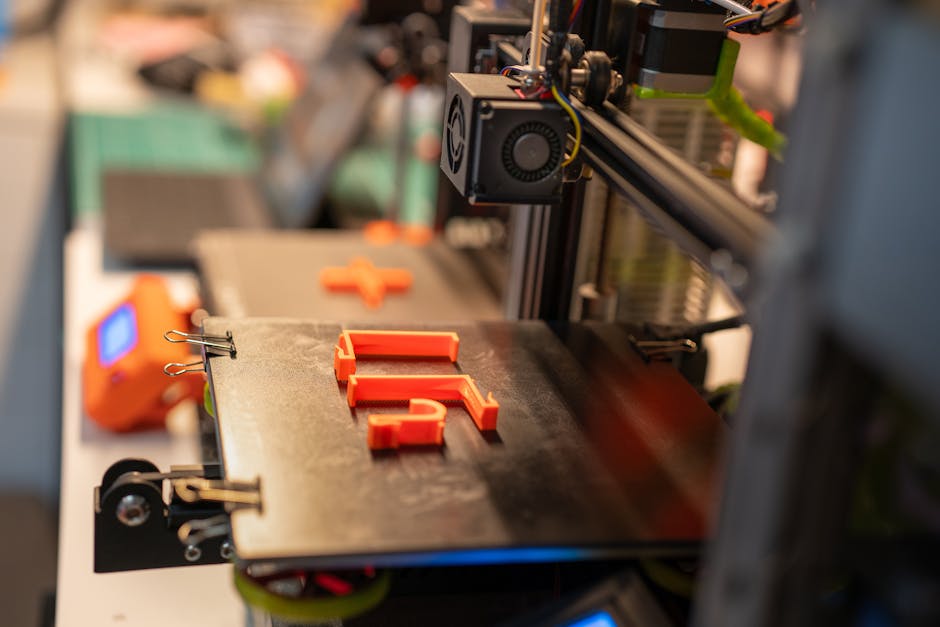
    SLS sintered nylon part SLA resin prototype FDM ULTEM aerospace component

    Real-World Applications: Who’s Using What in 2026?

    Let’s ground this in actual industry use cases:

    • BMW Group (Germany) — Uses SLS extensively at their Munich AM campus for interior trim prototypes and custom jigs, producing over 10,000 parts/year via SLS powder bed systems.
    • Align Technology (USA) — The company behind Invisalign runs one of the world’s largest SLA/DLP production facilities, printing millions of dental models annually. Their 2026 facility in Juárez, Mexico produces approximately 17 million unique parts per year.
    • Korea Aerospace Research Institute (KARI) — Employs high-temp FDM (PEEK and ULTEM) for satellite component housings and thermal shields, where material certification and high strength-to-weight ratio are non-negotiable.
    • Decathlon (France) — Uses FDM in-house for tooling jigs and product development iterations across their 67 in-house brands, dramatically reducing tooling lead times from weeks to days.
    • GE Additive (Global) — While primarily known for metal printing, their polymer SLS division serves medical and industrial clients needing complex ducting and housings with consistent mechanical performance.

    The Side-by-Side Comparison You’ve Been Waiting For

    Criteria SLS SLA FDM
    Surface Finish Medium (grainy) Excellent (smooth) Low–Medium (visible layers)
    Mechanical Strength High (isotropic) Medium (brittle) High (with fiber: very high)
    Support Structures Not needed Required Required
    Material Variety Medium Medium (resin-based) Very Wide
    Cost per Part Medium–High High Low–Medium
    Ideal Use Case Functional complex parts High-detail aesthetic/medical Large parts, tooling, structural

    So, Which One Should You Actually Choose?

    Here’s my honest, realistic take depending on your situation:

    • You’re a startup with a tight budget prototyping a functional consumer product? Start with FDM. Use PETG or Nylon for functional tests. Move to SLS only when you need production-quality parts with clean geometry.
    • You’re in medical devices, dental, or jewelry? SLA is your baseline. Budget for good post-curing equipment and resin storage — half of SLA’s quality comes from proper curing protocol.
    • You’re in automotive, aerospace, or industrial manufacturing? SLS for polymer structural parts; FDM with ULTEM or continuous fiber for certified structural applications. Don’t default to SLA unless aesthetics are the primary spec.
    • You need to outsource? In 2026, platforms like Xometry, Hubs, and Korea’s own MakerAll have mature industrial SLS and SLA bureaus with 5–7 day turnaround. You don’t need to own the machine to access the technology.
    • You want to invest in in-house capability? FDM has the lowest barrier to entry and widest material compatibility. Industrial Markforged or Bambu Lab X1E systems in 2026 offer impressive capability at sub-$10,000 price points for SME operations.

    The 2026 Trend You Shouldn’t Ignore

    One development worth watching: Multi-process hybrid systems are becoming commercially viable in 2026. Companies like Renishaw and DMG Mori are shipping machines that combine FDM-style deposition with CNC milling in a single build chamber, effectively eliminating the surface finish disadvantage. Meanwhile, SLS material innovation — particularly in TPU elastomers and glass-filled PA12 — is closing the gap with injection molding in terms of surface quality. The lines between these three methods are blurring, but understanding their foundations will still give you a decisive edge in specifying the right technology for the right job.

    The bottom line? There’s no universally “best” method. There’s only the best method for your specific geometry, material requirement, volume, and budget. Start with those four constraints, and the right technology choice becomes surprisingly clear.

    Editor’s Comment : After years of watching engineers default to FDM just because it’s familiar (and watching them regret it when SLS would have saved them three weeks of post-processing), I’ve come to believe that the most expensive decision in 3D printing isn’t the machine — it’s choosing the wrong process. Bookmark this guide, bring it to your next supplier meeting, and push back when someone quotes you a price without explaining why they chose that technology. In 2026, with the wealth of options available, “that’s what we always use” is simply not good enough reasoning anymore.

    태그: [‘industrial 3D printing 2026’, ‘SLS vs SLA vs FDM’, ‘additive manufacturing comparison’, ‘selective laser sintering’, ‘stereolithography industrial’, ‘FDM ULTEM aerospace’, ‘3D printing technology guide’]
    📚 관련된 다른 글도 읽어 보세요

  • SLS vs SLA vs FDM, 산업용 3D 프린팅 방식 완전 정복 – 2026년 기준 차이점 총정리

    얼마 전 지인 한 명이 자동차 부품 시제품을 만들어야 한다며 연락이 왔어요. “3D 프린터로 뽑으면 된다던데, 뭘 써야 해요?” 라는 질문이었는데, 솔직히 이 질문 하나가 꽤 무거웠습니다. SLS냐 SLA냐 FDM이냐에 따라 결과물의 정밀도, 내구성, 비용이 완전히 달라지거든요. 마치 드라이버 한 자루로 모든 나사를 조이려는 것처럼, 방식을 잘못 선택하면 시간과 비용을 통째로 날릴 수 있어요.

    2026년 현재, 산업 현장에서는 이 세 가지 방식이 각자의 영역을 확실히 구축하며 공존하고 있습니다. 오늘은 “어떤 게 좋냐”보다 “어떤 상황에 뭐가 맞냐”는 관점으로 함께 살펴보려 해요.

    industrial 3D printing SLS SLA FDM comparison overview

    ① FDM (Fused Deposition Modeling) – 열가소성 필라멘트 적층 방식

    FDM은 가장 널리 알려진 방식이에요. 플라스틱 필라멘트를 노즐에서 녹여 층층이 쌓는 원리로, 구조가 단순한 만큼 진입 장벽이 가장 낮습니다.

    • 적층 두께(Layer Height): 일반적으로 0.1mm ~ 0.3mm 수준. 산업용 고급 기종은 0.05mm까지 가능하지만, SLA 대비 표면 조도(Ra)는 여전히 떨어집니다.
    • 소재: PLA, ABS, PETG, Nylon, TPU, PEEK 등 열가소성 수지 전반. 특히 PEEK 소재는 항공·의료 분야에서 금속 대체재로 주목받고 있어요.
    • 정밀도: 치수 오차 ±0.2mm ~ ±0.5mm 수준. 정밀 기구물에는 다소 부적합할 수 있습니다.
    • 출력 속도: 세 방식 중 가장 느린 편이나, 2026년 기준 멀티 노즐 산업용 기종은 기존 대비 3~5배 이상 빨라졌어요.
    • 비용: 장비 도입 비용이 수백만 원대부터 가능. 재료비도 kg당 2~10만 원 수준으로 접근성이 가장 높습니다.

    FDM의 가장 큰 약점은 이방성(anisotropy)입니다. 적층 방향에 따라 강도가 달라지기 때문에, 하중을 받는 방향을 반드시 설계 단계에서 고려해야 해요. 기능성 시제품이나 지그·픽스처 제작에는 훌륭하지만, 정밀 외형이나 복잡한 내부 구조물에는 한계가 있다고 봅니다.


    ② SLA (Stereolithography Apparatus) – 광경화 수지 레이저 방식

    SLA는 액체 광경화 수지(Resin, 레진)에 UV 레이저를 조사해 경화시키는 방식이에요. 1980년대 Chuck Hull이 발명한, 사실상 3D 프린팅의 원조 기술이라고 할 수 있죠.

    • 적층 두께: 0.025mm ~ 0.1mm로 FDM 대비 훨씬 정밀합니다. 표면이 매끄러워 후가공 부담이 적어요.
    • 정밀도: 치수 오차 ±0.05mm ~ ±0.15mm 수준. 치과 보철물, 주얼리 마스터 모델, 광학 부품 등 고정밀 분야에서 각광받습니다.
    • 소재: 표준 레진, 엔지니어링 레진(ABS-like, PP-like), 고온용 레진, 치과용 레진 등으로 다양화되었어요. 다만 FDM·SLS 대비 소재 선택의 폭은 좁은 편입니다.
    • 내구성: 장기간 UV에 노출되면 물성이 저하되는 광분해(photo-degradation) 현상이 있어, 장기 사용 부품보다는 단기 시제품에 적합합니다.
    • 비용: 산업용 장비는 수천만 원 ~ 수억 원대. 소재 비용도 리터당 10~30만 원 수준으로 FDM보다 높아요.

    SLA의 핵심 강점은 표면 품질에 있어요. 육안으로 적층 흔적이 거의 보이지 않는 수준의 결과물을 얻을 수 있기 때문에, 외관 목업(Mock-up) 제작이나 투명 부품이 필요한 경우라면 SLA가 가장 현실적인 선택이라고 봅니다.


    ③ SLS (Selective Laser Sintering) – 분말 소결 레이저 방식

    SLS는 분말 형태의 소재에 레이저를 쏘아 선택적으로 소결(sintering, 가루를 열로 결합)하는 방식이에요. 세 방식 중 가장 산업 현장에 밀접하게 맞닿아 있다고 라고 봅니다.

    • 소재: 나일론(PA12, PA11), 유리섬유 강화 나일론, TPU 분말, 금속 분말(금속 SLS는 DMLS/SLM으로 별도 분류되기도 함) 등.
    • 서포트 불필요: 출력 중 주변 분말이 자연 서포트 역할을 하기 때문에, 복잡한 오버행(overhang) 구조나 내부 채널도 자유롭게 출력할 수 있어요. 설계 자유도가 가장 높습니다.
    • 정밀도: 치수 오차 ±0.1mm ~ ±0.3mm 수준. SLA보다 떨어지지만 기계적 특성이 우수합니다.
    • 물성: 나일론 SLS 부품은 사출 성형품의 70~90% 수준의 강도를 내는 것으로 알려져 있어, 기능성 최종 부품(End-use Part) 제작에 적합합니다.
    • 비용: 장비 가격이 수억 원 이상으로 가장 높고, 미사용 분말 재생률 관리가 운영비에 영향을 줍니다.

    SLS의 약점이라면 표면이 다소 거칠고(Ra 값이 상대적으로 높음), 장비 유지관리가 복잡하다는 점이에요. 하지만 소량 다품종 최종 부품 생산이라는 측면에서 SLS를 대체할 수 있는 방식은 현재로서는 많지 않다고 라고 봅니다.


    SLS powder sintering SLA resin FDM filament industrial parts comparison

    국내외 산업 현장에서는 어떻게 활용하고 있을까?

    해외 사례를 먼저 보면, BMW는 자사 뮌헨 공장에서 SLS 방식으로 맞춤형 생산 라인용 지그·픽스처를 출력해 리드타임을 기존 6주에서 1주 미만으로 단축했습니다. 또한 의료기기 기업 Stratasys의 자료에 따르면, SLA 방식의 치과용 투명 교정장치 마스터 모델 출력은 2026년 현재 글로벌 치과 기공소의 표준 워크플로우로 자리잡은 상황이에요.

    국내에서도 변화가 뚜렷합니다. 현대자동차그룹 계열 부품사들은 FDM 기반의 기능성 검증 시제품 제작을 내재화하여 개발 비용을 절감하고 있고, 국내 스타트업 중에는 SLS 출력 전문 서비스 뷰로(Bureau)를 운영하며 기존 소량 사출 성형 시장을 대체하는 사례도 늘어나고 있습니다. 특히 K-방산 분야에서 예비 부품 조달 기간 단축을 위한 SLS 도입 논의가 2026년 들어 본격화되고 있는 것으로 알려져 있어요.


    방식 선택을 위한 핵심 체크리스트

    • 정밀한 외관이 중요하다 → SLA (표면 품질 최우선, 단기 시제품·목업)
    • 복잡한 형상 + 기능성 최종 부품이 필요하다 → SLS (설계 자유도 최우선, 소량 양산 가능)
    • 비용 효율 + 빠른 초기 검증이 목적이다 → FDM (대형 부품, 기능 검증용 시제품)
    • 내화학성·내열성이 필요하다 → FDM(PEEK/Ultem) 또는 SLS(고성능 나일론)
    • 투명 또는 반투명 부품이 필요하다 → SLA (투명 레진)

    결론 – 정답은 없고, 상황에 맞는 최적해가 있을 뿐

    SLS, SLA, FDM은 서로 경쟁 관계가 아니라 상호 보완적인 도구라는 관점으로 보는 것이 더 정확한 것 같아요. 실제로 규모 있는 제조 기업들은 세 방식을 상황에 따라 병행 운용하는 경우가 많습니다.

    예산이 제한적인 스타트업이나 소규모 제조사라면, 우선 FDM으로 빠른 검증을 마친 후, 최종 품질이 중요한 부품만 SLA 또는 SLS 외주 서비스를 활용하는 방식이 현실적인 대안이 될 수 있다고 봅니다. 국내에도 소량 SLS 출력 서비스를 제공하는 뷰로가 2026년 기준 상당수 생겨났으니, 장비 도입 전 서비스 이용으로 방식을 검증해 보는 것을 권장드려요.

    에디터 코멘트 : 3D 프린팅 방식을 고를 때 가장 흔한 실수는 “가장 정밀한 것”이나 “가장 비싼 것

    태그: []


    📚 관련된 다른 글도 읽어 보세요

  • I Built a Home Lab With a Used Server in 2026 — Here’s What Actually Happened

    It started with a late-night rabbit hole on a forum thread. Someone had turned a decommissioned enterprise server into a fully functional home lab running Proxmox, a dozen virtual machines, and their own private cloud storage — all for under $300. I thought, how hard could it be? Spoiler: harder than I expected, more rewarding than I dreamed, and absolutely worth every confused hour I spent in my garage surrounded by server rails and zip ties.

    If you’ve been eyeing used enterprise servers on eBay, local auctions, or second-hand marketplaces and wondering whether the home lab dream is realistic for you in 2026 — let’s think through this together. I’ll share my actual experience, the numbers behind the build, and some honest alternatives if the full server route isn’t right for your situation.

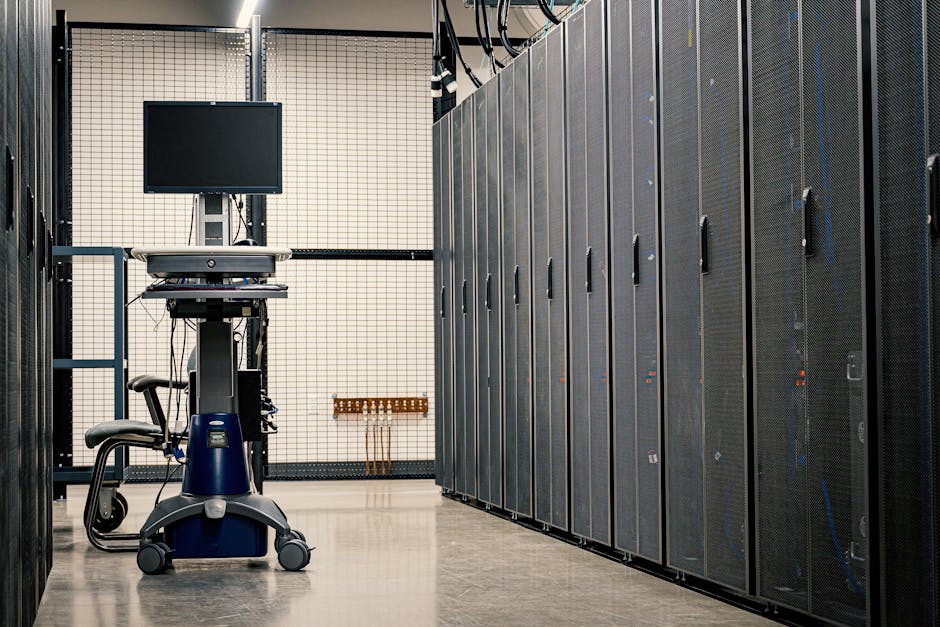
    used server home lab rack setup 2026

    Why Used Servers? The Economics Actually Make Sense

    In 2026, the second-hand enterprise server market is arguably richer than ever. Companies are cycling out hardware at an aggressive pace as they migrate workloads to cloud-native architectures. That turnover is our gain. Here’s a rough breakdown of what I spent versus buying new equivalent hardware:

    • Dell PowerEdge R730 (2x E5-2680 v4, 128GB RAM, 4x 1TB SAS HDDs): ~$280 used vs. $2,800+ for comparable new hardware
    • 10x cost reduction is a realistic benchmark for 3–5 year old enterprise gear in 2026
    • Idle power draw: ~80W at idle, ~220W under load — a real ongoing cost to factor in
    • Noise level: 55–65 dB under load — not living-room friendly, garage or basement is ideal
    • Warranty: None, or at best community-based coverage through sellers like ServerMonkey or Bargain Hardware

    The sticker price is seductive, but you need to account for electricity, drives, rails, and potential repair costs. Over 12 months, my build’s total cost of ownership (TCO) settled around $520 — still dramatically cheaper than cloud subscriptions for the same compute.

    My Actual Build: Step-by-Step Reality Check

    I sourced my Dell R730 from a local IT liquidation sale in early 2026. The unit was pulled from a healthcare company’s data center, still had iDRAC (Integrated Dell Remote Access Controller) enterprise license intact — a small but genuinely useful bonus. Here’s what the first month looked like:

    • Week 1 — Research & Sourcing: Cross-referenced eBay sold listings, ServerPartDeals, and a Korean used IT marketplace called Danawa’s secondhand section. Prices varied wildly; patience pays off.
    • Week 2 — Hardware Arrival & Assessment: Two of the four drives had SMART errors. Replaced them with 2TB SATA SSDs for ~$60 total. Always run diagnostics before trusting used drives.
    • Week 3 — Hypervisor Setup: Installed Proxmox VE 8.3 (the current stable release in 2026). Proxmox remains the gold standard for home lab hypervisors — free, open-source, and feature-rich.
    • Week 4 — Services Running: Had Home Assistant, Nextcloud, a private GitLab instance, Pi-hole, and a Jellyfin media server all running as VMs or LXC containers.

    Real-World Examples: Who’s Doing This in 2026?

    The home lab community has exploded globally. In South Korea, communities like ITWorld Korea’s reader blogs and Naver café groups dedicated to “홈서버” (home server) setups regularly document builds using decommissioned Samsung SDS or LG CNS enterprise hardware. The domestic second-hand market has matured significantly, with certified resellers now offering 90-day warranties on used rack servers.

    Internationally, the Reddit community r/homelab crossed 1.2 million members in early 2026 and remains the single best resource for troubleshooting and inspiration. YouTube channels like Craft Computing and Lawrence Systems have published detailed 2026 buying guides specifically addressing the current surplus of HPE ProLiant Gen10 and Dell R7xx-series gear flooding the market as enterprises upgrade to Gen11/Power10 infrastructure.

    A particularly compelling international example: a Berlin-based developer documented running a 3-node Kubernetes cluster entirely on used Fujitsu PRIMERGY servers, supporting a small SaaS product for over 200 paying customers — total hardware investment under €600.

    proxmox homelab virtual machines dashboard 2026

    Power, Noise, and Space: The Unglamorous Truth

    Let me be real with you about the parts the forum posts gloss over. A 2U rack server is not a NAS box. It is a loud, power-hungry machine designed for climate-controlled data centers. My electricity bill increased by roughly $18–22/month running the R730 24/7. The fans at boot sound like a jet engine spooling up — my partner affectionately calls it “the beast.”

    Space planning matters too. A standard 2U server is about 28–32 inches deep. Without a proper rack (which I eventually bought used for $40), cable management becomes a genuine hazard. Budget realistically for these hidden costs.

    Realistic Alternatives If a Full Server Isn’t Right for You

    Not everyone has a spare garage or a patient household. Here are tiered alternatives that deliver home lab value without the full enterprise server commitment:

    • Mini PC Cluster (e.g., Beelink SER7 or GMKtec M5 Pro): 3-node cluster under $600, whisper-quiet, sips power at ~15W each. Perfect for Kubernetes learning or lightweight self-hosting. The 2026 mini PC market is remarkably capable.
    • Raspberry Pi 5 Cluster: Ideal for pure software experimentation. Limited RAM (8GB max per node) but extremely energy-efficient and near-silent.
    • Refurbished Workstation (Dell Precision / HP Z-series): Middle ground — more RAM expandability than mini PCs, quieter than rack servers, supports consumer GPUs for AI/ML tinkering. Often $150–400 on eBay.
    • Cloud + Local Hybrid: Run stateless workloads on a minimal Oracle Cloud Always Free tier while keeping storage and sensitive services on a small local NAS. Zero hardware noise, minimal upfront cost.
    • Used NAS Device (Synology DS923+ or QNAP TS-464): If your primary goal is storage and media serving rather than compute virtualization, a dedicated NAS is quieter, more efficient, and purpose-built.

    The key question to ask yourself: What do I actually want to learn or run? If the answer is “everything at once,” a used enterprise server is your accelerator. If it’s “reliable storage and a VPN,” you’re over-speccing significantly.

    Final Verdict After 6 Months of Daily Use

    My used server home lab has become one of the most valuable learning investments I’ve made. I’ve gotten hands-on with enterprise storage concepts, network segmentation, containerization, and backup strategies that no YouTube tutorial could have taught me as viscerally as actual production (okay, home-production) troubleshooting. I’ve also broken things spectacularly at 2 AM — and fixed them by morning.

    The community around home labs is genuinely warm and collaborative. Whether you’re in Seoul, Berlin, or suburban Ohio, there are people who will walk you through your iDRAC configuration or your Proxmox networking woes with remarkable patience.

    If you’re on the fence — lean in. Start small, research your specific hardware model obsessively before buying, and build toward complexity rather than jumping straight into the deep end. The used server market in 2026 has never offered better value for the curious builder.

    Editor’s Comment : The home lab journey is less about the hardware you buy and more about the mindset you bring. A $280 server can teach you more practical infrastructure skills in six months than a year of certification courses — but only if you’re willing to embrace the inevitable “why is this broken at midnight” moments as part of the curriculum. Start with a clear goal, budget honestly for the hidden costs (power, drives, cooling), and don’t let perfect be the enemy of a running cluster. Your future self, debugging production systems with genuine confidence, will thank you.

    태그: [‘home lab 2026’, ‘used server build’, ‘Proxmox home lab’, ‘enterprise server DIY’, ‘self-hosting guide’, ‘home lab alternatives’, ‘IT infrastructure learning’]


    📚 관련된 다른 글도 읽어 보세요

  • 중고 서버 구매 홈랩 구축 후기 2026 — Dell R730 한 대로 클라우드 공부방 만들기

    작년 말, 회사 IDC 랙을 정리하다 퇴역한 Dell PowerEdge R730 한 대를 직접 눈으로 보게 됐어요. 먼지를 뒤집어쓰고 있었지만 스펙 스티커를 보는 순간 눈이 번쩍 뜨이더라고요. ‘이걸 집에서 VMware 랩으로 쓰면 어떨까?’ — 그날 퇴근길에 중고나라와 당근마켓을 열었고, 그로부터 두 달 뒤 지금은 작은 홈랩 하나가 24시간 돌아가고 있답니다. 오늘은 그 경험을 가감 없이 공유해 볼게요.

    used server rack homelab Dell PowerEdge setup

    1. 왜 중고 서버인가 — 가성비 수치로 뜯어보기

    2026년 현재, 신규 엔터프라이즈 서버는 AMD EPYC 9004 시리즈나 Intel Xeon Scalable 5세대 기반 제품이 주류인데, 이걸 개인이 사면 최소 400~600만 원대 진입 비용이 필요해요. 반면 중고 시장에서는 어떨까요?

    • Dell PowerEdge R730 (2소켓, E5-2680v4 × 2, RAM 128GB, SSD 2TB): 중고나라 기준 약 35~55만 원 (2026년 3월 시세)
    • HP ProLiant DL380 Gen9 (동급 구성): 약 40~60만 원
    • Supermicro X10DRi 기반 조립 서버: 부품 합산 약 45~65만 원
    • 신품 미니PC 클러스터 (Beelink SER8 × 3): 약 120~150만 원, 코어 수·메모리 확장성 제한

    코어당 단가로 환산하면 중고 2소켓 서버가 신품 미니PC 대비 약 3~5배 저렴한 라인이라고 봐요. 특히 VMware vSphere, Proxmox, Kubernetes 같은 하이퍼바이저를 공부하려면 물리 코어 수와 ECC 메모리가 핵심인데, 이 부분에서 중고 엔터프라이즈 서버가 압도적이에요.

    2. 실제 구매 과정 — 어디서, 무엇을 체크해야 하나

    저는 최종적으로 중고나라 직거래G마켓 중고 기업 판매자 두 채널을 비교했어요. 개인 거래는 가격이 10~20% 저렴하지만 iDRAC 라이선스 상태나 레일 킷 포함 여부를 꼼꼼히 따져야 했고요. 기업 판매자는 7일 AS 보증을 제공하는 곳도 있어서 첫 구매라면 다소 비싸도 안전할 수 있다고 봐요.

    해외 사례를 보면, 미국의 홈랩 커뮤니티 r/homelab (Reddit)에서는 eBay를 통한 Dell R730xd나 R740 구매가 여전히 활발해요. 2026년 기준 미국 현지 낙찰가는 $150~$350 수준인데, 국내 시세와 비교하면 달러 환율을 감안해도 국내가 약간 높은 편이에요. 이는 국내 데이터센터 서버 교체 주기가 해외보다 짧고, 중고 물량이 상대적으로 적기 때문으로 보여요.

    3. 홈랩 구성 — 실제 세팅 스펙과 소프트웨어 스택

    제가 최종 구성한 스펙과 용도는 아래와 같아요.

    • 하드웨어: Dell R730 / E5-2680v4 × 2 (28코어 56스레드) / DDR4 ECC 192GB / Samsung 870 EVO 4TB × 2 (RAID-1)
    • 하이퍼바이저: Proxmox VE 8.3 (2026년 최신 안정 버전)
    • 주요 VM/컨테이너: Ubuntu 24.04 LTS 기반 Kubernetes 클러스터 (마스터 1 + 워커 3), TrueNAS Scale, Pi-hole, Uptime Kuma, Gitea
    • 네트워크: 10GbE SFP+ 듀얼 포트 NIC 추가 (중고 $30) → 스토리지 트래픽 전용 분리
    • 전력 소비: 아이들 시 약 110W, 풀로드 약 280W (Kill-A-Watt 측정치)
    Proxmox homelab dashboard kubernetes virtual machine setup 2026

    4. 가장 골치 아팠던 문제들 — 소음·전력·열 관리

    솔직히 말씀드리면, 소음이 제일 큰 벽이었어요. 서버용 Delta 팬은 풀스피드 시 80dB를 가볍게 넘기 때문에 주거 공간에 그냥 두면 옆집 항의가 올 수도 있거든요. 저는 iDRAC을 통한 팬 속도 수동 조절 (IPMI RAW 커맨드)로 40% 속도로 고정했어요. 온도는 CPU 패키지 기준 최대 72°C 이내로 유지돼서 안정적이었어요.

    전력 비용도 무시 못 해요. 110W 연속 가동 기준으로 월 약 79kWh → 월 전기요금 약 15,000~20,000원 추가 (2026년 3월 주택용 전기 요금 기준 누진세 포함 추산)인 라인이에요. NAS 겸용으로 쓴다고 생각하면 충분히 납득할 수 있는 수준이라고 봐요.

    5. 총평 — 이런 분께 추천해요

    • 클라우드 자격증(AWS, CKA, CKAD 등)을 실습 중심으로 준비 중인 분
    • Jellyfin, Plex 등 미디어 서버와 NAS를 한 대로 통합하고 싶은 분
    • 월 구독료가 아깝고 셀프 호스팅 생태계에 관심 있는 분
    • 방 한 켠에 두기 부담스럽다면 베란다나 보일러실 환경을 활용할 수 있는 분

    반면 전기 공사나 네트워크 케이블 정리에 관심이 없고 단순히 저렴한 소형 서버 하나만 원하신다면, Raspberry Pi 5 클러스터나 중고 씽크패드 + Proxmox 조합이 현실적인 대안이라고 봐요. 진입 비용 10만 원 이내로 비슷한 학습 환경을 만들 수 있거든요.


    에디터 코멘트 : 홈랩은 “완벽한 스펙”보다 “지금 당장 켤 수 있는 것”이 훨씬 중요한 것 같아요. 두 달째 돌아가는 R730을 보며 느끼는 건, 직접 삽질하면서 배우는 속도가 강의 영상 열 편보다 빠르다는 거예요. 예산이 허락한다면 중고 서버 한 대, 한번 질러보시는 거 적극 추천해 드립니다. 단, 소음 문제는 가족 동의 먼저 받고 시작하세요 😄

    태그: [‘중고서버구매’, ‘홈랩구축’, ‘Proxmox홈서버’, ‘Dell서버중고’, ‘홈랩후기2026’, ‘셀프호스팅’, ‘쿠버네티스홈랩’]


    📚 관련된 다른 글도 읽어 보세요

  • Precision 3D Printed Medical Implants in 2026: Real Cases Reshaping How We Heal

    Imagine waking up after surgery with a titanium jawbone that fits you so perfectly it feels like it was always there — because, in a very real sense, it was designed just for you. That’s not science fiction anymore. In 2026, precision 3D printing has moved well past the prototype stage and into hospital operating rooms across the globe, quietly rewriting what’s possible in reconstructive and restorative medicine.

    A few years ago, the idea of printing a patient-specific spinal cage or a customized hip socket overnight seemed like the kind of thing you’d read about in a tech magazine and forget. Now, orthopedic surgeons in Seoul, Berlin, and Houston are requesting these prints the same way they’d order a custom surgical tray. So let’s actually dig into what’s happening — with real numbers, real cases, and a clear-eyed look at where the limitations still lie.

    3D printed titanium medical implant surgical precision biomedical engineering

    Why Precision Matters More Than You Think

    Standard off-the-shelf implants work on the principle of “close enough” — a range of sizes that covers the statistical majority of patients. For most people, that’s fine. But for patients with unusual anatomy, trauma-related bone loss, or congenital conditions, “close enough” can mean the difference between full recovery and chronic pain.

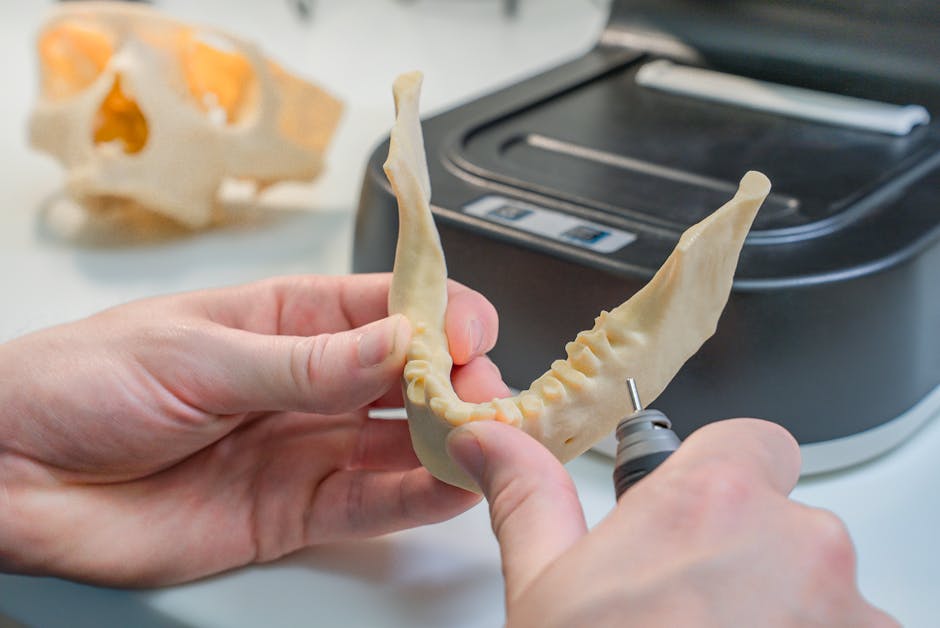
    Precision 3D printing — technically called additive manufacturing (AM) in biomedical contexts — allows implants to be fabricated from a patient’s own CT or MRI scan data. The result is a device that mirrors the patient’s unique geometry down to fractions of a millimeter. Here’s why that’s transformative:

    • Reduced surgical time: When an implant fits perfectly, surgeons spend less time adjusting and more time closing. Studies published in early 2026 in the Journal of Orthopaedic Research show average surgical time reductions of 18–27% for custom 3D-printed hip and knee components compared to standard implants.
    • Better osseointegration: That’s the process where bone actually grows into the implant. Lattice-structured titanium surfaces, only possible through 3D printing, increase surface area and mimic the trabecular (spongy) structure of natural bone, dramatically improving bonding rates.
    • Lower revision rates: Early 2026 data from the Australian Orthopaedic Registry indicates a 14% lower 5-year revision rate for custom-printed implants versus conventional ones in complex pelvic reconstruction cases.
    • Reduced inventory burden: Hospitals don’t need to stock dozens of implant sizes. A digital design file plus a certified printer replaces a warehouse shelf.
    • Shorter patient recovery windows: Better fit generally means less micromotion at the implant site, which translates to faster and more stable healing.

    The Materials That Make It Possible

    Not every material can go inside a human body, so the material science here is just as important as the printing technology itself. Right now, the three dominant materials in biomedical 3D printing are:

    • Titanium alloy (Ti-6Al-4V): The gold standard for load-bearing implants — think spinal cages, hip cups, and cranial plates. It’s biocompatible, lightweight, and incredibly strong.
    • PEEK (Polyether ether ketone): A high-performance polymer used primarily in spinal and craniofacial applications. Its stiffness can be tuned to more closely match bone than metal, reducing stress shielding.
    • Bioactive ceramics (like hydroxyapatite): Often used as coatings or in composite structures to actively encourage bone growth. Research groups at ETH Zürich and Yonsei University are working on fully printable ceramic scaffolds as of 2026.

    Real-World Cases That Tell the Story

    Numbers are useful, but cases make it real. Let’s look at a few examples from across the world that illustrate just how far this technology has come.

    Case 1 — South Korea (Seoul National University Hospital, 2025–2026): A 34-year-old patient with aggressive osteosarcoma (bone cancer) in the pelvis underwent hemipelvectomy — the removal of half the pelvis. Traditionally, this procedure results in extreme functional limitation. Surgeons used a patient-specific titanium pelvic implant, 3D printed by the hospital’s in-house certified AM unit, in collaboration with a local biotech firm. The patient regained walking ability within 6 months, a timeline previously considered optimistic even under ideal conditions.

    Case 2 — Germany (Charité – Universitätsmedizin Berlin): In early 2026, Charité published outcomes for a series of 22 patients who received custom-printed titanium cranial implants following traumatic brain injuries. The traditional approach uses manually molded PMMA (acrylic). The 3D-printed group showed a 31% reduction in post-operative infection rates and significantly higher patient-reported satisfaction scores related to cosmetic outcome — a factor that genuinely impacts psychological recovery.

    Case 3 — United States (Mayo Clinic, Rochester): Mayo Clinic’s orthopedic division has been pioneering what they call “next-day implant” workflows — where a patient’s scan data is processed, the implant is printed and sterilized, and surgery happens within 36 hours of imaging. By Q1 2026, they’ve completed over 400 procedures using this workflow, primarily for acetabular (hip socket) reconstruction in revision surgeries where the original implant failed.

    custom hip implant 3D printing CT scan surgical workflow hospital

    Where Are the Bottlenecks?

    It wouldn’t be an honest conversation if we didn’t talk about friction points. Despite the excitement, there are real structural barriers to widespread adoption:

    • Regulatory lag: The FDA, CE marking bodies in Europe, and MFDS in South Korea all have rigorous approval processes for custom implants. Each new design technically requires individual review, creating significant administrative overhead. Regulatory sandboxes and expedited pathways exist, but they’re not universal.
    • Cost: A custom-printed titanium implant can cost 3–5x more upfront than a standard implant. Insurance reimbursement frameworks haven’t fully caught up with the technology, meaning cost often falls on hospitals or patients in non-covered cases.
    • Printer certification and quality control: Not all 3D printers are equal. A poorly calibrated machine can produce micro-voids in metal that only show up under failure conditions inside the body. ISO 13485 certification for medical AM processes is increasingly required but not yet universal.
    • Surgeon learning curve: Custom implants sometimes require modified surgical approaches. Training and workflow adaptation take time.

    Realistic Alternatives — Who Should Consider What?

    Here’s where I want to be genuinely helpful rather than just enthusiastic. 3D-printed custom implants are not the right answer for every patient or every hospital system. Let’s think through this together:

    If you’re a patient facing a straightforward primary hip or knee replacement with normal anatomy and good bone stock — a high-quality standard implant from an established manufacturer (Stryker, Zimmer Biomet, Smith+Nephew) will very likely serve you excellently at lower cost and with a faster supply chain.

    If you’re dealing with complex revision surgery, tumor resection, or congenital anomalies — this is where the custom 3D-printed route genuinely earns its premium. The functional and quality-of-life upside is demonstrably larger for these patient populations.

    If you’re a hospital administrator in a resource-limited setting — consider hybrid models: partnering with third-party certified AM bureaus rather than investing in in-house printing infrastructure. Several companies in 2026, including 3D Systems’ healthcare division and Materialise, offer on-demand custom implant services with regulatory documentation included.

    If you’re a healthcare policy maker — the data increasingly supports building reimbursement frameworks that differentiate “medically necessary custom” implants from elective customization. That distinction would unlock access for the patients who need it most without creating open-ended cost exposure.

    The technology is genuinely remarkable, and the cases we’ve walked through show that lives are being meaningfully changed. But the path to broader impact runs through pragmatic problem-solving — regulatory clarity, smart reimbursement, and honest patient selection — not just better printers.

    Editor’s Comment : What strikes me most about precision 3D printing in medicine isn’t the technology itself — it’s the philosophical shift it represents. For the first time, we’re seriously asking, “Why should the patient adapt to the implant?” and answering with “They don’t have to.” That’s a quiet revolution. But revolutions need infrastructure, and right now the gap between what’s technically possible and what’s systematically accessible is still wide. Keep an eye on how regulatory bodies in 2026 and beyond handle the classification of AI-assisted custom implant design — that’s the next pressure point, and honestly, it’s a fascinating one.

    태그: [‘3D printed medical implants’, ‘precision additive manufacturing healthcare’, ‘custom titanium implants 2026’, ‘biomedical 3D printing cases’, ‘patient-specific implants surgery’, ‘orthopedic 3D printing technology’, ‘osseointegration implant innovation’]


    📚 관련된 다른 글도 읽어 보세요

  • 정밀 3D 프린팅 의료 임플란트, 2026년 현재 어디까지 왔을까? 실제 적용 사례 총정리

    몇 년 전만 해도 ‘맞춤형 뼈’라는 단어는 SF 영화 속 이야기처럼 들렸을 거예요. 그런데 2026년인 지금, 실제로 어떤 환자가 티타늄 분말을 소결(Sintering)해 만든 맞춤형 척추 임플란트를 이식받고 재활에 성공했다는 뉴스가 심심찮게 들려옵니다. 저도 처음엔 ‘정말 그게 가능해?’라는 의문이 들었는데, 자료를 파고들수록 이게 먼 미래 이야기가 아니라 이미 우리 주변에서 조용히 일어나고 있는 혁명이라는 걸 느꼈어요. 오늘은 정밀 3D 프린팅 기술이 의료 임플란트 분야에서 어떻게 적용되고 있는지, 구체적인 수치와 사례를 통해 같이 살펴보겠습니다.

    medical 3D printing titanium implant surgical precision

    📊 숫자로 보는 3D 프린팅 의료 임플란트 시장 규모

    우선 시장 규모부터 짚어볼게요. 글로벌 시장조사 기관 Grand View Research의 최근 보고서에 따르면, 3D 프린팅 의료기기 시장은 2026년 기준 약 45억 달러(한화 약 6조 원) 규모로 추산되며, 2030년까지 연평균 성장률(CAGR) 17.3%를 유지할 것으로 전망된다고 합니다. 이 중 정형외과·치과 임플란트 분야가 전체 시장의 약 38%를 차지하는 것으로 보고 있어요.

    왜 이렇게 빠르게 성장하고 있을까요? 핵심은 ‘개인 맞춤화(Personalization)’에 있다고 봅니다. 기존의 규격화된 임플란트는 환자의 골격 구조, 밀도, 결함 형태가 제각각임에도 불구하고 ‘S, M, L’ 같은 표준 사이즈에 환자를 끼워 맞추는 방식이었어요. 반면 3D 프린팅 방식은 CT·MRI 데이터를 기반으로 0.05mm 오차 이내의 정밀도로 환자 개인의 해부학적 구조에 딱 맞는 보형물을 제작할 수 있습니다. 이식 후 골유합(Osseointegration) 속도가 기존 방식 대비 약 20~30% 빠르다는 연구 결과도 나오고 있어요.

    🌍 국내외 실제 적용 사례: 뼈, 치아, 그리고 그 너머

    📍 해외 사례 — 얼굴뼈 재건, 미국 Johns Hopkins 병원
    2025년 말 Johns Hopkins 병원에서는 안면 종양 제거 수술 후 광대뼈와 하악골 일부를 잃은 40대 환자에게 폴리에테르에테르케톤(PEEK) 소재로 3D 프린팅한 맞춤형 두개안면 임플란트를 이식하는 데 성공했습니다. 수술 전 디지털 시뮬레이션을 통해 이식물의 형태와 두께를 최적화했고, 수술 시간은 기존 유사 케이스 대비 약 40% 단축됐다고 알려져 있어요. 이처럼 3D 프린팅은 복잡한 재건 수술에서 수술 시간과 합병증 리스크를 동시에 줄이는 효과가 있는 것으로 보입니다.

    📍 국내 사례 — 척추 케이지 임플란트, 국내 주요 대학병원
    국내에서도 흐름이 빠릅니다. 서울 소재 대형 대학병원에서는 이미 2024년부터 티타늄 합금(Ti-6Al-4V) 분말을 레이저로 소결하는 SLM(Selective Laser Melting) 방식으로 제작한 척추 유합용 케이지 임플란트를 임상에 적용하고 있어요. 특히 이 임플란트는 표면에 다공성(Porous) 구조를 의도적으로 설계해 뼈 세포가 파고들기 좋은 환경을 만들어 줍니다. 실제로 해당 병원에서 진행한 소규모 임상 추적 결과, 골유합 성공률이 94.6%에 달했다는 발표가 있었어요.

    📍 치과 분야 — 디지털 덴티스트리와의 융합
    치과 임플란트 분야는 사실 3D 프린팅 기술을 가장 먼저, 그리고 가장 빠르게 흡수한 영역이라고 봅니다. 치과용 CAD/CAM 시스템과 결합해 크라운, 브릿지, 서지컬 가이드는 물론이고 맞춤형 임플란트 어버트먼트(Abutment)까지 당일 제작이 가능한 수준에 이르렀어요. 일부 디지털 치과에서는 구강 스캔부터 보철물 완성까지 2~3시간 안에 끝내는 ‘원데이 덴티스트리’를 이미 서비스하고 있습니다.

    3D printed spine cage implant porous titanium biomedical

    🔬 핵심 기술 3가지: 무엇이 정밀도를 만드는가

    3D 프린팅 의료 임플란트의 ‘정밀함’이 어디서 나오는지 궁금하신 분들을 위해, 현재 가장 많이 쓰이는 핵심 기술을 간략히 정리해 봤어요.

    • SLM (Selective Laser Melting, 선택적 레이저 용융): 티타늄·코발트-크롬 합금 분말에 고출력 레이저를 쏴 층층이 녹여 붙이는 방식이에요. 금속 임플란트에서 가장 높은 밀도와 강도를 구현할 수 있어 척추, 고관절, 두개골 재건에 주로 사용됩니다.
    • SLA (Stereolithography, 광경화 수지 조형): 자외선으로 액상 레진을 굳히는 방식으로, 치과용 수술 가이드나 모형 제작에 탁월해요. 해상도가 매우 높아 정교한 형태 구현이 가능하지만, 생체 적합성이 요구되는 영구 이식물에는 적합하지 않은 경우가 많아요.
    • FDM 바이오프린팅 (Fused Deposition Modeling 기반): 최근 가장 주목받는 분야로, 살아있는 세포를 포함한 ‘바이오잉크’를 노즐로 분사해 조직 스캐폴드(Scaffold)를 제작합니다. 아직 임상 적용 초기 단계이지만, 연골·피부 조직 재생 분야에서 유망한 결과를 보이고 있어요.
    • EBM (Electron Beam Melting, 전자빔 용융): SLM과 유사하지만 전자빔을 에너지원으로 사용해요. 고진공 환경에서 진행되기 때문에 산화가 거의 없고, 특히 다공성 구조 구현에 유리해 골유합이 중요한 정형외과 임플란트에 사용됩니다.
    • 규제 및 인증 현황: 국내에서는 식품의약품안전처(MFDS)가 3D 프린팅 의료기기에 대한 별도 가이드라인을 운용 중이며, 미국 FDA도 ‘Additive Manufacturing’ 전용 허가 트랙을 통해 빠른 승인 경로를 제공하고 있어요. 다만 여전히 인허가 리드타임이 상당하기 때문에 기술 발전 속도를 규제가 따라가는 데 한계가 있다는 지적도 있습니다.

    🤔 아직 풀리지 않은 과제들

    물론 장밋빛 전망만 있는 건 아니에요. 현실적으로 몇 가지 한계점도 함께 짚어볼 필요가 있다고 봅니다. 우선 비용 문제가 있어요. 맞춤형 3D 프린팅 임플란트는 현재 기준으로 표준 규격 제품 대비 2~5배 이상 비쌀 수 있고, 국내 건강보험 급여 적용이 제한적이라 환자 본인 부담이 상당한 경우가 많습니다. 또한 장기적인 임상 데이터 부족도 아직 과제예요. 이 기술 자체가 본격적으로 적용된 지 10년이 채 안 된 만큼, 10년·20년 후 이식물의 내구성이나 생체 반응에 대한 데이터가 아직은 충분하지 않은 상황이라고 봅니다.


    에디터 코멘트 : 정밀 3D 프린팅 의료 임플란트는 분명 ‘맞춤 의학(Precision Medicine)’의 물리적 구현이라는 점에서 그 방향성 자체는 굉장히 옳다고 느껴요. 다만 현재 이 기술의 혜택을 온전히 누리려면 비용과 접근성이라는 두 가지 장벽을 현실적으로 고려해야 합니다. 당장 임플란트 수술을 앞둔 분이라면, 주치의와 상담할 때 ‘3D 프린팅 맞춤 임플란트 옵션이 있는지, 보험 처리 가능 범위가 어떻게 되는지’를 구체적으로 물어보는 것이 좋은 시작점이 될 것 같아요. 기술은 이미 준비돼 있고, 이제는 그 기술을 얼마나 현명하게 활용하느냐가 관건인 시대가 된 것 같습니다.

    태그: [‘3D프린팅임플란트’, ‘의료3D프린팅’, ‘맞춤형임플란트’, ‘티타늄임플란트’, ‘정밀의료’, ‘바이오프린팅’, ‘디지털의료기기’]


    📚 관련된 다른 글도 읽어 보세요

  • Home Lab Network Setup in 2026: VLAN Segmentation & Firewall Configuration Done Right

    Let me paint you a familiar picture. It’s a lazy Sunday afternoon, and you’ve just finished racking your second-hand Cisco switch into a DIY server cabinet. You’re feeling pretty proud of yourself — until you realize your IoT smart bulbs, your NAS full of personal files, and your work laptop are all happily chatting on the same flat network. One compromised smart plug could theoretically reach everything. That’s the moment most home lab enthusiasts discover VLANs and proper firewall rules. I’ve been there, and honestly, it’s one of those rabbit holes that actually makes your setup dramatically more secure and professional.

    So let’s think through this together — from the basics of why network segmentation matters all the way to concrete firewall rules you can actually implement today.

    home lab server rack VLAN network diagram setup 2026

    Why a Flat Home Network Is a Hidden Risk in 2026

    In 2026, the average household has somewhere between 15 and 35 connected devices — a number that’s grown roughly 40% since 2022 according to connectivity research firm Parks Associates. That means your network is no longer just a laptop and a phone. It’s a smart TV, several IoT sensors, a NAS, a 3D printer with Wi-Fi, maybe a home server running Proxmox or TrueNAS, and guest devices for when friends visit.

    On a flat network, all of these devices can potentially communicate with each other. That’s fine when everything is trusted — but it almost never is. IoT firmware is notoriously slow to receive security patches. A compromised smart thermostat or IP camera can become a pivot point into your file server. This is not paranoia; it’s a documented attack vector that security researchers have been warning about since at least 2019, and it’s only more relevant now.

    The Core Concept: What Is a VLAN, Really?

    VLAN stands for Virtual Local Area Network. Think of it as drawing invisible walls inside your physical network. Your single switch can be logically divided into multiple isolated segments, each behaving as if it were its own separate switch. Devices in VLAN 10 cannot talk to devices in VLAN 20 unless you explicitly allow it through a router or firewall.

    Here’s the terminology you’ll want to know:

    • Access Port: A switch port assigned to one VLAN — used for end devices like a PC or IP camera.
    • Trunk Port: A port that carries traffic for multiple VLANs simultaneously, tagged with 802.1Q headers — used between switches or between a switch and a router.
    • 802.1Q Tagging: The IEEE standard that labels Ethernet frames with a VLAN ID so traffic stays organized across trunk links.
    • Inter-VLAN Routing: The process of allowing controlled traffic between VLANs, handled by a router or a layer 3 switch.
    • Native VLAN: The untagged VLAN on a trunk port — best practice is to assign it to an unused VLAN ID to prevent VLAN hopping attacks.

    Recommended VLAN Design for a Home Lab in 2026

    Here’s a segmentation structure that I’ve seen work really well for home lab enthusiasts at various skill levels. You don’t have to implement all of these at once — start with two or three and expand:

    • VLAN 10 — Management: Your switches, access points, and router/firewall management interfaces. Lock this down tightly. No IoT, no guests, ever.
    • VLAN 20 — Trusted Devices: Your personal laptops, desktops, and phones. This is your “home base” network with full internet access and controlled access to the NAS.
    • VLAN 30 — Servers / Home Lab: Proxmox, TrueNAS, Home Assistant, Plex, whatever you’re running. Accessible from VLAN 20 via specific rules only.
    • VLAN 40 — IoT: Smart bulbs, plugs, cameras, printers. Internet access allowed (for cloud sync if needed), but completely blocked from talking to VLANs 20 and 30.
    • VLAN 50 — Guest Wi-Fi: Isolated internet-only access. No visibility to anything on your internal network whatsoever.
    • VLAN 60 — Security Cameras (optional): Separated even from general IoT because camera footage is sensitive. Some people block internet access entirely for this VLAN and use a local NVR.

    Hardware That Makes This Practical in 2026

    You don’t need enterprise-grade gear to pull this off. The home lab community has rallied around a few accessible platforms:

    Firewall/Router: OPNsense or pfSense running on a mini PC (like the Protectli Vault or a repurposed Beelink mini PC) is the gold standard for home lab firewalls. OPNsense in particular has seen excellent development velocity in 2026, with a clean UI for firewall rules and VLAN interfaces. Alternatively, UniFi Dream Machine SE is a popular all-in-one option that handles routing, switching, and Wi-Fi with a polished interface.

    Managed Switch: You need a managed switch that supports 802.1Q VLANs. The TP-Link TL-SG108E (around $30) is a beloved entry-level option. For something more capable, MikroTik’s CRS series or UniFi switches offer more features and better VLAN management UI.

    Wi-Fi Access Points: Your AP must support multiple SSIDs, each mapped to a different VLAN. UniFi APs, TP-Link Omada series, and even newer consumer routers running OpenWrt can handle this.

    Real-World Examples: How Others Have Done It

    The home lab subreddit (r/homelab) and communities like ServeTheHome forums have been buzzing with VLAN setups. A common pattern seen from users in Germany and South Korea — where smart home adoption is particularly high — is separating Samsung SmartThings or KNX-based home automation onto a dedicated VLAN with a strict allowlist: only ports 443 and 80 outbound to known cloud endpoints, everything else blocked.

    In the US, a popular approach shared by the Home Assistant community is running HA on VLAN 30 (lab segment) and using firewall rules to allow only specific devices on VLAN 20 to reach the HA web interface on port 8123. The IoT devices themselves sit on VLAN 40 and can only communicate with HA through a controlled rule — not freely browse the whole network.

    A particularly clever setup I came across from a Japanese home lab blogger involved blocking all inter-VLAN traffic by default, then using OPNsense’s firewall alias feature to maintain a named list of allowed destinations. This made rule management much cleaner when the network grew to 8 VLANs.

    OPNsense firewall VLAN rules interface home network segmentation

    Writing Firewall Rules That Actually Make Sense

    Here’s where people often freeze up. Let’s reason through the logic rather than memorize rules. The golden principle is: default deny, then explicitly allow what you need.

    In OPNsense or pfSense, firewall rules are applied on the source interface (the VLAN the traffic is coming from). Here’s a logical walkthrough:

    • IoT VLAN (40) rules: Allow DNS to your firewall’s IoT interface IP. Allow DHCP. Allow outbound to internet (or restrict to known IPs). Block everything to RFC1918 private address ranges (your other VLANs). This last rule is critical and should come before any allow rules for internet traffic.
    • Trusted VLAN (20) rules: Allow DNS. Allow access to Servers VLAN (30) on specific ports only (e.g., TCP 445 for SMB to NAS, TCP 8096 for Jellyfin). Block access to Management VLAN (10). Allow internet.
    • Guest VLAN (50) rules: Allow DNS to firewall. Allow internet. Block everything else. Full stop.
    • Servers VLAN (30): Be very conservative here. Servers should rarely initiate connections outside. Allow update traffic outbound, allow responses to established connections, block unsolicited inbound from IoT and Guest VLANs absolutely.

    One practical tip: use firewall rule logging selectively. Log blocked traffic on your IoT VLAN for a week — you’ll be surprised what your smart devices are trying to reach, and it helps you tune your rules intelligently.

    Realistic Alternatives If Full VLAN Setup Feels Like Too Much Right Now

    Not everyone is ready to configure trunk ports and inter-VLAN firewall rules on day one, and that’s genuinely okay. Here are progressively simpler alternatives that still move the needle on security:

    • Start with just two networks: Most modern routers support a “Guest Network” feature that isolates devices. Put all IoT on guest Wi-Fi immediately — it’s not as granular as VLANs but it’s a massive improvement over a flat network.
    • Use your router’s client isolation feature: This prevents Wi-Fi clients on the same SSID from talking to each other, adding a layer of protection even without VLANs.
    • Try Firewalla: The Firewalla Gold or Purple devices are designed for technically curious non-experts. They sit inline on your network and offer VLAN-like segmentation, firewall rules, and visibility with a mobile app. Great stepping stone before going full OPNsense.
    • OpenWrt on a consumer router: If you already have a supported router, flashing OpenWrt gives you VLAN and firewall capabilities without new hardware investment. The learning curve is real but well-documented.

    The point is, perfect shouldn’t be the enemy of good. Even partial segmentation reduces your attack surface meaningfully.

    As you grow more comfortable, you can layer in more advanced features: IDS/IPS with Suricata on OPNsense, DNS-based filtering with Pi-hole or AdGuard Home assigned as your VLAN DNS servers, VLAN-aware VPN split tunneling, and certificate-based management access. The rabbit hole is deep, but every layer you add is genuinely rewarding to build and understand.

    Editor’s Comment : If there’s one thing I’d tell my past self when I first set up a home lab, it’s this — draw your network on paper first. Seriously, grab a notebook and sketch which devices you own, which ones you trust, and which ones you’re honestly a little skeptical about. That 10-minute exercise will make your VLAN design feel obvious rather than overwhelming. The technology (OPNsense, managed switches, UniFi) is really just the implementation of a logical plan you’ve already made. Start simple, get one VLAN working cleanly, celebrate that win, and build from there. Your home network in 2026 deserves the same thoughtfulness you’d give a small business setup — and with today’s affordable hardware, there’s no reason it can’t have it.

    태그: [‘home lab network setup’, ‘VLAN configuration 2026’, ‘OPNsense firewall rules’, ‘home network segmentation’, ‘IoT network security’, ‘pfSense VLAN tutorial’, ‘managed switch home lab’]


    📚 관련된 다른 글도 읽어 보세요

  • 홈랩 네트워크 구성 완전 가이드: VLAN 분리부터 방화벽 설정까지 (2026년 최신판)

    얼마 전 지인이 이런 말을 했어요. “집에서 NAS, 스마트홈 기기, 개인 PC가 다 같은 네트워크에 물려 있는데 괜찮은 거 맞지?” 그 말을 듣고 잠깐 생각해 봤습니다. IoT 기기 하나가 뚫리면 같은 네트워크 안의 NAS나 PC로 무방비 상태로 연결될 수 있거든요. 실제로 2026년 현재 국내 가정용 IoT 보안 침해 사고는 꾸준히 늘고 있고, 대부분의 원인은 ‘모든 기기가 같은 네트워크에 연결되어 있다’는 단순한 사실에서 출발합니다. 오늘은 홈랩(Home Lab)을 조금 더 진지하게 운영하고 싶은 분들을 위해 VLAN 분리와 방화벽 설정을 어떻게 현실적으로 구성할 수 있는지 함께 살펴보려 해요.

    home lab network VLAN diagram topology

    1. 홈랩 네트워크, 왜 분리가 필요할까? — 수치로 보는 위험

    보안 전문 기관인 ENISA(유럽 네트워크 정보 보안 기관)의 2025년 보고서에 따르면, 가정용 네트워크 침해 사고의 약 67%는 IoT 기기를 초기 진입점으로 활용한다고 합니다. 스마트 전구, IP 카메라, 로봇청소기처럼 보안 업데이트가 불규칙한 기기들이 주요 타깃이죠.

    국내 상황도 크게 다르지 않아요. KISA(한국인터넷진흥원)가 2025년 말 발표한 자료를 보면, 가정 내 네트워크 기기 수는 평균 12.4대에 달하는데, 이 중 보안 설정을 별도로 검토한 기기는 3대 이하인 경우가 전체의 70%를 넘는다고 합니다. 즉, 대부분의 가정에서 12개 중 9개 이상의 기기가 사실상 무방비 상태로 같은 네트워크 세그먼트에 연결되어 있는 셈이에요.

    VLAN(Virtual Local Area Network)은 이 문제를 해결하는 가장 현실적인 방법 중 하나라고 봅니다. 물리적인 스위치를 여러 대 두지 않아도 논리적으로 네트워크를 나눠서, 각 세그먼트 간 통신을 방화벽 규칙으로 제어할 수 있으니까요.

    2. 홈랩에 권장하는 VLAN 구성 설계

    일반적인 홈랩 환경이라면 아래와 같이 네트워크를 분리하는 것이 합리적이라고 봐요. 물론 환경마다 다르지만, 이 구조가 꽤 많은 케이스를 커버합니다.

    • VLAN 10 — 신뢰 네트워크 (Trusted): 개인 PC, 노트북, 스마트폰처럼 직접 관리하는 기기들을 배치해요. 가장 높은 신뢰도를 부여하고, 다른 VLAN으로의 접근도 제한적으로 허용하는 기준점이 됩니다.
    • VLAN 20 — 서버/홈랩 네트워크 (Server): NAS, 미디어 서버(Plex, Jellyfin), Proxmox 같은 하이퍼바이저가 여기에 들어가요. 신뢰 VLAN에서만 관리 포트에 접근 가능하도록 설정하는 것이 핵심입니다.
    • VLAN 30 — IoT 네트워크 (Isolated): 스마트홈 기기, IP 카메라, 스마트 스피커 등을 이곳에 격리해요. 인터넷 아웃바운드는 허용하되, 다른 VLAN으로의 인바운드 접근은 기본적으로 전부 차단합니다.
    • VLAN 40 — 게스트 네트워크 (Guest): 방문객 Wi-Fi 등 신뢰할 수 없는 외부 기기 전용이에요. 인터넷만 사용 가능하고 내부 네트워크와는 완전히 단절시키는 구조가 이상적입니다.
    • VLAN 99 — 관리 네트워크 (Management): 스위치, AP, 라우터의 관리 인터페이스만 별도로 분리해두는 VLAN이에요. 이 VLAN은 신뢰 네트워크에서만 접근 가능하게 하고, 그 외 모든 트래픽은 드롭(drop)하는 것이 안전합니다.

    3. 방화벽 규칙 설정 — 어디서, 어떻게?

    VLAN을 나누는 것만으로는 충분하지 않아요. VLAN 간 라우팅을 담당하는 L3 장비(라우터 또는 방화벽)에서 실제 트래픽 허용/차단 규칙을 정의해야 비로소 의미가 생깁니다. 홈랩에서 가장 많이 사용하는 솔루션은 pfSense 또는 그 포크 버전인 OPNsense예요. 2026년 현재 OPNsense는 24.7 버전대를 사용 중이며, 정기적인 보안 업데이트와 직관적인 UI로 홈랩 커뮤니티에서 높은 평가를 받고 있습니다.

    기본적인 방화벽 규칙 설계 원칙은 이렇습니다. 기본 차단(Default Deny)을 기반으로 하고, 필요한 통신만 명시적으로 허용하는 화이트리스트 방식이에요. 예를 들어 IoT VLAN(30)에서 서버 VLAN(20)으로의 트래픽은 기본적으로 모두 드롭하되, 특정 스마트홈 허브가 Home Assistant 서버의 특정 포트에만 접근하는 것은 예외적으로 허용하는 식이죠.

    국내 홈랩 커뮤니티에서도 이 구성이 점점 표준처럼 자리 잡고 있어요. ‘홈랩코리아’ 같은 커뮤니티를 보면 Proxmox + OPNsense 조합으로 VLAN을 운영하는 사례가 2026년 들어 부쩍 늘었고, 해외의 r/homelab 레딧 서브에서도 UniFi Dream Machine 또는 Mikrotik 기반의 VLAN 구성이 가장 활발하게 논의되는 주제 중 하나입니다.

    OPNsense firewall rules interface home network security

    4. 실제 구성에 필요한 하드웨어 — 현실적인 선택지

    VLAN을 제대로 사용하려면 관리형 스위치(Managed Switch)와 VLAN을 인식하는 AP(무선 액세스 포인트)가 필요해요. 2026년 기준으로 현실적인 선택지를 정리하면 이렇습니다.

    • 라우터/방화벽: OPNsense 또는 pfSense를 미니 PC(Beelink S12 Pro, 인텔 N100 기반)에 설치하는 방법이 가성비가 좋아요. 월 전력 소비 약 6~10W 수준이라 연간 전기요금 부담도 크지 않습니다.
    • 관리형 스위치: TP-Link TL-SG108E (8포트, 약 4~5만 원대) 또는 Netgear GS308E가 홈랩 입문용으로 무난해요. 802.1Q VLAN 태깅을 지원하고 관리 인터페이스가 직관적인 편입니다.
    • 무선 AP: UniFi U6 Lite 또는 TP-Link EAP670이 VLAN별 SSID 분리를 깔끔하게 지원합니다. SSID 하나당 VLAN ID를 매핑하면 IoT 기기와 개인 기기를 무선에서도 분리할 수 있어요.

    5. DNS 분리까지 고려하면 더 탄탄해집니다

    VLAN과 방화벽을 잘 구성했더라도 DNS 쿼리가 하나의 서버로 집중되면 어느 정도 정보가 혼합될 수 있어요. 이를 보완하는 방법 중 하나가 Pi-hole이나 AdGuard Home을 서버 VLAN에 배치하고, VLAN별로 다른 DNS 서버를 DHCP로 배포하는 방식입니다. IoT VLAN에는 광고 차단 + 의심 도메인 필터링이 강화된 프로필을, 신뢰 VLAN에는 좀 더 유연한 설정을 적용하는 식으로 세분화할 수 있어요.


    결론 — 완벽하지 않아도 괜찮아요, 일단 시작하는 것이 중요합니다

    홈랩 네트워크 구성은 처음에는 복잡하게 느껴질 수 있어요. 특히 VLAN 태깅, 트렁크 포트, 인터-VLAN 라우팅 같은 개념들이 낯설 수 있죠. 하지만 관리형 스위치 하나와 OPNsense가 설치된 미니 PC만 있으면 생각보다 빠르게 기본 구조를 잡을 수 있습니다. 완벽한 구성을 한 번에 만들려고 하기보다는, 일단 IoT 기기만 분리하는 것부터 시작해도 보안 수준이 눈에 띄게 달라진다고 봐요.

    처음엔 IoT VLAN 하나만 만들어서 스마트홈 기기들을 옮겨보세요. 그것만으로도 가정 내 네트워크의 공격 표면(attack surface)을 상당히 줄일 수 있습니다. 이후 여유가 생기면 서버 VLAN, 관리 VLAN 순으로 확장해가는 것이 현실적인 접근이라고 생각해요.

    에디터 코멘트 : 홈랩 네트워크를 처음 구성할 때 저도 ‘이게 정말 필요한가?’ 싶었는데, IoT VLAN을 분리하고 나서 방화벽 로그를 처음 들여다봤을 때 꽤 놀랐어요. 스마트 TV가 새벽 3시에 알 수 없는 외부 IP로 통신을 시도하는 로그가 버젓이 있더라고요. 그게 정상적인 업데이트 서버인지, 아닌지를 판단할 수 있는 것 자체가 이미 ‘구성이 있어서’ 가능한 일이에요. 완벽하지 않아도 괜찮습니다. 일단 들여다볼 수 있는 구조를 만드는 것이 시작이에요.

    태그: [‘홈랩’, ‘VLAN설정’, ‘홈네트워크보안’, ‘방화벽구성’, ‘OPNsense’, ‘IoT보안’, ‘네트워크분리’]


    📚 관련된 다른 글도 읽어 보세요

  • 2026 Global 3D Printing Market Size & Outlook: What the Numbers Are Really Telling Us

    A few years ago, I visited a small orthopedic clinic in Seoul where a surgeon casually handed me a custom-fit knee brace — printed overnight, perfectly matched to a patient’s MRI scan. No molds, no weeks of waiting. That moment stuck with me, because it wasn’t science fiction anymore. It was Tuesday morning. Fast-forward to 2026, and that kind of story is playing out across industries at a scale that’s genuinely hard to wrap your head around. So let’s think through this together — what does the 3D printing market actually look like right now, and where is it headed?

    3D printing factory floor industrial manufacturing 2026

    📊 The 2026 Market Size: Breaking Down the Big Numbers

    According to aggregated industry reports from analysts including IDC, Grand View Research, and Mordor Intelligence, the global 3D printing (additive manufacturing) market is projected to surpass $35 billion USD in 2026, up from roughly $21 billion in 2023. That’s a compound annual growth rate (CAGR) hovering around 18–20% — which, to put it in perspective, is roughly four times faster than the broader manufacturing sector’s average growth rate.

    But raw numbers can be misleading. Let’s dig into what’s actually driving this expansion:

    • Healthcare & Bioprinting: This is arguably the hottest segment. Custom surgical implants, dental aligners, and early-stage organ scaffolding have pushed healthcare’s share of the 3D printing market to nearly 22% globally in 2026. Companies like Stratasys and 3D Systems have doubled down on medical-grade polymer and titanium printing solutions.
    • Aerospace & Defense: Lightweighting is everything in aerospace. Boeing and Airbus now use additive manufacturing for over 1,000 components per aircraft model. The U.S. Department of Defense allocated an additional $1.2 billion in 2025–2026 budgets specifically for additive manufacturing R&D.
    • Automotive: With EV adoption accelerating, automakers are using 3D printing for rapid prototyping and end-use parts. Stellantis and Hyundai both operate dedicated in-house additive manufacturing centers as of 2026.
    • Consumer & Electronics: Desktop resin printers have become almost as common as inkjet printers in design studios. The prosumer segment alone is valued at over $4.5 billion in 2026.
    • Construction: Large-format concrete 3D printing is no longer a novelty. ICON’s projects in Texas and COBOD’s European housing initiatives are producing livable homes in under 48 hours, disrupting a traditionally slow-moving industry.

    🌍 Regional Breakdown: Who’s Leading the Charge?

    Geography matters a lot here. The United States still holds the largest single-country market share at approximately 32%, driven by defense contracts, a robust startup ecosystem (think Carbon, Desktop Metal, and Markforged), and deep university research pipelines. However, China is closing the gap fast — its domestic 3D printing market is growing at a staggering 25–28% CAGR, fueled by government subsidies under the “Made in China 2035” initiative and vertically integrated supply chains.

    Europe, led by Germany and the Netherlands, commands around 24% of the global market. Germany in particular has made additive manufacturing a cornerstone of its Industrie 4.0 strategy — the Fraunhofer Institute network alone runs 15 dedicated additive manufacturing research hubs. Meanwhile, South Korea (relevant since we started with that Seoul clinic story) is punching above its weight, with the Korean government investing ₩800 billion in additive manufacturing infrastructure between 2024 and 2026.

    global 3D printing market regional growth chart 2026

    🏭 Domestic & International Case Studies Worth Knowing

    Let’s ground this in real examples, because market reports can feel abstract:

    • Korea – Hyundai Motor Group: Hyundai’s Ulsan facility now uses metal 3D printing for custom tooling and select EV battery housing components, reducing tooling lead times from 12 weeks to under 5 days. Their in-house AM team has grown from 40 to over 200 specialists since 2023.
    • USA – GE Aerospace: GE’s LEAP engine fuel nozzles — 3D printed from nickel superalloy — remain the textbook case study for why additive manufacturing beats traditional casting. In 2026, GE has scaled this to over 100,000 nozzles produced annually, with a 25% weight reduction and 5x durability improvement over the legacy design.
    • Netherlands – Ultimaker (now UltiMaker): After its merger with MakerBot, UltiMaker has become the go-to platform for European educational institutions and SMEs, shipping over 200,000 desktop units in 2025 alone. Their open-material ecosystem is a smart moat against larger competitors.
    • China – BLT (Bright Laser Technologies): Often overlooked in Western coverage, BLT is now the world’s largest manufacturer of metal powder bed fusion (PBF) machines by volume. Their SLM machines are being adopted across Chinese aerospace and medical sectors at a pace that rivals EOS and Trumpf in unit economics.

    🔍 The Challenges Nobody’s Talking About Enough

    It’s tempting to read all this and think 3D printing is a guaranteed gold rush. But let’s be honest about the friction points:

    • Post-processing costs: Many analysts quote hardware and material costs but ignore that post-processing (support removal, sintering, surface finishing) can add 30–50% to total part cost. This is a real barrier for SME adoption.
    • Material certification bottlenecks: In aerospace and medical, getting a new 3D-printed material certified by the FAA or FDA can take 3–7 years. This slows the innovation-to-deployment cycle considerably.
    • Skilled labor gap: The demand for AM engineers and process specialists is dramatically outpacing supply. LinkedIn data from early 2026 shows additive manufacturing roles have a 40% longer average time-to-fill than equivalent traditional manufacturing positions.
    • Intellectual property vulnerabilities: As 3D printing enables distributed manufacturing (print-on-demand anywhere), protecting CAD file IP becomes a serious legal headache — one that current copyright frameworks aren’t fully equipped to handle.

    💡 Realistic Alternatives & Entry Points for Different Readers

    Whether you’re an investor, a small business owner, or just someone curious about this space, here’s how to think about your options realistically in 2026:

    • If you’re a small business owner: Rather than buying expensive industrial machines outright, explore 3D printing-as-a-service platforms like Xometry, Shapeways, or Protolabs. You get the benefits of additive manufacturing without the capital expenditure or the hiring headache.
    • If you’re an investor: Pure-play 3D printing stocks have historically been volatile. Consider a diversified approach — ETFs like the Global X 3D Printing ETF (PRNT) offer exposure with lower single-stock risk. Also watch material science companies (titanium powder suppliers, specialty polymer producers) — they’re the “picks and shovels” play.
    • If you’re a student or career-switcher: AM process engineering and CAD-for-additive design skills are genuinely in short supply. Certifications from institutions like SME (Society of Manufacturing Engineers) or MIT’s professional AM programs have strong ROI in 2026’s job market.
    • If you’re just curious: Entry-level resin printers from Elegoo or Bambu Lab now cost under $200 and produce remarkably precise outputs. Experimenting at home is the fastest way to develop an intuition for what additive manufacturing can and can’t do.

    The 2026 3D printing landscape isn’t a single story — it’s dozens of parallel revolutions happening at different speeds across different industries. Some are mature and investable right now; others are still 5–10 years from mainstream viability. The key is knowing which room you’re walking into before you open the door.

    Editor’s Comment : What genuinely excites me about the 2026 3D printing market isn’t just the revenue projections — it’s the democratization story underneath them. A surgeon in Seoul, a homebuilder in Austin, a defense engineer in Toulouse — they’re all using the same core technology, just tuned differently. If you take one thing from this piece, let it be this: the barrier to understanding additive manufacturing has never been lower. And in a market growing this fast, informed curiosity is itself a competitive advantage.

    태그: [‘3D printing market 2026’, ‘additive manufacturing trends’, ‘global 3D printing industry outlook’, ‘3D printing investment’, ‘additive manufacturing growth’, ‘3D printing technology sectors’, ‘manufacturing innovation 2026’]


    📚 관련된 다른 글도 읽어 보세요

  • 2026 3D 프린팅 시장 규모 전망 보고서 | 숫자로 보는 제조업의 대변혁

    얼마 전 지인이 자동차 부품 스타트업을 창업했다는 소식을 들었어요. 그런데 흥미로운 건, 공장 설비 대신 산업용 3D 프린터 3대로 시작했다는 점이었습니다. 불과 5~6년 전만 해도 “그게 되겠어?”라는 반응이 나왔을 이야기인데, 지금은 오히려 그 방식이 가장 빠르고 합리적인 선택으로 여겨지고 있어요. 그만큼 3D 프린팅 기술이 우리 삶과 산업 깊숙이 파고들었다는 증거라고 봅니다.

    2026년 현재, 3D 프린팅 시장은 단순한 ‘프로토타입 제작 도구’라는 이미지를 완전히 벗어던진 상태입니다. 오늘은 최신 데이터와 사례를 바탕으로 이 시장이 어디까지 왔고, 앞으로 어디로 가고 있는지 함께 살펴보겠습니다.

    3D printing industrial manufacturing global market 2026

    📊 2026년 글로벌 3D 프린팅 시장 규모, 숫자로 보면

    주요 시장 조사 기관들의 리포트를 종합해 보면, 2026년 글로벌 3D 프린팅 시장 규모는 약 320억~350억 달러(한화 약 43조~47조 원) 수준으로 추산됩니다. 2020년 시장 규모가 약 130억 달러 수준이었던 것과 비교하면, 불과 6년 만에 2.5배 이상 성장한 셈이에요.

    연평균 성장률(CAGR)은 약 17~20%로 집계되고 있는데, 이는 반도체 장비 시장의 성장률과 맞먹는 수준으로 제조업 전반에서 이례적으로 높은 수치라고 볼 수 있습니다. 특히 다음과 같은 분야가 시장 성장을 견인하고 있는 것으로 나타나요.

    • 항공우주·방산: GE Aerospace, Boeing 등이 엔진 부품과 구조재를 3D 프린팅으로 양산 전환. 전체 시장의 약 18% 비중 차지.
    • 의료·바이오: 맞춤형 인공관절, 치과 보철물, 의수·의족 등 환자 맞춤형 제품 수요 급증. 연평균 22% 이상 성장세.
    • 자동차: 전기차(EV) 전환과 맞물려 경량 부품 수요 증가. 특히 내장 부품과 냉각 시스템 부품 분야에서 활발.
    • 건설·건축: 콘크리트 3D 프린팅 기술이 저비용 주택과 재난 복구 시설 건축에 적용되며 급성장.
    • 소비재·패션: 나이키, 아디다스 등 글로벌 브랜드가 맞춤형 신발 밑창 양산에 도입.

    소재별로 보면, 금속 분말 기반의 금속 3D 프린팅(Metal AM) 시장이 전체의 30% 이상을 차지하며 가장 빠르게 성장하고 있어요. 폴리머(수지) 소재 시장도 여전히 크지만, 상대적으로 고부가가치 영역인 금속과 세라믹 소재로 무게중심이 이동하는 추세라고 봅니다.

    🌏 국내외 시장의 온도 차 — 어디가 가장 뜨거울까

    해외 사례를 먼저 살펴보면, 미국은 여전히 최대 시장으로 전 세계 점유율의 약 35%를 차지하고 있어요. 특히 방산과 항공우주 분야에서 미 국방부(DoD)가 3D 프린팅 기반 부품 조달을 공식 허용하면서 시장이 빠르게 제도화된 상황입니다. 독일을 중심으로 한 유럽 시장은 지멘스(Siemens), EOS, Trumpf 등 장비·소프트웨어 제조 강자들이 포진해 있어 기술 생태계 측면에서 가장 성숙한 시장으로 평가받고 있습니다.

    중국은 정부 주도의 적극적인 육성 정책 덕분에 연평균 25% 이상의 고성장을 이어가고 있어요. ‘중국제조 2025’ 정책의 연장선상에서 3D 프린팅을 핵심 제조 기술로 지정하고, 산업단지 내 장비 보급과 기업 R&D 보조금을 병행하고 있는 것으로 알려져 있습니다.

    국내 시장은 2026년 기준 약 1조 2,000억~1조 5,000억 원 규모로 추산되며, 글로벌 시장 대비 아직 점유율이 낮은 편이에요. 하지만 삼성, LG, 현대차 등 대기업 계열사들이 내부 부품 생산과 시제품 개발에 3D 프린팅을 적극 도입하면서 B2B 수요가 빠르게 확대되고 있는 상황입니다. 특히 현대차의 경우, 울산 공장 내 금속 3D 프린팅 셀을 운영하며 EV 전용 냉각 부품을 직접 생산하는 사례가 업계에서 주목받고 있어요.

    South Korea 3D printing factory smart manufacturing automotive medical

    🔍 시장을 바꾸는 핵심 기술 트렌드 3가지

    수치만으로는 시장의 본질을 파악하기 어렵죠. 지금 이 성장을 실제로 만들어내고 있는 기술적 배경을 짚어보면 크게 세 가지로 요약됩니다.

    • 멀티 머티리얼 프린팅: 하나의 출력물 안에 서로 다른 소재를 동시에 적층하는 기술. 단단한 부분과 유연한 부분이 공존하는 복합 구조 부품을 단번에 만들 수 있게 되었어요.
    • AI 기반 설계 자동화(Generative Design): AI가 목표 하중, 무게, 비용을 입력값으로 받아 최적 구조를 자동으로 설계해 줍니다. 인간이 설계하면 수주 걸릴 작업이 수시간으로 단축돼요.
    • 대형 포맷 바인더 제팅(Binder Jetting): 기존 방식보다 훨씬 빠른 속도로 금속 부품을 대량 생산할 수 있는 방식으로, 양산 적용의 가장 큰 걸림돌이었던 ‘속도’ 문제를 상당 부분 해결했습니다.

    ⚠️ 장밋빛 전망 속에 냉정하게 봐야 할 리스크

    물론 긍정적인 수치만 볼 것은 아니에요. 몇 가지 현실적인 제약도 짚고 넘어가는 게 맞는 것 같습니다.

    • 소재 단가 문제: 금속 분말 등 핵심 소재의 가격이 여전히 높아, 대량 생산 시 비용 경쟁력이 기존 주조·절삭 공정 대비 제한적인 경우가 많아요.
    • 품질 인증 장벽: 항공·의료 등 고규제 산업에서는 3D 프린팅 부품에 대한 국제 인증 기준이 아직 완전히 정립되지 않은 상태입니다.
    • 전문 인력 부족: 장비를 다루는 것을 넘어, 설계-소재-후가공을 통합적으로 이해하는 AM(적층 제조) 엔지니어의 공급이 수요를 따라가지 못하고 있어요.

    이런 리스크들이 해소되는 속도가 곧 시장 성장의 실질적인 가속 요인이 될 거라고 봅니다. 반대로 말하면, 이 문제들을 먼저 해결하는 기업이나 국가가 향후 시장 주도권을 쥘 가능성이 높다는 의미이기도 해요.


    에디터 코멘트 : 3D 프린팅 시장을 단순히 ‘기술 트렌드’로만 바라보면 정작 기회를 놓치기 쉬운 것 같아요. 지금은 장비를 만드는 기업보다, 특정 산업에 특화된 소재후가공 솔루션을 개발하는 기업들이 더 높은 마진을 가져가는 구조로 재편되고 있습니다. 투자자라면 장비 제조사보다 소재·소프트웨어 기업에 주목할 시점이고, 제조업 종사자라면 자사 공정 중 어느 단계에 적층 제조를 부분 도입할 수 있는지를 지금 당장 검토해볼 만한 때라고 생각합니다. 아직 ‘전면 대체’가 아니라 ‘선택적 도입’의 시대이기에, 오히려 진입 부담이 낮을 수 있어요.

    태그: [‘3D프린팅시장규모’, ‘2026적층제조’, ‘3D프린팅전망’, ‘AM시장트렌드’, ‘금속3D프린팅’, ‘스마트제조2026’, ‘3D프린팅투자’]


    📚 관련된 다른 글도 읽어 보세요