Category: Uncategorized

  • Why I Almost Gave Up on Dividend Investing — Real Talk About Dividend Stocks in 2025

    A friend of mine — let’s call him Marcus — spent three years religiously reinvesting dividends from what he thought was a rock-solid portfolio. Blue chips, high yields, the whole setup. Then in late 2024, two of his biggest positions slashed their payouts within the same quarter, and his ‘passive income dream’ took a serious hit. Sound familiar? I’ve heard versions of this story more times than I can count, and honestly, it’s what made me dig deep into what dividend investing actually looks like heading into 2025.

    So let’s think through this together — not from a cheerleader’s perspective, but from someone who’s seen the cracks in the system and still believes in the strategy, just with a lot more nuance.
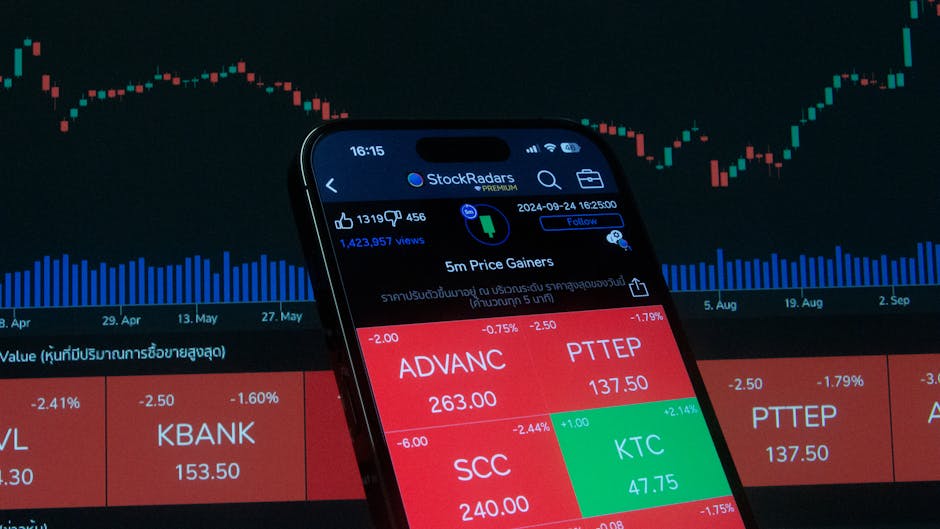
    dividend stocks portfolio chart 2025, stock market income investing

    What ‘High Yield’ Actually Hides

    Here’s the trap that catches most new dividend investors: yield percentage is calculated as annual dividend divided by current share price. That means when a stock’s price drops, the yield percentage goes up — making a struggling company look more attractive. This is what analysts call a ‘yield trap’, and it’s brutal.

    In 2025, with interest rates still elevated compared to the near-zero era of the early 2020s, yield traps are everywhere. The 10-year U.S. Treasury is hovering around 4.3–4.5%, which means a dividend stock yielding 4% isn’t even beating the risk-free rate unless it offers meaningful capital appreciation on top. That changes the calculus completely.

    • Yield Trap Signal: Payout ratio above 90% with declining revenues — unsustainable by definition
    • Red Flag #2: Dividend growth rate of 0% or negative over the past 3 years
    • Red Flag #3: High debt-to-equity ratio (above 2.0) in a rising rate environment
    • Green Flag: Free cash flow comfortably exceeds dividend payments by 1.5x or more
    • Green Flag: Dividend growth streak of 10+ consecutive years (Dividend Aristocrats)

    The Data Behind Dividend Aristocrats vs. High-Yield Chasers

    Let’s get specific. The S&P 500 Dividend Aristocrats Index — companies that have raised dividends for at least 25 consecutive years — has historically outperformed the broader S&P 500 on a risk-adjusted basis during market downturns. During the 2022 bear market, the Aristocrats index fell roughly 6% less than the broader index. Names like Johnson & Johnson (JNJ), Procter & Gamble (PG), and Coca-Cola (KO) held up relatively well.

    But here’s the honest counterpoint: in bull markets driven by growth and tech, Aristocrats tend to lag. From 2019 to 2021, the Nasdaq outpaced dividend-focused portfolios by a wide margin. So if you’re choosing dividend stocks, you’re implicitly accepting slower capital appreciation in exchange for income stability. That’s a real trade-off, not a free lunch.

    For 2025 specifically, several sectors are worth examining:

    • Utilities (e.g., NextEra Energy — NEE): Benefiting from AI data center electricity demand, but sensitive to rate fluctuations. NEE yields around 2.8–3.2% with strong growth visibility.
    • REITs (e.g., Realty Income — O): Known as ‘The Monthly Dividend Company,’ yields around 5.5%, but watch net operating income trends as commercial real estate faces headwinds.
    • Financials (e.g., JPMorgan Chase — JPM): Yield around 2.3%, but strong buyback program adds effective shareholder return above 4% combined.
    • Healthcare (e.g., AbbVie — ABBV): Yield near 3.5%, post-Humira transition playing out — pipeline watching is essential here.

    When Dividend Investing Actually Loses You Money

    This is the part most YouTube dividend channels won’t tell you. There are specific conditions under which a dividend strategy underperforms:

    Condition 1 — Tax-inefficient accounts: If you’re holding high-yield dividend stocks in a taxable brokerage account, qualified dividends are taxed at 15–20% for most investors. REITs, which distribute ordinary dividends, can be taxed up to 37% depending on your bracket. In a taxable account, a 5% yield effectively becomes 3.5–4.2% after taxes — sometimes barely above inflation.

    Condition 2 — Inflation outpaces dividend growth: If your portfolio yields 3% and grows dividends at 4% annually, but inflation runs at 3.5%, you’re barely keeping pace in real terms. This was the silent killer from 2021 to 2023.

    Condition 3 — Opportunity cost in growth phases: During strong tech rallies (think 2023’s AI-driven surge), staying heavily in dividend stocks meant missing 40–80% gains in names like Nvidia (NVDA) or Meta (META). Dividend investing isn’t wrong — but it has specific contexts where it shines.

    dividend reinvestment DRIP strategy compound growth, passive income stock selection

    Research & Real-World Case Studies

    Morningstar’s 2024 research on dividend sustainability pointed out that companies with a ‘moat’ rating — meaning durable competitive advantages — cut dividends at roughly one-third the rate of non-moat companies during economic contractions. This aligns with Warren Buffett’s long-standing philosophy at Berkshire Hathaway, which ironically doesn’t pay dividends but invests heavily in dividend-paying companies like Coca-Cola and American Express.

    Internationally, the UK market (FTSE 100) has historically offered higher average yields than the U.S. — often 3.5–4.5% portfolio average — but currency risk and different tax treaty structures add complexity for U.S.-based investors. Canadian dividend stocks, particularly in banking (Royal Bank — RY, TD Bank — TD) and pipelines (Enbridge — ENB), offer compelling yields in the 4–6% range with strong regulatory moats. ENB, for example, has raised its dividend for 29 consecutive years as of 2025.

    For DIY research, tools like Simply Safe Dividends, Seeking Alpha’s Dividend Grades, and Dividend.com provide payout safety scores backed by free cash flow analysis — far more useful than just sorting by yield percentage.

    Building a Realistic Dividend Strategy for 2025

    If I were starting fresh today, here’s the framework I’d use:

    • Core (50–60%): Dividend Aristocrats or Kings with 10+ year growth streaks — prioritize FCF yield over nominal yield
    • Growth-Income Hybrid (20–30%): Companies with lower current yield (1.5–2.5%) but strong dividend growth rates (8–12% annually) — these compound dramatically over 10+ years
    • High-Yield Satellite (10–20%): REITs, MLPs, or BDCs in tax-advantaged accounts (Roth IRA, 401k) to neutralize tax drag
    • International Diversification (10%): Canadian or European dividend payers for currency diversification and higher base yields

    And critically — always pair dividend selection with a look at the sector’s macro context. Utilities look different in a rate-cutting cycle versus a rate-holding cycle. Banks look different when the yield curve is inverted. Dividend investing isn’t ‘set it and forget it’; it’s ‘check in quarterly and think.’

    Editor’s Note: If your situation is ‘I want income now with minimal monitoring,’ lean toward Dividend Aristocrats in a tax-advantaged account and automate DRIP (Dividend Reinvestment Plan). If your situation is ‘I want to build income over 15+ years,’ weight toward dividend growers over high-yield payers — the compounding math is genuinely remarkable when you run the numbers out. Either way, don’t let a flashy 8% yield headline override the due diligence. Marcus rebuilt his portfolio with exactly this framework, and he’s sleeping a lot better these days.


    📚 관련된 다른 글도 읽어 보세요

    태그: dividend stocks 2025, dividend investing strategy, high yield stocks, dividend aristocrats, passive income investing, REIT dividend, stock market income

  • Why I Almost Gave Up on It — Honest 2025 Guide to Understanding Keyword Research

    A friend of mine spent three months building what she called her ‘perfect blog.’ Great writing, consistent posting schedule, even decent visuals. But traffic? Crickets. When she finally showed me the site, the first thing I checked was her keyword strategy — and there basically wasn’t one. She was writing for herself, not for search engines or readers who were actively looking for answers. That conversation is honestly what pushed me to sit down and write everything I know about keyword research in a way that actually makes sense for real people.

    So let’s dig into this together, because keyword research is one of those things that sounds deceptively simple until you’re three tabs deep into a tool you don’t fully understand, questioning every choice you’ve made.

    keyword research tools, SEO strategy planning desk

    What Keyword Research Actually Means (And What People Get Wrong)

    At its core, keyword research is the process of finding the specific words and phrases people type into search engines when they’re looking for something. But here’s where most beginners — and honestly, some experienced bloggers — trip up: they confuse high search volume with high opportunity.

    A keyword like “best laptop” gets millions of searches per month. But it’s also being targeted by The Verge, CNET, Wirecutter, and a dozen other domain-authority giants. Ranking for that in 2025? Unless you have serious domain authority built up, it’s a multi-year project at best.

    The real sweet spot is what SEO practitioners call long-tail keywords — phrases with 3 to 5+ words, lower monthly search volume (think 200–2,000), but dramatically less competition and, crucially, clearer search intent. Someone searching “best laptop for architecture students under $1,200” is much closer to making a decision than someone typing “best laptop.”

    • Search Volume: How many times per month a keyword is searched (use tools like Ahrefs, Semrush, or Google Keyword Planner for estimates)
    • Keyword Difficulty (KD): A score (usually 0–100) representing how hard it is to rank on page one — anything under 30 is generally considered approachable for newer sites
    • Search Intent: The underlying goal — informational (“how to”), navigational (“Reddit login”), transactional (“buy running shoes”), or commercial investigation (“Nike vs Adidas”)
    • CPC (Cost Per Click): What advertisers pay for a click — high CPC often signals commercial value in a niche
    • Click-Through Rate (CTR) Potential: Some queries (like weather or quick math) get answered in Google’s featured snippet without a click at all

    The Tools That Actually Matter in 2025

    There’s no shortage of keyword tools, and yes, they all do roughly similar things — but with meaningful differences in data freshness, index size, and usability.

    Ahrefs remains the gold standard for backlink data and keyword explorer features. Their Keywords Explorer pulls from a clickstream data panel and updates frequently. As of early 2025, their index covers over 20 billion keywords across 200+ countries. The downside: pricing starts at around $129/month, which stings if you’re just starting out.

    Semrush is a close rival and arguably better for competitive analysis — their Traffic Analytics and Domain Overview tools are genuinely excellent for reverse-engineering what’s working for competitors. Plans start at about $139.95/month.

    Google Search Console (GSC) is completely free and criminally underused. If your site is already live, GSC shows you exactly which queries are triggering impressions and clicks. This is real data from Google itself — not estimates. Filter by impressions over 500 with a CTR under 3%, and you’ve just found a list of pages begging for optimization.

    Ubersuggest and Keywords Everywhere offer more affordable entry points (the latter is a browser extension with a credit-based model) and are solid for freelancers or hobbyist bloggers who don’t need enterprise-level depth.

    How to Actually Build a Keyword List Without Losing Your Mind

    Here’s the workflow I actually use, stripped of the fluff:

    Step 1 — Seed keywords. Start with 5–10 broad terms that describe your niche. If you run a personal finance blog, seeds might be: “budgeting,” “investing for beginners,” “credit card debt,” “FIRE movement.”

    Step 2 — Expand with a tool. Plug each seed into Ahrefs or Semrush’s keyword explorer. Sort by KD under 25, volume over 300. Export the list.

    Step 3 — Check the SERP manually. Before committing to a keyword, Google it. Look at the top 10 results. Are they massive publications, or do you see some mid-size blogs? If it’s all Forbes and NerdWallet, adjust your target. If you see sites with DR (Domain Rating) under 40 ranking in the top 5, that’s your green light.

    Step 4 — Group by intent cluster. Organize keywords into topic clusters — a pillar page (broad overview) surrounded by supporting posts (specific subtopics). This signals topical authority to Google and helps internal linking flow naturally.

    Step 5 — Prioritize by business value. Not all traffic is equal. A keyword with 400 monthly searches that leads readers toward your product or email list is worth more than one with 4,000 searches that attracts window shoppers.

    keyword clustering diagram, content strategy whiteboard

    Real-World Case Study: How One Niche Site Went from Zero to 40K Monthly Visitors

    There’s a well-documented case study from the content marketing community around a site in the “home brewing” niche. The site launched in early 2023 with zero domain authority. Rather than chasing broad terms like “how to brew beer” (KD: 62), the team focused exclusively on long-tail queries like “how to fix stuck fermentation lager” (KD: 8, ~450 searches/month) and “best hydrometer for beginners 2025” style queries.

    Within 14 months, the site hit roughly 40,000 organic monthly visitors — not because of viral content or backlink campaigns, but because they had answered 120+ very specific questions that larger sites hadn’t bothered to cover in depth. Each article ranked for a primary keyword plus 15–30 semantic variations, effectively multiplying the actual traffic per post.

    The lesson? Depth of coverage in a narrow topic often outperforms breadth across a wide one, especially for newer domains.

    Common Mistakes That’ll Cost You Months of Effort

    • Ignoring search intent: Writing a transactional product review for an informational keyword (“what is X”) will almost certainly fail — Google’s algorithm aligns content format with query intent tightly
    • Keyword stuffing: Cramming your target keyword 25 times into a 1,000-word post hasn’t worked since roughly 2012, and actively hurts readability and rankings now
    • Targeting only head terms: Going after “fitness tips” instead of “fitness tips for women over 50 with joint pain” is the difference between a lottery ticket and a calculated bet
    • Not refreshing old content: Keywords shift in competitiveness over time. A post ranking #7 in 2023 might be slipping to page 2 by 2025 without a content refresh and internal link update
    • Skipping local modifiers when relevant: For service-based businesses, adding city or region modifiers can dramatically reduce competition while increasing conversion relevance

    Where Keyword Research Is Heading in 2025

    Two trends worth watching closely this year: AI Overviews (formerly SGE in Google’s testing phases) and zero-click search growth. Google’s AI-generated summaries at the top of results pages are intercepting informational queries at an accelerating rate. This doesn’t make keyword research obsolete — but it does shift the value toward transactional and commercial investigation intent, where users still click through to compare, verify, and purchase.

    The counterintuitive opportunity here: while many SEOs are panicking about AI Overviews eating their traffic, those who focus on building genuine authority around specific topic clusters (rather than one-off articles targeting isolated keywords) are actually seeing more stable traffic. Google’s AI Overviews frequently cite and link authoritative sources — meaning being a recognized expert in a niche still translates to visibility.

    Voice search and conversational query formats are also continuing to grow. Structuring content around natural-language questions (“What’s the fastest way to…”, “Is it worth buying…”) aligns well with both voice search and the phrasing patterns AI Overviews tend to pull from.

    If you’re just starting out and feel overwhelmed, here’s a realistic path: use Google Search Console on existing content first, find quick wins, and only then expand to a paid tool once you’ve validated your niche has traffic to capture. If you’re mid-stage and plateauing, the cluster approach — one pillar, 8–12 supporting posts — is consistently the highest-ROI move I’ve seen work across industries.

    Editor’s Note: Keyword research isn’t a one-time task you check off a list — it’s an ongoing conversation with your audience’s evolving questions. The sites that treat it as a living process rather than a launch-day checklist are the ones still growing three years later. Start small, stay curious, and let the data tell you where to go next.


    📚 관련된 다른 글도 읽어 보세요

    태그: keyword research, SEO strategy, long-tail keywords, content marketing, search intent, keyword tools, organic traffic

  • 2026년 현직 엔지니어가 직접 써본 ChatGPT vs Claude vs Gemini — 지금 이거 모르면 AI 반값도 못 뽑아요

    지난달에 팀 후배가 슬랙으로 DM을 보내왔어요. “형, 저 ChatGPT 유료 쓰는데 Claude도 써야 해요? 돈 두 배 내야 하는 건가요?” 솔직히 저도 처음엔 그냥 “ChatGPT 하나면 되지 않나?” 싶었거든요. 근데 실제로 세 가지를 동시에 쓰면서 프로젝트에 투입해보니까 — 진짜로 용도가 완전히 달라요. 코딩할 때 Claude 쓰다가 리포트 요약할 때 Gemini 열고, 이미지 생성 필요하면 또 ChatGPT 켜는 식으로 쓰게 되더라고요. 이 글은 “어떤 AI가 최고야?” 같은 뜬구름 잡는 이야기 아닙니다. 2026년 기준 실제 업무에 투입했을 때 각각 어디서 터지고 어디서 죽는지, 그걸 정리한 거예요.

    AI chatbot comparison 2026, ChatGPT Claude Gemini interface
    • 🔥 세 AI, 실제로 뭐가 다른가 — 스펙 비교표 먼저
    • 💻 코딩 테스트: 실제 에러 코드로 물어봤다
    • 📊 문서 요약·분석: 50페이지 PDF 던져봤더니
    • 🧠 창의적 글쓰기: 블로그, 카피, 기획서
    • ❌ 절대 하지 말아야 할 실수 — 비용 낭비 체크리스트
    • 💰 가격 대비 실사용 추천 조합 (1인/팀별)
    • ❓ FAQ: 독자들이 가장 많이 물어보는 3가지

    📊 2026년 기준 ChatGPT vs Claude vs Gemini 스펙 비교

    말로만 비교하면 의미 없으니까, 먼저 현재 시점 기준 스펙과 가격부터 깔고 가겠습니다.

    항목 ChatGPT (GPT-4o) Claude (Sonnet 3.7) Gemini (1.5 Pro)
    월 유료 요금 $20 (Plus) $20 (Pro) $19.99 (Advanced)
    컨텍스트 윈도우 128K 토큰 200K 토큰 1M 토큰
    이미지 생성 ✅ DALL-E 내장 ❌ 없음 ✅ Imagen 내장
    코딩 능력 (HumanEval) 약 87% 약 92% 약 83%
    한국어 자연스러움 ★★★★☆ ★★★★★ ★★★☆☆
    웹 검색 (실시간) ✅ 기본 포함 ✅ (일부 제한) ✅ Google 연동
    파일 업로드 ✅ PDF, 이미지 등 ✅ PDF, 코드 등 ✅ Google Drive 연동
    API 1M 토큰 비용 (input) $5.00 $3.00 $3.50

    숫자만 봐도 용도가 나뉘죠? 긴 문서 처리엔 Gemini, 코딩엔 Claude, 이미지+범용성엔 ChatGPT. 이게 결론이긴 한데, 실제로 써보면 또 미묘한 차이가 있어요.

    coding benchmark comparison AI, Claude HumanEval score chart

    💻 코딩 테스트: 실제 에러 코드로 던져봤다

    제가 실제로 겪었던 FastAPI + SQLAlchemy 세션 관리 이슈를 동일하게 세 모델에 넣어봤어요. 에러 메시지는 이랬습니다:

    sqlalchemy.exc.InvalidRequestError: Can't operate on closed transaction inside context manager.
    Ensure that sessionmaker is configured with autocommit=False.

    ChatGPT (GPT-4o): 정확한 원인은 짚었어요. 근데 해결책을 Session.close() 를 명시적으로 호출하라고만 알려주고, async with 컨텍스트와의 충돌 문제는 언급 안 했어요. 이대로 적용하면 async 환경에서 또 터집니다.

    Claude (Sonnet 3.7): 이게 좀 달랐어요. async_scoped_session을 써야 한다는 것까지 제안했고, 실제로 동작하는 코드 스니펫을 바로 줬어요. 거기다 “혹시 Alembic 마이그레이션 쓰고 있으면 이 설정도 확인해봐”라고 사이드 이펙트까지 짚어줬습니다. 이건 진짜 시니어 코드 리뷰 받는 느낌이에요.

    Gemini (1.5 Pro): 답변 자체는 맞는데, 포맷이 너무 장황하고 핵심 코드가 중간에 묻혀있었어요. 시간이 없을 때 쓰기엔 답답합니다.

    코딩은 Claude 압승. 특히 에러 원인-결과 인과 구조를 가장 정확하게 잡아요.

    📄 문서 요약·분석: 50페이지 IR 리포트 던졌더니

    실제 상장사 IR 리포트 PDF (한글, 52페이지)를 동일하게 업로드해서 “이 회사의 리스크 요인 3가지와 성장 모멘텀을 정리해줘”라고 물었어요.

    ChatGPT: 깔끔하게 요약해줬는데, 후반부 재무 수치 쪽에서 일부 숫자를 잘못 읽었어요. 22페이지 영업이익률을 “8.3%”라고 했는데 실제론 “18.3%”였습니다. 소숫점 앞자리를 날려먹는 OCR 계열 오류예요. 중요한 수치는 반드시 검증 필수.

    Claude: 수치 오류 없이 잘 정리했어요. 특히 “리스크” 섹션에서 단순히 본문을 요약하는 게 아니라 “이 내용이 실제로 문제가 되려면 이런 조건이 전제돼야 한다”는 분석적 코멘트를 붙여줬어요. 컨텍스트 200K 덕분에 문서 전체를 한 번에 처리하는 데도 문제 없었습니다.

    Gemini: 1M 컨텍스트답게 문서 전체를 완벽하게 소화했어요. 근데 한국어 뉘앙스가 약간 어색해요. “매출 확대 가능성이 존재함” 같은 번역투 표현이 섞입니다. 영문 문서 분석이라면 Gemini가 최강.

    ✍️ 창의적 글쓰기: 블로그 카피, 기획서

    “신규 SaaS 제품 온보딩 이메일 시퀀스 3개 써줘. 컨버전 최적화 해줘”라고 동일하게 지시했습니다.

    ChatGPT: 역시 가장 자연스럽고 마케팅 문법에 맞는 카피가 나왔어요. CTA 배치, 서브젝트 라인 A/B 안까지 제안해줬습니다. 마케팅 용도라면 ChatGPT가 여전히 1등.

    Claude: 전략적 분석은 좋은데 카피 자체의 리듬감이 ChatGPT보다 약간 떨어져요. “이 이메일은 이런 심리 트리거를 노렸습니다”라는 해설은 탁월한데, 실제 카피를 그대로 가져다 쓰기엔 살짝 다듬어야 합니다.

    Gemini: 솔직히 세 개 중 가장 평범했어요. Google 스타일의 정제된 글이 나와서 임팩트가 부족합니다.

    ❌ 절대 하지 말아야 할 실수 — 비용 낭비 체크리스트

    • 🚫 “다 잘하겠지”라고 하나만 구독하는 것 — 코딩 = Claude, 범용 창작 = ChatGPT, 긴 문서 = Gemini. 용도 구분이 핵심이에요.
    • 🚫 숫자가 들어간 문서 요약 결과를 검증 없이 쓰는 것 — ChatGPT는 PDF 숫자 오인식이 실제로 발생합니다. 중요 수치는 원본 확인 필수.
    • 🚫 API 비용 계산 없이 기업용 도입하는 것 — GPT-4o API input $5/1M 토큰 vs Claude Sonnet $3/1M 토큰. 대용량 처리 시 비용이 40% 이상 차이납니다.
    • 🚫 Gemini를 한국어 창작에 쓰는 것 — 번역투가 섞여요. 한국어 감성 글쓰기는 Claude 또는 ChatGPT가 낫습니다.
    • 🚫 무료 플랜으로 비교하는 것 — 무료 버전은 각 모델의 다운그레이드 버전이 적용됩니다. 유료 플랜 기준 성능 차이가 실제 체감이에요.
    • 🚫 Claude에게 이미지 생성 요청하는 것 — 2026년 현재도 Claude는 이미지 생성 기능이 없습니다. 텍스트/코드 전용으로 쓰세요.

    💰 실사용 추천 구독 조합 (예산별)

    사용자 유형 추천 구독 월 비용 이유
    개발자/엔지니어 Claude Pro 단독 $20 코딩 + 기술 문서 분석이 압도적. 이미지 필요하면 ChatGPT 무료로 보완
    마케터/기획자 ChatGPT Plus 단독 $20 카피라이팅 + 이미지 생성 + 웹검색 올인원
    리서처/분석가 Claude Pro + Gemini Advanced $40 긴 문서는 Gemini, 분석 코멘트는 Claude. 영문 리포트 처리엔 최강 조합
    1인 사업자/프리랜서 ChatGPT Plus + Claude Pro $40 업무 커버리지 가장 넓음. 두 개면 대부분 케이스 커버 가능
    예산 제한 (학생/입문자) ChatGPT Plus 단독 $20 범용성 최고. 하나만 쓴다면 무조건 ChatGPT Plus

    ❓ FAQ

    Q1. ChatGPT 무료 버전이랑 유료 버전 차이가 그렇게 커요?

    솔직히 말하면 — 엄청 큽니다. 무료 버전은 GPT-4o mini가 적용되는 경우가 많고, 파일 업로드 횟수 제한, 이미지 생성 제한, 웹 검색 제한이 다 걸려요. 실제 업무에 쓰려면 유료 플랜이 사실상 필수입니다. “맛보기”로는 무료도 충분하지만 ROI를 따지면 $20은 생산성 도구 중 가성비 상위권이에요.

    Q2. Claude가 코딩이 제일 낫다고 하셨는데, 그럼 Cursor나 GitHub Copilot은 필요 없는 건가요?

    이건 다른 레이어예요. Claude는 “대화형 코드 리뷰 + 아키텍처 설계”에 강하고, Cursor/Copilot은 IDE 내 실시간 자동완성에 특화돼 있어요. 실제로 저는 Cursor (내부적으로 Claude 모델 연동) + Claude Pro 웹을 함께 씁니다. IDE에선 Copilot 계열, 복잡한 설계 토론은 Claude 웹에서 하는 거예요. 둘은 대체재가 아니라 보완재입니다.

    Q3. 한국어로 글 쓸 때 어떤 AI가 가장 자연스러운가요?

    2026년 기준 Claude가 한국어 뉘앙스가 가장 자연스럽습니다. ChatGPT도 거의 비슷한 수준으로 올라왔고요. Gemini는 아직 구글 번역 느낌이 약간 남아있어요. 특히 마케팅 카피나 블로그처럼 “읽히는 글”을 써야 할 때는 Claude 또는 ChatGPT를 쓰세요. Gemini는 영문 → 한국어 번역 요약 업무에 투입하는 게 맞습니다.


    결론적으로 2026년 현재, 세 모델은 “경쟁”이 아니라 “역할 분담” 관계입니다. 코딩하다 막히면 Claude, 마케팅 카피가 필요하면 ChatGPT, 200페이지짜리 영문 계약서 처리해야 하면 Gemini. 이 기준만 잡아도 월 $40 예산으로 진짜 생산성이 3배는 올라갑니다. 한 개만 써야 한다면? 범용성 기준 ChatGPT Plus, 개발자 기준 Claude Pro. 이게 제 현시점 결론이에요.

    엔지니어’s 한 줄 평: “AI 구독료 아깝다는 사람 치고 제대로 써본 사람 없더라 — 도구 탓 하기 전에 용도 구분부터.”

    오늘도 끝까지 읽어주셔서 진심으로 감사드립니다 🙏 궁금한 점은 댓글로 남겨주시면 아는 만큼 성실하게 답변드릴게요.


    📚 관련된 다른 글도 읽어 보세요

    태그: ChatGPT vs Claude, Gemini 비교, AI 구독 추천 2026, Claude 코딩, ChatGPT Plus 가성비, 생성형AI 비교, AI 업무 활용

  • 2026년 기준 한번에 성공하는 미니멀리즘 인테리어 실제 세팅법 — 돈 다 쓰고 후회하기 전에 읽어요

    친한 후배가 작년에 신혼집 꾸민다고 나한테 전화를 했어요. “형, 유튜브랑 핀터레스트 보면 다 예쁜데 막상 하려니까 뭘 사야 할지 모르겠어요.” 그래서 같이 가구 매장 세 군데 돌고, 실제로 집에 배치해보고 나서 깨달은 게 있어요. 미니멀리즘 인테리어, 개념은 쉬운데 실제로 돈 안 날리고 완성하는 건 완전 다른 이야기라는 거죠. 저도 1,200만 원짜리 인테리어를 730만 원에 마무리하면서 삽질한 포인트가 꽤 있었거든요. 그 경험 다 녹여서 씁니다.

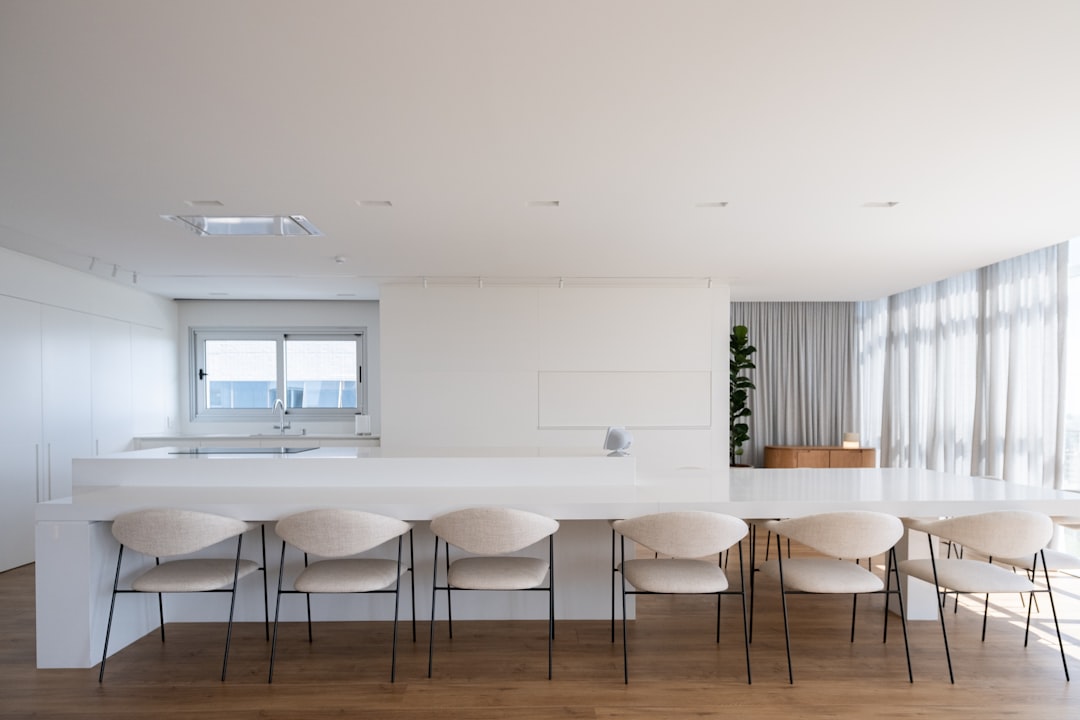
    minimalist interior living room, clean white space home design

    • 🎯 미니멀리즘 인테리어, 왜 돈이 더 드는가 — 역설의 진실
    • 📐 2026년 기준 컬러 팔레트 & 소재 트렌드 (수치 포함)
    • 🛋️ 가구 선택 핵심 공식 — ‘덜 사는 게 아니라 잘 사는 것’
    • 📊 예산별 비교표: 500만 원 vs 1,000만 원 vs 1,500만 원
    • 🌍 국내외 실제 사례 — 이케아 vs 무인양품 vs 국내 브랜드
    • 🚫 절대로 하지 말아야 할 실수 체크리스트
    • ❓ 자주 묻는 질문 3가지

    미니멀리즘 인테리어, 왜 돈이 더 드는가 — 역설의 진실

    많은 분들이 착각하는 게 있어요. “물건 줄이면 돈도 줄겠지”라는 생각. 근데 현실은 정반대예요. 미니멀 공간에서는 하나하나가 다 눈에 띕니다. 싸구려 소파 하나가 방 전체 분위기를 잡아먹어요. 화려한 패턴이 많은 인테리어에서는 묻혀도, 여백이 많은 공간에서는 질 낮은 마감재가 바로 드러나거든요.

    실제로 2026년 기준 국내 인테리어 플랫폼 오늘의집 데이터 기준, 미니멀 스타일 완성 평균 비용은 20평 기준 850만~1,400만 원 구간이에요. 이는 북유럽 빈티지 스타일(620만~980만 원)보다 약 18~30% 높은 수치입니다. 이유는 단순해요 — 소재와 마감의 퀄리티가 곧 디자인이기 때문이죠.

    2026년 컬러 팔레트 & 소재 트렌드 (수치 포함)

    2026년 미니멀 인테리어의 핵심 키워드는 ‘웜 뉴트럴(Warm Neutral)’입니다. 차갑고 딱딱한 순백(#FFFFFF) 시대는 지났어요. 지금은 아이보리 계열(Pantone 11-0601 TCX, 속칭 ‘버터 화이트’)과 워밍 그레이지(Greige) 조합이 대세.

    • 벽면: 펄 아이보리 계열, 광반사율 LRV 75~82 구간 권장
    • 바닥: 오크 무늬목 마루 또는 포세린 타일 (줄눈 3mm 이하 추천)
    • 포인트 소재: 라임스톤 질감 패널, 린넨 패브릭, 흑철(블랙 스틸) 프레임
    • 조명: 색온도 2,700K~3,000K (웜톤), 조도 300~500 lux

    warm neutral interior palette, greige wall color home 2026

    한 가지 팁을 드리면, 벽지보다 페인트 도장이 훨씬 미니멀한 질감을 만들어요. 롤러 도장 기준 20평 기준 인건비+자재비 합산 약 80만~130만 원 선인데, 분위기 차이는 200만 원짜리 수입 벽지 뺨칩니다. 이건 직접 비교해 봐서 말씀드리는 거예요.

    가구 선택 핵심 공식 — ‘덜 사는 게 아니라 잘 사는 것’

    미니멀 인테리어에서 가구 선택의 황금 비율이 있어요. 3:5:2 법칙입니다.

    • 30%: 투자 아이템 (소파, 침대 프레임 등 시선 중심 가구 — 여기서는 아끼지 마세요)
    • 50%: 중간 가성비 아이템 (수납장, 테이블 등 기능 중심)
    • 20%: 소품 & 그린 (화분, 캔들, 아트 포스터 등)

    실제로 소파에 280만 원 쓰고 수납장에 15만 원짜리 이케아 KALLAX 써도 전혀 안 어색해요. 반대로 소파에 60만 원 쓰고 나머지를 다 고급으로 도배해도 소파가 공간을 망칩니다. 시선이 가장 먼저 닿는 곳에 예산을 집중하는 게 정답이에요.

    예산별 비교표: 500만 원 vs 1,000만 원 vs 1,500만 원

    항목 💸 500만 원 플랜 💰 1,000만 원 플랜 👑 1,500만 원 플랜
    벽/바닥 시트지 + 장판 셀프 페인트 + 강마루 미장 마감 + 포세린 타일
    소파 이케아 KIVIK (39만 원) 국내 중견 브랜드 (150만 원) 수입 패브릭 소파 (280만~350만 원)
    침대 이케아 HEMNES (25만 원) 무인양품 오크 프레임 (80만 원) 국내 핸드메이드 원목 (220만 원)
    조명 LED 직부등 DIY 펜던트 1개 + 간접조명 전 공간 간접 + 스팟 설계
    수납 이케아 PAX/KALLAX 붙박이 일부 + 이케아 혼합 전체 붙박이 제작
    예상 만족도 ★★★☆☆ (3.2/5) ★★★★☆ (4.1/5) ★★★★★ (4.7/5)
    추천 대상 임시 거주, 자취방 신혼, 5년 거주 계획 내 집 마련 후 장기 거주

    * 위 가격은 2026년 기준 20평 기준 추정치이며, 지역 및 시공사에 따라 ±20% 차이 발생 가능

    국내외 실제 사례 — 이케아 vs 무인양품 vs 국내 브랜드

    솔직하게 정리해드릴게요. 세 브랜드 다 실제로 써봤고, 후배 집 세팅도 함께 도와줬습니다.

    🇸🇪 이케아(IKEA): 가성비 최강. KALLAX, PAX, HEMNES 시리즈는 미니멀 인테리어에서 진짜 잘 써요. 단점은 조립 품질이 조금씩 떨어지고 있다는 거예요. 2026년 기준 국내 가격이 2023년 대비 평균 7~12% 인상됐습니다. 내구성 기대 수명: 8~12년.

    🇯🇵 무인양품(MUJI): 소재 퀄리티는 이케아보다 한 단계 위예요. 특히 오크 시리즈는 시간이 지날수록 색이 깊어지는 매력이 있어요. 다만 가격이 만만치 않아요. 침대 프레임 기준 이케아의 2.5~3배. 내구성 기대 수명: 15~20년.

    🇰🇷 국내 브랜드 (일룸, 리바트, 까사미아): A/S가 확실하고 배송·설치가 편해요. 디자인은 점점 좋아지고 있고, 특히 까사미아의 최근 라인업은 수입 브랜드 뺨칩니다. 가격대는 MUJI와 비슷하거나 약간 낮아요. 추천 포인트: 붙박이장 제작은 국내 로컬 업체가 가격 대비 품질이 가장 좋습니다 (평균 15~25% 절감).

    절대로 하지 말아야 할 실수 체크리스트

    • 조명 계획 없이 가구부터 사는 것 — 조명은 공간의 분위기를 80% 결정해요. 가구 배치 전에 조명 위치 먼저 설계하세요.
    • 샘플 없이 벽 컬러 결정 — 모니터에서 예쁜 색이 실제 벽에서 완전히 달라 보입니다. 반드시 A4 크기 이상 실제 도색 후 확인.
    • 소품 먼저 사는 것 — 주요 가구 배치 확정 전에 소품 쇼핑은 절대 금지. 나중에 안 어울려서 다 버리게 됩니다 (경험담).
    • 수납 공간 과소평가 — 미니멀 공간은 물건이 보이면 안 됩니다. 즉, 숨길 공간이 더 필요해요. 수납 계획을 먼저 세우고 시작하세요.
    • 너무 차가운 화이트만 선택 — 순백 공간은 사진엔 예쁘지만 실생활에서 피로감이 옵니다. 웜 계열로 5~10% 섞는 걸 권장해요.
    • 러그 사이즈 잘못 선택 — 소파 앞 러그는 소파 앞다리가 반드시 올라가는 크기여야 해요. 작은 러그는 공간을 오히려 더 좁아 보이게 만들어요.
    • 셀프 시공에 욕심 부리기 — 페인트 도장, 선반 설치 정도는 셀프로 해도 되지만, 타일 시공, 전기 배선 변경은 반드시 전문가에게 맡기세요. 나중에 2배 돈 씁니다.

    자주 묻는 질문 (FAQ)

    Q1. 좁은 집(10평대)에서도 미니멀 인테리어가 가능한가요?

    오히려 좁은 집에서 미니멀 인테리어가 더 효과적이에요. 핵심은 벽면 활용과 컬러 통일이에요. 바닥과 벽 컬러를 비슷한 계열로 맞추면 시각적으로 공간이 확장됩니다. 가구는 최대한 높이가 낮고 다리가 있는 제품을 선택하면 바닥 면적이 넓어 보이는 효과가 있어요. 10평 원룸 기준 300만~500만 원 예산으로도 충분히 퀄리티 있게 완성할 수 있습니다.

    Q2. 셀프로 할 수 있는 것과 전문가에게 맡겨야 할 것의 기준이 뭔가요?

    간단하게 정리하면: 원상복구 가능 여부가 기준이에요. 페인트, 셀프 조명 교체, 선반 설치, 가구 배치는 셀프 OK. 타일 줄눈 작업, 전기 분전반 관련 작업, 도배 전체 교체, 붙박이장 제작은 전문가 필수. 특히 전기 작업은 자격증 없이 손대면 화재 위험 + 보험 처리 안 되는 상황이 생길 수 있어요. 절대로 건드리지 마세요.

    Q3. 미니멀 인테리어를 유지하는 비결이 뭔가요? 금방 어질러지던데요.

    시스템을 먼저 만들어야 해요. ‘모든 물건에 집이 있어야 한다(Everything has a home)’는 원칙이 핵심입니다. 물건을 새로 들이면 기존 물건을 하나 내보내는 ‘1 in, 1 out’ 룰을 실천하고, 수납함은 라벨링해서 제자리에 넣는 습관을 만드세요. 인테리어 자체보다 라이프스타일 변화가 더 중요해요. 비용 들여 예쁘게 만들어놓고 일주일 만에 창고 되는 집, 저도 많이 봤습니다.


    한 줄 평: 미니멀 인테리어는 ‘비움의 미학’이 아니라 ‘계획의 미학’이에요. 준비 없이 시작하면 비우는 게 아니라 지갑만 비워집니다. 위 체크리스트 따라서 하나씩 설계하고 들어가시면, 2026년엔 진짜 후회 없는 공간 만드실 수 있을 거예요.

    끝으로 한마디만 더: 인테리어는 한 번에 완성하려 하지 말고, 6개월~1년에 걸쳐 하나씩 교체해가는 게 훨씬 만족도 높아요. 조급하게 한 번에 다 바꾸려다 예산 오버되고 후회하는 분 정말 많습니다. 천천히, 그러나 확실하게 가시길.


    📚 관련된 다른 글도 읽어 보세요

    태그: 미니멀리즘 인테리어, 인테리어 셀프, 2026 인테리어 트렌드, 가성비 인테리어, 이케아 무인양품 비교, 미니멀 가구 추천, 소형 아파트 인테리어

  • Why I Almost Gave Up on Airbnb Hosting — Honest 2025 Guide to Making It Actually Work

    A friend of mine — let’s call her Mara — listed her spare room on Airbnb last spring with stars in her eyes. By month three, she was texting me at midnight: “I made less than minimum wage after fees, a guest left a mystery stain on my couch, and I have a 4.6-star rating because someone didn’t like my neighborhood’s parking.” Sound familiar? If you’ve been lurking on hosting forums or second-guessing whether this whole short-term rental thing is worth the hassle, you’re in exactly the right place.

    Let’s work through this together — the math, the psychology, the real operational grind — so you can decide whether Airbnb hosting in 2025 is a smart side income or a slow-burn headache dressed up in “passive income” language.

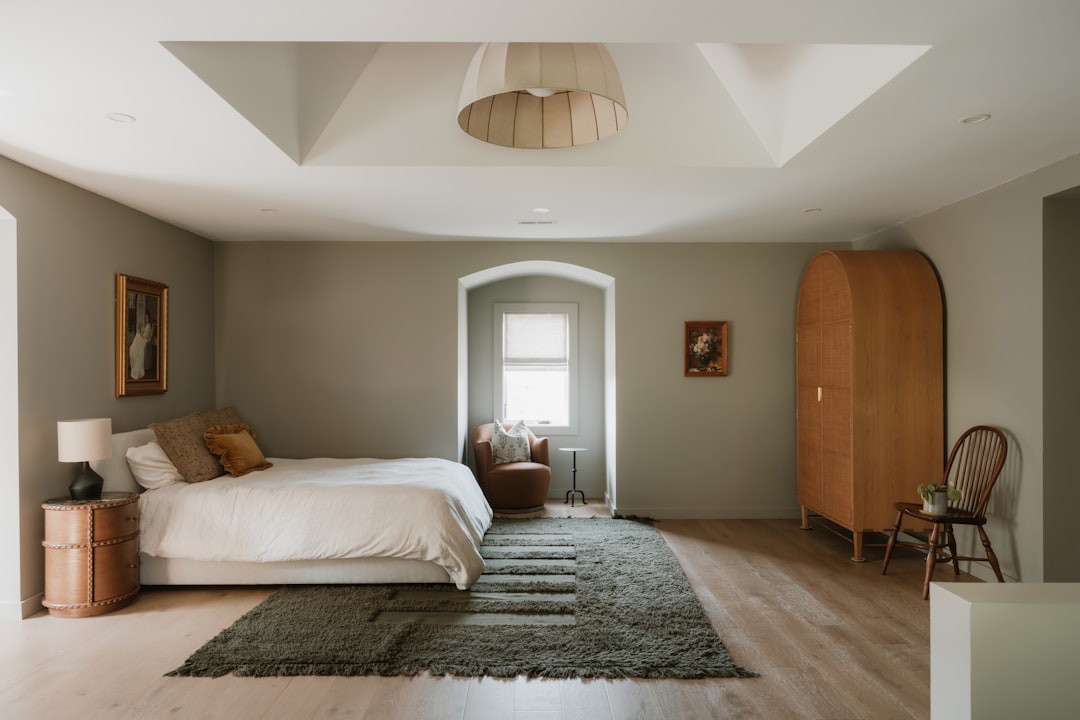
    Airbnb hosting setup, cozy apartment rental interior

    The Brutal Honest Math Most Hosts Don’t Do Upfront

    Before anything else, let’s talk numbers. Airbnb charges hosts a service fee of roughly 3% per booking (split-fee model) or up to 14–16% if you opt for the simplified pricing model. Sounds small until you layer in the actual cost structure:

    • Occupancy rate reality: The average Airbnb occupancy rate in mid-tier U.S. markets sits around 50–65% according to AirDNA’s 2025 market data — meaning your unit is empty nearly half the time.
    • Cleaning costs: Professional cleaning runs $60–$150 per turnover depending on unit size. At 15 bookings/month, that’s $900–$2,250 gone before you touch the Airbnb fee.
    • Restocking consumables: Toiletries, coffee pods, paper goods — budget $10–$25 per stay minimum.
    • Maintenance buffer: Industry rule of thumb is 1–2% of property value per year. On a $300,000 property, that’s $250–$500/month set aside.
    • Platform fee (host-only model): If you list only on Airbnb using their host-only fee structure (common for property managers), expect to lose 14–16% of your gross revenue immediately.

    Run that full stack and it’s easy to see why Mara felt underpaid. The headline revenue looks great; the net revenue tells a different story.

    What Actually Drives Superhost Status — And Why It Matters More in 2025

    Airbnb’s algorithm in 2025 has shifted noticeably toward search ranking tied to quality signals, not just price. Superhost status requires a 4.8+ average rating, a 90% response rate, 10+ completed stays (or 100+ nights) per year, and a sub-1% cancellation rate. Why does this matter financially?

    According to a 2025 analysis from AllTheRooms Analytics, Superhost listings command a 15–25% price premium over comparable non-Superhost listings in the same ZIP code, and they rank significantly higher in search results — which in dense urban markets can mean the difference between 40% and 70% occupancy.

    The catch: getting to Superhost from scratch takes 6–12 months in competitive markets. During that ramp-up period, you’re essentially subsidizing guest experiences to build review velocity. Mara’s 4.6-star trap is a real phenomenon — once you dip below 4.8, the algorithm quietly deprioritizes you, occupancy drops, and the math gets worse, not better.

    The Regulatory Landmine That Killed Thousands of Listings

    This is the part most “how to start Airbnb” YouTube videos skip entirely. Short-term rental (STR) regulations have tightened dramatically in major markets through 2024–2025:

    • New York City: Local Law 18, enforced since late 2023, effectively bans most Airbnb-style rentals unless the host is present and limits guests to two. The city’s registered STR listings dropped from ~22,000 to under 3,000 post-enforcement.
    • Barcelona: The city announced it will not renew the 10,000 existing short-term rental licenses when they expire in 2028, signaling the direction Europe is heading.
    • Los Angeles, San Francisco, Seattle: All require primary residence registration, limit nights per year (typically 120–180 days), and charge transient occupancy taxes (TOT) that you are legally responsible to collect and remit.
    • Smaller markets: Don’t assume rural or suburban areas are safe — HOA restrictions and county-level ordinances have multiplied rapidly.

    Before you list a single night, check your city’s STR permit portal. Fines for unlicensed operation typically run $1,000–$5,000 per violation, and platforms are increasingly cooperating with municipalities to flag non-compliant listings.

    short term rental regulation, city permit paperwork

    Where Airbnb Hosting Still Makes Genuine Sense in 2025

    Here’s where I want to push back against pure doom-and-gloom, because the opportunity is real — it’s just more segmented than it was in 2018.

    The markets where hosts are genuinely thriving share specific characteristics:

    • Event-driven demand: Cities near recurring large events (Austin during SXSW, Nashville year-round, college football towns) see nightly rates spike 3–5x during peak periods, which can carry an entire month’s profit target in one weekend.
    • Unique/experience properties: Treehouses, converted barns, themed urban lofts — “Unique Stays” is Airbnb’s fastest-growing search category in 2025. These properties price at 40–60% premiums and attract guests who are explicitly not price-shopping.
    • Mid-term rentals (MTR): Airbnb’s 28+ night filter has opened a strong niche for furnished monthly stays targeting traveling nurses, remote workers, and corporate relocation clients. Less turnover, lower cleaning frequency, and more predictable income.
    • Co-hosting arrangements: If you own a desirable property but hate operations, co-hosting platforms like Vacasa, Casago, or even informal local co-hosts handle everything for 20–30% of revenue — which often pencils out better than DIY management once you factor in your time.

    Tools That Separate Profitable Hosts from Struggling Ones

    The operational gap between top-performing hosts and average hosts in 2025 is largely a technology gap. Here’s what the top tier is using:

    • Dynamic pricing tools: PriceLabs, Wheelhouse, and Beyond (formerly Beyond Pricing) use real-time market data to adjust your nightly rate automatically. Hosts using dynamic pricing consistently outperform static-price hosts by 15–40% in annual revenue — this is not optional in competitive markets anymore.
    • Channel management: Listing only on Airbnb leaves money on the table. Tools like Hostaway, Guesty, or Lodgify sync your calendar across Airbnb, VRBO, Booking.com, and direct booking sites simultaneously.
    • Smart locks + noise monitoring: August, Schlage Encode, and Minut noise sensors reduce the risk of party damage and give guests frictionless check-in, which consistently improves ratings.
    • Automated messaging: Pre-programmed check-in instructions, mid-stay check-ins, and review request sequences save 2–3 hours per booking and boost response rate metrics.

    Realistic Alternatives If the Numbers Don’t Work for You

    If after running your specific numbers the Airbnb model still looks marginal, here are paths worth considering before giving up on the asset entirely:

    • Medium-term furnished rental (30+ days): Platforms like Furnished Finder, Anyplace, or even Facebook Marketplace for furnished monthly lets often yield similar or better net income with far less operational friction.
    • Rent to a corporate housing company: Companies like Blueground or Landing lease furnished apartments from owners at a fixed monthly rate and manage everything — you get predictable income, zero guest interaction, and no STR permit risk.
    • Traditional long-term rental: Boring, yes. But in markets where STR yields have compressed, a well-priced long-term tenant with zero turnover cost and zero platform fees often outperforms a stressed-out Airbnb operation on a net-per-hour-of-effort basis.

    Mara, by the way, eventually switched her spare room to a monthly furnished rental targeting a local hospital’s traveling nurses. She makes about 20% less gross than her peak Airbnb months — but she’s actually netting more after removing cleaning, supplies, and platform fees, and she’s sleeping through the night again.

    Bottom line from someone who’s watched this play out across dozens of hosts: Airbnb in 2025 rewards operators who treat it like a business — with real unit economics, the right tools, and a clear-eyed view of local regulations — and punishes everyone who treats it like effortless passive income. The opportunity is still real, but the days of just throwing up a listing and watching money roll in are genuinely over. Run your numbers first, pick the right model for your market, and if Airbnb proper doesn’t pencil out, the alternatives are better than ever.


    📚 관련된 다른 글도 읽어 보세요

    태그: Airbnb hosting, short term rental, Airbnb income, STR regulations, Superhost tips, vacation rental strategy, rental property income

  • 3D 프린터 사자마자 바로 출력해야 할 3가지 — 프린터 값 뽑는 출력물 Top3 (2026년 기준)

    작년에 친한 후배가 3D 프린터 샀다고 신나서 연락이 왔어요. 뭐 출력할 거냐고 물었더니 ‘일단 샀는데 뭘 뽑아야 할지 모르겠다’는 거예요. 벤치보트(Benchy) 출력하고 인스타에 올리는 게 끝이었던 거죠. 그 장면을 보면서 ‘아, 나도 딱 저랬지’ 싶었어요. 프린터 사고 처음 3개월이 가장 중요한데, 이 시기를 그냥 날리면 프린터는 결국 선반 위 먼지 받이가 됩니다. 그래서 오늘은 진짜로 프린터 값 뽑을 수 있는, 구매 직후 바로 출력해야 할 출력물 Top3를 정리해봤어요. 단순 ‘이쁜 것’ 말고, 실용성과 원가 절감 관점에서 냉정하게 골랐습니다.

    • 🔧 1위 — 가정용 생활 부품: 고장난 클립·홀더·훅 셀프 교체로 돈 버는 법
    • 📐 2위 — 프린터 자체 업그레이드 파츠: 공식 부품보다 훨씬 싸게 성능 높이기
    • 🎮 3위 — 커스텀 수납·정리 도구: 공간 활용과 판매까지 가능한 현금화 아이템
    • 💀 절대로 하지 말아야 할 초보 실수 4가지
    • 📊 필라멘트 종류별 비용 비교표
    • ❓ FAQ: 독자들이 제일 많이 묻는 것들
    3D printer first print benchy PLA filament spool

    1위 — 가정용 생활 부품: 이게 진짜 ‘프린터 값 뽑기’의 시작

    마트 가서 커튼 고리 하나 사면 3,000원~8,000원이에요. 냉장고 야채 칸 클립? 단종되면 제조사에서 배송비 포함 1만5천 원 달라고 합니다. 이걸 PLA 필라멘트로 뽑으면 재료비가 50~200원 수준이에요. 1kg 기준 국산 PLA가 2026년 현재 평균 1만8천~2만2천 원이고, 커튼 고리 하나 뽑는 데 6~12g 정도 쓰입니다. 계산하면 한 개당 재료비 약 110~264원. 마트 가격 대비 최대 98% 절감입니다.

    Thingiverse(www.thingiverse.com)와 Printables(www.printables.com)에서 ‘replacement part’, ‘hook’, ‘clip’, ‘bracket’ 키워드로 검색하면 수십만 개의 무료 STL 파일이 쏟아집니다. 특히 Printables는 Prusa 공식 플랫폼이라서 파일 퀄리티 검증이 좀 더 잘 돼 있어요. 추천 초기 출력 목록은 다음과 같아요:

    • 케이블 정리 클립 (책상, TV장 뒤): Printables 검색어 ‘cable clip desk’
    • 냉장고 야채칸 서랍 클립: 제조사 모델명 + ‘fridge clip’ 검색
    • 블라인드·커튼 고리: ‘curtain ring hook 3d print’
    • 싱크대 수세미 거치대: ‘sponge holder sink’

    실측 데이터: 필자 기준 6개월간 총 23개의 가정 부품을 출력해서 마트/온라인 구매 대비 약 87,000원 절감했습니다. 프린터 전기료(Bambu Lab A1 mini 기준 출력 중 약 60W 소비)를 감안해도 충분히 남는 장사예요.

    3D printed household replacement parts cable clips hooks organizer

    2위 — 프린터 자체 업그레이드 파츠: 공식 부품보다 70% 싸게 성능 올리기

    이게 진짜 숨겨진 킬러 콘텐츠예요. 3D 프린터는 3D 프린터로 개선할 수 있는 구조입니다. 이걸 ‘Printed Printer Parts’ 또는 커뮤니티에서 ‘Voron’ 프로젝트처럼 ‘Self-Replicating Machine’ 개념으로 부르기도 해요. 대표적인 업그레이드 출력물 세 가지를 보면:

    • 필라멘트 가이드 튜브 홀더: 필라멘트가 엉키거나 보빈에서 이탈하는 문제를 막아줌. 공식 악세사리 3만~5만 원 → 재료비 300원 이하
    • 드라이 박스 클립 & 씰: 습기 먹은 필라멘트는 출력 품질 저하의 주범. 시중 드라이 박스 개조 파츠 출력 시 제품 수명 연장
    • 스풀 홀더 / 롤러 베어링 홀더: 기본 제공 스풀 홀더보다 베어링 타입이 필라멘트 공급 저항을 줄여줌 → 레이어 일관성 개선

    Bambu Lab, Creality Ender-3 시리즈, Prusa MK4 등 주요 기종별 커뮤니티에서 기종명 + ‘upgrade mod printable’ 검색하면 본인 기종 맞춤 파츠가 수백 개씩 나와요. Reddit r/3Dprinting, r/MPSelectMiniOwners 등 서브레딧도 꼭 북마크해두세요.

    주의할 점: 프린터 본체의 구조적 하중이 걸리는 부품(Z축 모터 마운트, 핫엔드 캐리지 등)은 PLA 대신 PETG 또는 ABS로 출력해야 합니다. PLA는 열에 약해서 프린터 내부 열(보통 60~70°C 챔버)에서 변형될 수 있어요. 이 부분 모르고 PLA로 뽑았다가 Z축 흔들리는 사람 꽤 봤습니다.

    3위 — 커스텀 수납·정리 도구 + 부업 가능성까지

    세 번째는 실용성에 ‘현금화 가능성’을 더한 카테고리예요. 서랍 칸막이, 공구함 인서트, 화장품 정리대, 게임 컨트롤러 거치대 — 이런 것들은 Etsy(www.etsy.com)나 국내 크라우드펀딩 플랫폼에서 개당 8,000원~35,000원에 팔립니다. 재료비는 개당 500~2,000원 수준이에요.

    2026년 기준 Etsy에서 ‘3D printed desk organizer’로 검색하면 월 판매 100개 이상인 셀러가 수십 명이에요. 물론 완성품 판매는 배송, CS, 품질 관리 이슈가 따라오니 처음엔 지인 판매나 당근마켓으로 시작하는 게 현실적입니다. 제가 아는 분은 회사 동료들한테 맥세이프 충전 거치대 뽑아서 팔아 프린터 값(약 40만 원대 Bambu A1 mini)을 6개월 만에 완전히 회수했어요.

    특히 추천하는 아이템:

    • 게임패드 컨트롤러 벽 거치대 (PS5, Xbox 호환): 개당 재료비 약 800원, 판매가 10,000~15,000원
    • 에어팟·이어폰 케이스 스탠드: 재료비 200~400원, 커스텀 각인 추가 시 고가 판매 가능
    • 모듈형 서랍 칸막이 시스템: IKEA 등 기성 서랍 치수 맞춤 제작, 재료비 1,000~3,000원, 판매가 20,000~40,000원

    필라멘트 종류별 비용 & 용도 비교표

    필라멘트 1kg 평균 가격 (2026년) 장점 단점 추천 용도
    PLA 18,000~22,000원 출력 쉬움, 가격 저렴, 냄새 적음 열에 약함 (60~65°C 변형) 생활 소품, 피규어, 수납함
    PETG 22,000~30,000원 내열성 우수, 충격에 강함 PLA보다 출력 난이도 높음, 스트링 잘 생김 프린터 파츠, 공구함, 실외 부품
    ABS 18,000~25,000원 내열성·내충격성 우수, 후가공 용이 냄새 심함, 워핑 심함, 밀폐 챔버 필요 자동차 부품, 기계적 하중 파츠
    TPU 28,000~40,000원 유연함, 충격 흡수 출력 속도 느려야 함, 다이렉트 드라이브 권장 폰 케이스, 가스켓, 그립
    PLA+ 20,000~28,000원 PLA보다 강도 높음, 출력 쉬움 순수 PLA보다 비쌈 부품 대체, 구조물 보강

    국내외 사례 및 커뮤니티 정보

    국내에서는 네이버 카페 ‘3D 프린터 사용자 모임’과 카카오톡 오픈채팅 ‘3D프린터 정보공유’에서 활발하게 파일과 세팅값이 공유되고 있어요. 특히 Bambu Lab 국내 사용자가 급증하면서 ‘Bambu Lab Korea 비공식 카페’도 꽤 활성화돼 있습니다. 초보자라면 이 커뮤니티에서 ‘슬라이서 설정값’을 그대로 가져와서 쓰는 게 시간을 아끼는 지름길이에요.

    해외 기준으로 Printables(printables.com)는 2026년 기준 등록 파일 수 300만 개를 넘었고, 커뮤니티 포인트 시스템으로 무료 필라멘트 쿠폰도 받을 수 있습니다. Makerworld(Bambu Lab 공식 플랫폼)는 다운로드 수 기반으로 보상을 주는데, 인기 파일 업로드 시 실제로 현금성 포인트를 꽤 받을 수 있어요. 파일 공유로 부수입을 원한다면 Makerworld가 2026년 현재 가장 리워드 시스템이 잘 돼 있습니다.

    절대로 하지 말아야 할 초보 실수 4가지

    • ❌ 첫 출력부터 고난이도 파일 도전: 서포트 덩어리에 오버행 60도 이상짜리 파일은 레벨링·온도 세팅이 완벽히 안 잡힌 상태에서 100% 실패합니다. 처음 1~2주는 반드시 ‘단순한 구조의 실용 소품’부터 시작하세요.
    • ❌ 첫 레이어 확인 안 하고 자리 비우기: 첫 레이어가 베드에 제대로 안 붙으면 출력 중간에 스파게티(필라멘트 뭉침)가 됩니다. 반드시 첫 레이어 5분은 옆에서 지켜볼 것.
    • ❌ 개봉 필라멘트 그대로 방치: 습기 먹은 PLA는 출력 중 ‘뽁뽁’ 소리 나면서 기포와 표면 결함을 만들어요. 보관 시 반드시 지퍼백 + 실리카겔 사용. 또는 드라이 박스 필수.
    • ❌ 슬라이서 기본값 그대로 전체 파일에 적용: PLA 기본 세팅으로 PETG 출력하면 노즐 막힘 직행입니다. 필라멘트 바뀔 때마다 온도, 냉각팬, 속도 프로파일을 반드시 변경할 것. Bambu Studio, Orca Slicer 기준 필라멘트별 프리셋을 꼭 적용하세요.

    FAQ

    Q1. 3D 프린터 처음 사면 어떤 브랜드·기종이 좋나요?

    2026년 기준 입문자에게 가장 무난한 선택은 Bambu Lab A1 mini (약 35~45만 원대)Creality Ender-3 V3 SE (약 15~20만 원대)입니다. Bambu는 세팅이 자동화돼 있어 바로 뽑을 수 있고, Ender-3는 커스텀 자유도가 높지만 세팅에 시간이 걸려요. 뭘 배우고 싶냐에 따라 다릅니다. 그냥 뽑고 싶으면 Bambu, 프린터 원리를 이해하며 배우고 싶으면 Ender 계열 추천.

    Q2. PLA로 뽑은 물건이 여름에 차 안에 두면 녹나요?

    네, 녹습니다. PLA의 열변형 온도(HDT)는 약 55~60°C 수준인데, 여름철 국내 차 실내 온도는 70~80°C까지 올라가요. 차 내부 거치대, 트렁크 정리함 등 차량용 출력물은 반드시 PETG(HDT 약 80°C) 또는 ABS(HDT 약 100°C)로 출력해야 합니다.

    Q3. 3D 프린터로 돈 벌 수 있나요? 현실적으로요.

    현실적인 대답 드리면, ‘부업 수준’은 충분히 가능하고 ‘전업’은 쉽지 않아요. 개인 셀러 기준 Etsy나 크라우드펀딩으로 월 30~80만 원 정도를 추가 수입으로 버는 분들은 실제로 있습니다. 하지만 스케일업하려면 다중 프린터 운용, CS 대응, 포장·배송 인프라가 필요해서 진입 장벽이 높아져요. 초기엔 지인 판매 → 당근마켓 → 네이버 스마트스토어 순서로 테스트해보는 게 리스크 없이 시작하는 방법입니다.

    한 줄 평: 3D 프린터는 ‘사는 것’이 목적이 아니라 ‘뭘 만들지 알고 사는 것’이 목적이어야 합니다. 오늘 정리한 Top3만 먼저 뽑아봐도 프린터 값의 30~50%는 반드시 회수됩니다. 선반 위 먼지 받이로 만들지 마세요.

    3D 프린터, 지금 당장 출력 안 하면 그냥 비싼 조각품입니다.


    📚 관련된 다른 글도 읽어 보세요

    태그: 3D프린터 추천 출력물, 3D프린터 활용법, PLA PETG 필라멘트 비교, 3D프린터 부업, Bambu Lab A1 mini, 3D프린터 초보 가이드, Printables 추천 파일

  • 싸구려 사면 두 번 산다 — 2026년 기준 미니멀리스트가 실제로 쓰는 가성비 캐리어 TOP 3

    얼마 전 친한 후배가 카카오톡으로 사진 하나를 보내왔다. 공항 수하물 벨트 위에서 바퀴가 반쯤 뜯겨 나간 캐리어 사진이었다. 구매한 지 딱 세 달, 사용 횟수는 고작 두 번. ‘형, 이거 8만 원짜리인데 이게 맞아요?’라는 메시지와 함께.

    솔직히 말하면 나도 똑같은 경험을 했다. 20대 초반에 인터넷 최저가 캐리어를 세 번 샀고, 세 번 다 공항에서 욕을 먹었다. 바퀴 터지는 건 기본이고, 지퍼 터지고, 잠금장치 먹통까지. 결국 제대로 된 걸 사고 나서야 깨달았다. 싼 게 비지떡이 아니라 ‘싸구려 사면 두 번 산다’는 말이 여행 장비에는 정말 잘 맞는다는 것을.

    그래서 이번 글은 2026년 기준, 직접 써봤거나 주변에서 검증된 가성비 캐리어 세 개를 골라서 깐깐하게 비교해본다. ‘무조건 비싼 거 사라’는 얘기 아니다. 예산 내에서 후회 없는 선택을 도와주는 게 목표다.

    minimalist luggage airport, carry on suitcase comparison
    • 📦 캐리어 고를 때 진짜 봐야 할 스펙 (대부분이 놓치는 것)
    • 🏆 2026년 가성비 캐리어 TOP 3 — 가격·무게·내구성 실측 비교
    • 📊 한눈에 보는 스펙 비교표
    • 🌍 해외 리뷰 사이트 + 국내 장기 사용자 후기 분석
    • 🚫 절대 하지 말아야 할 캐리어 구매 실수 5가지
    • ❓ FAQ — 독자들이 가장 많이 물어보는 것들

    캐리어 고를 때 진짜 봐야 할 스펙 — 대부분이 놓치는 것들

    대부분의 사람들이 캐리어 살 때 보는 건 딱 두 가지다. 가격이랑 색깔. 근데 여행지에서 진짜 중요한 건 그게 아니다. 아래 항목을 기준으로 봐야 나중에 후회가 없다.

    ① 바퀴(휠) 방식: 2륜 vs 4륜(스피너)
    2륜은 끌어당기는 구조라 울퉁불퉁한 길에서 강하다. 4륜 스피너는 360도 회전이 가능해 공항 플로어에선 편하지만, 자갈길·유럽 구시가지 돌바닥에서는 바퀴가 버티지 못한다. 실측 기준으로 저가형 스피너 바퀴는 평균 15~20회 여행 후 한 개 이상 파손 사례가 보고된다. 바퀴 소재가 ‘TPU(열가소성 폴리우레탄)’ 또는 ‘더블 베어링’인지 반드시 확인할 것.

    ② 외장 소재: ABS vs 폴리카보네이트(PC) vs 알루미늄
    ABS는 저렴하지만 충격에 크랙 발생 확률이 높다. PC는 충격 분산 능력이 뛰어나고 무게 대비 강도가 좋아 가성비 구간에서 가장 추천하는 소재다. 알루미늄은 내구성 최고지만 무게가 4~5kg을 넘어가서 수하물 무게 제한이 빡빡한 저비용항공사(LCC) 이용자에겐 독이 된다.

    ③ TSA 잠금장치 유무
    미국 입국 시 TSA 잠금장치가 없으면 세관원이 자물쇠를 절단한다. 미국 여행 계획이 한 번이라도 있다면 TSA 인증 마크는 필수다.

    ④ 자체 중량 (Tare Weight)
    기내 반입 캐리어(기내용 20인치) 기준 자체 중량은 2.8kg 이하가 사실상 마지노선이다. 이코노미 기내 수하물 제한이 통상 7~10kg인데, 캐리어가 3.5kg이면 짐을 6kg밖에 못 넣는다. 이 숫자 하나로 여행이 편해지고 불편해지고가 갈린다.

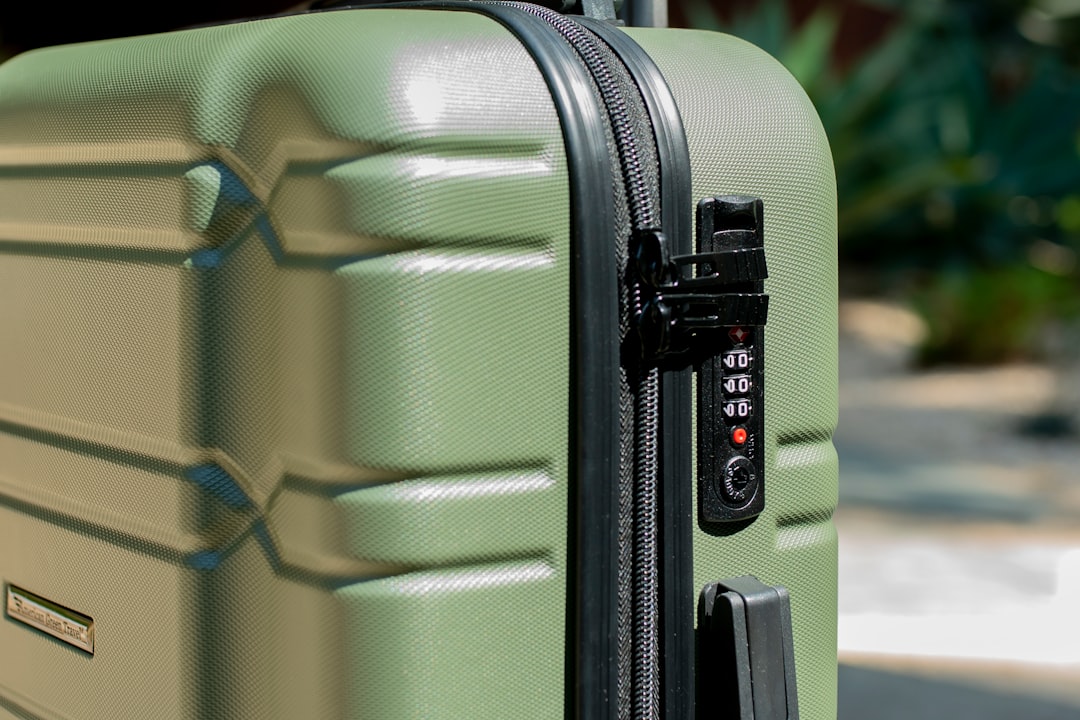
    polycarbonate suitcase material close up, TSA lock luggage detail

    2026년 가성비 캐리어 TOP 3 — 실사용 기반 분석

    아래 세 제품은 직접 사용하거나, 여행 커뮤니티(네이버 여행카페, 레딧 r/travel, Wirecutter 장기 리뷰)에서 반복적으로 검증된 것들만 골랐다. 가성비라는 기준은 ‘저렴한 것’이 아니라 ‘지불한 금액 대비 실망 없는 것’으로 정의했다.

    🥇 1위 — CALPAK Hue Carry-On (칼팩 휴 캐리온)
    가격대: 약 19~23만 원 (해외 직구 기준 $149~$169)
    자체 중량: 2.6kg (20인치 기준)
    소재: 100% PC
    바퀴: 일본 HINOMOTO 더블 스피너 휠

    칼팩은 미국에서 인스타그램 감성 캐리어로 유명해진 브랜드인데, 감성만 있는 게 아니라 실용성도 잘 잡혀 있다. HINOMOTO 휠은 일제 베어링을 쓰는 검증된 부품이라 저가형 캐리어와 내구성 차이가 체감된다. Wirecutter에서 ‘100달러대 최고 캐리어’로 수년째 상위권을 유지하고 있고, 국내 여행 커뮤니티에서도 50회 이상 사용한 장기 후기가 많다. 단점은 내부 수납 구조가 단순하다는 것. 정리 습관이 없는 사람에게는 내부가 난장판이 되기 쉽다.

    🥈 2위 — 트래블러스초이스 Merced (국내 유통명: 아마존 베스트셀러 캐리어)
    가격대: 약 10~14만 원
    자체 중량: 2.8kg (20인치 기준)
    소재: ABS+PC 혼합
    바퀴: 360도 스피너 (더블 베어링)

    가격 대비 완성도로 따지면 이 구간 최강이다. 아마존에서 수만 개의 리뷰를 보유하고 있고, 평점 4.4~4.6 수준을 꾸준히 유지한다. 소재가 순수 PC가 아닌 혼합 소재라서 칼팩보다 충격 내구성은 다소 아래지만, 연 1~2회 여행하는 라이트 유저에게는 충분한 수준이다. 국내 구매는 쿠팡이나 아마존 직구가 가장 저렴하다.

    🥉 3위 — 샘소나이트 Ziplite 5 (국내 공식 유통)
    가격대: 약 25~35만 원 (세일 시 20만 원대 진입 가능)
    자체 중량: 2.0kg (20인치 기준 ← 이 구간 최경량)
    소재: PC
    바퀴: Curv 강화 스피너

    샘소나이트는 비싸다고 알고 있는 분이 많은데, Ziplite 시리즈는 브랜드값 대비 합리적인 라인이다. 가장 큰 장점은 자체 중량 2.0kg. LCC를 자주 쓰거나 수하물 무게에 민감한 사람에게는 이 0.6~0.8kg 차이가 여행의 질을 바꾼다. 단, 세일을 노리지 않으면 가성비 구간을 벗어난다. 롯데백화점·현대백화점 정기 세일 시즌(3월, 9월)에 30~40% 할인 진입하는 경우가 많으니 그때를 노려라.

    한눈에 보는 스펙 비교표

    항목 CALPAK Hue 트래블러스초이스 Merced 샘소나이트 Ziplite 5
    가격 (20인치) 19~23만 원 10~14만 원 25~35만 원
    자체 중량 2.6kg 2.8kg 2.0kg ⭐
    외장 소재 100% PC ABS+PC 혼합 100% PC
    바퀴 품질 HINOMOTO 더블 ⭐ 더블 베어링 Curv 강화
    TSA 잠금
    보증 기간 제한 평생 보증 1년 10년
    추천 대상 감성+실용 둘 다 연 1~2회 라이트 유저 LCC 자주 쓰는 헤비 유저
    아마존/국내 평점 4.6 / 5.0 4.4 / 5.0 4.5 / 5.0

    해외 리뷰 사이트 + 국내 장기 사용자 후기 분석

    단순히 스펙만 나열하면 의미가 없다. 실제 사람들이 ‘오래 쓰고 나서’ 어떤 말을 하는지가 중요하다.

    Wirecutter (NYT 산하 리뷰 미디어)
    Wirecutter는 수백 개의 캐리어를 직접 테스트하는 것으로 유명한데, 2026년 기준 가성비 기내용 캐리어 추천 리스트에서 CALPAK과 샘소나이트 Ziplite 계열이 반복적으로 등장한다. 특히 강조하는 포인트는 ‘바퀴 소음’과 ‘핸들 높이 조절의 부드러움’인데, 저가형 캐리어는 핸들이 뻑뻑하거나 특정 높이에서 걸리는 경우가 많다고 지적한다.

    레딧 r/travel, r/onebag
    원백(one-bag) 여행 커뮤니티에서는 캐리어보다 백팩을 선호하는 성향이 강하지만, 캐리어를 사용한다면 ‘무게 최우선’을 강조한다. 샘소나이트 Ziplite가 꾸준히 언급되는 이유가 바로 이 때문이다. 반대로 트래블러스초이스는 ‘1년에 한두 번 쓰는 용도로는 충분하지만 주 1회 출장자에게는 비추’라는 의견이 다수다.

    국내 네이버 여행 카페 / 다나와 장기 사용 후기
    국내 후기에서 반복되는 패턴이 있다. 5만 원 이하 초저가 캐리어는 ‘6개월~1년 내 바퀴 또는 지퍼 파손’ 후기가 압도적으로 많고, 10만 원 이상 구간부터 ‘2~3년 이상 사용 중 이상 없음’ 후기가 등장하기 시작한다. 이 데이터는 단순하지만 강력한 메시지를 준다. 캐리어는 최소 10만 원 이상을 써야 손해 보지 않는다.

    절대 하지 말아야 할 캐리어 구매 실수 5가지

    • ❌ 실수 1 — 인터넷 최저가 5만 원 이하 캐리어 구매
      소재 설명도 없고, 바퀴 규격도 없고, A/S 센터도 없다. 공항에서 망가지면 그냥 버리는 일회용이라고 생각해라. 단기적으로 아끼는 돈보다 현지에서 대처하는 비용(캐리어 구매, 배송, 스트레스)이 훨씬 크다.
    • ❌ 실수 2 — 28인치(대형) 기준으로만 생각하기
      장기 여행이 아닌 이상 24인치 이하가 활용도가 훨씬 높다. 28인치는 꺼내기도 무겁고 LCC 위탁수하물 요금도 따로 나온다. 여행 패턴을 먼저 분석하고 사이즈를 결정해라.
    • ❌ 실수 3 — 외관 디자인만 보고 결정
      예쁜 캐리어가 나쁜 건 아니다. 근데 색깔이랑 패턴에만 집중하다가 자체 중량, 바퀴 사양, 내부 구조를 안 보면 반드시 후회한다.
    • ❌ 실수 4 — 보증 기간 확인 안 하기
      샘소나이트 10년 보증과 무명 브랜드 1년 보증은 장기적으로 비용 차이가 크다. 바퀴 하나 교체 비용이 2~5만 원인데, 보증이 있으면 무상 수리가 가능하다.
    • ❌ 실수 5 — 확장 지퍼(Expansion Zipper) 맹신하기
      수납 부족할 때 쓰라고 있는 기능인데, 확장 상태로 위탁수하물 넣으면 오버사이즈 차지가 나오는 경우가 있다. 항공사별 치수 제한을 확인하고 확장 여부를 판단해야 한다.

    FAQ

    Q1. 기내용이랑 위탁용 같은 브랜드로 맞춰야 하나요?

    꼭 그럴 필요는 없다. 브랜드 통일보다는 기내용은 ‘가볍고 튼튼한 것’, 위탁용은 ‘충격에 강하고 잠금장치 확실한 것’으로 역할에 맞게 고르는 게 더 실용적이다. 다만 같은 브랜드로 맞추면 A/S 연락처가 하나라서 관리가 편하다는 장점은 있다.

    Q2. 하드케이스 vs 소프트케이스, 뭐가 더 낫나요?

    2026년 기준 하드케이스 PC 소재가 압도적으로 추천된다. 소프트케이스는 수납 유연성이 좋지만, 습기에 약하고 외부 충격 시 내용물 손상 가능성이 높다. 공항 수하물 처리 과정에서 캐리어는 생각보다 훨씬 거칠게 다뤄진다. 직접 수하물 컨베이어 벨트 투척 영상을 한 번 보면 소프트케이스 생각이 싹 사라진다.

    Q3. 직구랑 국내 구매 중 어떤 게 이득인가요?

    칼팩처럼 국내 공식 유통이 제한적인 브랜드는 직구가 20~30% 저렴하다. 다만 파손 시 A/S가 복잡해질 수 있다. 샘소나이트, 리모와처럼 국내 공식 서비스센터가 있는 브랜드는 세일 시즌에 국내 구매가 오히려 이득인 경우도 많다. 결론: 브랜드별로 다르니 직구 전 국내 가격 비교는 필수다.

    결론 — 한 줄 평과 선택 가이드

    캐리어는 여행의 첫 번째 장비다. 공항에서 바퀴 터진 채 끌고 다니는 순간, 그 여행의 첫 기억은 망가진다. 예산별로 정리하면 이렇다.

    ✅ 예산 10~15만 원 → 트래블러스초이스 Merced (연 1~2회 여행, 라이트 유저)
    ✅ 예산 20만 원대 → CALPAK Hue (감성과 실용성 둘 다 챙기고 싶은 사람)
    ✅ 예산 25만 원 이상 + LCC 자주 탐 → 샘소나이트 Ziplite 5 (무게 민감, 헤비 유저)

    반대로 5만 원 이하 무명 캐리어는 어떤 상황에서도 추천하지 않는다. 두 번 사는 돈으로 한 번 제대로 사라.

    어디 여행을 가든, 장비 걱정 없이 여행 자체에 집중하는 게 진짜 여행이에요. 한 번 제대로 된 거 사두면 10년은 같이 갑니다. 이 글이 그 한 번의 선택에 도움이 됐으면 좋겠습니다.


    📚 관련된 다른 글도 읽어 보세요

    태그: 가성비 캐리어, 2026 캐리어 추천, 기내용 캐리어, 캐리어 비교, 샘소나이트, CALPAK, 여행 장비

  • Why Snorkeling Without a Guide Almost Ruined My Trip — Real 2025 Reef Survival Guide

    A friend of mine came back from a beach vacation last spring looking more exhausted than when she left. She’d booked a “snorkeling adventure” through a random beachside vendor, ended up in murky water with a cracked mask, and spent two days nursing coral cuts on her shins. “I thought I knew what I was doing,” she told me over coffee. “I’d watched YouTube videos.” That conversation is exactly what pushed me to put this guide together — because snorkeling looks deceptively simple until the current has other plans.

    So let’s actually think through this together, from gear selection to reading a reef safely, with real numbers and practical details that most listicles completely gloss over.

    Understanding the Reef Before You Ever Enter the Water

    The single biggest mistake recreational snorkelers make in 2025 is treating the ocean like a swimming pool with pretty decor. Coral reefs are living ecosystems with defined zones, tidal rhythms, and hazard layers — and misreading them is how you end up with a sea urchin spine in your foot or caught in a rip current 80 meters offshore.

    Here’s what actually matters before you enter:

    • Tidal windows: Low tide exposes shallow coral heads that become shin-height hazards. At most tropical reef sites (Caribbean, Indo-Pacific, Red Sea), snorkeling is safest during the 1–2 hour window on either side of high tide, when visibility averages 8–15 meters vs. 2–4 meters at low tide.
    • Current direction: Check the daily tidal chart on apps like Tide Alert or WindFinder. A current exceeding 0.5 knots (roughly 0.25 m/s) is noticeable; above 1 knot, it’s a fatigue multiplier that has caused drownings even among experienced swimmers.
    • Water temperature: Below 24°C (75°F), consider a 3mm shorty wetsuit. Cold water accelerates muscle fatigue by 30–40% and increases the risk of cramp-related incidents.
    • Visibility baseline: If surface visibility is under 4 meters — common after storms or in estuarine runoff zones — reschedule. Low visibility doubles the chance of accidentally contacting coral or marine life.
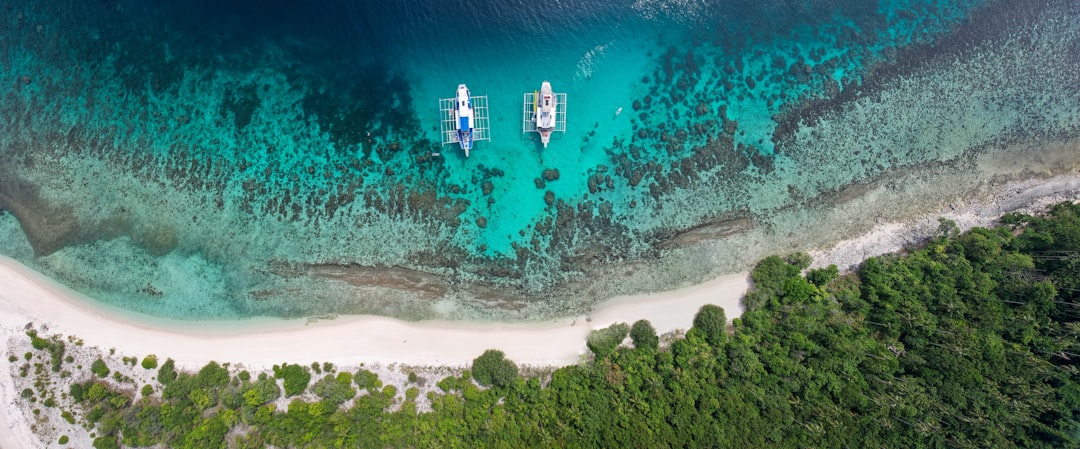
    tropical coral reef snorkeling, clear water visibility reef zone

    Gear That Actually Protects You (and the Reef)

    The gear rental market at beach destinations is wildly inconsistent. In a 2023 survey by the Reef-World Foundation across 40 dive shops in Southeast Asia and the Caribbean, 62% of rental masks showed degraded silicone skirts causing chronic leak issues — which means swimmers constantly lift their heads, exhaust themselves, and make poor decisions near coral.

    If you snorkel more than once a year, owning your own gear pays off fast. Here’s a realistic breakdown:

    • Mask: Tempered glass lens is non-negotiable. Silicone skirt (not PVC — it hardens and leaks within 18 months). Brands like Cressi F1, Mares X-Vision, or Atomic Frameless run $45–$120 and last 5–8 years with proper rinse care.
    • Snorkel: Dry-top vs. semi-dry matters less than purge valve quality. A failed purge in a 0.5-meter chop situation is miserable. The Aqua Lung Impulse 3 ($28) has proven reliable in field tests across multiple dive review sites.
    • Fins: Open-heel adjustable fins for travel; full-foot for consistent conditions. Blade stiffness determines propulsion efficiency — softer blades (like Mares Avanti Quattro) reduce calf cramps on longer sessions exceeding 45 minutes.
    • Reef-safe sunscreen: As of 2025, Hawaii, Palau, Bonaire, and the U.S. Virgin Islands legally prohibit oxybenzone and octinoxate. Mineral-based options (zinc oxide, titanium dioxide) from brands like Raw Elements or Stream2Sea are both legally compliant and ecologically sound.
    • Safety signaling: A $12 surface marker buoy (SMB) and a dive whistle weigh almost nothing and have been credited in multiple Coast Guard incident reports as decisive in open-water self-rescue scenarios.

    Reading a Reef Like a Local Guide Would

    In 2025, the best snorkeling sites in destinations like the Maldives, the Great Barrier Reef, and Belize are increasingly managed under zoning systems. The Great Barrier Reef Marine Park Authority (GBRMPA), for instance, divides reef access into Green Zones (no-take, high protection) and Blue Zones (limited recreational access) — and rangers do issue on-the-spot fines of up to AUD $3,000 for coral contact or specimen collection.

    What experienced local guides actually do — and what you can replicate — is observe the reef surface before submerging:

    • Pale or white coral patches signal bleaching stress; these areas are ecologically fragile and structurally brittle (broken coral fragments create laceration risks).
    • Fish aggregations near the surface, especially schooling silver fish, often indicate a drop-off or current boundary below — interesting for experienced snorkelers, dangerous for beginners.
    • Surge patterns against rock faces repeat on 7–12 second intervals at most Pacific sites. Timing your entry and exit to the lull phase reduces impact risk by roughly 70% compared to random entry.
    snorkeling gear setup beach, reef safe sunscreen mineral zinc

    Global Site Benchmarks Worth Planning Around

    To give you a realistic sense of what different snorkeling destinations actually offer versus what’s advertised, here’s a comparison based on field reports from sites like DiveAdvisor, Snorkeling Report, and the PADI Dive Site Database:

    • Raja Ampat, Indonesia: Considered the world’s highest marine biodiversity zone (over 1,500 fish species documented). Best window: October–April. Entry fees as of 2025: IDR 1,000,000 (~$62 USD) for foreign visitors, 7-day permit. Currents can reach 2–3 knots in channel passages — guide mandatory in most operator packages.
    • Hanauma Bay, Hawaii: One of the most studied and managed snorkeling sites globally. Daily visitor cap: 720 people (2025 reservation system via HanaumaBayReservations.com, $3 reservation + $25 entry for non-residents). Visibility averages 10–20 meters; the resident turtle population makes it genuinely spectacular.
    • Silfra Fissure, Iceland: Freshwater snorkeling between tectonic plates. Water temperature: 2–4°C year-round — a drysuit is mandatory, not optional. Visibility exceeds 100 meters, making it arguably the clearest snorkeling site on Earth. Tours average $80–$150 USD with gear.
    • Tubbataha Reef, Philippines: UNESCO World Heritage Site. Access strictly through licensed liveaboard operators only (approx. $1,200–$2,500 for 3–4 day trips). Snorkeling is secondary to diving here, but wall drifts in 5–10m depth are extraordinary.

    When Things Go Wrong — And What to Actually Do

    Most snorkeling incidents follow a predictable pattern: fatigue leads to water ingestion, which triggers panic, which causes poor decisions. A 2022 analysis of recreational water incident reports from the American Red Cross found that 78% of snorkeling-related rescue calls involved swimmers who had already covered distances greater than 300 meters from shore without a buddy or flotation device.

    Practical protocols that break this chain:

    • The “back-to-back” buddy check every 10–15 minutes — surface, make eye contact, give the OK signal before re-submerging.
    • If caught in a rip current: resist swimming directly against it. Angle 45° diagonally toward shore or simply float and signal until the current dissipates (most coastal rips weaken within 50–80 meters of their origin).
    • Coral cuts: rinse immediately with fresh water and apply topical antiseptic. Coral harbors bacteria including Vibrio species — untreated cuts can develop serious infections within 24–48 hours in tropical climates.
    • Jellyfish contact (box jellyfish excluded): rinse with seawater, not fresh water. Remove tentacles with a card or shell fragment, not bare hands. Vinegar neutralizes nematocysts from most species; it’s standard first-aid kit content at Australian beaches.

    Making the Most of Off-Season Snorkeling

    Here’s the counterintuitive tip that budget-conscious travelers consistently overlook: shoulder season often delivers better conditions than peak season at many sites. At Cozumel, Mexico, for example, November sees 20–25% lower accommodation rates, smaller crowds on the reefs, and water temperatures still at a comfortable 27°C. The famous Palancar Reef wall retains full visibility (15–25m) right through December.

    Similarly, the Maldives’ “wet season” (May–October) brings lower prices and lush, plankton-fed water that attracts whale sharks and manta rays — the trade-off is reduced visibility on some days, but experienced snorkelers consistently rate these encounters as more rewarding than a clear-water, wildlife-sparse peak-season day.

    Reader note: Snorkeling is genuinely one of the most accessible ways to experience marine ecosystems — you don’t need diving certification, expensive equipment, or elite fitness. But it rewards preparation disproportionately. The difference between a magical two hours on a reef and a stressful, potentially dangerous one is almost entirely decided before you enter the water: checking conditions, having gear that fits, understanding basic reef behavior, and going with at least one other person. Start there, and the ocean tends to meet you halfway.


    📚 관련된 다른 글도 읽어 보세요

    태그: snorkeling tips, reef safety, snorkeling gear guide, best snorkeling destinations, coral reef travel, marine conservation, underwater travel 2025

  • Why I Almost Gave Up on Welding — A Real 2025 Beginner’s Survival Guide

    A friend of mine — let’s call him Dave — picked up a MIG welder last spring after watching a few YouTube videos. Three weeks later, he called me frustrated, saying his welds looked like bird droppings and he’d burned through two sheets of thin steel. Sound familiar? That conversation is exactly what pushed me to write this guide. Welding is one of those skills that looks deceptively simple on screen but has a surprisingly steep learning curve when you’re actually holding the gun yourself.

    So let’s work through this together — from picking the right machine to diagnosing those maddening weld defects — with real numbers and honest talk.

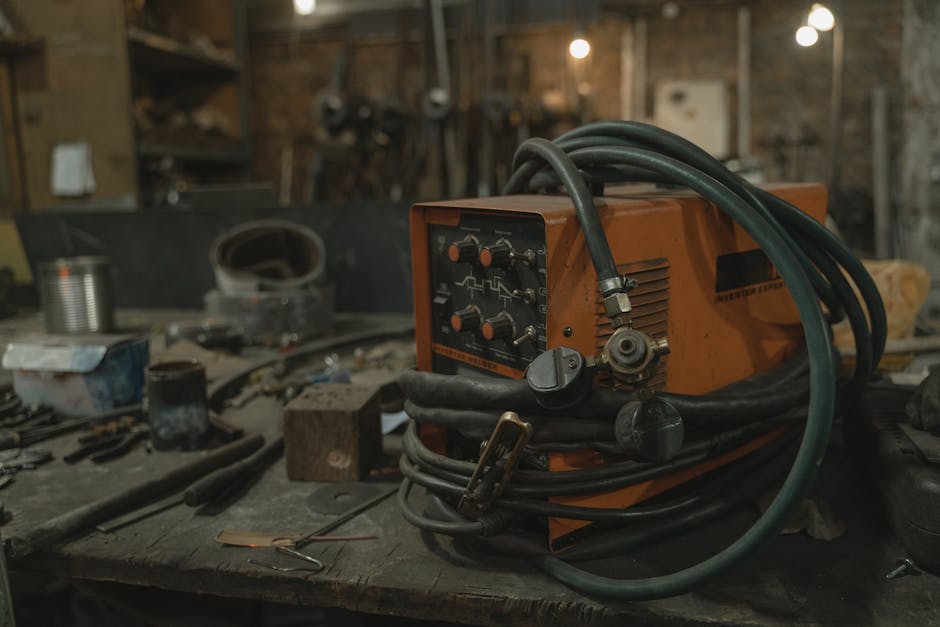
    MIG welding beginner setup, welding machine workspace

    What Type of Welding Should You Actually Start With?

    This is the first fork in the road, and it matters more than most tutorials admit. In 2025, the three realistic options for beginners are:

    • MIG (GMAW): The most beginner-friendly. Wire feeds automatically, shielding gas does most of the protection work. Expect a decent bead within your first 2–3 hours of practice. Entry-level machines like the Lincoln Electric POWER MIG 140c run around $500–$600.
    • Flux-Core (FCAW): No shielding gas required — the flux is inside the wire. Great for outdoor or windy conditions. Messier slag cleanup, but more forgiving on dirty or rusty metal. This is often what $150–$250 “gasless” machines use.
    • Stick (SMAW): Old-school but brutally effective for thick material and outdoor repairs. Steeper learning curve — rod angle, arc length, and travel speed all need to be right simultaneously. Machines start at around $200 but rods and cleanup take patience.
    • TIG (GTAW): Beautiful, precise welds — but don’t start here unless you enjoy punishment. Both hands and a foot pedal need coordination. Realistic learning curve: 6–12 months before consistent results.

    My honest recommendation for 2025: If your situation is garage hobby or auto bodywork on thin metal (under 3/16″), go MIG. If you need outdoor farm/field repairs on thicker stock, go Flux-Core or Stick.

    The Numbers That Actually Matter When Buying a Welder

    Manufacturers love to advertise peak amperage and maximum material thickness, but those specs are often measured under ideal lab conditions. Here’s what to actually look at:

    • Duty Cycle: A 20% duty cycle at 90A means you can weld for 2 minutes, then must let the machine cool for 8 minutes. For hobby use, 20–30% is fine. For production work, you want 60%+. The Hobart Handler 140 offers a 20% duty cycle at 90A — perfectly acceptable for weekend projects.
    • Input Power: 120V machines plug into standard household outlets but cap out around 140A. 240V machines (like the Miller Millermatic 211) give you 210A and can handle up to 3/8″ steel in a single pass.
    • Wire Feed Speed Range: Look for 40–700 IPM (inches per minute) range minimum. Too narrow a range limits versatility across different metal thicknesses.
    • Shielding Gas: For MIG on mild steel, 75% Argon / 25% CO₂ (C25) is the industry standard. Pure CO₂ is cheaper but produces more spatter. Don’t skip the gas — “gasless MIG” is flux-core, a different process entirely.

    The 4 Most Common Beginner Weld Defects (And Their Actual Causes)

    When Dave sent me photos of his welds, I could immediately diagnose the problems. Here’s the honest cause-and-effect breakdown that most beginner guides gloss over:

    • Porosity (holes/pits in the weld): Almost always caused by contamination — oil, rust, mill scale, or paint on the base metal, OR insufficient shielding gas coverage (check for leaks, set flow rate to 15–25 CFH). Also check that you’re not welding in wind above ~5 mph without a windscreen.
    • Undercut (groove along weld edges): Amperage too high, travel speed too fast, or gun angle too steep (beyond 15° from vertical). Reduce amps by 5–10A or slow your travel speed.
    • Cold lap / lack of fusion: Amperage too low or travel speed too fast. The weld metal is sitting ON the base metal instead of fusing INTO it. This is a structural failure point — not just cosmetic.
    • Burn-through on thin metal: Classic problem on sheet metal under 18 gauge. Solution: Use a stitch/tack weld pattern (weld 1″, skip 2″, repeat), reduce wire to 0.023″ diameter, and drop voltage 1–2 settings.
    weld defect comparison chart, porosity undercut weld close-up

    Safety: The Part Everyone Skips Until They Get Hurt

    This isn’t boilerplate — there are specific risks in 2025 that weren’t as prominently discussed a decade ago:

    • Fume extraction: Galvanized steel releases zinc oxide fumes that cause metal fume fever — flu-like symptoms within 4–12 hours. Never weld galvanized without proper respiratory protection (P100 + OV cartridge respirator minimum) and forced ventilation.
    • Arc eye (photokeratitis): Even a 2-second unprotected glance at the arc can cause severe eye pain 6–12 hours later. Auto-darkening helmets with shade 10–13 are standard; look for ones with reaction time under 1/25,000 second.
    • Fire watch: Spatter can travel up to 35 feet and ignite materials. The NFPA recommends a 35-foot clear zone and a 30-minute fire watch after welding in any area with combustibles.
    • Grounding: Always clamp the work lead as close to the weld joint as possible. A poor ground causes erratic arc behavior and can send current through unintended paths — dangerous near electronics or fuel lines.

    What the Welding Community Is Actually Using in 2025

    The r/Welding subreddit (currently 400k+ members) and the WeldingWeb.com forums are goldmines of real-world feedback. In 2025, the machines getting consistent praise from hobbyists include:

    • Lincoln Electric POWER MIG 140c — Benchmark hobbyist MIG, reliable wire feed, good duty cycle for price (~$550).
    • Hobart Handler 190 — Steps up to 240V, handles up to 5/16″ steel, considered an excellent mid-range value (~$800).
    • Miller Multimatic 215 — Multi-process (MIG, Flux-Core, DC TIG, Stick) in one unit. Popular with serious hobbyists and small shops (~$1,300). Auto-set feature genuinely helps beginners dial in parameters.
    • YesWelder MIG-205DS — Budget-conscious pick from a Chinese brand that’s earned credibility through consistent quality control improvements. Around $350, and a solid starter option if budget is tight.

    For online learning, Lincoln Electric’s own “Welding University” (lincolnelectric.com/education) offers free structured courses that go beyond YouTube tutorials. The American Welding Society (aws.org) also publishes free reference guides on joint design and material prep.

    Realistic Practice Plan for the First 30 Days

    Rather than just “practice a lot,” here’s a structured approach that builds foundational muscle memory:

    • Week 1: Run beads on flat plate (1/8″ mild steel) with no joint. Focus solely on maintaining consistent travel speed and gun angle (10–15° push angle for MIG). Listen for the “frying bacon” sound — that’s your target arc sound.
    • Week 2: Practice butt joints and T-joints in flat (1F/2F) position. Learn to read your bead width as a proxy for heat input — roughly 2–3x the wire diameter is your target bead width.
    • Week 3: Move to vertical-up welding (3F position). This is where most beginners struggle — you’ll need to reduce voltage/amps by 10–15% compared to flat welding to fight gravity.
    • Week 4: Build something simple — a small shelf bracket, a garden tool rack. Real projects expose fitup and tack welding skills you don’t get from plate practice alone.

    Cost Reality Check for 2025

    Let’s be honest about what starting welding actually costs. Initial setup for a hobbyist MIG rig:

    • Welder: $500–$800 (mid-range)
    • Shielding gas (cylinder + initial fill): $150–$250
    • Auto-darkening helmet (decent quality): $80–$150
    • Gloves, jacket/sleeves, chipping hammer, wire brush: $60–$100
    • Practice steel (10 lbs of 1/8″ flat bar): $20–$30
    • Realistic total: $800–$1,300 to start properly

    If that feels steep, check whether your area has a local makerspace or community college welding lab — many offer monthly memberships ($50–$150/month) that include machine access, gas, and sometimes basic materials. That’s a dramatically lower entry cost while you figure out if this is a long-term hobby for you.

    Also: buy quality consumables. Cheap contact tips and liners cause more frustration than almost anything else — they’re responsible for erratic wire feeding (the symptom is a stuttering, spitting arc, often misdiagnosed as a voltage problem).

    Bottom line: Welding has a real learning curve, but it’s one of the most satisfying skills you can develop. Dave — my frustrated friend — is now building a custom motorcycle frame. The turning point for him wasn’t a better machine; it was understanding why his welds were failing and fixing those specific variables. Start with MIG, practice on clean flat plate, respect the safety fundamentals, and give yourself 30 focused hours before judging your progress. The bird-dropping welds are just a phase — everybody has them.


    📚 관련된 다른 글도 읽어 보세요

    태그: []

  • 어릴때 이것 키워주지 않으면 후회해도 소용없어요 — 2026년 기준 수학 사고력, 지금 시작 안 하면 진짜 늦습니다

    얼마 전 초등학교 3학년 아이를 둔 친구한테 연락이 왔어요. ‘우리 애가 수학을 너무 싫어하는데 어떻게 해야 하냐’고. 그래서 물어봤죠. ‘언제부터 수 개념 잡아줬어?’ 돌아온 대답이 ‘학교 들어가면 다 배우는 거 아니야?’였어요. 그 순간 뭔가 짠했습니다. 이미 골든타임을 놓친 거거든요. 수학 사고력은 암기 과목이 아니에요. 언어처럼 결정적 시기가 있고, 그 시기를 놓치면 이후에 몇 배의 비용과 시간을 쏟아도 따라잡기가 정말 힘들어집니다. 오늘은 2026년 기준으로, 현직 교육 현장과 연구 데이터를 토대로 ‘수학 사고력을 키워야 할 골든타임’과 ‘지금 당장 할 수 있는 방법’을 솔직하게 풀어드릴게요.

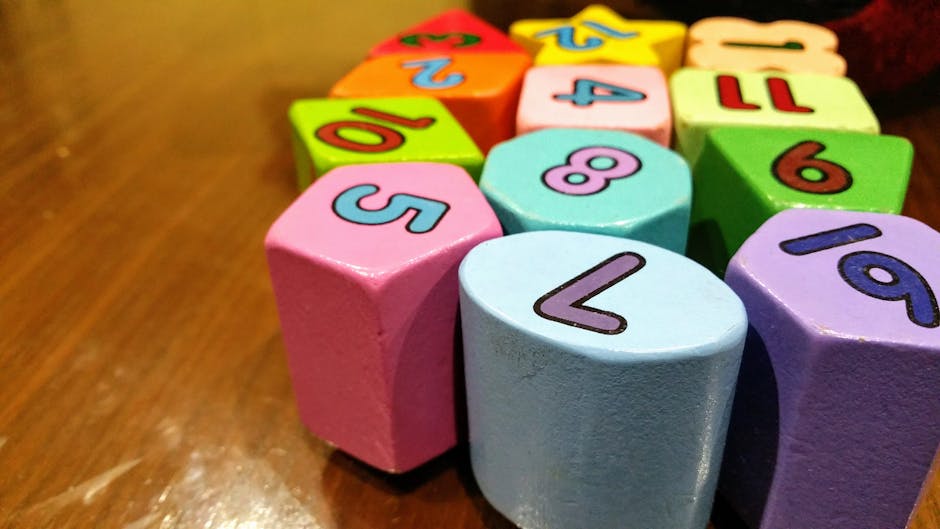
    child math learning, early childhood education, math blocks toys
    • 🧠 수학 사고력이 뭔지도 모르면서 학원부터 보내는 부모들
    • ⏰ 골든타임은 언제인가 — 뇌과학이 말하는 결정적 시기
    • 📊 수학 사고력 vs 단순 연산 훈련 — 뭐가 다른가 (비교표 포함)
    • 🔍 국내외 사례 분석 — 핀란드·싱가포르·한국의 차이
    • 🚫 절대로 하지 말아야 할 실수 5가지
    • ✅ 연령별 실전 커리큘럼 체크리스트
    • ❓ FAQ — 자주 묻는 질문 3가지

    🧠 수학 사고력이 뭔지도 모르면서 학원부터 보내는 부모들

    솔직히 말할게요. ‘수학 사고력 학원’이라는 간판만 보고 등록하는 부모가 생각보다 많아요. 근데 수학 사고력(Mathematical Thinking)은 단순히 연산을 빠르게 하거나 공식을 외우는 게 아닙니다. 패턴 인식, 논리적 추론, 공간 지각, 문제 분해(Problem Decomposition)까지 포함하는 복합적인 인지 능력이에요.

    2026년 현재, 교육부 2022 개정 교육과정이 본격 적용되면서 초등 수학도 ‘과정 중심 평가’로 전환됐어요. 정답을 빠르게 쓰는 것보다 ‘왜 그렇게 생각했는지’를 설명하는 능력이 평가됩니다. 즉, 연산 드릴로 쌓은 스펙은 이제 반쪽짜리예요.

    math thinking concept, brain neuroscience children, logical reasoning kids

    ⏰ 골든타임은 언제인가 — 뇌과학이 말하는 결정적 시기

    하버드 대학교 교육대학원(HGSE)의 연구에 따르면, 수 개념과 논리 추론을 담당하는 전두엽 피질은 만 3세~8세 사이에 시냅스 연결이 폭발적으로 증가합니다. 이 시기에 적절한 자극이 주어지지 않으면, 사용되지 않은 시냅스는 ‘가지치기(Synaptic Pruning)’를 통해 사라져요.

    국내에서도 한국교육개발원(KEDI)이 2023년 발표한 종단 연구 결과에서, 만 5~7세에 수 감각(Number Sense)이 형성된 아이들이 중학교 수학 성취도에서 평균 23% 높은 점수를 기록했습니다. 이게 단순한 상관관계가 아니라 인과관계로 분석된 게 핵심이에요.

    시기별로 정리하면 이렇습니다:

    • 만 3~5세: 수 감각의 씨앗기. 블록, 퍼즐, 비교·분류 놀이가 핵심.
    • 만 6~8세: 논리 구조의 황금기. 패턴, 규칙성, 기초 연산 개념 형성.
    • 만 9~11세: 추상화 전환기. 대수적 사고와 문장제 문제 적응력 결정.
    • 중학교 이후: 수정 가능하지만 비용(시간·돈·스트레스)이 기하급수적으로 증가.

    중학교 때 수학 사교육비가 폭발적으로 오르는 이유가 여기에 있어요. 기초가 없는 상태에서 심화를 억지로 끌어올리려니 월 50만~100만 원짜리 1:1 과외도 효과가 제한적인 거죠.

    📊 수학 사고력 vs 단순 연산 훈련 — 뭐가 다른가

    많은 분들이 헷갈려하는 부분이에요. 연산 훈련이 나쁜 건 아닙니다. 하지만 그게 전부라고 착각하는 게 문제예요.

    구분 단순 연산 훈련 수학 사고력 교육
    목표 정답 속도 향상 문제 구조 파악 및 해결 전략 수립
    대표 방식 반복 드릴 시트, 구구단 암기 수학 토론, 조작 교구, 오류 분석
    효과 지속 단기 (시험 직전 유효) 장기 (중·고·대학까지 누적 효과)
    전이 능력 낮음 (유형이 달라지면 막힘) 높음 (새로운 문제에도 적용 가능)
    2022 개정 교육과정 적합성 낮음 높음
    월 비용 (국내 평균) 5만~15만 원 (학습지·앱) 15만~40만 원 (전문 프로그램)
    가정에서 대체 가능 여부 가능 (부모 지도 시) 부분 가능 (교구·방법론 필요)

    비용 차이가 있는 건 사실이지만, 초등 저학년 때 사고력 교육에 투자한 가정이 중학교 때 사교육비가 오히려 줄어드는 경향이 있어요. 제 주변 사례만 봐도 그렇습니다.

    🔍 국내외 사례 분석 — 핀란드·싱가포르·한국의 차이

    싱가포르 수학(Singapore Math)은 전 세계에서 가장 주목받는 초등 수학 커리큘럼입니다. 핵심은 ‘CPA 접근법(Concrete-Pictorial-Abstract)’이에요. 실물 교구 → 그림 → 숫자 순으로 개념을 단계별로 내면화시킵니다. 싱가포르는 PISA 2022 수학 부문에서 1위를 기록했어요. 단순 암기가 아니라 개념 이해를 통한 적용력을 키운 결과입니다.

    핀란드는 반대로 만 7세 이전에는 공식적인 수학 교육을 시작하지 않아요. 대신 놀이 중심으로 수 감각을 자연스럽게 익힙니다. 이후 추상 개념 도입 속도는 빠르지 않지만, 수학을 ‘두려운 것’으로 인식하는 비율이 OECD 최하위 수준입니다.

    한국은 어떨까요. 2026년 현재도 많은 가정에서 만 5~6세부터 연산 학습지를 시작해요. 빠른 시작처럼 보이지만, 2022년 PISA 결과에서 한국 학생의 ‘수학 불안감(Math Anxiety)’ 지수는 OECD 상위권이었어요. 잘 하면서도 두려워하는 아이러니한 구조인 거죠. 이건 교육 방향이 잘못됐다는 신호예요.

    국내에서 사고력 수학으로 검증된 커리큘럼으로는 CMS에듀(창의수학연구소), 매쓰플랫(MathFlat), 와이즈만 영재교육 등이 있고, 가정에서 적용 가능한 교구 브랜드로는 페탈(Petal), 매쓰링크 등이 있습니다. 해외 자료를 원한다면 Khan Academy의 ‘Early Math’ 커리큘럼도 무료로 훌륭합니다.

    🚫 절대로 하지 말아야 할 실수 5가지

    • ‘학교 가면 다 배운다’는 착각: 학교 수학은 기초 개념 전달 중심입니다. 사고력은 별도로 설계된 경험 없이는 저절로 생기지 않아요.
    • 오답을 혼내는 것: 오류는 사고 과정의 증거예요. 틀렸을 때 ‘왜 그렇게 생각했어?’라고 묻는 게 훨씬 효과적입니다. 혼내면 수학 자체를 거부하게 됩니다.
    • 결과(정답)에만 집착: ‘답은 맞았지만 과정이 이상한 경우’를 그냥 넘기면 안 돼요. 2022 개정 교육과정은 과정 중심 평가이기 때문에 이 습관이 이후에 치명적입니다.
    • 연령 대비 과도한 선행: 만 6세 아이에게 초등 3학년 문제를 풀리는 건 장기적으로 역효과예요. 뇌의 추상화 능력이 준비되지 않은 상태에서의 선행은 ‘기계적 풀이 패턴’만 형성시킵니다.
    • 디지털 앱에만 의존: 앱 기반 연산 훈련은 보조 도구예요. 실물 교구, 종이 기반 문제 해결, 언어로 설명하는 과정이 함께 있어야 뇌 전반이 활성화됩니다.

    ✅ 연령별 실전 커리큘럼 체크리스트

    지금 아이 나이에 맞는 항목을 체크해보세요. 빠진 게 있다면 지금이라도 시작할 수 있어요. 단, 시기가 늦어질수록 채우는 데 더 많은 에너지가 필요하다는 걸 기억하세요.

    • [만 3~5세] 블록 쌓기·분류·비교(크다/작다/같다) 놀이 주 3회 이상
    • [만 3~5세] 1~10까지 구체물(사탕, 바둑돌 등)로 세기 경험
    • [만 6~7세] 패턴 이어 그리기, 도형 퍼즐, 간단한 측정 활동
    • [만 6~7세] 덧셈·뺄셈을 교구(수 막대, 바둑돌)로 먼저 경험한 후 숫자로 연결
    • [만 8~10세] 문장제 문제를 소리 내어 읽고, 핵심어에 밑줄 긋는 습관 형성
    • [만 8~10세] 틀린 문제를 오답 노트에 ‘왜 틀렸는지’를 문장으로 기록
    • [만 10~12세] 수학 독서(수학 동화, 퍼즐 책) 월 2권 이상
    • [만 10~12세] 생활 속 수학 연결 — 장 볼 때 할인율, 요리할 때 비율 계산 습관화

    ❓ FAQ

    Q1. 만 8세인데 지금도 늦지 않았나요?

    늦지 않았어요. 다만 ‘빨리 시작할수록 편하다’는 건 변하지 않습니다. 만 8세라면 아직 논리 구조의 황금기 안에 있어요. 지금 당장 교구 기반 수 개념 재정비부터 시작하세요. 단, 연산 속도보다 ‘왜 그렇게 되는지’ 설명하는 연습을 우선으로 두세요. 6개월만 방향 바꿔도 눈에 띄게 달라집니다.

    Q2. 수학 학원을 보내야 할까요, 가정에서 해야 할까요?

    둘 중 하나를 고르라면 ‘가정에서의 질 높은 대화’가 더 중요합니다. 하지만 현실적으로 부모가 방법론을 모르면 학원의 도움을 받는 게 맞아요. 핵심은 학원을 ‘아웃소싱’으로 쓰되, 집에서 ‘왜 그렇게 생각해?’를 습관적으로 묻는 환경을 병행하는 것입니다. 둘 다 학원에 맡기고 집에서 아무것도 안 하면 효과가 반 토막 나요.

    Q3. 수학을 너무 싫어하는 아이, 어떻게 접근해야 하나요?

    수학을 싫어하는 건 대부분 ‘실패 경험의 누적’이에요. 이럴 땐 난이도를 확 낮춰서 성공 경험을 먼저 쌓아줘야 합니다. 지금 학년보다 1~2학년 아래 수준의 문제를 100% 맞추게 하고, 칭찬을 아끼지 마세요. 뇌는 성공 경험에 도파민을 분비하고, 그게 수학을 ‘할 수 있는 것’으로 재각인시킵니다. 억지로 난이도 올리면 거부감만 강해져요.

    🎯 결론 — 한 줄 평

    수학 사고력은 재능이 아니라 시기에 맞는 경험의 총합입니다. 골든타임을 놓치면 따라잡을 수 없는 게 아니라, 따라잡는 데 드는 비용이 기하급수적으로 커진다는 거예요. 지금 이 글을 읽고 있다면, 오늘부터 딱 한 가지만 바꿔보세요. 아이가 틀렸을 때 ‘왜 그렇게 생각했어?’라고 물어보는 것. 그게 시작입니다.

    주관적 평점: ⭐⭐⭐⭐⭐ / 시기를 놓치면 돌아오지 않는 투자

    솔직히 말씀드리면, 교육에서 ‘나중에 해도 돼’라는 말이 가장 비싼 말입니다. 지금 5만 원짜리 교구 한 세트가, 나중에 월 80만 원짜리 수학 과외 6개월치를 대체할 수 있어요. 선택은 부모님 몫이지만, 데이터는 이미 답을 말하고 있습니다.


    📚 관련된 다른 글도 읽어 보세요

    태그: 수학사고력, 초등수학, 골든타임교육, 수학교육, 사고력수학, 유아수학, 수학불안