Blog

  • Raspberry Pi 5 Home Lab Projects You Should Try in 2026: From Beginner Builds to Advanced Setups

    Last winter, a friend of mine — a software developer who swore he’d “never become a hardware person” — called me excitedly to say he’d just set up a fully self-hosted cloud storage system running on a Raspberry Pi 5 tucked behind his TV. His monthly cloud subscription bill? Zero. His sense of accomplishment? Through the roof. That conversation got me thinking: in 2026, the Raspberry Pi 5 has quietly become one of the most powerful, accessible tools for building your own home lab — and most people still don’t know what they’re missing.

    Whether you’re a curious beginner who just unboxed their first Pi or a seasoned tinkerer looking for your next rabbit hole, let’s think through what’s actually worth building right now.

    Raspberry Pi 5 home lab setup desk projects 2026

    Why the Raspberry Pi 5 Changed the Home Lab Game

    The Raspberry Pi 5, which launched in late 2023 but has truly come into its own in the 2025–2026 ecosystem, packs a 2.4GHz quad-core Arm Cortex-A76 processor, up to 8GB of LPDDR4X RAM, and — crucially — a PCIe 2.0 interface that opens the door to NVMe SSDs via the official M.2 HAT+. This isn’t the sluggish Pi of 2018. We’re talking roughly 2–3x the performance of the Pi 4 in real-world workloads.

    In practical terms, that means you can now run containerized services (think Docker stacks with 8–10 simultaneous containers), lightweight Kubernetes distributions like K3s, and even some local AI inference workloads without the Pi sweating too hard. The power draw sits around 5–7W under moderate load — compare that to even the most energy-efficient mini PCs at 15–25W, and the cost savings over a year of 24/7 operation are genuinely meaningful.

    Project #1: Self-Hosted Cloud Storage with Nextcloud

    This is the gateway drug of home lab projects, and for good reason. Nextcloud running on a Pi 5 with an NVMe SSD attached via the M.2 HAT+ performs remarkably well for a household of 2–4 users. You get file sync, calendar, contacts, and even video calling — all on your own hardware, under your own control.

    • What you’ll need: Raspberry Pi 5 (8GB recommended), M.2 HAT+, 500GB–1TB NVMe SSD, Docker + Nextcloud AIO (All-in-One) image
    • Realistic storage throughput: PCIe 2.0 on the Pi 5 delivers roughly 400–450 MB/s sequential read via NVMe — fast enough for smooth media streaming and file access
    • Time to set up: 2–4 hours for a complete beginner following current 2026 guides; under an hour for someone comfortable with Docker
    • Monthly cost savings: Replacing a 2TB Google One or iCloud+ plan saves roughly $10–$30/month depending on your region

    Project #2: Network-Wide Ad Blocking with Pi-hole + Unbound

    Pi-hole is almost a rite of passage, but pairing it with Unbound (a recursive DNS resolver) turns it into something genuinely impressive. Every device on your home network — your smart TV, phone, kids’ tablets — gets ad blocking and DNS privacy without installing anything on those devices. The Pi 5 is honestly overkill for this task alone, which is why most people combine it with other services running in Docker containers simultaneously.

    The global community around this project is enormous. Japanese home lab communities on platforms like Zenn and Qiita have published detailed 2026 configuration guides, while communities in Germany and the Netherlands (where privacy consciousness runs high) have refined the Unbound configuration to comply with stricter local data handling preferences. It’s a genuinely international project with localized wisdom.

    Project #3: Local AI Inference Server with Ollama

    This one is 2026’s most exciting addition to the Pi 5 home lab conversation. Ollama — the tool that lets you run large language models locally — now has optimized ARM builds that run surprisingly well on the Pi 5’s Cortex-A76 cores. You’re not running GPT-4-class models here, but smaller models like Llama 3.2 (3B parameter version) or Phi-3 Mini generate usable responses at 2–5 tokens per second on the 8GB Pi 5.

    Why does this matter? Privacy-sensitive use cases — journaling assistants, local document summarization, coding helpers that never phone home — become achievable without any cloud subscription or GPU investment. Several indie developers in South Korea and Taiwan have published case studies in early 2026 showing Pi 5-based Ollama setups handling internal documentation queries for small teams effectively.

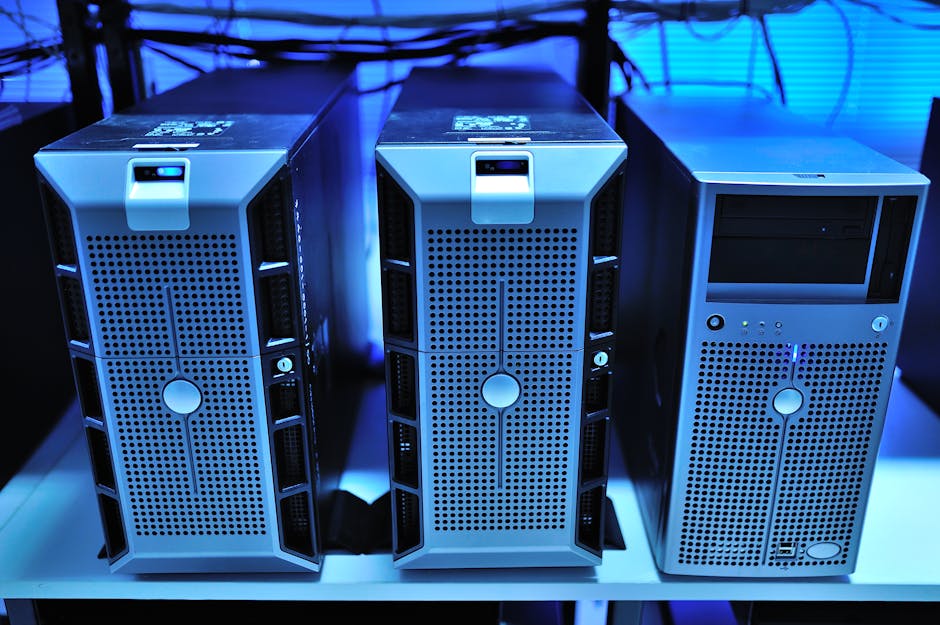
    Raspberry Pi 5 NVMe SSD HAT home server selfhosted

    Project #4: Home Automation Hub with Home Assistant

    Home Assistant on a Pi 5 is genuinely the best local smart home platform available in 2026. With Matter and Thread now mature protocols (both fully supported in Home Assistant’s 2026.x releases), you can integrate devices from virtually any manufacturer — Apple HomeKit accessories, Google Home devices, Amazon Alexa-compatible gadgets — all controlled locally without relying on any vendor’s cloud.

    • Automate lighting, heating, and security cameras with sub-100ms local response times
    • Run the Home Assistant Operating System (HAOS) directly on your Pi 5’s NVMe for reliability
    • Use the built-in energy monitoring dashboard to track and reduce your household electricity usage — particularly relevant given rising energy costs in 2026
    • Connect Zigbee and Z-Wave devices via USB dongles without any cloud dependency

    Project #5: VPN Server + Reverse Proxy (Tailscale + Nginx Proxy Manager)

    If you want to securely access all of your home services from anywhere in the world — your Nextcloud files while traveling, your Home Assistant dashboard while at work — this combination is the modern, beginner-friendly answer. Tailscale (which uses the WireGuard protocol under the hood) handles the VPN tunnel with almost zero configuration, while Nginx Proxy Manager provides a clean web UI for routing traffic to your various Docker services.

    This project teaches you genuinely transferable networking skills. Several bootcamp instructors in the US and UK now recommend Pi 5 home lab setups as practical complements to cloud certifications like AWS Solutions Architect — the concepts map directly.

    Realistic Alternatives If the Pi 5 Isn’t Right for You

    Let’s be honest about the trade-offs, because I think that’s more useful than pure enthusiasm. The Pi 5 has real limitations: no hardware-accelerated video transcoding (Plex and Jellyfin users take note — transcoding 4K content is painful), limited PCIe bandwidth compared to x86 mini PCs, and the ARM architecture occasionally creates friction with software that’s primarily built for x86.

    If you need heavier transcoding workloads, consider the Intel N100-based mini PCs (like the Beelink EQ12 or similar 2025/2026 equivalents) — they draw only 10–15W, cost around $150–200, and include Intel Quick Sync for hardware transcoding. They’re a natural next step when you outgrow the Pi.

    If budget is the primary concern and you’re just starting out, a Raspberry Pi 5 4GB model (typically $60) handles Pi-hole, Home Assistant, and light Nextcloud use just fine — you don’t need the 8GB model unless you’re running AI inference or heavy Docker stacks.

    And if you’re genuinely uncertain whether home labbing is for you, start with a virtual machine on your existing PC using VirtualBox or Proxmox — get comfortable with Linux and Docker concepts before investing in hardware.

    Editor’s Comment : What I love about the Raspberry Pi 5 home lab scene in 2026 is that it sits at this perfect intersection of “affordable enough to experiment freely” and “powerful enough to actually use in daily life.” You’re not building toys — you’re building real infrastructure that saves money, protects privacy, and teaches skills that translate directly to professional cloud and DevOps work. Start with one project that solves a real problem you have (annoying ads? cloud storage costs? smart home frustration?), get it working solidly, and then let curiosity take you from there. The rabbit hole is deep, but every level of it is genuinely rewarding.

    태그: [‘Raspberry Pi 5’, ‘home lab projects 2026’, ‘self-hosted server’, ‘Nextcloud setup’, ‘Home Assistant Pi’, ‘Ollama local AI’, ‘Pi-hole DNS’]


    📚 관련된 다른 글도 읽어 보세요

  • 2026년 라즈베리파이 5 홈랩 프로젝트 추천 7선 – 집에서 서버 굴리는 법

    작년 말, 제 지인 한 명이 월 클라우드 구독료가 너무 아깝다며 라즈베리파이 5를 한 대 샀어요. 처음엔 그냥 NAS나 만들어볼까 했는데, 어느새 집 안에 작은 데이터센터를 차려놓은 걸 보고 적잖이 놀랐습니다. 전기세도 거의 안 나오고, 월정액 구독 두 개를 끊었다며 씩씩하게 웃더라고요. 그 얘기를 듣고 저도 본격적으로 라즈베리파이 5 기반의 홈랩(Home Lab)을 파고들게 됐습니다.

    2026년 현재, 라즈베리파이 5는 8GB RAM 모델 기준으로 국내 공식 유통가 약 10만 원 초중반대에 안정적으로 공급되고 있어요. 전작인 파이 4와 비교하면 CPU 성능이 약 2~3배, I/O 속도는 NVMe SSD를 지원하는 PCIe 2.0 인터페이스 덕분에 체감상 훨씬 빨라졌습니다. 이 정도면 진지하게 ‘집 서버’를 고민해볼 만한 스펙이라고 봅니다.

    Raspberry Pi 5 home lab setup desk

    1. 라즈베리파이 5, 홈랩에 쓸 수 있는 스펙인가?

    라즈베리파이 5의 핵심 사양을 짚어볼게요. 2.4GHz 쿼드코어 Arm Cortex-A76, 최대 8GB LPDDR4X RAM, PCIe 2.0 x1 슬롯(HAT+를 통해 NVMe 연결 가능), USB 3.0 포트 2개, 기가비트 이더넷. 전력 소비는 풀로드 시에도 약 12~15W 수준입니다.

    이걸 연간 전기요금으로 환산하면 어떻게 될까요? 24시간 풀가동 기준 하루 약 0.3~0.36kWh, 월 약 9~11kWh 소비입니다. 2026년 기준 한국 전기요금 일반용 단가를 약 150원/kWh로 잡으면 월 전기료 약 1,350~1,650원 수준이에요. 사실상 공짜에 가깝죠. x86 미니PC(평균 30~50W)나 구형 PC를 서버로 쓰는 것과 비교하면 비용 차이가 꽤 납니다.

    물론 한계도 있어요. 복잡한 머신러닝 추론이나 4K 영상 트랜스코딩 같은 고부하 작업은 무리가 있고, 대용량 스토리지를 연결하면 USB 버스 대역폭이 병목이 될 수 있습니다. 하지만 일반 가정의 홈랩 용도라면 대부분의 시나리오를 충분히 소화할 수 있다고 봅니다.

    2. 국내외 홈랩 커뮤니티가 가장 많이 구축하는 프로젝트

    Reddit의 r/homelabr/selfhosted 커뮤니티, 그리고 국내 클리앙, GeekNews 등을 살펴보면 라즈베리파이 5 기반으로 가장 활발하게 논의되는 프로젝트들이 꽤 뚜렷하게 보입니다. 해외에서는 특히 Home Assistant 기반의 스마트홈 허브와 Pi-hole DNS 블로커의 조합이 꾸준히 인기고, 국내에서는 Jellyfin을 이용한 개인 미디어서버 구축 사례가 2025~2026년 사이 부쩍 늘었어요. Nextcloud를 통해 자체 클라우드를 구성하고 Google Drive나 iCloud 구독을 끊는 사례도 심심찮게 보입니다.

    특히 흥미로운 건, 2026년 들어 해외 홈랩 커뮤니티에서 Immich(오픈소스 구글 포토 대체제)를 라즈베리파이 5에 올리는 시도가 크게 늘었다는 점이에요. 파이 4에서는 썸네일 생성 속도가 느려 실용성이 떨어진다는 평이 많았는데, 파이 5의 향상된 CPU 덕분에 실용 수준에 진입했다는 후기가 이어지고 있습니다.

    self-hosted server Raspberry Pi projects dashboard

    3. 추천 홈랩 프로젝트 7선

    아래 프로젝트들은 난이도, 실용성, 비용 절감 효과를 종합적으로 고려해 선별했어요. 초보자도 도전할 수 있는 것부터 약간의 리눅스 지식이 필요한 것까지 다양하게 담았습니다.

    • Pi-hole + Unbound (DNS 광고 차단기) – 가장 추천하는 입문 프로젝트예요. Pi-hole은 네트워크 전체의 광고 및 트래킹 도메인을 DNS 단에서 차단해 주고, Unbound를 함께 구성하면 외부 DNS 서버 없이 직접 루트 DNS를 재귀 조회하는 프라이버시 강화 환경이 만들어집니다. 설치 시간은 1~2시간이면 충분해요.
    • Home Assistant (스마트홈 허브) – 삼성 SmartThings, 애플 HomeKit, 구글 홈 등 파편화된 스마트홈 기기들을 하나의 대시보드로 통합하는 오픈소스 플랫폼입니다. 2026년 현재 지원 통합 기기 수가 3,500개를 넘어섰고, 로컬 처리 방식이라 인터넷이 끊겨도 자동화가 동작해요.
    • Nextcloud (자체 클라우드 스토리지) – iCloud 50GB 구독(월 1,100원)이나 Google One 구독을 대체할 수 있어요. 외장 SSD를 연결하면 수 TB급 개인 클라우드가 됩니다. 파일 동기화, 캘린더, 연락처, 화상통화 기능까지 제공합니다.
    • Jellyfin (개인 미디어 서버) – Plex의 완전한 오픈소스 대안이에요. 구독료 없이 영화, 드라마, 음악 라이브러리를 스트리밍할 수 있습니다. 라즈베리파이 5에서 H.264 1080p 직접 재생(Direct Play)은 매우 원활하지만, 트랜스코딩은 720p 수준으로 제한하는 것이 현실적이라고 봅니다.
    • Immich (오픈소스 구글 포토 대안) – 스마트폰 사진을 자동 백업하고 얼굴 인식, 지도 기반 검색 등을 제공하는 셀프호스팅 포토 앱이에요. 2026년 들어 기능 완성도가 크게 높아졌고, 라즈베리파이 5에서 실용적으로 쓸 수 있는 수준에 도달했습니다.
    • Gitea / Forgejo (로컬 Git 저장소) – GitHub에 올리기 민감한 개인 프로젝트나 사내 코드를 로컬 서버에서 관리하는 경량 Git 서비스예요. 메모리 사용량이 매우 적어 다른 서비스와 함께 돌려도 부담이 없습니다.
    • WireGuard VPN 서버 – 외부에서 집 내부 네트워크 자원에 안전하게 접근하기 위한 VPN 서버를 구성할 수 있어요. WireGuard는 OpenVPN 대비 성능이 훨씬 뛰어나고 설정도 단순한 편입니다. 라즈베리파이 5에서 수백 Mbps의 암호화 처리가 가능해요.

    4. 시작 전에 꼭 챙겨야 할 것들

    홈랩을 시작할 때 하드웨어 외에도 몇 가지 현실적인 부분을 고민해야 해요. 먼저 도메인과 DDNS(동적 DNS) 설정인데요, 가정용 인터넷은 대부분 유동 IP를 사용하기 때문에 외부 접근이 필요한 서비스라면 DuckDNS나 Cloudflare DDNS 같은 무료 서비스를 함께 구성하는 것이 좋습니다. 또한 Docker와 Portainer 조합을 익혀두면 여러 서비스를 컨테이너로 격리해서 관리하기가 훨씬 수월해져요. 라즈베리파이 OS (Bookworm 기반)에서 Docker는 공식 지원되니 진입장벽도 낮습니다.

    보안도 빠뜨릴 수 없어요. 최소한 SSH 키 기반 인증 설정, 기본 포트 변경, Fail2ban 설치는 기본으로 챙기는 것을 권장합니다. 집 외부로 포트를 열 경우에는 Cloudflare Tunnel을 활용해 직접 포트포워딩 없이 외부 접근을 구현하는 방법도 좋은 대안이라고 봅니다.

    결론 – 월 구독료 끊고 내 서버 쓰는 시대

    라즈베리파이 5는 분명히 만능 서버는 아닙니다. 하지만 전기세 월 1,500원 수준의 초소형 컴퓨터로 DNS 차단기, 스마트홈 허브, 개인 클라우드, 미디어 서버를 동시에 돌릴 수 있다는 건 꽤 인상적인 가성비예요. 무엇보다 ‘내 데이터는 내가 관리한다’는 철학적 만족감도 무시할 수 없고요.

    처음 시작하는 분이라면 Pi-hole 하나만 먼저 올려보는 것을 추천드려요. 설치 과정에서 리눅스와 네트워크 기초를 자연스럽게 익히게 되고, 그게 이후 다른 프로젝트들을 이어가는 좋은 발판이 된다고 봅니다.

    에디터 코멘트 : 저는 개인적으로 라즈베리파이 5에서 Pi-hole과 Home Assistant, 그리고 Immich를 Docker Compose로 묶어서 운영하는 조합이 2026년 현재 가장 ‘가성비 있는 홈랩 삼총사’라고 생각해요. 처음부터 거창하게 시작하려다 지치는 경우를 많이 봤거든요. 작게 시작해서 하나씩 붙여나가는 방식이 결국 오래 가더라고요.

    태그: [‘라즈베리파이5’, ‘홈랩’, ‘셀프호스팅’, ‘Raspberry Pi 5’, ‘홈서버구축’, ‘Pi-hole’, ‘HomeAssistant’]


    📚 관련된 다른 글도 읽어 보세요

  • 2026 Precision 3D Printing: The Trends & Tech Shifts You Can’t Afford to Miss

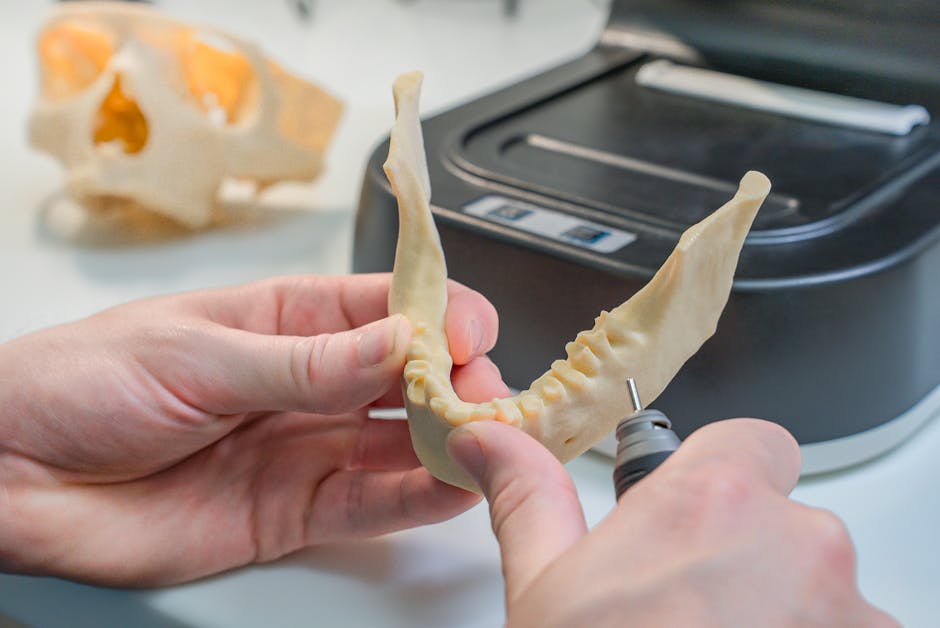
    Picture this: a surgeon in Seoul holds a patient-specific bone implant, printed overnight from a titanium alloy blend, with surface tolerances measured in microns. Meanwhile, a boutique sneaker brand in Portland is churning out fully customized midsoles on demand — no inventory, no waste. Both scenarios? Happening right now, in 2026. Precision 3D printing has quietly crossed the threshold from impressive prototype tool to mission-critical manufacturing backbone, and the pace of change this year is genuinely breathtaking.

    So let’s think through what’s actually driving this shift, what the numbers say, and — most importantly — what it means for you, whether you’re a hobbyist, a small business owner, or a decision-maker at a mid-size manufacturer.

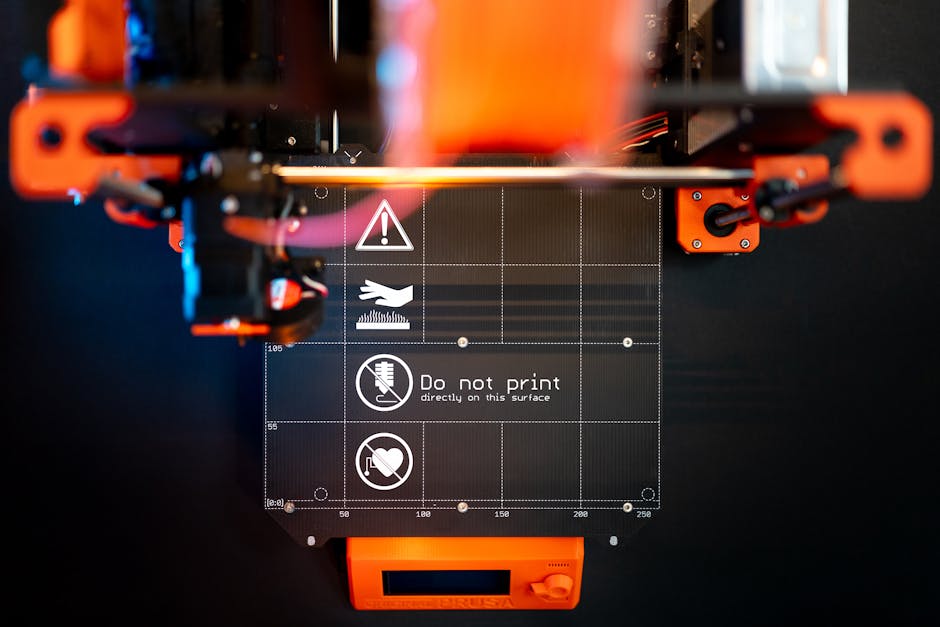
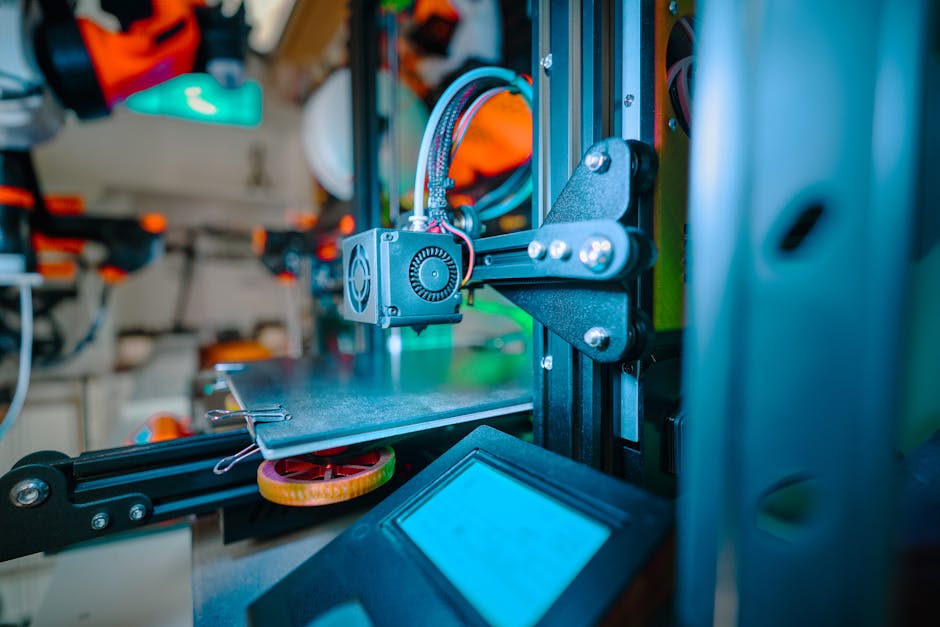
    precision 3D printing 2026 metal titanium medical aerospace high resolution

    📊 The 2026 Market Snapshot: Bigger, Faster, More Precise

    The global additive manufacturing market crossed the $35 billion mark in early 2026, according to industry tracking from Wohlers Associates and SmarTech Analysis. What’s notable isn’t just the size — it’s the composition. Industrial-grade precision printing now accounts for roughly 58% of total market revenue, up from around 44% just three years ago. The hobbyist FDM (Fused Deposition Modeling) segment, while still growing in unit sales, is shrinking as a share of overall value.

    Why does that distinction matter? Because it tells us where the real technological energy is being invested. Precision printing — think SLA (Stereolithography), SLS (Selective Laser Sintering), DMLS (Direct Metal Laser Sintering), and Multi Jet Fusion — is attracting aerospace contracts, medical device approvals, and serious R&D capital. The resolution bar keeps getting raised: sub-10-micron layer resolution is now commercially available, and some lab-grade systems are pushing into the 1–2 micron territory.

    🔬 Key Technology Trends Reshaping Precision Printing in 2026

    Let’s break down the specific innovations that are making headlines and, more importantly, making real differences on factory floors and design studios:

    • Continuous Liquid Interface Production (CLIP) 2.0: Carbon3D’s second-generation CLIP technology dramatically reduces print time for resin-based parts while maintaining tolerances under 25 microns. In 2026, this is being deployed in dental labs across Europe and North America at scale.
    • Multi-Material Metal Printing: Systems from Desktop Metal and Markforged now allow gradient material transitions — imagine a part that’s stainless steel at its structural core but grades into a copper alloy at thermal contact zones. This was a research curiosity in 2023; it’s a purchasable product line today.
    • AI-Driven Topology Optimization: Software platforms like nTopology and Autodesk Fusion’s generative design suite now integrate directly with printer firmware. The AI doesn’t just design the part — it adjusts print parameters layer-by-layer in real time based on thermal feedback sensors.
    • Bioprinting Goes Clinical: 2026 marks the first year that FDA-cleared, patient-matched bioprinted cartilage scaffolds are available through a commercial surgical pathway in the United States. Korean biotech firm T&R Biofab and US-based Organogenesis are both active in this space.
    • Sustainable Feedstocks: Recycled carbon fiber filaments and bio-derived resin systems have matured significantly. BASF’s Forward AM division reports that their recycled polyamide powders now meet the same mechanical specs as virgin material for SLS applications — a genuine game-changer for circular manufacturing.
    • In-Process Metrology: Embedded laser scanning and CT-equivalent acoustic sensors now allow printers to verify dimensional accuracy while printing, catching errors before they become expensive scrapped parts. This is particularly critical for aerospace AS9100 and medical ISO 13485 compliance.

    🌍 Real-World Examples: From Seoul to Stuttgart

    The technology is one thing — seeing where it’s landing in practice is where it gets really interesting. Let’s look at a few cases from 2026 that illustrate the breadth of precision 3D printing’s reach.

    South Korea — Samsung Electro-Mechanics has integrated DMLS-based precision printing into its PCB substrate prototyping pipeline. Where traditional CNC machining and chemical etching took 3–5 days for a new substrate prototype, their 2026 workflow delivers functional test pieces in under 18 hours. The precision requirement here is brutal — we’re talking about features as small as 80 microns on ceramic substrates. They’re hitting it consistently.

    Germany — Airbus Filton Division announced in January 2026 that over 2,400 flight-certified titanium components across its A320neo family are now produced via DMLS rather than traditional forging. The weight savings average 15–22% per component, and the supply chain flexibility during material shortages (a lesson painfully learned in 2022–2024) has been invaluable.

    United States — New Balance’s “Infinite” Platform launched a fully on-demand precision-printed footwear line in Q1 2026, using HP’s Multi Jet Fusion 5600 series. Customers scan their feet via a smartphone app, and lattice-structure midsoles are printed to their exact geometry. The print resolution allows for variable density zones — firmer at the heel strike, more compliant at the forefoot — something injection molding simply cannot replicate economically at this scale.

    Netherlands — Philips Healthcare is using high-resolution resin printing for patient-specific MRI coil geometries. Rather than fitting a standard coil to varied patient anatomies, they now print custom-contoured coils that improve signal-to-noise ratio by up to 30% for neurological imaging. Regulatory approval was granted by EMA in late 2025, and rollout is underway across 12 EU member states.

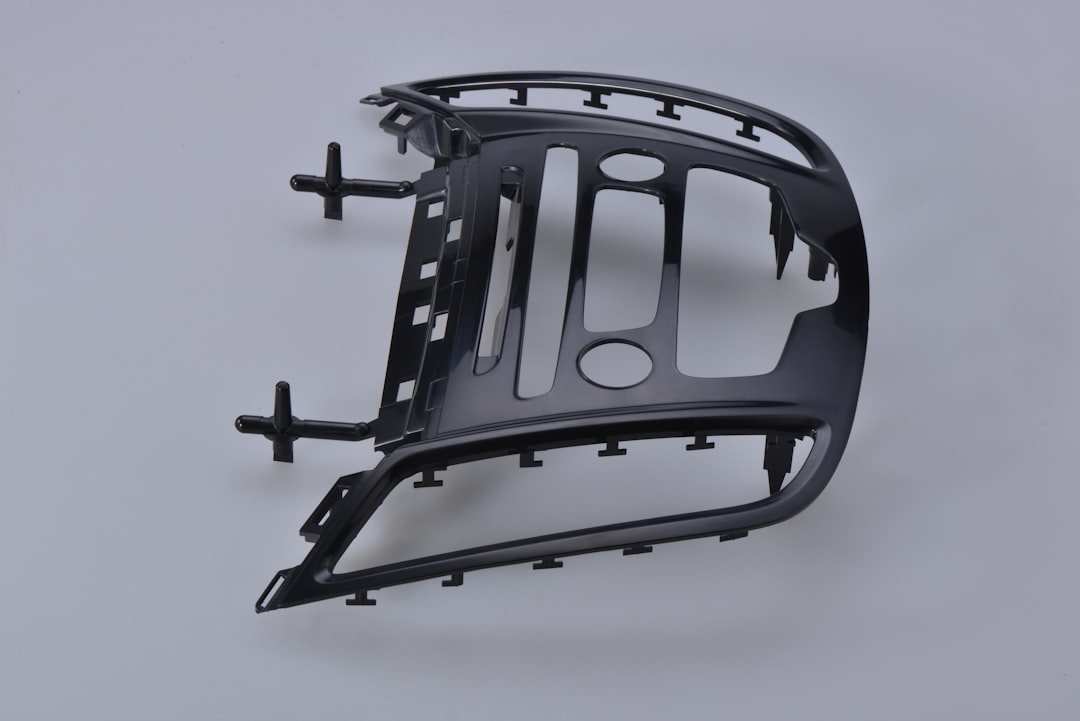
    3D printed lattice midsole sneaker bioprinting medical implant 2026 real world application

    💡 What This Means for Different Readers — Let’s Be Realistic

    Here’s where I want to think alongside you, because “precision 3D printing is incredible” isn’t a useful takeaway on its own. The honest answer depends on your situation:

    If you’re a hobbyist or small creator: The direct impact of sub-10-micron industrial systems on your workflow is limited for now — but the trickle-down is real. Resin printers available in the $300–$800 range (Elegoo Saturn 4 Ultra, Bambu Photo P1) now offer 14K LCD resolution that would have been professional-grade just four years ago. For jewelry, miniature figurines, or custom enclosures, you’re benefiting from the R&D that industrial precision demands.

    If you run a small manufacturing business: The realistic alternative to buying industrial metal printing in-house is partnering with a precision bureau service. Companies like Xometry, Protolabs, and South Korea’s MO:AI offer on-demand DMLS and SLS at per-part pricing. You get aerospace-grade precision without the $500K capital expenditure. For runs under 500 parts, this is almost always the smarter financial path in 2026.

    If you’re a product designer or engineer: The most immediate and actionable shift is embracing topology optimization and generative design from the earliest concept stage. Designing for additive manufacturing (DfAM) rather than converting traditional designs is where the real performance gains live. Courses on nTopology and Fusion 360 generative design are genuinely worth your continuing education budget this year.

    If you’re in healthcare or dental: The regulatory landscape has matured enough that point-of-care printing for certain device categories is no longer a distant promise. Engaging with your regional regulatory body’s additive manufacturing guidance documents (FDA’s 2024–2026 guidance series, or the EU MDR additive manufacturing supplement) now will put you ahead of peers who wait.

    ⚠️ The Challenges Nobody Talks About Enough

    Precision 3D printing in 2026 is genuinely exciting, but let’s not gloss over the friction points. Post-processing remains a significant time and cost factor — even the most advanced metal prints require heat treatment, surface finishing, and inspection that can add 30–60% to total part cost. Skilled operators who understand both the machine physics and the metallurgical requirements are still in short supply globally. And the materials supply chain, while improved, remains vulnerable: specialized metal powders saw price increases of 18–25% in H2 2025 due to rare earth supply pressures. These aren’t reasons to avoid the technology, but they’re very real variables to build into any business case.

    Editor’s Comment : What strikes me most about where precision 3D printing stands in 2026 is how it’s stopped being a conversation about possibility and started being a conversation about strategy. The technology works. It’s certified. It’s in your phone case molds and your hip implants and your aircraft brackets. The question now is whether you’re building the knowledge and relationships to use it well — or watching others do it first. If there’s one thing I’d encourage you to do this week, it’s to order one sample part from a bureau service in a material you’ve never worked with before. Touch it. Test it. The learning curve starts there, and it’s shorter than you think.

    태그: [‘precision 3D printing 2026’, ‘additive manufacturing trends’, ‘DMLS metal printing’, ‘3D printing technology’, ‘industrial 3D printing’, ‘bioprinting 2026’, ‘generative design manufacturing’]


    📚 관련된 다른 글도 읽어 보세요

  • 2026 정밀 3D 프린팅 최신 트렌드 및 기술 동향 — 마이크로 단위를 넘어 나노 시대로

    얼마 전 지인 중 한 명이 치과에서 임플란트 시술을 받았는데, 인상적인 이야기를 들었어요. 예전처럼 석고 틀을 뜨는 과정이 전혀 없었고, 구강 내 스캔 후 불과 몇 시간 만에 딱 맞는 크라운이 출력되어 바로 장착되었다는 거예요. 불편함도 거의 없었고, 맞춤 정확도도 훨씬 높았다고 했습니다. 이게 바로 2026년 현재 정밀 3D 프린팅이 우리 일상 속으로 얼마나 깊숙이 들어왔는지를 보여주는 단적인 사례라고 봅니다.

    3D 프린팅은 이제 단순한 시제품 제작 도구를 넘어, 의료·항공우주·반도체·패션 등 산업 전반의 핵심 제조 기술로 자리매김하고 있어요. 특히 정밀 3D 프린팅(Precision Additive Manufacturing) 분야는 해상도, 소재, 속도 측면에서 2025~2026년을 기점으로 폭발적인 진화를 맞이하고 있습니다. 오늘은 이 흐름을 함께 짚어볼게요.

    precision 3D printing technology 2026 industrial additive manufacturing

    📊 숫자로 보는 2026 정밀 3D 프린팅 시장

    글로벌 시장조사기관들의 최신 보고서를 종합해 보면, 2026년 전 세계 산업용 3D 프린팅 시장 규모는 약 380억~420억 달러(한화 약 51~57조 원) 수준으로 추산되고 있어요. 2023년 대비 연평균 성장률(CAGR)이 약 16~18%에 달하는 수치인데, 이는 일반 제조업 성장률의 4~5배에 해당한다고 볼 수 있습니다.

    특히 눈에 띄는 것은 정밀도 관련 수치예요. 2026년 현재 상용화된 최고급 광경화 방식(DLP·MSLA)의 XY 해상도는 2~8 마이크로미터(μm) 수준까지 도달했어요. 이는 사람 머리카락 굵기(약 70μm)의 10분의 1 이하로, 사실상 마이크로스케일 제조가 일반 산업 현장에서도 가능해진 것입니다. 더 나아가 일부 연구 기관에서는 100~500나노미터(nm) 해상도를 구현하는 Two-Photon Polymerization(TPP) 방식이 상용화 직전 단계에 있다는 보고도 나오고 있어요.

    소재 측면에서도 의미 있는 변화가 있습니다. 2022년까지는 전체 출력 소재의 약 60% 이상이 표준 폴리머 계열이었지만, 2026년 현재는 고성능 엔지니어링 폴리머(PEEK, PEKK), 금속 합금 파우더, 바이오 잉크, 세라믹 복합소재가 전체 소재 시장의 45% 이상을 차지하게 되었다는 점이 주목할 만하다고 봅니다.


    🌍 국내외 주요 기술 사례 — 누가 어떻게 쓰고 있나

    [ 해외 사례 ]

    미국 항공우주 기업 GE Aerospace는 CFM LEAP 엔진의 연료 노즐을 2016년부터 금속 3D 프린팅으로 제작해왔는데, 2026년 현재는 부품 통합 수를 기존 20개에서 단 1개로 줄이는 수준의 복합 구조물 출력에 성공했다고 알려졌어요. 무게는 25% 줄이고 내구성은 5배 향상시킨 사례로, 정밀 3D 프린팅의 ‘부품 통합(Part Consolidation)’ 능력이 제조업의 패러다임을 바꾸고 있다는 것을 잘 보여줍니다.

    의료 분야에서는 독일 바이오테크 기업 CELLINK(현 BICO Group)이 인간 피부 조직과 유사한 구조의 바이오프린팅을 임상 연구 수준에서 시연하며 주목받고 있어요. 혈관 네트워크를 포함한 3D 조직 구조물 출력이 2026년 기준으로 연구 단계를 넘어 일부 전임상 적용 단계에 진입했다는 평가입니다.

    [ 국내 사례 ]

    국내에서는 현대자동차그룹이 남양연구소 내 금속 3D 프린팅 전용 제조 센터를 확장 운영 중이에요. 특수 서스펜션 브래킷이나 열관리 부품처럼 복잡한 내부 채널 구조가 필요한 부품들을 DED(Directed Energy Deposition) 방식으로 직접 제작, 개발 기간을 기존 대비 60% 이상 단축했다는 내용이 2025년 말 기술 발표회에서 공개된 바 있습니다.

    또한 국내 의료기기 스타트업 메디쎄이는 환자 맞춤형 두개골 보형물을 티타늄 분말 SLM(Selective Laser Melting) 방식으로 출력해 실제 수술에 적용하는 사례를 꾸준히 늘리고 있어요. 기존 수작업 대비 맞춤 정밀도가 현저히 높고, 수술 시간도 단축되어 환자 회복에도 긍정적인 영향을 미치고 있다는 점에서 정밀 프린팅의 실질적 가치를 잘 보여주는 사례라고 생각해요.

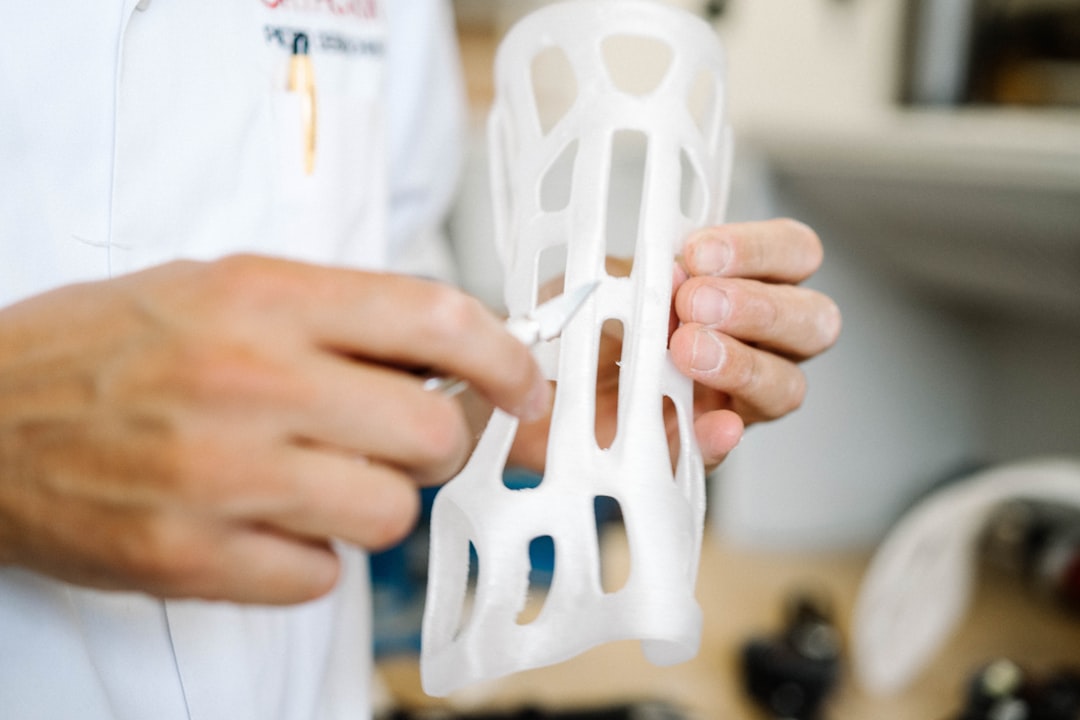
    3D bioprinting metal additive manufacturing medical dental application

    🔬 2026년 주목해야 할 정밀 3D 프린팅 핵심 기술 트렌드

    • 멀티 머티리얼 프린팅(Multi-Material Printing): 하나의 출력물 안에서 경도, 유연성, 전도성이 서로 다른 소재를 동시에 적층하는 기술이 빠르게 성숙하고 있어요. 전자회로가 내장된 유연 센서나 경질-연질 복합 의족 같은 응용이 실현되고 있습니다.
    • AI 기반 출력 최적화(AI-Driven Process Control): 머신러닝 알고리즘이 실시간으로 레이저 출력, 스캔 속도, 냉각 패턴 등을 조정하면서 출력 불량률을 최소화하는 방식이 확산되고 있어요. 일부 시스템에서는 불량률을 기존 대비 90% 이상 감소시킨 사례도 보고되고 있습니다.
    • 연속 출력(Continuous Liquid Interface Production, CLIP): Carbon사가 선도하는 이 방식은 기존 레이어-바이-레이어 방식과 달리 연속적으로 출력해 속도를 획기적으로 높이고, 표면 품질도 크게 개선합니다. 2026년에는 더 넓은 빌드 볼륨에서도 적용 가능한 확장형 CLIP이 등장했어요.
    • 4D 프린팅(4D Printing): 출력 이후 열, 습도, 빛 같은 외부 자극에 반응해 형태가 스스로 변형되는 스마트 소재 기반 프린팅이에요. 소프트 로보틱스나 스마트 의류, 자가 조립 구조물 분야에서 실용화가 가속되고 있습니다.
    • 나노스케일 TPP(Two-Photon Polymerization): 펨토초 레이저를 이용해 나노미터 수준의 3D 구조물을 출력하는 기술로, 광학 렌즈, 마이크로플루이딕 칩, 나노 임플란트 분야에서 빠르게 상용화 경계를 넘고 있어요.
    • 분산 제조(Distributed Manufacturing): 중앙 공장이 아니라 전 세계에 흩어진 프린팅 허브가 필요한 곳 가까이에서 즉시 제작하는 모델이에요. 공급망 리스크를 줄이고 탄소 발자국도 감소시킨다는 측면에서 2026년 제조업의 핵심 화두 중 하나라고 봅니다.

    🤔 정밀 3D 프린팅, 과제와 현실적 대안은?

    물론 장밋빛 전망만 있는 것은 아니에요. 정밀 3D 프린팅은 여전히 몇 가지 현실적인 장벽을 안고 있습니다.

    우선 초기 장비 비용이 상당한 진입 장벽으로 작용해요. 금속 SLM 장비의 경우 기본 사양만 해도 수억 원 대에 달하는 경우가 많아서, 중소기업이나 스타트업 입장에서는 자체 도입이 부담스러운 게 사실입니다. 이에 대한 현실적인 대안으로는 3D 프린팅 제조 서비스(MaaS, Manufacturing as a Service) 플랫폼 활용을 추천해요. 국내에도 캐파(CAPA)나 멜팅팟 같은 플랫폼이 성장하면서 소량 정밀 출력 의뢰가 점점 쉬워지고 있거든요.

    또한 후처리 공정의 복잡성도 간과할 수 없어요. 금속 프린팅의 경우 출력 후 열처리, 표면 연마, HIP(열간 등압 성형) 공정 등이 필요한 경우가 많아서 전체 제조 시간이 생각보다 길어지는 경우가 있습니다. 최근에는 AI 기반 공정 시뮬레이션 소프트웨어(예: Materialise Magics, Ansys Additive Suite)를 활용해 후처리 공정을 사전에 예측·최소화하는 접근이 현명한 방법이라고 봐요.

    소재 표준화와 인증 문제도 과제입니다. 특히 의료기기나 항공 부품처럼 안전 인증이 필요한 분야에서는 소재와 공정의 재현성이 까다롭게 검증되어야 해요. 이 부분은 ISO/ASTM 국제 표준 체계가 빠르게 정비되고 있는 만큼, 인증 절차에 대한 이해를 높이는 것이 실질적인 도움이 될 것 같습니다.


    에디터 코멘트 : 정밀 3D 프린팅은 이제 ‘미래 기술’이 아니라 ‘지금 여기의 기술’이에요. 다만 모든 기업이 당장 수십억 원짜리 장비를 들여야 하는 건 아닙니다. 서비스 플랫폼을 통한 소량 적용부터 시작해, 내 분야에서 어떤 공정에

    태그: []


    📚 관련된 다른 글도 읽어 보세요

  • DIY Mini Rack Build: How I Built a Compact Home Lab Case in 2026 (And What I’d Do Differently)

    It started with a single Raspberry Pi sitting on my desk, surrounded by a tangle of cables, a cheap switch I borrowed from my router’s secondary port, and a dusty USB hub that was one sneeze away from falling behind the cabinet. Sound familiar? If you’ve ever dabbled in self-hosting — running your own NAS, Pi-hole, or a local Kubernetes cluster — you know exactly how fast “just one more device” spirals into full-blown cable spaghetti.

    That was me in early 2026. So I decided to do something about it: build a compact home lab mini rack from scratch. No off-the-shelf 12U server cabinet. No $400 pre-built open-frame rack. Just raw materials, a few evenings, and an unreasonable amount of satisfaction at the end. Let me walk you through what I built, what worked, what didn’t, and what you should consider if you’re thinking about doing the same.

    compact homelab mini rack DIY build wood aluminum small server setup

    Why Bother Building a Mini Rack at All?

    Before we get into the wood cuts and cable management, let’s actually reason through whether a DIY mini rack makes sense for you. The home lab community has grown significantly — as of 2026, platforms like r/homelab and platforms like Proxmox forums report double-digit annual growth in user activity, largely driven by people who want to self-host AI inference servers, local media stacks, and private cloud storage.

    Here’s the practical math:

    • Pre-built 6U wall mount rack: $120–$250 depending on brand and build quality
    • DIY wood/aluminum equivalent: $30–$70 in materials, depending on what you already have
    • Time investment: Roughly 6–10 hours including design, cutting, assembly, and finishing
    • Customization factor: You get exactly the dimensions you need — not the nearest standard size

    The financial case is clear, but the real win is fit. Standard 19-inch rack equipment uses a unit called a rack unit (U) — each U is 1.75 inches (44.45mm) in height. Most consumer home lab gear, though, doesn’t conform to this standard. Mini-ITX systems, Raspberry Pi clusters, small switches — they all have irregular heights. A DIY build lets you accommodate that reality without painful adapters.

    The Materials I Used — And Why

    I went with a hybrid approach: 18mm plywood side panels for structural rigidity and a warm aesthetic, combined with 20x20mm aluminum extrusion rails (the same T-slot system used in 3D printers) for the actual shelf mounting. This combination gives you woodworking simplicity with the adjustability of a professional racking system.

    • 18mm birch plywood (2 side panels, 1 top, 1 bottom): ~$18 from a local hardware store
    • 2020 aluminum extrusion, 4 rails × 300mm: ~$12 on AliExpress or domestic equivalents
    • M5 T-nuts and bolts (pack of 50): ~$6
    • Velcro cable ties and adhesive cable clips: ~$8
    • Wood stain or paint (optional but worth it): ~$10
    • Acrylic shelf panels (3mm clear, cut to size): ~$10 — lets you see your gear, looks great

    Total cost: roughly $64. Compare that to even the cheapest branded option, and you’re looking at a 50–70% saving. More importantly, my unit fits perfectly under my desk in a 280mm × 200mm × 350mm (W×D×H) footprint — something no standard rack could offer.

    Step-by-Step: The Build Process

    I won’t pretend this is a full tutorial (that would take a whole separate post), but here’s the logical sequence that worked for me:

    • Step 1 — Inventory your devices first. Measure everything before cutting anything. Stack your devices physically and add 20mm breathing room above each one for airflow.
    • Step 2 — Design in Fusion 360 or even FreeCAD. Even a rough 3D model saves you from expensive mistakes. I used Fusion 360’s free tier, which is still available in 2026 for personal use.
    • Step 3 — Cut and sand the plywood panels. A jigsaw or circular saw works fine. Round the corners for a cleaner look.
    • Step 4 — Mount the aluminum rails vertically inside the side panels. Countersunk M5 bolts through the plywood into the extrusion end-plates create a surprisingly rigid structure.
    • Step 5 — Add shelves using T-slot brackets. The beauty here is infinite height adjustability — just loosen two bolts, slide, tighten. No drilling new holes.
    • Step 6 — Cable management last, not first. Route power and data after everything is positioned. Use the rear aluminum rail as a cable spine.

    Real-World Examples: What the Community Is Building in 2026

    The home lab DIY scene has matured considerably. In Japan, the jisaku PC (custom PC building) culture has naturally extended into server rack crafting, with communities on Zenn.dev sharing detailed build logs for tatami-room-friendly compact racks built from Hinoki cypress wood — beautiful and functional. In Germany and the Netherlands, makers are combining IKEA Kallax shelving units with 3D-printed 10-inch rack panels to create what they call “Kallax Labs” — a clever repurposing that keeps costs near zero if you already own the shelf.

    In the US and Australia, the Proxmox and TrueNAS communities have popularized the “pizza box stack” approach — thin, tray-style shelves for 1U-equivalent mini systems like the Beelink EQ12 or the Minisforum MS-A1, all mounted on custom wooden frames. These builds prioritize silence and passive cooling, which matters when your home lab lives in a bedroom or home office.

    homelab raspberry pi cluster NAS mini-ITX shelf rack cable management organized

    Common Mistakes to Avoid

    • Ignoring airflow: Wood panels block convective airflow naturally. Plan cutouts or mesh panels for the back and bottom. A 80mm quiet fan (Noctua NF-A8 or equivalent) pulling air through makes a dramatic temperature difference.
    • Underestimating weight: A NAS with four HDDs, a switch, and a mini-PC can easily hit 8–12kg. Make sure your plywood joints are properly glued and screwed, not just glued.
    • Building too small: The most common regret. Add at least 20% more internal height than you currently need. Home labs grow.
    • Skipping grounding: If you’re running any serious networking gear, a chassis ground point connected to a grounded power strip is a good practice.

    Realistic Alternatives If DIY Isn’t Your Thing

    Not everyone has a workbench, and that’s completely fine. Here are tiered alternatives depending on your situation:

    • Budget option ($40–$80): Open-frame 6U desktop racks from brands like Navepoint or NavePoint Mini — basic but functional, and widely available on Amazon in 2026.
    • Mid-range option ($80–$150): 10-inch “half-rack” systems from companies like RackMatic or the growing category of travel-rack systems designed for compact home use. These use a narrower 10″ standard that suits most SBCs and small switches natively.
    • Creative no-cost option: The IKEA Lack side table has been a home lab staple for years — stack two, use the legs as rack posts, and mount equipment to wooden crossbars. It’s absurd in the best possible way, and the “Lack Rack” even has community-designed 3D-printed brackets on Printables.com.
    • For the aesthetically serious: Companies like Noctua and Fractal Design have begun collaborating with boutique rack makers in 2026 to offer thermally optimized small-form-factor rack kits — more expensive at $180–$250, but beautifully engineered.

    Final Thoughts

    Building my mini home lab rack was one of those projects that delivered way more satisfaction than its functional value alone would justify. Every time I look at that neatly stacked column of humming little computers under my desk, organized and breathable and exactly the right size, I feel a small but genuine sense of pride. That’s worth something.

    But realistically? If you have limited time, limited tools, or simply hate woodworking, there are excellent off-the-shelf options now — especially in the 10-inch rack format, which has become the de facto standard for compact home labs in 2026. The goal isn’t to build a rack; the goal is to have a home lab that’s organized, cool-running, and expandable. The path you take to get there should fit your actual life.

    Editor’s Comment : The most underrated part of building a home lab isn’t the hardware choices or the software stack — it’s the physical organization. A well-structured mini rack forces you to think intentionally about every device you add, which naturally leads to a leaner, more purposeful setup. Whether you cut your own plywood or order a flat-pack option online, the act of giving your lab a physical home changes how you interact with it entirely. Think of it less as furniture and more as infrastructure for your curiosity.

    태그: [‘DIY mini rack’, ‘homelab build 2026’, ‘compact server rack’, ‘small form factor homelab’, ‘raspberry pi rack DIY’, ‘home server organization’, ‘aluminum extrusion rack build’]


    📚 관련된 다른 글도 읽어 보세요

  • 소형 홈랩 케이스 DIY 미니 랙 제작기 | 2026년 최신 홈서버 셋업 가이드

    작년 이맘때쯤이었을 거예요. 라즈베리 파이 하나로 시작했던 홈랩이 어느새 미니 PC 두 대, 스위치, 패치 패널까지 책상 위에 뒤엉켜 있는 걸 발견했습니다. 케이블은 마치 스파게티 같았고, 무선공유기는 라즈베리 파이 위에 아슬아슬하게 올려져 있었죠. 그때 문득 ‘이걸 좀 정리해보자’는 생각이 들었어요. 상용 랙은 너무 크고 비쌌고, 시중에 나와 있는 소형 미니 랙은 가격 대비 품질이 영 애매했습니다. 결국 직접 만들어보기로 했고, 그 과정을 오늘 공유해 드리려 합니다.

    home lab mini rack DIY setup desk

    🔧 왜 미니 랙인가? — 홈랩 공간 문제를 수치로 보기

    일반 서버 랙은 19인치 표준 규격을 따릅니다. 이 규격은 사실 기업 전산실용으로, 폭만 482mm에 달하고 무게도 빈 랙 기준 30kg 이상인 경우가 많아요. 반면 개인 홈랩에서 실제로 운용하는 장비를 생각해 보면 이야기가 달라집니다.

    • 라즈베리 파이 4/5: 85mm × 56mm × 17mm, 무게 약 45g
    • 인텔 NUC / 미니 PC 류: 117mm × 112mm × 51mm, 무게 약 600g~1kg
    • 8포트 기가비트 스위치: 약 148mm × 100mm × 27mm
    • 패치 패널 (12포트): 482mm × 44mm (1U) — 이게 문제의 근원
    • UPS (소형): 약 150mm × 95mm × 165mm, 무게 2.4kg

    이 장비들을 전부 올려놔도 실질 점유 공간은 가로 300mm, 세로 250mm 안에 들어오는 경우가 많습니다. 즉, 표준 19인치 랙을 쓰는 건 엄청난 낭비인 셈이에요. 이런 배경에서 등장한 것이 바로 10인치 미니 랙 또는 완전 커스텀 소형 랙이라고 봅니다.

    10인치 미니 랙 규격은 폭 254mm 기준으로, 라즈베리 파이 전용 마운트나 소형 스위치들이 이 규격에 맞게 출시되고 있어요. 2026년 현재는 관련 액세서리 생태계가 꽤 성숙해져서 선택지가 많아졌습니다.

    🪵 재료 선택 — 알루미늄 vs 아크릴 vs 합판

    미니 랙 DIY에서 가장 먼저 결정해야 할 것은 소재입니다. 각 소재마다 장단점이 뚜렷하게 갈리는 것 같아요.

    • 알루미늄 프로파일 (20×20mm): 방열성이 좋고 견고하며 확장이 용이합니다. 단, 공구 없이 자르기 어렵고 kg당 단가가 합판보다 높아요. 알리익스프레스 기준 1m에 약 1,200~1,500원 수준.
    • 아크릴 (3mm~5mm): 레이저 커팅이 가능해 디자인 자유도가 높고 시각적으로 내부가 보여 모니터링하기 좋습니다. 충격에 약하고 나사 구멍 주변이 쉽게 크랙이 생길 수 있어요.
    • MDF / 합판 (9mm~12mm): 가공이 쉽고 단가가 낮습니다. 9mm 합판 기준 600mm×900mm 한 판에 약 6,000~8,000원 수준이에요. 다만 방열 성능이 낮고 무게가 나가는 편입니다.

    저는 결국 알루미늄 프로파일 + 아크릴 측면 패널 조합을 선택했어요. 구조적 강성은 알루미늄으로 확보하고, 시각적인 부분은 아크릴로 해결하는 방식입니다. 이 조합이 가장 범용적이라고 봅니다.

    aluminum profile mini rack raspberry pi server build

    📐 설계 치수 — 실제로 사용한 수치

    제가 목표로 한 스펙은 다음과 같습니다.

    • 외형 크기: 가로 300mm × 세로 300mm × 높이 350mm
    • 수납 가능 유닛: 6U 기준 (1U = 44.45mm)
    • 총 중량 목표: 장비 포함 5kg 이하
    • 냉각: 80mm 팬 2개 (하단 흡기, 상단 배기)
    • 총 제작 예산: 8만 원 이내

    알루미늄 프로파일은 20×20mm 규격으로 총 12개의 세그먼트를 커팅했고, 커팅은 동네 철물점에서 500원/cut 비용으로 해결했습니다. T-슬롯 너트와 M4 볼트는 알리익스프레스에서 세트로 구매했어요. 아크릴 패널은 레이저 커팅 서비스 업체(오픈마켓 기준 3mm 아크릴 300×300mm 기준 약 4,000원~6,000원)를 이용했습니다.

    🌏 국내외 홈랩 커뮤니티 사례 — 어떻게들 만들고 있나

    해외에서는 Reddit의 r/homelab 커뮤니티가 매우 활발합니다. 2026년 현재 구독자 수 100만 명을 넘어선 이 커뮤니티에서는 특히 “Wall-mounted micro lab” 트렌드가 눈에 띄어요. 벽에 마운트하는 방식으로, 책상 공간을 전혀 차지하지 않는 컨셉입니다. 3D 프린팅으로 마운트 브래킷을 출력하고, 각 장비를 모듈식으로 탈착할 수 있게 설계한 사례들이 많습니다.

    국내에서는 클리앙, 뽐뿌, 그리고 네이버 카페 ‘홈서버 사용자 모임’ 등에서 유사한 시도들을 꾸준히 확인할 수 있어요. 특히 2026년 들어 미니 PC 기반 홈서버(예: 베어본 N100 계열)가 저전력·고성능 조합으로 인기를 끌면서, 이를 수납하는 소형 랙 DIY 수요도 함께 늘어난 것 같습니다. 전력 소비를 기준으로 보면 N100 미니 PC 1대의 TDP가 6W 수준이라, 여러 대를 묶어도 가정용 전력 부담이 크지 않다는 점이 매력적이라고 봅니다.

    ⚙️ 조립 과정 핵심 팁

    • 수평 확인 필수: 프로파일 조립 시 수평계를 꼭 사용하세요. 1~2도 기울어진 채로 조이면 나중에 전체를 다시 분해해야 합니다.
    • 케이블 매니지먼트 선계획: 장비를 다 올리고 나서 케이블 정리를 하려 하면 매우 힘들어요. 각 유닛별 케이블 경로를 미리 그려두는 것이 좋습니다.
    • 접지 문제: 알루미늄 프레임은 전도성이 있어요. 파워 서플라이나 PSU가 있는 구성이라면 접지 처리를 반드시 확인해야 합니다.
    • 팬 소음: 80mm 팬은 1,500RPM 이하 제품을 고르는 게 좋아요. Noctua A8 PWM이 정숙하기로 유명하지만, 개당 가격이 높으니 예산에 맞게 선택하면 됩니다.
    • 라벨링: 귀찮더라도 각 포트와 장비에 라벨을 붙여두면 나중에 트러블슈팅할 때 시간을 크게 절약할 수 있습니다.

    💰 최종 예산 결산

    실제로 들어간 비용을 정리하면 다음과 같습니다.

    • 알루미늄 프로파일 + 연결 부품: 약 22,000원
    • 아크릴 패널 (레이저 커팅 포함): 약 18,000원
    • 80mm 팬 2개 + 팬 가드: 약 14,000원
    • M4 볼트/너트/와셔 세트: 약 3,500원
    • 케이블 타이, 벨크로 스트랩 등 잡자재: 약 4,000원
    • 합계: 약 61,500원

    당초 목표인 8만 원 이내를 달성했고, 시중에 판매되는 비슷한 사이즈의 10인치 미니 랙(완제품 기준 10만~18만 원)과 비교하면 절반 이하 비용으로 원하는 스펙을 구현한 것 같아 꽤 만족스러웠습니다.


    에디터 코멘트 : 소형 홈랩 미니 랙 DIY는 단순히 ‘돈을 아끼는’ 프로젝트가 아니라, 내 장비 구성에 딱 맞는 공간을 설계한다는 점에서 완제품이 절대로 대체할 수 없는 만족감이 있습니다. 처음이라 엄두가 안 난다면, 먼저 알루미늄 프로파일 없이 합판만으로 간단한 2U~3U 구조를 만들어보는 것을 권해 드립니다. 그 경험이 쌓이면 자연스럽게 다음 단계로 넘어가게 돼요. 완벽한 랙을 만들려다가 아무것도 못 만드는 것보다, 일단 80점짜리 랙을 완성하는 게 훨씬 낫다고 봅니다. 그리고 홈랩은 어차피 계속 진화하니까요. 😄

    태그: [‘홈랩’, ‘미니랙DIY’, ‘홈서버구축’, ‘라즈베리파이랙’, ‘알루미늄프로파일’, ‘홈랩케이스제작’, ‘소형서버랙’]


    📚 관련된 다른 글도 읽어 보세요

  • Additive Manufacturing Meets Digital Twins: How Smart Factories Are Rewriting the Rules of Production in 2026

    Picture this: a turbine blade component is being 3D-printed in a facility outside Stuttgart, Germany. As each layer of titanium powder fuses together, a parallel version of that exact blade — down to the molecular stress points — lives inside a cloud-based simulation environment. The moment a microscopic deviation appears in the physical build, the digital twin flags it, adjusts the laser parameters in real time, and logs the correction for future runs. No human intervened. No scrap was generated. That’s not science fiction anymore — that’s what additive manufacturing integrated with digital twins looks like in a mature smart factory in 2026.

    If you’ve been following the evolution of Industry 4.0 (the broad movement toward data-driven, interconnected manufacturing), you’ll know that additive manufacturing — commonly called 3D printing at an industrial scale — and digital twin technology have each been growing independently for years. But 2026 is proving to be the inflection point where these two technologies aren’t just coexisting: they’re deeply, strategically linked. Let’s think through what that actually means and why it matters whether you’re an engineer, an investor, or simply a curious observer of where the world is heading.

    smart factory digital twin additive manufacturing 3D printing industrial automation

    What Exactly Is the Integration We’re Talking About?

    Let’s unpack the key terms before we go further. Additive manufacturing (AM) builds objects layer by layer from digital designs — metals, polymers, ceramics, composites. Unlike traditional subtractive methods (which cut away material), AM creates near-net-shape parts with minimal waste. Digital twins are virtual replicas of physical assets, processes, or systems that receive real-time data and can simulate future states or behaviors. A smart factory is a connected manufacturing environment where machines, systems, and people exchange data continuously to optimize production.

    When these three elements converge, you get something genuinely transformative: a manufacturing ecosystem where every print job is monitored, predicted, corrected, and documented by its virtual counterpart — before, during, and after production. Think of it as giving your factory a nervous system with a photographic memory.

    The Numbers Behind the Revolution

    Let’s ground this with some data, because the scale of adoption is stunning. According to the Additive Manufacturing Global Market Report 2026, the global AM market is on track to surpass $38.5 billion USD by the end of this year, with industrial-grade metal printing growing at a CAGR of over 22%. Meanwhile, the digital twin market — valued at roughly $26 billion in 2025 — is projected to hit $34 billion by late 2026, driven heavily by manufacturing sector demand.

    Here’s the part that should grab your attention: a 2025 Deloitte study found that factories deploying digital twins alongside AM processes reported:

    • Up to 40% reduction in build failure rates through real-time parameter correction
    • 25–30% faster product development cycles compared to traditional prototyping pipelines
    • A 15–20% decrease in material waste, since digital simulation identifies inefficiencies before a single gram of powder is melted
    • Predictive maintenance accuracy exceeding 87% for AM equipment, reducing costly unplanned downtime
    • Traceability compliance costs reduced by nearly 35%, critical for regulated industries like aerospace and medical devices

    These aren’t incremental improvements — they’re structural shifts in how manufacturers think about risk, quality, and speed. And the integration is making AM economically viable for mid-volume production runs, not just one-off prototypes, which is a massive market expansion.

    How the Integration Actually Works — The Technical Loop

    Here’s how to visualize the feedback loop without getting lost in jargon. The process typically involves five interconnected layers:

    1. Design & Simulation Layer: Engineers create a part design in CAD software. Before printing, the digital twin simulates thermal gradients, residual stresses, and potential deformation — often using physics-based finite element analysis (FEA). This step alone can eliminate 60–70% of potential build failures.
    2. In-Process Monitoring Layer: Sensors embedded in AM machines (laser powder bed fusion systems, for example) capture data on melt pool temperatures, layer thickness, and atmospheric conditions thousands of times per second. This data streams into the digital twin in real time.
    3. Anomaly Detection & Correction Layer: AI and machine learning algorithms within the digital twin compare live data against the ideal simulation. Deviations trigger automatic parameter adjustments — laser power, scan speed, beam focus — mid-build.
    4. Post-Build Analysis Layer: After printing, CT scan data and surface metrology results are fed back into the twin, enriching its predictive model for future runs.
    5. Closed-Loop Learning Layer: Over time, the digital twin becomes increasingly accurate, learning from every build. This is sometimes called a “living model” — and it’s the secret sauce for manufacturers running high-mix, low-volume production.

    Real-World Examples That Show This Isn’t Just Hype

    Let’s look at what’s actually happening on factory floors around the world, because proof points matter.

    Siemens Energy (Germany/Global): Siemens Energy has been operating what it calls a “closed-loop additive manufacturing cell” at its Berlin facility since mid-2024, expanded significantly in 2025. Their digital twin platform — built on Siemens’ own Xcelerator suite — monitors gas turbine component printing and uses in-situ monitoring data to update part qualification records automatically. The result: qualification time for new turbine parts dropped from 18 months to under 7 months.

    Hyundai Motor Group (South Korea): Hyundai’s Ulsan smart factory integration, which began linking its AM pilot line with a factory-wide digital twin in early 2025, is now demonstrating real-time design iteration for EV battery housing brackets. Their team reported a 32% reduction in the design-to-validated-prototype cycle, allowing engineers in Seoul to modify and resimulate components that are being printed in Ulsan without halting production.

    GE Aerospace (USA): GE Aerospace’s additive manufacturing centers — particularly in Cincinnati — have been running digital twin-coupled print operations for jet engine components for several years, but their 2026 upgrade introduced edge computing nodes directly on the print floor. This reduces the data latency between the physical machine and digital twin from seconds to milliseconds, enabling corrections during ultra-fine feature printing where even a 0.1-second delay could propagate a defect.

    EOS & Dassault Systèmes Partnership (Global): In a landmark 2025 partnership, EOS (a leading industrial 3D printing OEM) and Dassault Systèmes integrated EOS’s monitoring software directly with the 3DEXPERIENCE platform’s digital twin capabilities. This means manufacturers who buy EOS machines can now get digital twin connectivity essentially out of the box — democratizing access that was previously limited to enterprise-level custom deployments.

    digital twin manufacturing simulation real-time monitoring industrial IoT sensors

    Industries Leading the Charge — and Why

    Not every sector is adopting this at the same pace. Here’s where the integration is deepest and why:

    • Aerospace & Defense: Regulatory traceability requirements (every component needs a verifiable production history) make digital twin logging invaluable. AM enables complex geometries impossible with traditional machining. The combination is almost mandatory for certification in 2026.
    • Medical Devices & Implants: Patient-specific implants printed in titanium or PEEK need absolute dimensional accuracy. Digital twins catch sub-millimeter deviations that could cause post-surgical complications. Regulatory bodies in the EU and FDA in the US are now beginning to accept digital twin process records as part of quality submissions.
    • Energy (Turbines & Oil/Gas): High-temperature, high-stress components need both geometric complexity and material integrity. Real-time digital twin monitoring catches porosity and microstructural issues that only show up mid-build.
    • Automotive (EV Transition): As EV platforms demand lighter, more complex structural components, AM’s design freedom paired with digital twin validation is accelerating part consolidation — replacing 10 stamped parts with 1 printed assembly, for instance.
    • Consumer Electronics: Still early-stage, but companies are exploring AM + digital twin for tooling and jig production, reducing tooling lead times from weeks to days.

    The Honest Challenges — Because No Revolution Is Frictionless

    Here’s where I want to reason through the realistic picture with you, rather than just cheerleading. There are genuine barriers that manufacturers — especially small and mid-sized ones — face:

    • Data infrastructure costs: Running a meaningful digital twin requires substantial compute power, data storage, and connectivity. Edge computing helps, but upfront investment remains significant.
    • Talent gap: Operating at this intersection requires people who understand AM process physics, data science, and systems integration simultaneously. That skillset is rare and expensive in 2026’s labor market.
    • Interoperability challenges: Different AM machine vendors, different simulation software, different IoT platforms — getting them to speak a common data language is still a significant systems integration project in most facilities.
    • Model validation: A digital twin is only as good as the physics models inside it. Calibrating those models accurately for new materials or new geometries still requires significant experimental validation work upfront.
    • Cybersecurity exposure: A connected factory is an attack surface. As AM + digital twin systems hold valuable IP (design files, process parameters), they become high-value targets.

    Realistic Alternatives and Entry Points for Different Readers

    If you’re thinking “this all sounds compelling but we’re nowhere near full smart factory integration,” that’s completely valid — and there are staged entry points worth considering:

    • Start with process monitoring only: You don’t need a full digital twin from day one. Deploying in-process monitoring sensors on existing AM machines and analyzing historical data is a meaningful first step that generates ROI and builds toward twin connectivity.
    • Use simulation-only digital twins initially: Pre-build simulation (thermal, structural) using existing CAD data can dramatically reduce failure rates without requiring real-time data infrastructure. This is accessible to most engineering teams using software like Autodesk Fusion, Ansys Additive Print, or Netfabb today.
    • Leverage OEM-integrated solutions: The EOS-Dassault partnership mentioned above is one example of increasingly plug-and-play options. Rather than custom-building an integration, look for AM machine vendors that offer native digital thread connectivity.
    • Partner with a digital twin service provider: For manufacturers who lack in-house data science expertise, companies like PTC (Vuforia + ThingWorx), Siemens (Xcelerator), and Ansys are offering managed digital twin services that reduce the technical burden significantly.
    • Pilot on a non-critical production line first: Pick one AM application — tooling, fixtures, spare parts — and run a digital twin pilot there before scaling to primary production components.

    The key insight here is that the integration doesn’t have to happen all at once. Every step toward connecting your physical AM process with its digital counterpart generates data, insight, and competitive advantage — even if you’re not running a fully autonomous, self-correcting production cell on day one.

    Where Are We Headed? A Look at the Next 24 Months

    By 2027–2028, analysts expect several developments that will accelerate this integration further: standardized digital thread protocols (think of it as a universal language for AM process data), generative AI being embedded directly into digital twin environments to propose design modifications mid-print, and multi-material AM systems that use real-time compositional analysis to adjust material blending on the fly. The factory of the near future doesn’t just execute designs — it actively co-creates them.

    The companies building deep competency in this integration now are, frankly, creating a competitive moat that will be very difficult to close later. The learning embedded in a mature digital twin — years of build data, failure modes, material behavior — is not easily replicated by a competitor who starts two years later.

    Editor’s Comment: What excites me most about this convergence isn’t the technology itself — it’s what it does to the economics of complexity. Historically, manufacturing something complex was expensive and risky precisely because complexity meant more opportunities for things to go wrong. Digital twins + AM flips that equation: complexity becomes manageable, predictable, even optimizable. That’s a genuinely profound shift. If you’re in any manufacturing-adjacent role and haven’t started exploring what even a basic digital thread would look like for your AM operations, 2026 is the year that waiting starts to have a real cost.

    태그: [‘additive manufacturing digital twin’, ‘smart factory 2026’, ‘industrial 3D printing integration’, ‘digital twin manufacturing’, ‘Industry 4.0 smart factory’, ‘additive manufacturing automation’, ‘digital thread manufacturing’]


    📚 관련된 다른 글도 읽어 보세요

  • 적층 제조 × 스마트 팩토리 × 디지털 트윈 연계 완전 정복 | 2026년 제조업 혁신의 삼각 축

    얼마 전 한 국내 항공부품 업체의 생산팀장이 이런 말을 했다고 해요. “3D 프린터 도입하고 나서 오히려 불량률이 올라갔어요. 데이터가 너무 많은데, 뭘 봐야 할지 모르겠더라고요.” 이 한 마디가 현재 제조 현장의 딜레마를 정확하게 짚어준다고 봅니다. 적층 제조(Additive Manufacturing, AM)는 분명 혁신적인 기술인데, 스마트 팩토리 인프라나 디지털 트윈 없이 단독으로 도입하면 오히려 혼란을 가중시키는 역설이 벌어지는 거죠. 오늘은 이 세 가지 기술이 왜 ‘따로’가 아니라 ‘함께’ 작동해야 하는지, 그리고 2026년 현재 어떤 모습으로 현장에 구현되고 있는지를 함께 살펴보려 합니다.

    additive manufacturing smart factory digital twin integration 3D printing

    📊 본론 1 | 숫자로 보는 세 기술의 교차점 — 왜 지금인가?

    먼저 규모를 가늠해 볼 필요가 있어요. 글로벌 시장조사 기관 MarketsandMarkets의 2026년 1분기 리포트에 따르면, 글로벌 적층 제조 시장은 2025년 약 280억 달러에서 2030년까지 연평균 성장률(CAGR) 약 18.7%로 확대될 것으로 전망된다고 합니다. 디지털 트윈 시장도 같은 기간 CAGR 약 38.4%라는 가파른 곡선을 그리고 있고요.

    그런데 더 흥미로운 숫자가 있어요. 독일 프라운호퍼 연구소(Fraunhofer IPA)의 최근 보고서에서는 적층 제조 공정에 디지털 트윈을 연계했을 때 공정 불량률이 평균 34% 감소하고, 재료 낭비율은 최대 41% 절감된다는 데이터를 제시했습니다. 단순히 기계가 ‘좋아진’ 게 아니라, 실시간 데이터 피드백 루프(Feedback Loop)가 공정 전체를 자기 교정(Self-Correcting)하는 방향으로 작동하기 때문이라고 봅니다.

    스마트 팩토리의 핵심 개념인 사이버-물리 시스템(CPS, Cyber-Physical System)이 여기서 중요한 역할을 해요. 적층 제조 장비는 레이어(Layer)를 쌓을 때마다 온도, 압력, 레이저 출력, 분말 밀도 등 수백 가지 변수를 만들어냅니다. 이 데이터를 실시간으로 디지털 트윈에 반영하면, 가상 공간에서 이미 발생한 문제를 물리 공간에서 수정하기 ‘전’에 예측할 수 있게 되는 거죠. 이것이 바로 예지 보전(Predictive Maintenance)을 넘어선 예지 공정(Predictive Process Control)의 영역입니다.

    🌍 본론 2 | 국내외 선도 사례 — 이미 현장은 움직이고 있다

    해외 사례: Siemens의 ‘AM 통합 트윈’ 플랫폼
    지멘스(Siemens)는 자사 Xcelerator 플랫폼을 통해 적층 제조 전 공정을 디지털 트윈으로 시뮬레이션하는 솔루션을 2025년 말부터 상용화했어요. 특히 금속 분말 적층 공법인 SLM(Selective Laser Melting)에서 열변형(Thermal Distortion)을 사전 예측해, 파트 설계 단계에서 보상 형상(Compensated Geometry)을 자동 반영하는 방식이 주목받고 있습니다. 실제 BMW 뮌헨 공장에서 이 방식을 적용한 결과, 시제품 제작 싸이클 타임이 기존 대비 약 52% 단축됐다는 사례가 공개됐죠.

    국내 사례: 한국항공우주산업(KAI)과 KAIST의 공동 연구
    국내에서는 KAI가 KAIST 스마트제조연구센터와 협업해 티타늄 합금 부품의 적층 제조 공정에 디지털 트윈을 접목한 파일럿 라인을 2025년 하반기부터 운영 중인 것으로 알려져 있어요. 레이어별 용융지(Melt Pool) 데이터를 AI 모델로 분석해 결함을 실시간으로 탐지하는 방식인데, 내부 기공(Porosity) 발생률을 기존 품질 검사 대비 약 3배 빠르게 탐지한다고 합니다. 이는 항공 인증(AS9100D) 심사 과정에서의 서류 입증 부담도 상당히 줄여주는 효과가 있다고 봅니다.

    중소기업 맥락의 사례: 경남 스마트제조혁신센터
    대기업만의 이야기가 아니에요. 경남 지역의 한 중소 금형 업체는 정부 지원(스마트 제조 혁신 바우처 사업)을 활용해 FDM(Fused Deposition Modeling) 기반 지그(Jig) 제작 라인에 클라우드 기반 경량 디지털 트윈을 연결했습니다. 월 평균 지그 제작 비용이 기존 대비 약 60% 절감됐고, 수정 횟수도 평균 4.2회에서 1.8회로 줄었다는 결과가 2026년 초 공개된 사례 보고서에 담겨 있어요.

    digital twin manufacturing process real-time monitoring factory floor

    🔗 세 기술의 연계 구조 — 어떻게 맞물리는가?

    이 세 기술이 실제로 어떻게 연결되는지 구조적으로 이해하면 더 선명하게 보입니다. 흔히 다음과 같은 레이어로 설명할 수 있어요.

    • 물리 레이어(Physical Layer): 금속/수지/세라믹 적층 제조 장비 본체. 여기서 실제 파트가 만들어지고, 센서가 온도·진동·레이저 파워 등 원시 데이터를 수집합니다.
    • 엣지 컴퓨팅 레이어(Edge Computing Layer): 스마트 팩토리 인프라의 핵심. 장비에서 발생하는 초당 수천 건의 데이터를 클라우드로 올리기 전 로컬에서 전처리(Preprocessing)합니다. OPC-UA, MQTT 같은 산업용 통신 프로토콜이 여기서 활약하죠.
    • 디지털 트윈 레이어(Digital Twin Layer): 전처리된 데이터를 바탕으로 가상 모델을 실시간 갱신합니다. FEA(유한요소해석), CFD(전산유체역학) 시뮬레이션이 결합되어 다음 레이어 적층 전에 파라미터를 자동 조정하는 클로즈드-루프(Closed-Loop) 제어를 구현합니다.
    • AI/분석 레이어(AI & Analytics Layer): 축적된 데이터를 기계학습 모델로 학습시켜 이상 징후를 사전 탐지하고, 공정 최적 파라미터를 추천합니다. 여기서 생성되는 인사이트가 다시 물리 레이어로 피드백 됩니다.
    • 운영 레이어(Operations Layer): ERP, MES(제조실행시스템)와 통합되어 생산 계획, 재고 관리, 품질 이력 추적이 일원화됩니다. 실질적으로 비즈니스 가치가 창출되는 구간이라고 봐요.

    ⚠️ 결론 | 현실적인 도입 전략 — ‘완성형’보다 ‘연결형’으로 접근하세요

    이 모든 그림이 근사해 보이지만, 현실에서 가장 많이 듣는 질문은 “그래서 우리 회사는 어디서부터 시작해야 하나요?”입니다. 솔직히 말하면, 세 기술을 동시에 완벽하게 구축하려는 시도는 대부분 실패한다고 봐요. 예산도 문제지만, 조직의 데이터 리터러시(Data Literacy)가 기술 속도를 따라가지 못하는 경우가 훨씬 더 많기 때문이에요.

    현실적인 접근법은 다음처럼 단계적으로 생각해보는 거라고 봅니다. 우선 1단계로 적층 제조 장비의 센서 데이터를 수집하고 볼 수 있게 만드는 것, 즉 데이터 가시화(Visualization)부터 시작하세요. 그 다음 2단계로 수집된 데이터를 기반으로 특정 공정 파라미터의 디지털 트윈을 ‘부분적으로’ 구현해보고, 3단계에서 자동화 루프를 닫는 순서가 리스크를 줄이는 방법이라고 생각해요.

    정부 지원 측면에서는 2026년 현재 산업통상자원부의 ‘스마트 제조 혁신 3.0’ 과제와 중기부 ‘디지털 전환 바우처’ 사업을 함께 검토해볼 만 합니다. 특히 적층 제조와 디지털 트윈을 연계한 R&D 과제는 가산점 구조가 유리한 것으로 알려져 있어요.

    에디터 코멘트 : 적층 제조, 스마트 팩토리, 디지털 트윈은 각각 대단한 기술이지만, 사실 이 셋이 연결되지 않으면 제각각 ‘비싼 장난감’에 머물 수 있다고 봐요. 2026년의 제조 혁신 키워드는 통합(Integration)이라고 생각합니다. 화려한 기술 스펙보다, 내 공장의 데이터 흐름이 끊기지 않고 연결되어 있는가를 먼저 점검해보는 것, 그게 진짜 스마트 팩토리로 가는 첫걸음이 아닐까요.

    태그: [‘적층제조’, ‘디지털트윈’, ‘스마트팩토리’, ‘3D프린팅제조혁신’, ‘사이버물리시스템’, ‘제조디지털전환’, ‘예지보전’]


    📚 관련된 다른 글도 읽어 보세요

  • Unraid vs TrueNAS for Your Home Lab in 2026: Which NAS OS Actually Wins?

    Picture this: it’s a quiet Saturday morning in 2026, and you’re sitting in front of a pile of mismatched hard drives — some 8TB WD Reds, a couple of aging Seagate IronWolfs, and one lonely 4TB drive you pulled from an old desktop. You want to build a home lab NAS that streams media, backs up your family’s photos, maybe runs a few Docker containers, and doesn’t require a computer science degree to manage. Sound familiar?

    This is exactly the scenario where the Unraid vs TrueNAS debate becomes very, very real. I’ve spent the better part of the past year tinkering with both platforms across different home lab setups, and today we’re going to think through this together — logically, honestly, and without the fanboy bias you’ll find in most forums.

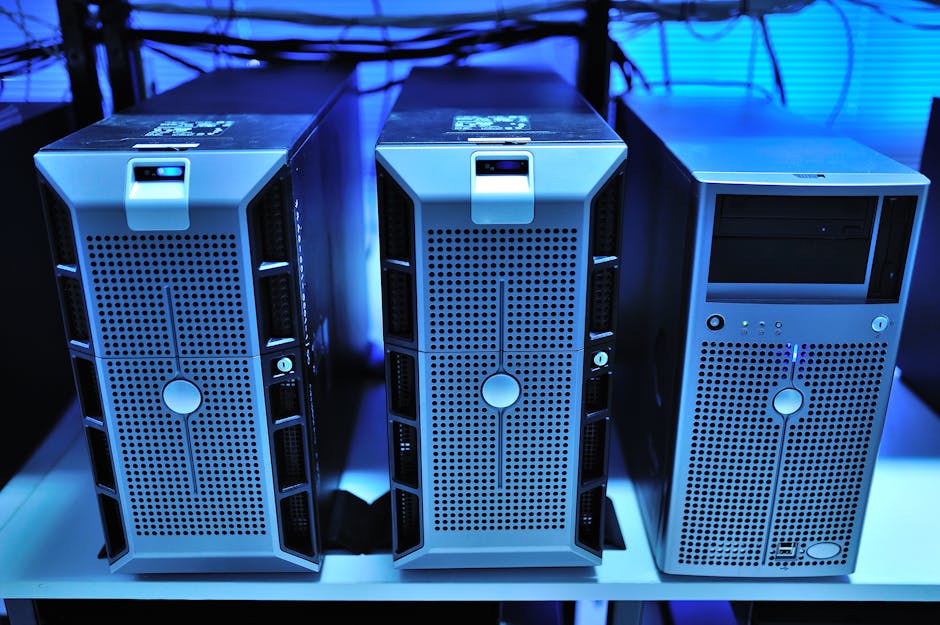
    home lab NAS server rack unraid truenas comparison 2026

    🧠 First, Let’s Understand What Each Platform Actually Is

    Before we dive into the comparison, let’s level-set on what these two operating systems fundamentally are — because they’re built on completely different philosophies.

    Unraid (developed by Lime Technology) is a Linux-based NAS OS that uses a proprietary parity-based storage system. Here’s the key twist: unlike RAID, Unraid lets you mix drives of different sizes. That 4TB drive sitting next to your 8TB? Totally fine. You lose one drive worth of capacity to parity, but the rest is yours to use freely. As of early 2026, Unraid 7.x has also matured significantly in its VM and Docker container management through the community app store.

    TrueNAS — specifically TrueNAS SCALE (the Linux-based version built on Debian) — is developed by iXsystems and is rooted in the powerful ZFS filesystem. ZFS is legendary for data integrity, error correction, and enterprise-grade reliability. TrueNAS SCALE has been pushing hard into Kubernetes and app deployments, making it increasingly popular in prosumer and SMB environments. The 2025–2026 releases have also brought a much more approachable UI to what was once considered an intimidating platform.

    📊 Head-to-Head: The Numbers That Matter

    Let’s get into the specifics. I’m going to compare these across dimensions that actually matter for a home labber in 2026.

    • Cost: Unraid requires a paid license — Basic ($49), Plus ($69), or Pro ($129) as of 2026, supporting 6, 12, or unlimited drives respectively. TrueNAS SCALE is completely free and open-source. For a budget-conscious builder, this is a meaningful difference.
    • Hardware flexibility: Unraid is the clear winner here. Its ability to mix drive sizes and capacities is almost unmatched. TrueNAS/ZFS strongly prefers drives of identical size within a vdev (virtual device), and mismatched drives can lead to significant wasted capacity or degraded performance.
    • Data integrity: TrueNAS with ZFS wins decisively. ZFS features like copy-on-write, checksumming, and scrubbing actively detect and repair data corruption. Unraid’s parity system is simpler and doesn’t offer the same level of bit-rot protection natively.
    • RAM requirements: ZFS is RAM-hungry. A comfortable TrueNAS SCALE setup generally wants 16GB–32GB+ of ECC RAM for reliability. Unraid can run reasonably well on 8GB, making it friendlier for lower-spec builds.
    • Docker & VMs: Both platforms support Docker containers and VMs in 2026. Unraid’s Community Applications plugin makes container deployment genuinely beginner-friendly. TrueNAS SCALE uses a more complex app system (transitioning from Kubernetes to Docker Compose-based in recent updates), which is powerful but has a steeper curve.
    • Community & Support: Unraid has one of the most active and welcoming home lab communities on Reddit and its own forums. TrueNAS also has strong community support but leans more technical in tone.
    • Performance: TrueNAS with ZFS generally delivers higher throughput for large sequential reads/writes, especially with ARC (Adaptive Replacement Cache) tuned correctly. Unraid’s performance, while perfectly adequate for most home use, can lag on very write-intensive workloads due to its parity cache flush mechanism.

    🌍 Real-World Use Cases: How People Are Actually Using These in 2026

    Let me share a few scenarios that reflect how the home lab community has been deploying these systems this year.

    The Media Server Enthusiast (North America & Europe): A large portion of Unraid users in 2026 are running Plex or Jellyfin alongside *arr apps (Sonarr, Radarr, Prowlarr) for automated media management. Unraid’s intuitive Docker UI makes this setup almost plug-and-play. Communities in the US, UK, and Germany have particularly embraced this workflow, with the Unraid subreddit regularly sharing “Jellyfinon Unraid” guides that beginners can follow in an afternoon.

    The Data Hoarder with Integrity Concerns (Asia-Pacific & Enterprise-Minded Users): TrueNAS SCALE has seen growing adoption among home labbers in Japan, South Korea, and Australia who treat their NAS as a primary backup target for irreplaceable data — family videos, photography archives, business documents. The ZFS scrubbing and snapshot features make these users sleep better at night. Korean tech communities (especially on Clien and similar tech forums) have documented detailed TrueNAS builds specifically optimized for long-term data archiving.

    The “I Have Leftover Hardware” Builder: This is classically Unraid territory. If you’re in the common home-labber situation of having two 4TB drives, one 6TB drive, and a 10TB drive you got on sale — Unraid just works. TrueNAS would require you to think carefully about vdev design, and you’d likely waste usable capacity trying to match drive sizes.

    ZFS vs Unraid filesystem comparison diagram data integrity

    ⚖️ The Honest Trade-off Matrix

    Let’s be real — there’s no objectively “better” platform. There’s only the right platform for your use case. Here’s how I’d frame the core trade-off:

    • Choose Unraid if: You have mismatched drives, you’re new to NAS and want a gentle learning curve, you primarily want to run Docker apps and stream media, and you don’t mind paying a one-time license fee for convenience.
    • Choose TrueNAS SCALE if: Data integrity is non-negotiable for you, you have or plan to buy matched drives, you want enterprise-grade ZFS features at zero cost, you’re comfortable with a steeper setup curve, and you have adequate RAM (16GB minimum, 32GB+ recommended).
    • Consider both simultaneously: Yes, some advanced home labbers run Unraid as their primary NAS for daily use and convenience, with a TrueNAS system as a backup/archival target. Overkill? Maybe. But it’s a genuinely clever way to get the best of both worlds.

    🔄 Realistic Alternatives Worth Considering in 2026

    If neither platform feels right, the conversation doesn’t have to end here. OpenMediaVault (OMV) remains a solid, completely free alternative that’s lighter-weight than both and great for simple file sharing on low-power hardware like a Raspberry Pi 5 or an Intel N100 mini-PC. Proxmox VE is another path some home labbers take — running storage VMs on top of a hypervisor, giving you maximum flexibility at the cost of complexity. And if you’re deeply embedded in the Apple ecosystem, macOS with a dedicated Mac Mini acting as a media server remains a surprisingly capable (if expensive) alternative in 2026.

    Editor’s Comment : After all the benchmarks and forum wars, here’s my honest take after living with both systems through 2026: Unraid is the NAS OS that respects your real life — your mismatched drives, your limited time, your desire to just get things running. TrueNAS SCALE is the NAS OS that respects your data’s future — its integrity, its longevity, its recoverability when something inevitably goes wrong. If I’m recommending a starting point for most home labbers today, I’d say start with Unraid to learn the ropes, then migrate to TrueNAS when data protection becomes your top priority. That’s not a cop-out answer — that’s a learning journey that actually makes sense.

    태그: [‘Unraid vs TrueNAS 2026’, ‘home lab NAS comparison’, ‘TrueNAS SCALE review’, ‘Unraid home server’, ‘ZFS vs Unraid storage’, ‘best NAS OS 2026’, ‘home lab setup guide’]


    📚 관련된 다른 글도 읽어 보세요

  • 언레이드 vs TrueNAS 홈랩 비교 2026 — 내 NAS에 맞는 OS는 무엇일까?

    작년 말, 지인 한 분이 퇴근 후 홈랩 구축에 빠졌다가 저한테 연락을 해온 적이 있어요. “언레이드(Unraid) 쓰다가 TrueNAS로 갈아탈까 고민 중인데, 뭐가 더 나아요?” 라고요. 사실 이 질문, 홈랩 커뮤니티에서 정말 자주 올라오는 클래식한 고민입니다. 두 플랫폼 모두 훌륭한 선택지인데, ‘어떤 상황에서 쓰느냐’에 따라 답이 완전히 달라지거든요. 2026년 현재 두 플랫폼 모두 메이저 업데이트를 거친 만큼, 지금 시점에서 다시 한번 차분하게 비교해 보는 게 의미 있을 것 같습니다.

    homelab NAS server rack comparison unraid truenas 2026

    1. 두 플랫폼의 철학부터 이해하자 — 뿌리가 다르다

    언레이드(Unraid)는 Lime Technology가 개발한 상용 라이선스 기반 OS입니다. 반면 TrueNAS는 iXsystems가 만든 오픈소스 기반(TrueNAS CORE는 BSD, TrueNAS SCALE은 Linux 기반) 플랫폼이에요. 이 뿌리의 차이가 두 플랫폼의 성격을 완전히 갈라놓습니다.

    • 언레이드: 디스크를 유연하게 혼용할 수 있는 독자적인 어레이 방식 채택. RAID가 아닌 패리티(Parity) 기반으로, 서로 다른 용량의 HDD를 섞어서 사용 가능.
    • TrueNAS SCALE (2026 최신): ZFS 파일시스템 기반. 데이터 무결성(Integrity)과 스냅샷(Snapshot) 기능이 엔터프라이즈급. 동일 용량 디스크 구성이 권장됨.
    • 언레이드의 라이선스 비용: 2026년 기준 Basic $59 / Plus $89 / Pro $129 (USB 기반 라이선스, 1회 구매 후 영구 사용).
    • TrueNAS SCALE: 완전 무료 오픈소스. 커뮤니티 에디션은 비용 없음.

    2. 성능 수치로 뜯어보기 — 같은 하드웨어, 다른 결과

    동일한 홈랩 환경(Intel N100 기반 미니 PC, 32GB RAM, WD Red 4TB × 4개 구성)을 기준으로 비교했을 때 커뮤니티 벤치마크 평균치를 살펴보면 흥미로운 차이가 나타납니다.

    순차 읽기/쓰기 (SMB 기준)

    • 언레이드 어레이 기본 구성: 읽기 약 110~130 MB/s, 쓰기 약 80~100 MB/s
    • 언레이드 캐시 풀(SSD) 활용 시: 쓰기 최대 400 MB/s+ (SSD 캐시로 먼저 기록 후 HDD 이동)
    • TrueNAS SCALE ZFS RAIDZ1: 읽기 약 250~300 MB/s, 쓰기 약 180~220 MB/s

    수치만 보면 TrueNAS가 압도적으로 보일 수 있어요. 하지만 언레이드의 SSD 캐시 전략을 잘 설계하면 실사용 체감 속도 차이는 상당히 줄어들기 때문에, 단순 숫자로만 판단하기는 어렵다고 봅니다.

    RAM 사용량 (ZFS ARC 캐시 이슈)

    TrueNAS의 ZFS는 ARC(Adaptive Replacement Cache)가 가용 RAM을 적극적으로 사용합니다. 실제로 16GB RAM 환경에서 TrueNAS SCALE 운용 시 ZFS ARC가 10~12GB를 점유하는 사례가 보고돼요. 언레이드는 RAM 사용이 훨씬 보수적인 편이라, 저사양 홈랩에서는 언레이드가 더 유리할 수 있습니다.

    3. 가상화 & 컨테이너 — 언레이드의 강점 vs TrueNAS의 역습

    홈랩에서 NAS를 단순 스토리지로만 쓰는 분은 요즘 거의 없죠. Jellyfin, Home Assistant, AdGuard 같은 서비스를 얹어서 쓰는 게 대세인데, 여기서 두 플랫폼의 접근 방식이 확연히 갈립니다.

    • 언레이드: Docker 컨테이너 + Community Applications(CA) 스토어가 독보적으로 편리해요. 클릭 몇 번으로 100여 개 이상의 인기 앱을 바로 설치할 수 있고, KVM 기반 VM도 GUI에서 직관적으로 관리 가능합니다. 초보자 친화적이라는 평가가 지배적이에요.
    • TrueNAS SCALE: Kubernetes(K3s 기반) 앱 플랫폼을 탑재하고 있었지만, 2025~2026년 업데이트에서 Docker Compose 기반으로의 전환을 진행하며 사용성을 크게 개선했습니다. ‘앱’ 카탈로그도 빠르게 확장 중이에요.

    docker container homelab dashboard comparison interface screenshot

    4. 국내외 홈랩 사용자들의 실제 선택

    Reddit의 r/homelab, r/unraid, r/truenas 커뮤니티와 국내 클리앙, SLR클럽 NAS 게시판의 경향을 종합해 보면 흥미로운 패턴이 보입니다.

    언레이드를 선택하는 경우: 디스크 용량이 제각각인 분들(예: 2TB, 4TB, 8TB 혼용), Docker 앱을 편하게 쓰고 싶은 분들, 홈랩 입문자, 설정에 시간을 많이 쓰기 싫은 분들이 압도적으로 언레이드를 선택하는 경향이 있어요.

    TrueNAS를 선택하는 경우: 데이터 무결성을 최우선으로 여기는 분들, 사진·영상 아카이브처럼 ‘절대 날리면 안 되는 데이터’를 다루는 경우, 동일 용량 디스크를 충분히 갖춘 분들, 그리고 라이선스 비용을 내기 싫은 분들이 많습니다.

    특히 국내에서는 언레이드가 상대적으로 더 활발한 커뮤니티를 형성하고 있는 것 같습니다. 한글로 된 가이드나 Q&A가 풍부해서 진입 장벽이 낮다는 점도 한몫하는 것 같아요.

    5. 데이터 안전성 — 이건 타협할 수 없는 문제

    솔직하게 말씀드리자면, 데이터 보호 측면에서는 TrueNAS의 ZFS가 언레이드의 기본 어레이보다 이론적으로 더 강력하다고 봅니다. ZFS의 체크섬(Checksum) 기능은 ‘비트 로트(Bit Rot, 물리적 데이터 변형)’까지 감지하고 복구할 수 있거든요. 언레이드는 기본적으로 패리티 기반이라 비트 로트에는 취약할 수 있습니다. 단, 언레이드도 ZFS 기반 캐시 풀을 구성하거나 추가 설정을 통해 보완은 가능해요.

    • ZFS 스냅샷: 파일 실수 삭제 후 복구에 매우 강력
    • 언레이드 타임머신 연동: macOS 백업용으로는 무난한 편
    • 양쪽 모두 오프사이트 백업(클라우드 등)을 병행하는 것이 정석이에요

    결론 — 결국 ‘나는 어떤 사람인가’의 문제

    두 플랫폼을 수치와 사례로 살펴봤는데, 결국 정답은 사용자의 상황에 달려 있다는 게 솔직한 결론인 것 같아요.

    • 🟧 언레이드 추천 대상: 홈랩 입문자, 다양한 용량의 디스크 보유자, Docker 앱 위주의 서버 운용, 직관적인 UI를 원하는 분
    • 🟦 TrueNAS SCALE 추천 대상: 데이터 무결성 최우선, 동일 용량 디스크 보유자, 무료 플랫폼을 원하는 분, ZFS의 스냅샷·복제 기능을 활용하고 싶은 분

    만약 지금 당장 결정이 어렵다면, TrueNAS SCALE을 가상 머신(VirtualBox, Proxmox 등)에서 먼저 체험해 보는 방법을 권장드려요. 언레이드는 30일 무료 평가판을 USB 하나로 바로 시작할 수 있으니, 실제 하드웨어에서 테스트해 보는 것도 좋은 방법이라고 봅니다.

    에디터 코멘트 : 개인적으로는 ‘편하게 쓰고 싶다’면 언레이드, ‘데이터를 진지하게 지키고 싶다’면 TrueNAS SCALE이라는 공식이 2026년 현재도 여전히 유효하다고 봅니다. 다만 두 플랫폼 모두 빠르게 발전 중이라, 1~2년 후엔 격차가 더 좁혀질 가능성도 충분히 있어요. 지금 선택한 플랫폼이 평생 정답일 필요는 없으니, 너무 오래 고민하기보다는 일단 시작해 보시는 걸 추천드립니다.

    태그: [‘언레이드’, ‘TrueNAS’, ‘홈랩’, ‘NAS비교’, ‘TrueNAS SCALE’, ‘Unraid 2026’, ‘홈서버’]


    📚 관련된 다른 글도 읽어 보세요